Good online shop website design turns a curious visitor into a buyer who trusts you with cash on delivery. That trust comes from small, clear choices: how departments are laid out, how prices and delivery charges are shown, how fast search works and how short the checkout is. This guide walks through each one for a retail store in Bangladesh that sells many kinds of everyday items.
Every idea here is simple and cheap. Pick the ones that fit your shop, try them for a few weeks, and keep what works.
What buyers check in the first ten seconds
A new visitor decides very fast whether your shop looks real. They look for four things before they scroll:
- A clear logo and name, not a blurry picture.
- Departments they recognise, such as Fashion, Electronics or Beauty.
- Real prices in taka on real products.
- A phone number or WhatsApp they can reach.
If any of these is missing, many buyers leave. Strong online shop website design puts all four on the first screen, on a laptop and on a phone.
Organise your departments
Write down every kind of product you sell. Then group them into 8 to 12 departments, such as Baby & Kids, Beauty, Books, Electronics, Fashion, Grocery, Health & Fitness, Home & Kitchen, Jewellery and Sports.
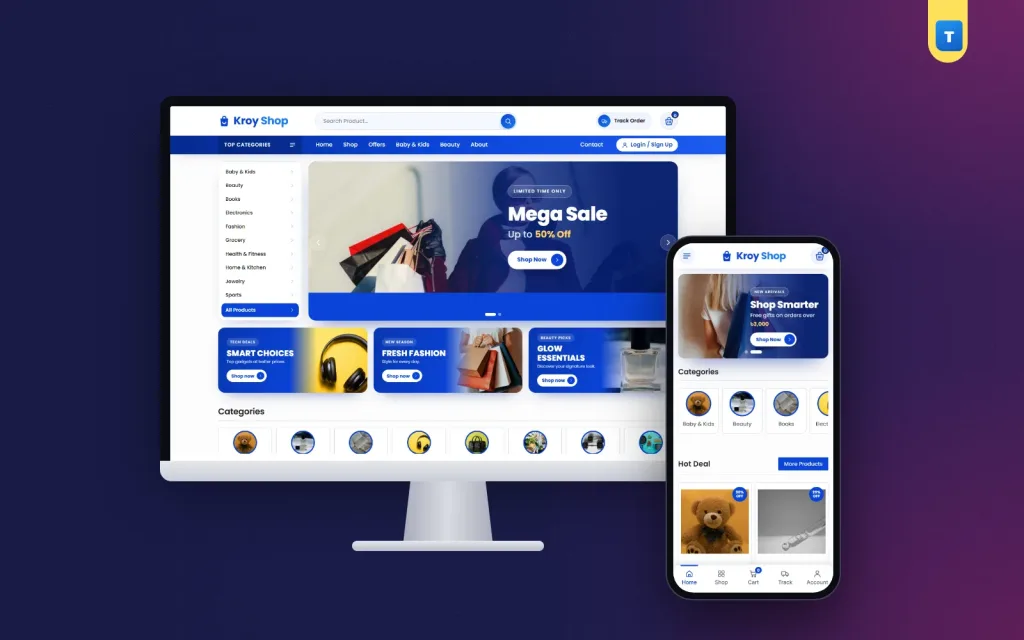
Show them in two places. Beside the hero slider, a boxed list lets buyers jump to a department from the first screen. Lower down, tiles with one photo each give a quick visual tour. On phones, move the list into the menu and turn the tiles into a row that scrolls sideways.
Names buyers understand
Use the words your buyers use. "Home & Kitchen" is clearer than "Living Essentials". If many buyers search in Banglish, add those words to product titles or tags. Keep each department to one level where you can, because a buyer who opens three menus to find a phone charger often gives up.
Good online shop website design keeps the path short: department, then product, then cart.
A homepage that sells without shouting
Buyers scroll a retail homepage the way they walk through a market. Each block should answer one question. Here is an order many shops use:
- Category list and hero slider with one or two real offers.
- Three small banners, one for each big department this month.
- Category tiles with one photo each.
- Hot deals for this week only.
- Trust strip with delivery time, quality checks, cash on delivery and returns.
- Top selling products as social proof.
- Offer band with a first-order coupon.
- All products, newest first.
- Reviews, an FAQ and buying guides.
Each block should link to its full list. Hide the small banners on phones so the products come up sooner. Calm online shop website design shows fewer blocks done well rather than many blocks fighting for attention.
One of the best online shopping website ideas is also the plainest: change the hot deals row every week. Regular buyers learn to check it, and it gives them a reason to come back.
Product cards that line up
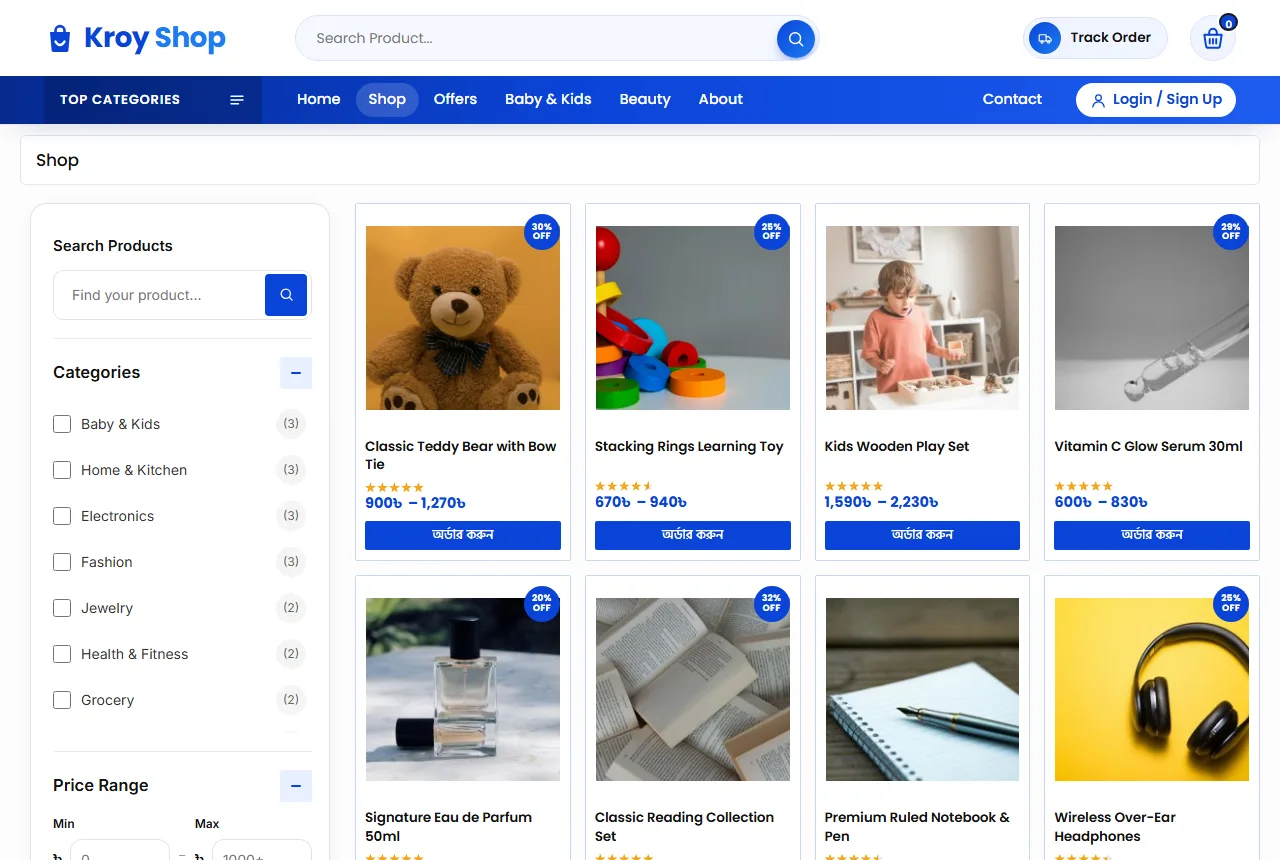
In a store with many departments, the card is your most important design piece. Keep it identical across the site: picture, a two-line title, the price, stars and a discount tag when there is an offer. Add a heart for the wishlist and a clear order button.
Use square photos on a plain white or light grey background. A teddy bear shot on a bed next to a lamp shot on a table makes the grid look messy. One background and one angle make even cheap items look cared for, and that is half of good online shop website design.
Prices and discounts
Show prices in taka with the ৳ sign and no decimals, such as ৳1,250. When an item is on sale, show the old price crossed out and a small "Save %" tag. Do not put every item on sale. When everything has a discount, nothing feels special.
Sets and combos
Many retail buyers like a deal on two or three items. Offer a Single and a Combo option on the same product, each with its own price, instead of making a second product. Buyers see the saving at once, and your reviews stay in one place.
Search and filters that find things fast
When a shop has more than a hundred items, search becomes the main menu. Put a long search box in the header with a clear button beside it. Show matching products as the buyer types where you can.
On shop and department pages, add a filter card with:
- the current department;
- a price range in taka;
- average rating;
- stock status;
- on sale items.
Add Apply and Reset buttons, and open the filters in a panel on phones so they do not cover the products.
Check your search every week. Type the ten words buyers use most and see what comes up. If "mug" shows a dumbbell, fix the titles or tags. Small fixes like this do more for online shop website design than a new banner.
Product pages that close the sale
A buyer on a product page wants five answers: what is it, how much, is it in stock, how fast can I get it, and what if it is wrong. Put all five near the top.
- A gallery with three or four photos.
- The price with an "In Stock" note.
- Option buttons, such as Single or Combo, size or colour.
- Add to Cart and Buy Now buttons, both large.
- The payment logos you accept, including cash on delivery.
- Three short promises: delivery time, cash on delivery and returns.
Under that, use tabs for the full description, details and reviews, and show related products at the bottom. In online shop website design, related products are the cheapest way to raise the order value: a buyer of a phone charger often adds a cable or a speaker.
Online shop website design for phones
Most orders in Bangladesh come from a phone, often on mobile data. Design the phone view first, then the desktop.
- A menu button, the logo and the cart in the top bar.
- A bottom tab bar with Home, Shop, Cart, Track Order and Account.
- Product cards two per row.
- Buttons big enough for a thumb.
- One hero slider, with the small banners hidden.
Test the shop on a cheap Android phone over 4G. If the homepage feels slow there, it is slow for most of your buyers. Light online shop website design loads fewer heavy pieces and keeps buyers scrolling.
Keep the shop light
Compress photos before upload; most product photos are fine at 800 to 1200 pixels wide. Use a shop theme with small files instead of a heavy page builder. Keep plugins few, and remove the ones you do not use. Check your shop speed once a month.
Delivery charges and the checkout
A long checkout loses orders. Ask only what the delivery needs: name, mobile number, district, area and a short address line.
Show delivery charges early. Many shops charge about ৳80 inside Dhaka and ৳120 outside Dhaka. Let the buyer pick one at checkout, and say the same numbers in the FAQ and on the Shipping Policy page, so nobody feels tricked at the last step. Inside Dhaka in one or two days and outside Dhaka in two to four days is a common promise.
Cash on delivery is still the main payment method. Add bKash, Nagad and card payments with a payment plugin as the shop grows, and show the logos of what you accept.
Coupons that bring the first order
A fixed first-order coupon, such as ৳200 off orders over ৳2,000, is a safe start. Show the code in an offer band where buyers can tap to copy it, and limit it to one use per customer.
Accounts, fake orders and repeat buyers
Fake cash on delivery orders cost real money: the rider's time, the courier fee and the return. Asking buyers to create an account with a mobile number or email before ordering cuts many of these.
Some shops prefer guest orders because they are faster. Try guest orders first, and switch to required accounts if fake orders grow. Either way, say the rule clearly at checkout.
Make sign-up quick. A popup that accepts a Bangladeshi mobile number (01XXXXXXXXX) or an email with a password is enough. The address is saved, so the next order is faster. A wishlist and a Track Order page give buyers a reason to sign in again, and repeat buyers are where a retail store earns its profit.
Returns and trust pages
A clear return rule is one of the strongest trust signals a store can show, and honest online shop website design puts it one click away from every product. A common one: return within 7 days if the item is unused with its tags, or if it has a fault. Say who pays the return delivery and how fast the refund or exchange happens.
Buyers also check these pages before their first order:
- About: who runs the shop and where you are.
- Shipping Policy: areas, charges and delivery days.
- Return Policy: what you take back and how.
- FAQs: the questions you hear most.
- Contact: phone, WhatsApp, address and a form.
- Track Order: order number and email.
- Privacy and Terms.
Google's guide to helpful content is a good reminder here. Write product text for buyers, in your own words, and answer the questions they really ask.
Common mistakes in online shop website design
- Too many departments in the main menu.
- Photos with different backgrounds and sizes.
- Titles with no brand, size or colour.
- Delivery charges shown only at the last step.
- A deals row that never changes.
- Pop-ups on phones that hide the cart button.
- Product text copied from a supplier, word for word.
More online shopping website ideas for the year
Bangladesh shopping follows the calendar: Eid, Pohela Boishakh, winter, the school year and wedding season. Change the hero slider, the small banners and the first category tiles for each one. In winter, move blankets and jackets up. Before school starts, move bags, books and lunch boxes up.
A small blog helps too. Short buying guides, such as how to choose headphones or gift ideas for every budget, bring visitors from search and answer questions before they reach you.
Ask happy buyers for a review after delivery, ideally with a photo, and reply to every review calmly. These are simple online shopping website ideas, but they build the kind of trust no banner can.
A launch checklist
- Every product has square photos, a clear title, a price and stock.
- The category list sits beside the hero.
- Search finds the ten words buyers use most.
- Filters work on every department page.
- Delivery charges are visible before checkout.
- Help pages are written and linked in the footer.
- You placed three test orders from a phone.
Track a few numbers every week after launch: visitors, orders, average order value and returning buyers. Change one thing at a time, and watch whether the numbers move.
Turning these ideas into a shop with Kroy
These ideas are easier to follow when the theme already has them built in. The Kroy retail store theme runs on WordPress and WooCommerce.
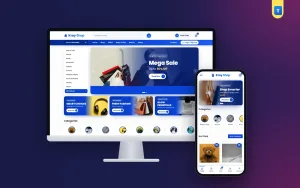
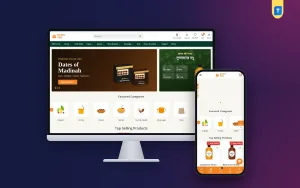
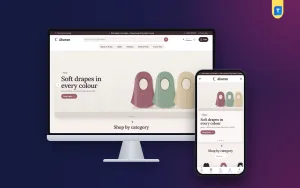
It has a category list beside the hero slider, three promo banners, category tiles, hot deal, top selling and all products grids, a trust strip, an offer band with a copyable coupon, reviews, an FAQ and a blog block. The product page has option buttons and promise boxes for delivery, cash on delivery and returns.
Buyers get shop filters, mobile number or email sign-in, a wishlist and a Track Order page, and every homepage block can be switched on or off. Import the demo, add your products, and you can take orders the same week.
Frequently asked questions
What matters most in online shop website design?
Clear departments, real prices, visible delivery charges and a short phone checkout.
How many departments should online shop website design show on the homepage?
Show 8 to 12 main departments. Put smaller groups inside them.
Do I need online payment from day one?
No. Cash on delivery is enough at first. Add bKash, Nagad or cards later.
Should buyers need an account to order?
Start with guest orders, and ask for accounts if fake orders grow.
How many products should I start with?
Start with 30 to 100 items you always have in stock, then grow.