Clear pet shop website design helps pet owners find the right food and supplies quickly and trust that they are buying the best for their animal. People treat pets like family. They read ingredients, compare brands and worry about getting the wrong size or flavour. A website that answers those concerns, and makes reordering easy, turns first-time visitors into loyal monthly customers.
This guide covers what a pet food and supplies website needs: navigation by pet, product pages, brands, subscriptions and reorders, deals, trust signals, checkout and mobile layout. It is written for pet food shops, supply stores, vet clinics with a shop and online pet sellers.
How pet owners shop
Most pet owners fall into two groups:
- Regular buyers who order the same food and litter every month and want it to be quick.
- New or curious owners who need advice: which food for a kitten, how much to feed, which toy is safe.
Good pet shop website design serves both: a fast path for regulars and helpful information for those still learning.
Navigation by pet, then by need
Pet owners think first about their animal, then about what they need. Organise the shop the same way:
- Shop by pet: cat, dog, bird, fish, small pets.
- Then by category: dry food, wet food, treats, litter, toys, beds, grooming, health care, accessories.
- Then by filters: age (kitten, adult, senior), brand, weight, flavour.
Show "shop by pet" as large, friendly tiles on the homepage. Search should understand brand names and common terms such as "kitten food".
Pet shop website design for product pages
Product pages are where owners decide. The best pages answer three questions clearly:
What are the benefits?
A few short points: supports digestion, healthy coat, strong teeth, suitable for indoor cats. Plain words, no exaggerated claims.
What is inside?
The main ingredients and the protein, fat and fibre levels. Owners with sensitive pets read this carefully.
How much and how to feed?
A simple feeding guide by pet weight or age. This prevents over- or under-feeding and reduces questions.
Laying these three parts out the same way on every product makes comparing easy. Add clear photos of the front and back of the pack, size options with their own prices, stock status and reviews from other owners.
Brands
Many owners are loyal to a brand. Show the brands you stock as a strip of logos on the homepage and allow filtering by brand. If you sell your own brand, give it a short story page explaining where it is made and why it is good.
Making reorders effortless
Repeat orders are the heart of a pet shop. Ideas that help:
- Accounts with saved addresses, using a mobile number or email.
- Order history so customers can reorder the same food in one tap.
- Wishlist for products they plan to try.
- Reminders when a bag is likely to run out, based on size and past orders.
- Bundle discounts for buying two bags at once.
Deals that feel fair
Pet owners appreciate deals, but they also notice tricks. Keep offers honest and useful:
- A deals section on the homepage with real savings.
- Seasonal offers, such as anti-tick products before the rainy season.
- Starter kits for new pet owners: food, bowl, litter, toy and a care guide at a combined price.
- A first-order coupon for new customers.
Trust signals for pet shops
- Genuine products promise. State clearly that you sell original products, and explain how you source them.
- Expiry dates. Mention that you check expiry and send fresh stock.
- Reviews with pet photos. Nothing builds trust like a photo of a happy pet.
- Vet partner or advice. If a vet supports your shop, say so.
- Clear return policy for damaged packs or pets that refuse a new food.
- Phone and WhatsApp for quick questions.
Checkout and delivery
Pet food bags are heavy, so delivery matters. Show delivery charges, free delivery thresholds and delivery times early. Keep checkout short: name, phone, address and payment. Offer cash on delivery and mobile payments such as bKash and Nagad. A WhatsApp order button helps owners who prefer to ask first.
Pet shop website design ideas for the homepage
A friendly homepage sets the tone. Pet shop website design ideas that work well:
- A warm hero photo of a real pet with your main offer.
- Shop by pet tiles.
- Best sellers and new arrivals.
- Brands strip.
- Deals of the week.
- Your promise: genuine products, fast delivery, easy returns.
- Reviews with pet photos.
- Care tips from the blog.
Use soft colours and rounded shapes; pet shops should feel caring, not cold.
Designing for phones
Owners often reorder from their phone when they notice the bowl is nearly empty. On small screens, keep "shop by pet" and search at the top, show two products per row, keep the cart button visible and make the reorder path as short as possible. A sticky buy bar on product pages keeps the add to cart button within reach.
Photographing pet products
Shoot packs from the front on a plain background in daylight, then add a photo of the back with ingredients and feeding guide visible. For toys and accessories, show them in use with a real pet if you can. Keep every photo the same size and angle so the shop looks tidy.
Writing product descriptions owners trust
Pet owners read product pages carefully, so the words matter. Keep descriptions short, honest and consistent across the shop. Start with who the product is for: "Complete dry food for adult indoor cats, one to seven years." Then list two or three real benefits, the main ingredients and a simple feeding table. Avoid big promises such as "cures all problems"; owners trust calm, factual language much more. If a product suits pets with sensitive stomachs or allergies, say so clearly, because those owners search specifically for it.
For toys and accessories, mention size, material, safety and which pets they suit. "Soft rubber chew toy for small to medium dogs, free of sharp edges" answers most questions in one line. Clear descriptions reduce returns and make your shop the place owners come back to.
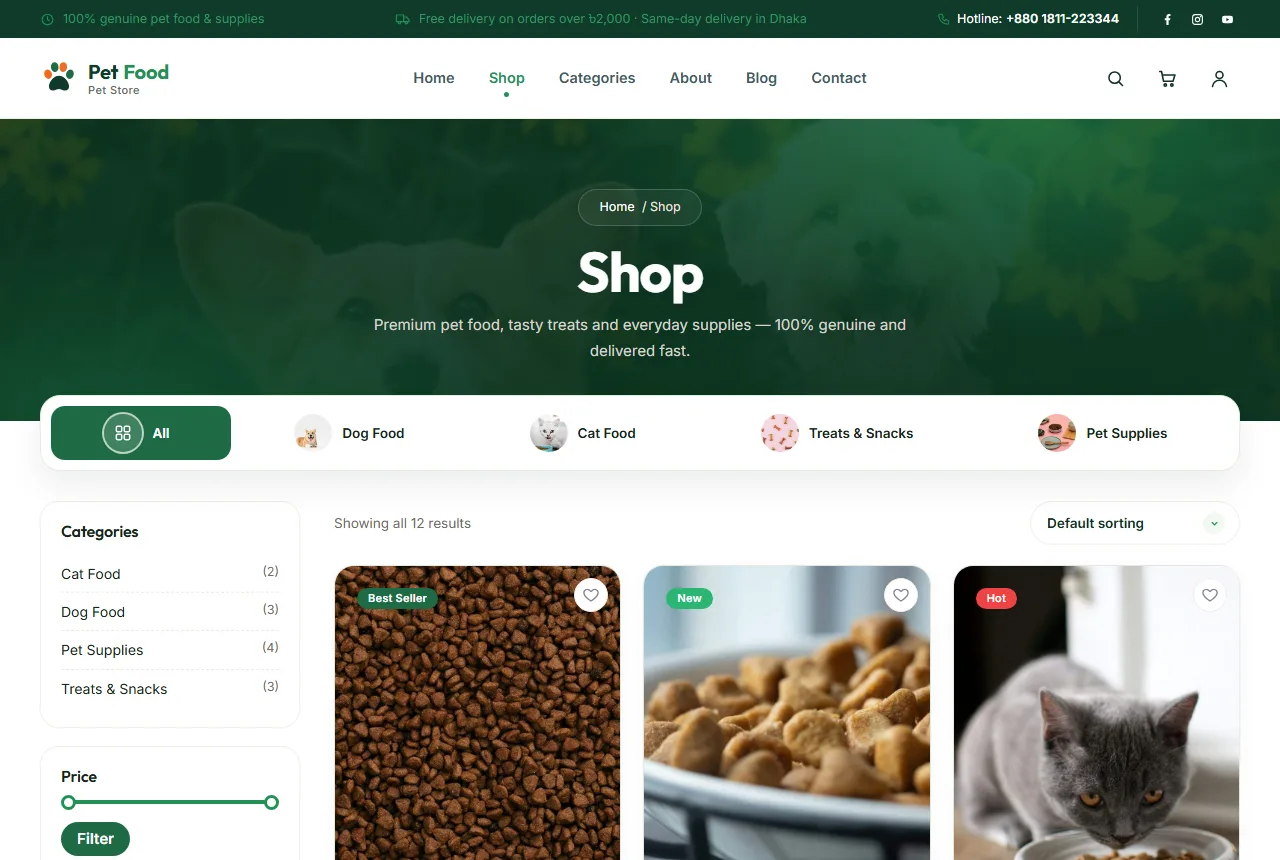
Planning the site structure
A pet shop website works well with a simple structure:
- Home: shop by pet, best sellers, deals, brands, your promise, reviews and care tips.
- Shop: all products with filters for pet, category, age, brand and weight.
- Product pages: photos, sizes, benefits, ingredients, feeding guide, reviews and related products.
- About: your story, why you started the shop and how you choose products.
- Help pages: shipping, returns, order tracking, FAQ, privacy and terms.
- Blog: care guides and feeding advice.
Keep the menu short and friendly. Most owners will use "shop by pet" and search rather than a deep menu.
Helping new pet owners
New owners are some of your best future customers, but they need guidance. A "new kitten" or "new puppy" page that lists the essentials, with products grouped together, saves them time and builds trust. Add a short checklist for the first week: food, bowls, litter or pads, a bed, a toy, a carrier and a first vet visit. Owners who get good advice from your shop in the first week often stay with you for years. This is one of the most valuable pet shop website design ideas, because it turns a single starter order into a long relationship.
Content that helps owners
Helpful articles bring visitors and build trust: "How much should I feed my kitten?", "Choosing the right dog food by size", "How to switch your cat to a new food". Keep them practical and link to the products mentioned. Google's guidance on helpful content explains why useful, original advice performs well in search.
Common mistakes
- No ingredients or feeding guide. Careful owners will not buy.
- Confusing sizes. Show the weight clearly on every card.
- Fake brand logos. Only show brands you really stock.
- Out-of-stock food still orderable. Update stock daily.
- Slow reorder. Regulars should reorder in under a minute.
Subscriptions and auto-delivery
For owners who buy the same food every month, a simple subscription can be a big help. Even without special software, you can offer a "monthly delivery" option: the customer chooses the product, quantity and delivery day, and you confirm by phone each month. Some shops give a small discount for subscriptions, which pays for itself through steady, predictable orders. Explain clearly how to pause or cancel, because owners worry about being locked in.
If you do not want to manage subscriptions, a reminder message a few days before a bag usually runs out works almost as well. The goal is the same: make it easier to reorder from you than to look elsewhere.
Handling delivery of heavy items
Large bags of food and litter are heavy, which affects delivery cost and customer satisfaction. Be upfront about it. Show weight-based delivery charges clearly, offer free delivery above an amount that covers the cost, and let customers choose a delivery time when someone is home. Pack bags securely so they do not split in transit. A short note in the order confirmation, such as "Your 10 kg bag will arrive tomorrow between 4 and 7 pm", prevents worried calls and builds trust.
Seasonal planning
Pet needs change through the year. Before the rainy season, owners look for tick and flea products and indoor toys. In summer, cooling mats and extra water bowls sell well. Around festivals, gift sets and treats are popular. Plan homepage banners, deals and blog posts a few weeks ahead of each season. Seasonal relevance is one of the simplest pet shop website design ideas, and it keeps your site feeling fresh and helpful all year.
Measuring what works
Watch how many customers reorder within six weeks; for a pet shop, this is the key number. Check which products get views but few sales and improve their descriptions or photos. Track which pets and brands are searched most and feature them. Good pet shop website design keeps improving with each month of data.
Frequently asked questions
Should I stock both budget and premium foods?
Yes. Offering a good budget option and a premium option for each pet lets every owner find something that fits, and they will buy their other supplies from you too.
Should I sell food for all pets?
Start with the pets your customers have most, usually cats and dogs, and add others as demand grows.
How do I handle returns for opened food?
Many shops accept returns only for damaged or expired packs. Say this clearly in your policy.
Is a WhatsApp order button useful?
Yes. Many owners like to ask a quick question before ordering, especially about a new food.
How many photos does each product need?
At least two: the front of the pack and the back with ingredients and the feeding guide. For toys and accessories, add a photo of the item in use.
Should I show prices per kilogram?
It helps owners compare bag sizes. Show the price per kilogram in small text under the main price, especially for food sold in several sizes.
How can I encourage reviews?
Send a short message a week after delivery asking how the pet liked the product, and invite a photo. Owners love sharing pictures of their pets, and those reviews build trust for new customers.
Do I need a blog?
It is not required, but care guides help owners and bring visitors from search.
Starting with Adori
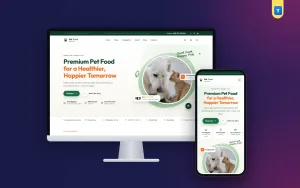
If you want a ready design built on these ideas, Adori is our pet store WordPress theme. Each product page lays out benefits, what's inside and a feeding guide from three simple boxes, and the theme adds brands, deals, a wishlist, WhatsApp ordering and sign-in with a mobile number or email. The demo includes 12 products in 4 categories and every page a pet shop needs.
Whatever you choose, good pet shop website design comes down to care: clear information, honest products and a quick way for busy owners to reorder what their pets love. Start with the foods your regular customers already trust, keep every product page clear and consistent, and let happy owners and their pets become the reviews that bring the next customer to your shop.