A plain t shirt website design template has one job: make fit, fabric, colour and price clear on the first screen. A plain tee has no print or logo to show off. Buyers decide on how it fits, how thick the cotton is and what it costs, so your site must answer those points fast.
This guide is for small T-shirt sellers in Bangladesh who want their own online shop. It covers the catalogue, the homepage, the cotton and size information, multi-pack offers, payments and couriers. Use it as a plan, and then pick the template that matches it.
Why plain T-shirts need a different kind of website
A printed tee sells with its picture. A plain tee sells with its facts. Ask a customer why she did not order, and the replies are short:
- "Is this cotton thick?"
- "Will a large fit me?"
- "Do you have it in grey?"
- "What is the price for three?"
Every one of these is a missed sale if the page does not answer. A good plain t shirt website design template gives each question its own place, so the buyer never needs to message you.
Basics shops also compete on repeat orders. A buyer who likes one black tee will come back for white and grey. Your site should make that second order easy.
Start with the catalogue, not the colours
Before you choose a plain t shirt website design template, list what you sell. Plain tee shops often have fewer designs than other clothing sellers, but many sizes and colours. That makes the structure important.
Group products by fit
Fit is the main way people shop for basics. A clear set of categories could be:
- Classic tees
- Heavyweight tees
- Oversized tees
- Women's tees
- Polo shirts
- Stripe tees
- Multi-packs
Use tags for colour
Create a tag for every colour you sell: black, white, grey, navy, olive, sand, maroon. Tags let you build a "Shop by colour" row where one tap opens every black tee, whatever the category.
Use attributes for size and fabric
Set size as a product attribute (S, M, L, XL, XXL) and add the cotton weight to the product details. When a product has real attributes, filters and size buttons work without extra effort.
The homepage of a plain t shirt website design template
The page should feel plain on purpose. White space, strong type and clear photos suit basics well. A good order of blocks looks like this:
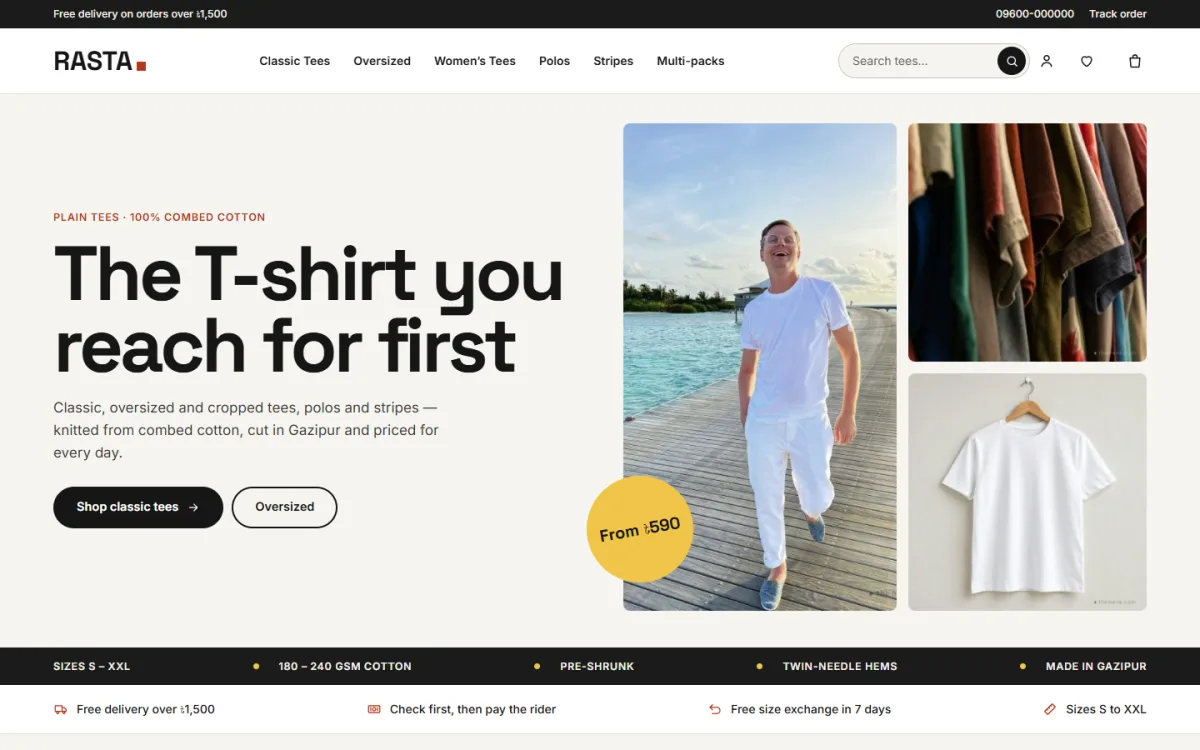
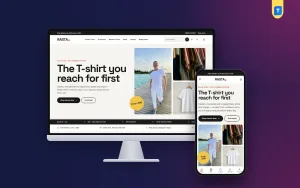
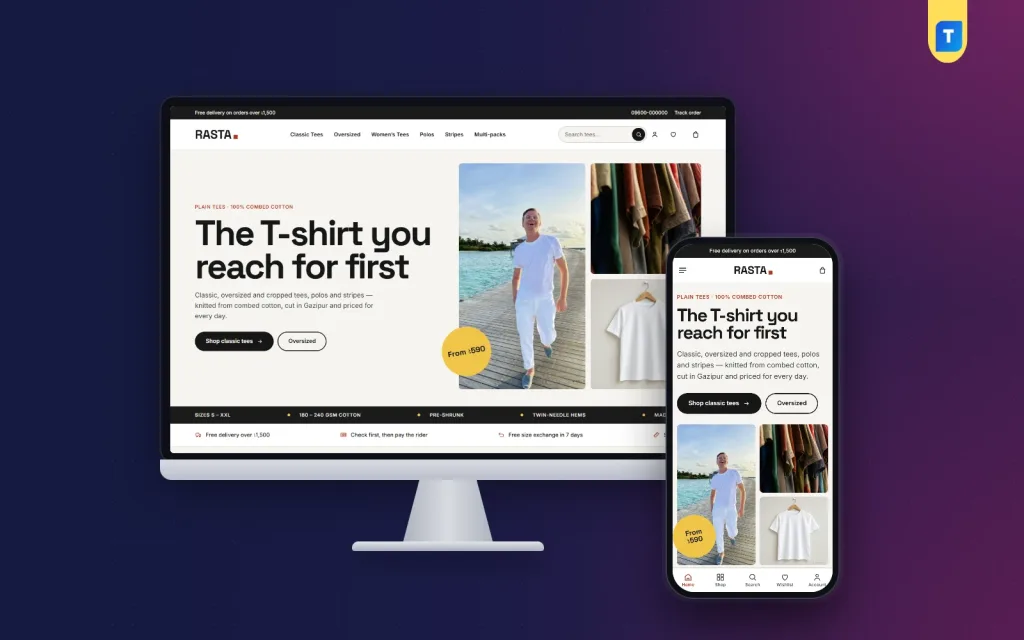
- Hero: a big headline, two buttons and a few photos. A round price sticker, such as "Tees from 399 taka", draws the eye.
- Facts strip: a thin line listing sizes, cotton weight and pre-shrunk fabric.
- Promise line: delivery, cash on delivery and exchange in three short items.
- Pick your fit: tiles for classic, oversized, women's, polo, stripe and multi-pack.
- New arrivals: the latest tees in a grid.
- Shop by colour: colour chips linked to tags.
- Multi-pack offer: a wide photo band for 3-packs.
- Cotton guide: three fabric weights side by side.
- Best sellers: tabs by category.
- Reviews: the latest five-star comments.
- Blog or notes: care tips and fit advice.
- More tees: a large grid with a Load more button.
Each block should be easy to switch off or move. In one month the 3-pack may lead the page, and in the next a clearance timer may take its place.
Show the cotton: a simple GSM guide
GSM means grams per square metre. It tells a buyer how heavy the fabric is, and it is the clearest way to say "thin", "everyday" or "heavy". Most shoppers do not know the number, so explain it.
A short guide you can copy
- Light, around 140 to 160 GSM: airy, good for hot weather, can feel thin.
- Everyday, around 180 to 200 GSM: a balance of comfort and body for daily wear.
- Heavy, around 220 GSM and above: thick and structured, holds shape after many washes.
Use the real numbers from your own fabric supplier. Do not copy a range that is not true for your stock. If a tee is pre-shrunk, say it. If it can shrink a little, say that too and suggest a wash tip.
Place a three-column cotton block on the homepage and a short line on each product page. This single block saves more chat time than almost any other part of the site.
Sizes and fit on every card
Printing the sizes under the product name is a small change with a large effect. A buyer sees at once that the L is in stock, and one tap adds it to the cart.
What to put on the size chart
- Chest width in inches or centimetres, measured flat
- Body length from shoulder to hem
- Sleeve length
- A note on the fit: classic, relaxed or oversized
- The height and size of the model in the photo
Measure a real tee from your own stock and write those numbers. Brand labels differ, and a custom chart is more honest than a generic one.
Multi-packs and offers that raise order value
Basics are cheap, so shipping can eat the profit on a single tee. Multi-packs fix this. A 3-pack of white or black tees raises the order value and the buyer saves money.
- Offer a fixed price for three, such as "Any 3 tees for 1,100 taka".
- Make a wide photo band for the pack on the homepage.
- Show the saving in taka, not only a percentage.
- Add a "Shop by price" row with four price links so budget buyers find their level.
- Use a countdown timer for last-size clearances, with a real end date.
Keep every offer honest. If the timer ends, remove the offer. Fake urgency loses trust quickly in a small market.
Photos for plain tees
With no print, the photo has to show the shape and the cloth.
- Shoot front, back and a close-up of the neck and fabric.
- Use the same model and background for the whole range, so colours are easy to compare.
- Use daylight, and do not heavy-edit the colour.
- Add one flat-lay photo for each tee so the cut is clear.
- Show the model's height and the size worn.
Compress every file before upload. A page full of heavy images drives away buyers on mobile data.
Price your tees so the shop can grow
Plain tees are a volume business, so a small pricing mistake repeats on every order. Before you list anything, work out the real cost of one sale.
Know your cost per order
- Fabric and stitching cost per piece
- Packing: poly bag, tag and a thank-you card
- Courier charge and the cash on delivery fee
- Payment gateway or wallet fee
- Ad spend divided by the number of orders
- A share for returns and exchanges
Add these up for one tee, then for a 3-pack. You will often find that a single tee barely pays for the courier, while a 3-pack leaves a healthy margin. That is the reason to show the pack offer on the homepage.
Set price steps buyers understand
Use a short ladder, for example classic at one price, heavyweight a little higher and oversized a little higher again. Buyers then see why a tee costs more, because the cotton weight is printed next to the price. A "Shop by price" row helps those who shop by budget.
Free delivery thresholds
A free delivery line above a set amount pushes people to add a second tee. Choose a level that is one tee above your average order, and show it in the top bar.
Payments, delivery and exchange in Bangladesh
Cheap items often mean first-time buyers, so trust is the main barrier. Offer the options your buyers know.
- bKash and Nagad: the usual mobile wallets for online orders.
- Cash on delivery: reassures new buyers, though you carry the return risk.
- Card or gateway payment: for those who prefer it.
Connect one or two couriers to the shop and show delivery charges by zone, inside and outside Dhaka. Add a Track Order page. State your exchange rule near the buy button: how many days, what condition, and who pays the return charge.
For repeat tee buyers, a wishlist and coupon codes work well. Send the coupon in the parcel for the next order.
Make it fast and easy on a phone
A plain t shirt website design WordPress setup is only as good as its phone experience. Most visitors will come from a Facebook post or story. Test the site on a mid-range phone with a slow connection.
- Open the homepage and count the seconds until the hero shows.
- Tap through to a product and add a size in two taps.
- Open the cart and finish checkout on one page.
- Try a bKash payment on a test order.
- Look at the page without images to check the text still makes sense.
If anything feels slow, remove sliders, reduce image sizes and turn off fonts you do not need.
A ready-made option: Rasta
If you want a finished layout instead of building each block, Rasta is a WordPress theme built for plain tee shops. It follows the plan in this guide and adds a full store behind it.
Here is what the product page lists:
- 15 homepage blocks you can switch off and re-order
- A hero with three photos and a round price sticker
- Colour chips linked to your colour tags
- A 3-pack photo band for multi-pack offers
- A "know your cotton" guide with three GSM weights
- Sizes printed under the name on every card, with one-tap size add
- A size chart on every product
- Four colour palettes and six font pairs
- bKash, Nagad, SSLCommerz and cash on delivery
- Steadfast and Pathao courier with order tracking
- A one-click demo with 48 tees, polos and packs
The store plugin comes with the package, so you do not need WooCommerce. You add your own tees, photos and prices. Look at the Rasta product page to see the full list and the live demo link.
Mistakes to avoid with a plain t shirt website design template
- Hiding the fabric weight. It is the number one question for basics.
- Using the same photo for every colour. Buyers want to see the real shade.
- No size chart. Sizing wrong is the top reason for returns.
- Too many fonts and colours. A plain shop should look plain and clean.
- Slow pages. Heavy sliders and many plugins cost sales.
- Forcing sign-up before checkout. Let guests buy.
- No multi-pack. You give up easy extra revenue.
Setup checklist before you launch
- Pick a short domain and set up hosting with SSL.
- Install the theme and import the demo to learn the structure.
- Create categories, colour tags and size attributes.
- Upload 20 to 30 tees with the same detail template.
- Write the fabric weight and size chart for each product.
- Create the 3-pack offer and set its price.
- Add delivery zones, bKash, Nagad and cash on delivery.
- Write the exchange, delivery and privacy pages.
- Place a test order on a phone for each payment type.
- Share the link on your Facebook page and in every post.
If you want to read more on the technical side, the official WordPress documentation is a good, reliable reference.
Frequently asked questions
What should a plain t shirt website design template include?
It should show sizes, fabric weight, colour and price clearly. Look for colour filters, a size chart, a multi-pack offer block, easy checkout and mobile-first pages. A good plain t shirt website design template keeps the look plain and the facts clear.
Can I build a plain t shirt website design with WordPress?
Yes. A plain t shirt website design WordPress theme gives you the layout, and a store plugin gives you the cart, checkout and orders. Some themes bundle the store plugin, so there is less to install.
How many T-shirts should I upload at launch?
Start with 20 to 30 tees in your main fits and colours. Add full details for each. You can add more each week as stock arrives.
What is GSM and why does it matter?
GSM is grams per square metre, a measure of fabric weight. It tells a buyer how thick the tee is. Showing it saves you many chat questions.
Which payment methods work best for tee shops?
Offer bKash, Nagad and cash on delivery. Add a card gateway if buyers ask for it. Test each method on a phone before you promote the shop.
How do I get repeat orders on a basics shop?
Make colour browsing easy, offer multi-packs, keep a wishlist, and put a coupon in each parcel. A buyer who liked one tee often returns for another colour.