The best news template for WordPress is the one that keeps up while a story is still moving. A flood rising in a northern district, a road accident on the highway, a cricket match going down to the last over: readers refresh the page again and again, and the site has to show what changed without making them hunt for it. This guide is for small newsrooms, district publishers and freelance reporters in Bangladesh who cover live events and local news online.
Live and local coverage is where small publishers can beat big ones. A national daily cannot have a reporter in every upazila, but you might. When a story breaks in your area, you can be first with accurate facts and photos, and readers remember who told them first. To make that count, though, your site has to be quick to update, easy to read on a phone and clear about what is new.
Our example is the Bangla Live News Theme, a WordPress theme built for real-time Bangla news portals and digital magazines. It sets up with a one-click demo import, and colours, fonts, logos and footer credits can be changed from the dashboard without code. Before looking at it, let us be clear about what live and local coverage actually asks of a website.
What Live Coverage Asks of a Website
During a live story, three things matter. First, the newest information must be visible at the top of the homepage, usually in a ticker or a lead slot. Second, readers who arrive from Facebook halfway through need a quick way to see the earlier updates. Third, the site must stay fast under a sudden rush of visitors, because the moment a story breaks is exactly when traffic jumps and slow pages lose readers to competitors.
None of this needs a special live-blog system. A normal WordPress post can be updated every few minutes with a short time-stamped paragraph at the top, while the ticker carries the latest one-line headline. What does matter is the layout around that post: whether the ticker is prominent, whether the latest list sits high on the page, and whether the theme is light enough to load quickly when hundreds of people open it at once.
Why a Local News Website Needs Its Own Approach
A local news website has different readers from a national portal. They want news about their own roads, schools, markets, hospitals and local government, and they often know the people in the story. That means accuracy matters even more, because mistakes are noticed and shared fast. It also means sections should reflect local life: upazilas or neighbourhoods, education, local sport and a notice board for events, alongside the usual national and entertainment pages.
Local sites also depend heavily on community trust. Publish a phone number or WhatsApp contact for tips, name your editor on the About page and credit local photographers. When you make a mistake, correct it openly at the top of the story. Over time, a local news website that behaves like a responsible neighbour earns the kind of loyalty that no advertising budget can buy, and that loyalty shows up in daily visits.
Choosing the Best News Template for WordPress When Speed Matters
When you compare themes for live and local work, look past the colours. Check where the ticker sits and how easily it can be fed. Check whether there is a latest-updates list near the top and whether categories can drive separate homepage blocks for your areas. Open the demo on a mid-range phone with mobile data and see how quickly the first screen appears. Finally, check that ad spaces shrink properly on small screens instead of pushing stories down.
Weight and code quality matter just as much. A heavy theme with many scripts may look good on an office computer and crawl on a phone during a big story. Prefer a lightweight theme with clean code, then keep your plugin list short. The WordPress documentation explains how to manage posts, revisions and user roles, which is useful when several reporters update the same live story.
Inside Bangla Live News: Built for Running Stories
The Bangla Live News Theme is aimed squarely at this kind of work. Its feature list includes breaking news tickers, featured sliders, category-wise news blocks, photo galleries and video integration, intended for keeping readers updated on live news, entertainment, sports and political stories in Bangla. The code is described as clean and lightweight with no hidden scripts, it is fully responsive, and it uses schema markup and clean HTML so search engines can crawl stories easily.
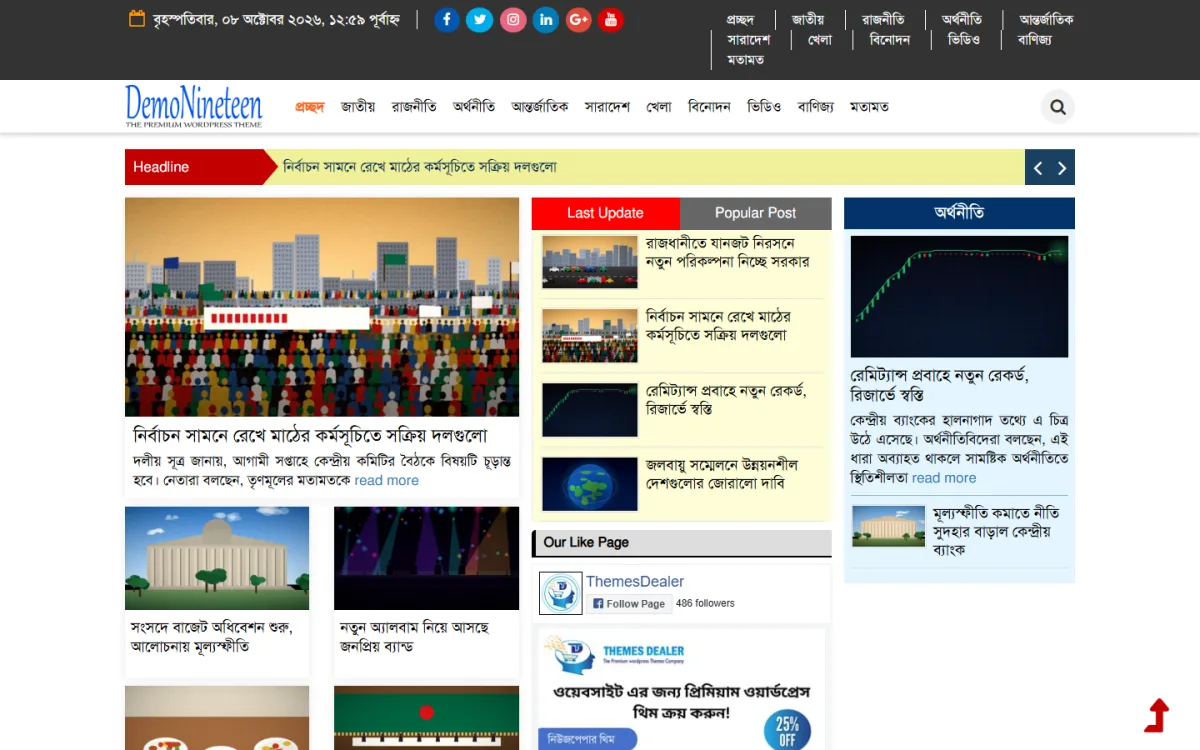
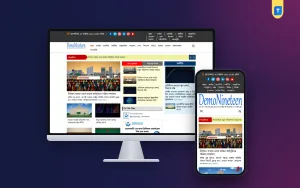
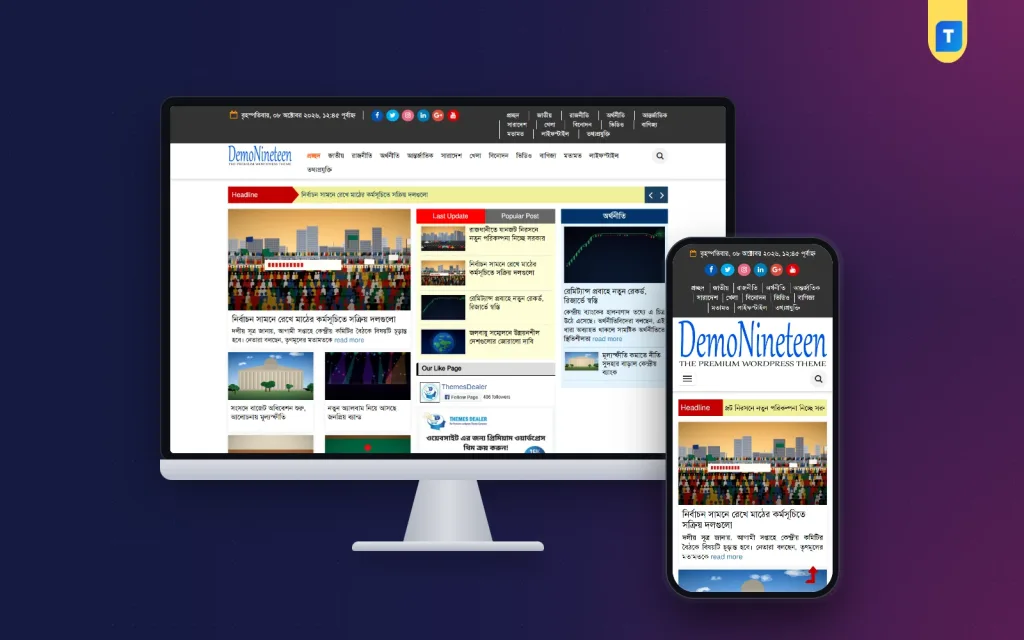
The demo homepage shows how that works in practice. A dark top bar holds the Bangla date, round social icons and a compact set of section links. Below the blue logo, the main menu marks the home tab in red next to a round search button. The Headline strip has a red label, a pale yellow band and arrow buttons for stepping through headlines. The lead story shows a summary and read more link, beside red and grey Last Update and Popular Post tabs and an economy column with its own lead.
A Live-Update Routine for Small Newsrooms
When a story breaks, publish a short first report quickly: what happened, where, when and what is confirmed. Put a one-line version in the ticker and set the post as the lead. Then update the same post rather than creating ten separate ones. Add each new development as a short paragraph at the top with the time in Bangla, and keep the original facts below. Readers arriving late can scroll down to catch up.
Agree roles in advance. One person reports from the scene, one edits and publishes, and one handles Facebook. The editor should approve every update, even during a rush, because a single wrong casualty figure can damage a local site's name for months. When the story settles, rewrite the post into a clean final report, keep the timeline at the bottom, and link it from follow-up stories so search engines and readers see the full picture.
Setting Up for Live and Local Coverage
Install WordPress on hosting that can handle spikes, set the time zone to Dhaka and choose post-name permalinks. Upload the theme, run the one-click demo import and then make it yours: logo, colours, fonts and footer credits. Create categories for your areas and topics, and point the homepage blocks at them. Build the main menu from your top sections, and keep the shorter top-bar links for the sections readers jump to most often.
Add a caching plugin, image compression, a backup plugin and a security plugin, then test the homepage on several phones. In the demo, the phone view keeps the date, social icons and section links in the dark top bar, then the logo, a menu button with search, and the Headline strip right above the lead story. A red arrow button floats in the corner to take long-scrolling readers back to the top.
Accuracy, Speed and Earning on Big Days
Speed without accuracy is a trap. Confirm facts with at least two sources, label unconfirmed reports clearly and avoid sharing graphic images. Keep a written corrections policy and follow it. On the earning side, the theme is AdSense-ready, with ads that adapt to any screen size. Big news days bring the most visitors, so make sure ads load without shifting the page, and resist adding extra units just because traffic is high.
Facebook will bring most of your live-day readers. Post short updates with a link to the running story instead of separate posts for each development, so all comments and shares point to one page. Register the site in Google Search Console and read Google's Search Central documentation to understand how fresh stories are crawled. Clear headlines that name the place and event help local readers find you through search.
Common Mistakes on Live Days
The first mistake is publishing many thin posts for one event. Ten posts of two lines each split your traffic and confuse readers. One strong, updated story works better. The second is leaving the ticker on old news for days, so readers learn to ignore it. The third is uploading full-size phone photos during a rush, which makes pages slow exactly when speed matters. Resize images before uploading, even when time is short.
Other mistakes include giving every reporter administrator access, forgetting to note update times, and never testing the site under load. Before any planned big event, such as an election count or a major match, open the homepage on several phones and check that caching is working. A small rehearsal on a quiet day saves a lot of stress on the busy one.
Frequently Asked Questions
Does a live news site need special software?
Usually not. A well-run WordPress site with a ticker, a latest list and an editor who updates one main post can cover most live events. What matters most is a light theme, good hosting and a clear routine that every member of the team understands before the story breaks.
Can I run several district sites on this theme?
Yes. The Bangla Live News Theme comes with a lifetime license for unlimited websites, with no renewal cost and no external license. You can run separate sites for different districts or topics and give each one its own logo and colours.
What support is available if something breaks?
Themeve provides 24/7 professional support through WhatsApp and email for this theme. Keep regular backups as well, so you can restore quickly if a plugin update or server issue causes trouble in the middle of a busy news day, when every minute offline costs readers.
Which other themes should I compare?
For a magazine-style layout with a trending section, see the Bangla News Media Theme. For a clean, AdSense-ready design with prominent ad slots, look at the Bangla News Theme Pro. Test each demo on your phone before deciding which suits your coverage.
Final Thoughts
Live and local coverage rewards publishers who are quick, accurate and easy to read on a phone. The best news template for WordPress in that situation is light, puts headlines and the latest stories at the top, and lets your team update without technical help. If that is the newsroom you are building, set up the Bangla Live News Theme, rehearse your update routine once, and be ready for the next story that breaks in your area.