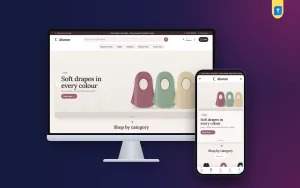
Chomok – Gadget Store Website Template

★ New item Gadget v1.0.5
Chomok – Gadget Store Website Template

✦ Key features

  • Smart room planner with four drawn rooms
  • Tap device hotspots to build a setup
  • Live setup total and one-tap add all
  • Gift finder by recipient and budget slider
  • Specifications, warranty and delivery date on products
  • 24 homepage blocks, switchable and re-orderable
  • Gadget deals with countdown and stock bars
  • Floating capsule header and pill buttons
  • Five pastel palettes, including Graphite
  • bKash, Nagad, SSLCommerz and cash on delivery
  • Steadfast and Pathao courier with order tracking
  • Themeve Commerce plugin included, no WooCommerce needed
  • One-click demo with 23 products

Overview

Chomok is a gadget store website template for WordPress. Shoppers build a smart room by tapping device hotspots, use a gift finder, and check out with bKash, Nagad or cash on delivery through the bundled shop engine.

Chomok is a gadget store website template for WordPress that lets shoppers play before they buy. Visitors build a smart room by tapping glowing device hotspots, then add the whole setup to the bag with one button. A gift finder helps the people who freeze at the choice.

The look is playful on purpose: violet and coral on soft pastels, a floating capsule header, pill buttons and rounded Unbounded headings. Behind it sits a real shop. The bundled Themeve Commerce plugin runs cart, checkout, payments and couriers, and you do not need WooCommerce.

Who can use this gadget store website template

The demo is a smart gadget shop, but the layout fits any store that sells small tech and daily-life helpers. A single smart bulb is a small sale. A bulb, a plug, a camera and a doorbell for the same flat is a real order. Chomok is built to show that bigger picture, and the same idea works for other bundles too.

  • Smart home shops selling bulbs, plugs, cameras and locks
  • Audio and screen sellers with speakers, earbuds and displays
  • Wearable stores with watches and bands
  • Power and charging shops with power banks, chargers and cables
  • Gift shops that sell gadgets for birthdays and festivals
  • Stores selling little helpers for the kitchen, desk or car
  • Multi-brand gadget retailers with a few departments

Light and fast to load

Gadget pages are full of pictures, so the code stays small. In the theme files:

  • One stylesheet and one JavaScript file on the front end
  • The front-end script is plain JavaScript and does not need jQuery
  • Images below the first screen load lazily
  • Optional shop features load only when you switch them on

Speed in the real world also depends on hosting and image size, so keep your photos at a sensible weight.

Front-end features of the gadget store website template

Make your room smart

This block draws four scenes: a bedroom, a living room, a kitchen and the front door. Each device in a drawing has a glowing hotspot.

  • Tap a hotspot to add a device to the setup, and tap again to remove it
  • A live total changes as you go
  • One button adds the whole setup to the bag
  • Devices come from your own product catalogue

It feels like a game, and it ends at checkout. Customers find gadgets they had not thought of and buy them together.

Gift a gadget

The gift finder filters ideas by who the gift is for and a budget slider. Someone shopping for a teenager gets a short, sensible list instead of a wall of products.

Header and menu

  • A floating capsule header with pill buttons
  • Search and category access in the top bar
  • Sign in and register in a popup
  • On phones the header keeps only the menu, the logo and the cart

Homepage with 24 blocks

Each of the 24 blocks can be switched off or moved. Drag them into order in Theme Options, or use arrow buttons on a phone.

  • A hero slider that sets gadgets on pastel podiums
  • Round tiles that lead to each category
  • New gadgets, in two rows of the latest arrivals
  • Best sellers, grouped in tabs by category
  • Gadget deals with a countdown and stock bars
  • Three department blocks, each with a banner and eight products
  • Shop by moment, with four cards for moments you choose, such as a workday or movie night
  • Shop by budget, with price tiles beside products
  • Trending now, a row that slides sideways
  • Top rated, showing what customers rate highest
  • A brands row with your logos
  • How-to guides, your latest three posts
  • A promise strip for warranty, replacement, delivery and cash on delivery

Product pages

Gadget buyers read the fine print, so the page answers the usual phone questions.

  • Specifications, warranty and a delivery date on the product page
  • Reviews in a fold, with a popup inviting the first review
  • Wishlist and back-in-stock alerts for gadgets that sell out fast
  • Compact cards on phones, so more gadgets fit on each screen

Cart, checkout and tracking

  • One-page checkout that ends with an Order placed popup
  • Payment by bKash, Nagad, SSLCommerz, cash on delivery or manual payment
  • A Track Order page so customers follow the parcel
  • Coupons and invoices

Back-end and dashboard options

Theme Options

Chomok, then Theme Options, holds every setting, and the dashboard works on a phone. The smart room, gift finder, categories and deals share their own settings group, and each homepage block has its own panel.

  • Homepage layout: switch blocks on or off and set their order
  • Colours: five palettes named Violet and coral, Sky, Mint, Peach and Graphite, or pick any colour by hand. Graphite suits a more serious store
  • Typography: Unbounded with Inter, Lexend, Onest or DM Sans
  • Menus: a Main menu for the bar, and Footer Shop and Footer Help for the footer
  • Other tabs: header, product cards, product page and footer

A settings search, a sticky save bar, reset, and settings export and import are built in. The Live Customizer sits in the same menu.

Shop dashboard (Themeve Commerce)

All store tools are under one menu called Shop.

  • Sales overview: today's sales, the last seven days, the month so far, orders waiting and a two-week chart
  • Orders: status, printable invoice and a payments box for advances, dues and refunds
  • Incomplete orders: shoppers who began checkout and left
  • Products: a full-page editor with options such as colour or plug type, each with its own price, stock, SKU and photo
  • Categories, brands and tags: separate menus
  • Payments: cash on delivery, bKash, Nagad, SSLCommerz and manual Send Money with a transaction ID, with an optional advance on cash on delivery
  • Delivery and couriers: a charge per district, Steadfast and Pathao from the order screen and a view of cash on delivery money owed to you
  • Accounts: sign in by password, phone code, Google or Facebook
  • Alerts: email, Telegram or WhatsApp for new orders, SMS to customers and OTP checks
  • Marketing: Facebook Pixel with the Conversion API, Google Analytics 4, Google Tag Manager and product feeds
  • SEO: descriptions, sharing previews and product rich result data
  • Reports: transactions and a customer list grouped as new, repeat, VIP, inactive or risky

Optional modules

Switch on only what you need, from one screen.

  • Pre-orders for new launches
  • Delivery date and time slots
  • Bulk orders and corporate quotes
  • Reseller and wholesale prices
  • Flash sales, bundle offers, upsell and cross-sell
  • Loyalty points with refer a friend
  • Recently viewed products and back-in-stock alerts
  • Exchange and returns, which fit warranty and replacement claims
  • Store locations
  • Sales and signup popups
  • Affiliate programme and marketplace module

Ideas for using the room planner and gift finder

The room scenes are not fixed to smart bulbs. Because the devices come from your own catalogue, a good gadget store website template should let you choose what each hotspot sells. A few ideas:

  • Place a camera, a doorbell and a smart lock at the front door for a security bundle
  • Show a speaker, a lamp and a plug in the bedroom for a bedtime setup
  • Use the kitchen scene for plugs, scales and small helpers
  • Run a Ramadan or Eid gift list with the gift finder and a lower budget limit
  • Pair the living room with a screen, a soundbar and a power strip

Each setup shows a running total, so the customer knows the cost before the bag opens. That honesty builds trust, and it saves your support team from quoting prices over the phone. If you run a smaller catalogue, switch the planner off and keep the gift finder, or the other way round. Both are separate blocks.

As a smart gadget shop ecommerce website template, it also works for seasonal pushes. Move Gadget deals to the top for a sale week, or put Shop by moment first for a festival.

How it helps you sell more gadgets

Most gadget shops show a grid and hope. A gadget store website template with a game inside is rare. Chomok adds a reason to stay. The smart room turns browsing into a small game and raises the basket, because a customer who adds one device often adds three.

The gift finder helps in festival and birthday seasons. Shop by moment and Shop by budget suit buyers who do not know the product name but know the situation. How-to guides let you write setup advice, which brings search visitors and answers questions before the call.

Used as a gadget store website template, the product page pays off in fewer calls. Warranty and delivery date on the page cut the number of calls. Exchange and returns handle replacement claims in a tidy way, and cash on delivery with an advance reduces fake orders.

Set up your gadget store website template in six steps

  1. Upload the theme zip in Appearance, then Themes, and activate it.
  2. Open Chomok, then Setup, and install Themeve Commerce with one click.
  3. Activate your licence so updates reach your dashboard.
  4. Run the one-click demo import.
  5. Pick a palette and font pair, and add your logo.
  6. Replace the sample products with yours and set payments and couriers under Shop.

The demo, called Chomok Smart Gadgets, has 23 products from four brands in smart home, audio and screens, wearables, power and charging, and little helpers. The smart room planner, gift finder, how-to guides, menus and pages come with it, including About Chomok, Delivery, FAQ, How-to Guides, Our Stores, Replacement and Warranty and Track Order. Brands and pictures are invented.

Why choose it over a plain template

A plain gadget store website template gives you a header and a grid. Chomok gives you two sales tools that most themes lack, plus a shop engine already connected to local payments and couriers.

  • Smart room planner and gift finder built in
  • One bundled shop engine instead of many plugins
  • Specs, warranty and delivery date on the product page
  • 24 movable homepage blocks
  • Fully responsive layout

It needs WordPress 6.0 or newer and PHP 7.4 or newer, and is tested up to WordPress 7.1.

What is included

  • The Chomok theme files
  • The Themeve Commerce plugin
  • One-click demo content
  • Documentation after purchase
  • Six months of support
  • Updates in your dashboard

Need spec comparisons for phones and laptops? Try Jhalak. Selling mostly chargers, power banks and audio? Shokti is made for that. For a smart gadget shop ecommerce website template that sells whole rooms, Chomok lets shoppers play first and buy the lot.

You can see Chomok working on the live demo, and browse more ready-made designs in our WordPress themes collection.

From our blog · 11 min readTech Store Website Design: A Simple Guide for Small Shops

Reviews

0.0
★★★★★
0 reviews from buyers
Write a review

No reviews yet — be the first to share your experience after buying.

Frequently Asked Questions

01Is this gadget store website template only for smart home products?

No. The demo sells smart home, audio and screens, wearables, power and charging, and small helpers, but any gadget range fits.

02Can I run a full shop with this gadget store website template?

Yes. The Themeve Commerce plugin is bundled and installs in one click from Chomok, then Setup. It handles cart, checkout, payments, couriers, invoices and orders, so WooCommerce is not needed.

03How does the smart room planner work?

It draws a bedroom, living room, kitchen and front door. Shoppers tap a device hotspot to add or remove it, watch the total, and add the whole setup to the bag with one button.

04What does the gift finder do?

It filters ideas by who the gift is for and a budget slider, so buyers get a short list of suitable gadgets.

05Can I rearrange the homepage without coding?

Yes. Each of the 24 blocks can be switched off or dragged into order in Theme Options. On a phone, arrow buttons move them.

06Which payments and couriers are supported?

bKash, Nagad, SSLCommerz, cash on delivery and manual payment, with Steadfast and Pathao courier and a Track Order page.

07Can I change the colours and fonts?

Yes. Choose from five palettes and four font choices, or set any colour by hand.

08Are the demo brands real?

No. The four brands and all artwork are invented samples, ready to be replaced with your own stock.

Delivery & Support

1Place your orderAdd to cart, sign in and pay with bKash or Rocket.
2Payment verified automaticallyEnter your Transaction ID — the payment is matched automatically, usually within seconds.
3Get your productYour license key and download appear in My Account → Licenses.
  • Secure automatic payment verification
  • Delivery to your account & e-mail
  • Friendly WhatsApp support

Refund Policy

This policy applies to every product in our store.

You get a refund when the product does not work as described and we cannot fix it, when your license will not activate your website, or when a manually delivered product is late and you cancel before delivery. A working license, or a single license already used on a live domain, is not refundable. Approved refunds go back to the number you paid from within one working day, minus the Send Money charge.

Read the full policy →
More items

You may also like

View all →