Boutique website design is different from designing a big store, because a boutique sells a feeling as much as a product. People buy from a small shop when they trust the owner's taste, and your website has to show that taste in a few seconds. It also has to answer practical questions about size, price and delivery.
This guide is for boutique owners in Bangladesh who sell through a Facebook page or a small shop and want an online store of their own. It explains how to plan the site, what pages to build, how to photograph clothes, how to take payments and how to launch with confidence.
What boutique website design needs to do
A boutique website has three jobs. It must show your style, make it easy to choose, and make it safe to pay. Everything else supports these three.
Think of the site as your shop window, your shop assistant and your cash counter in one place:
- The window is the homepage and the product photos.
- The assistant is the size guide, the fabric notes and the delivery details.
- The counter is the cart, checkout and payment methods.
If one of the three is weak, buyers leave or send you a long chat message. Strong boutique website design removes the need for most of those messages.
Know your boutique before you design
Many boutique sites look like every other site because the owner skipped this step. Spend one hour answering these questions:
- What do I sell: dresses, sarees, modest wear, kidswear, accessories?
- Who is my usual customer, and where does she live?
- What makes my shop different: fabric, cuts, price, service, local makers?
- Do I sell ready stock, made-to-order pieces, or both?
- What do customers ask me before they buy?
Write one sentence that sums up your boutique. For example: "Modest everyday wear in soft fabrics, delivered all over Bangladesh." Put that sentence near the top of your homepage. It tells a new visitor where they are.
Pages every boutique website needs
Keep the site small and clear. A boutique does not need fifty pages. These are enough to start:
- Home: your best pieces, categories and one offer.
- Shop: all products with filters for category, size and price.
- Product page: photos, price, sizes, fabric, care and delivery date.
- Size guide: a table and measuring tips.
- About: your story, a photo of you or your team and your address.
- Delivery and returns: charges, times and your exchange rule.
- Contact: phone, WhatsApp, email and map.
The About page is more important for a boutique than for a large shop. Buyers want to know a real person stands behind the clothes.
Plan a homepage that feels like your boutique
A good homepage works from top to bottom like a short visit to the shop. Use blocks in this order:
- A large photo with one line of text and one button.
- Category tiles, such as Abaya, Hijab, Dresses, Kids.
- New arrivals.
- A helper block, such as a size finder or style guide.
- Offers with a clear end date.
- Customer reviews and photos.
- Delivery, payment and return notes in a thin strip.
Pick a calm colour set that matches your clothes. Soft colours suit modest wear. Bold colours suit streetwear. Do not copy a colour scheme because you saw it elsewhere; test it against your own photos.
Photography for boutique website design
In boutique website design, photos carry most of the weight. A clear photo sells a piece faster than a long description.
Plan each product shoot with this list:
- One full front view on a plain wall or a clean, simple background.
- One back view and one side view.
- A close-up of the fabric, lace or embroidery.
- One photo worn by a person, with her height and size in the caption.
- One photo showing the colour in natural daylight.
Shoot near a window in the morning. Keep the same background for the whole collection. Edit lightly: fix brightness and crop, but do not change the colour of the cloth. A buyer who gets a different colour than the photo will return the parcel and leave a bad review.
Explain fit and fabric clearly
Online buyers cannot touch the cloth or try the piece. You have to describe it well. Short, plain facts work better than flowery words.
On every product page, show these facts
- Fabric name and how it feels: light, soft, thick, stretchy.
- Length, chest and sleeve measurements in inches.
- Model height and the size she wears.
- Care instructions: hand wash, machine wash, dry clean.
- Available colours and stock status.
- Expected delivery date.
If you sell long garments, such as abayas, a length guide helps a lot. Ask for the buyer's height and whether she wears heels, then suggest a length. That one feature can cut wrong-size returns noticeably.
Payments and delivery buyers trust
Trust decides whether a first-time buyer completes checkout. Show your payment and delivery choices before the final step, not after.
For Bangladesh, a boutique should offer:
- Cash on delivery, with a confirmation call or message.
- bKash and Nagad, either through a gateway or manual Send Money with a transaction ID field.
- Card payment through a gateway if you have a trade licence and enough volume.
For couriers, many boutiques use Steadfast or Pathao. Booking parcels from the order screen saves time and avoids address mistakes. Show delivery charges for inside and outside Dhaka on a clear page, and repeat the main rule on the product page.
Add a simple return rule in plain words. For example: "Exchange within three days if the piece is unworn and the tag is attached." Do not hide it in small print.
Make the site work on phones
Most boutique buyers arrive from a social post on a phone. Check your boutique website design on a small screen before anything else.
- Use a short header: menu, logo and cart.
- Show two product cards per row.
- Make buttons large enough for a thumb.
- Keep checkout to one page with few fields.
- Let guests order without making an account.
- Keep photos small in file size so pages open fast on mobile data.
Open the site on an older phone with a weak signal. If it feels slow there, compress the images and remove heavy effects.
Organise your catalogue and product names
A tidy catalogue makes shopping easy and helps search engines read your pages. Spend time on this before you upload fifty products.
- Use 5 to 8 main categories. More than that confuses people.
- Name products clearly: "Cocoa Crepe Abaya with Embroidered Cuffs" beats "Abaya 12".
- Add simple filters for size, colour and price range.
- Mark sold-out pieces instead of deleting them, or hide them after a few weeks.
- Keep one set of tags, such as Eid, Everyday, Party, and use them the same way across the shop.
Write a short description of three or four lines for each piece. Say what the cloth is, how it fits and when to wear it. Do not copy supplier text, because it makes your shop look like everyone else.
Colour, fonts and layout choices
Colour and type set the mood of a boutique. In boutique website design, a few careful choices beat many clever ones.
- Pick one main colour, one soft background and one accent for buttons.
- Check text contrast. Grey on white is hard to read on a phone in sunlight.
- Choose one font for headings and one for body text. Keep body text at 16 pixels or more.
- Leave space around photos so each piece can be seen.
- Use the same button style for every action.
If you pick an abaya hijab website design template, check that it lets you change colours and fonts without code. Your boutique should look like your boutique, not like the demo.
Build trust with small details
A boutique competes with large stores, so small signs of care matter. Add these:
- A real phone number and shop address.
- Photos of the shop or workshop.
- Reviews with the buyer's name and a photo when she agrees.
- Links to your Facebook and Instagram pages.
- Clear terms for returns and privacy.
Reply to messages quickly and keep the same tone on your website and your social pages. Buyers notice when the voice changes.
Boutique website design for modest wear: using an abaya hijab website design template
Modest wear has its own needs. Length matters for abayas, and many buyers know the hijab style they like but not how to wear it. An abaya hijab website design template should therefore include tools that answer these questions on the page.
Useful blocks for an abaya and hijab shop:
- A length finder based on height and heels.
- A style guide with simple steps for each hijab style and the best fabric for it.
- A calm, private colour look with soft shapes.
- Fit and delivery details on every product page.
These tools teach the buyer, which builds trust. They also guide her to the right product in your catalogue, so the page does part of your selling.
A ready-made option for abaya and hijab boutiques
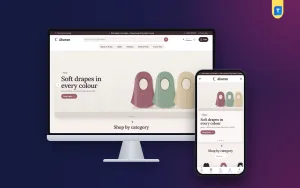
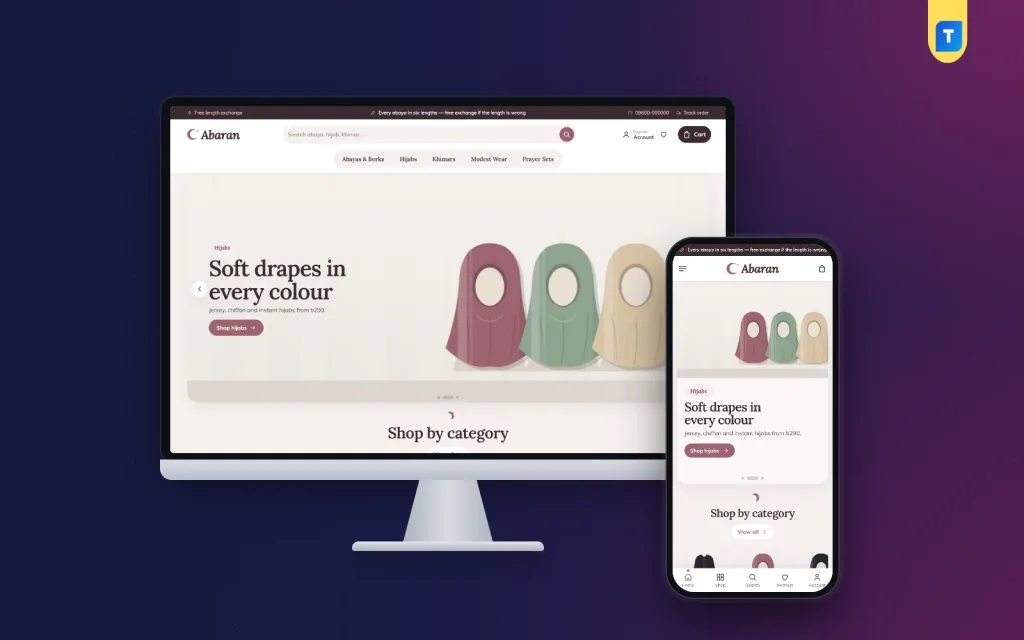
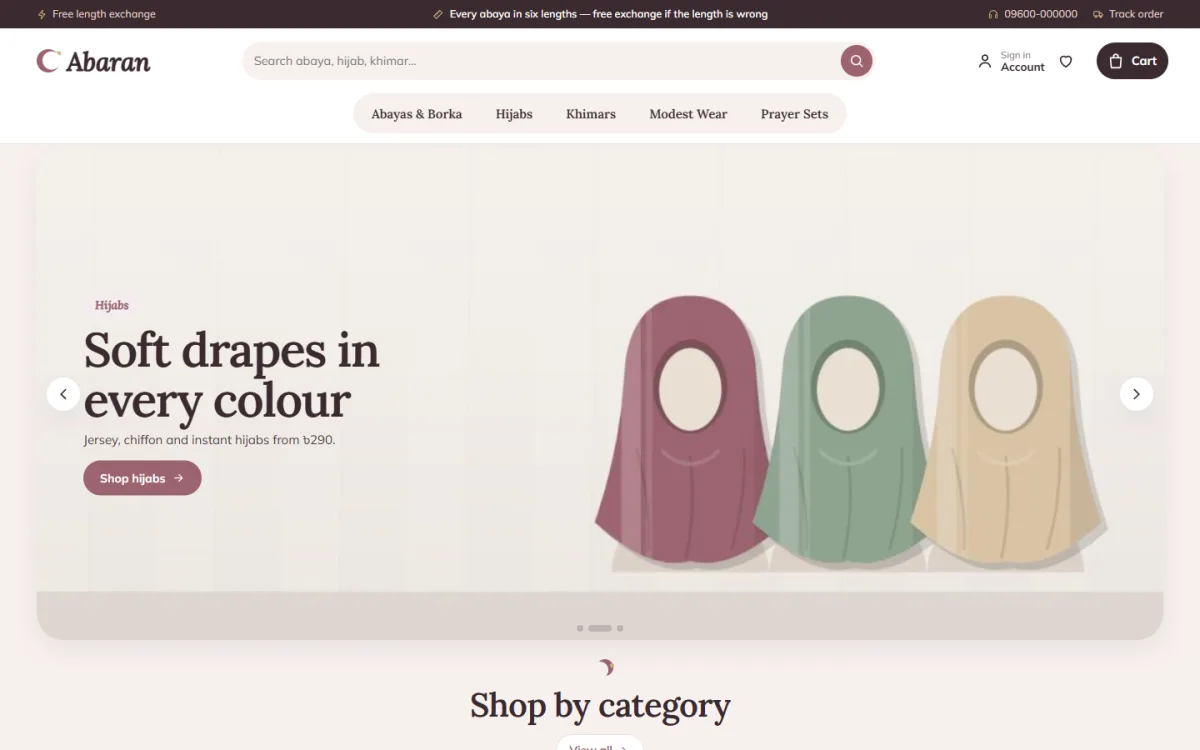
If you want a working base instead of building from nothing, Abaran is a WordPress theme made for abaya, hijab and modest wear shops. It uses mauve, cocoa and sand tones with rounded buttons for a gentle look.
Features listed on the product page:
- An abaya length finder that works from height and heels, for lengths from 50 to 60 inches.
- A hijab style guide with four styles, three steps each and the best fabric.
- A fit meter and delivery date on product pages.
- 24 homepage blocks that you can switch on, off and re-order.
- Offers with a countdown and stock bars.
- Five colour palettes and four font pairs.
- A one-click demo with 25 products.
- bKash, Nagad, SSLCommerz and cash on delivery, with Steadfast and Pathao courier support.
The demo borka shop is only an example. You can use the design for any women's clothing boutique, and switch off blocks you do not need. Read the full details on the Abaran product page.
Boutique website design mistakes to avoid
These errors show up again and again on small clothing sites:
- Photos taken in poor light, with colours that do not match the real cloth.
- No size information, so every order needs a chat.
- A homepage crowded with banners and popups.
- Delivery charges revealed only at the last step.
- Product names such as "New dress 2" that say nothing.
- No contact details or shop address.
- Too many fonts and colours.
Start by fixing photos and size details. Those changes reduce questions and returns more than any visual change.
Launch checklist
Before you announce the site, go through this list:
- Place a test order with each payment method.
- Confirm that order notices reach your phone or email.
- Check every product page for missing photos, sizes or prices.
- Read the delivery and return pages for errors.
- Open the site on two phones and one computer.
- Test the contact form and WhatsApp link.
- Check that the site has an SSL certificate and a backup plan.
- Write your first Facebook post with a direct link and a short welcome offer.
After launch, review which products get views and which get orders. Adjust the homepage every week or two. Boutique website design is never finished; it grows with your collection.
If you want to read more on the technical side, the official WordPress documentation is a good, reliable reference.
Frequently asked questions
How much does boutique website design cost in Bangladesh?
A freelancer can charge anything from a small amount for a simple shop to a high price for a custom build. A ready-made theme costs far less and gives you a working layout straight away. Remember hosting and domain renewals each year.
How many products do I need to start?
Start with 15 to 25 well-photographed products. A small, tidy shop looks better than a large one with weak photos.
Can I run a boutique store without WooCommerce?
Yes. Some themes include their own shop plugin, with cart, checkout, payments and courier booking, so you do not need to buy extra tools.
What is the best way to show size information?
Use a table in inches, a short measuring guide and a note on how the piece fits. Show the model's height and size too.
What should good boutique website design look like on a phone?
Simple. A short header, two product cards per row, large buttons, a sticky Add to cart button and a one-page checkout.
Should I take online payment or only cash on delivery?
Offer both. Many buyers prefer cash on delivery, while others like bKash or Nagad. More choices mean fewer abandoned carts.
How do I get my first customers after launch?
Share the link on your Facebook and Instagram pages, add it to your profile and tell past customers. Include a clear photo and the price in every post.