A cookie consent plugin shows visitors a short message about the cookies your site uses and lets them choose whether to accept optional ones. This cookie consent plugin guide is for owners of online shops, blogs and business websites in Bangladesh who run ads or analytics, sell to buyers abroad, or simply want their site to look honest and professional about privacy.
We will look at what cookies are, why visitors expect to be told, how to write a clear banner and privacy policy, what a banner can and cannot do, and how Consent & Privacy Manager adds one to any WordPress site.
What cookies are, in plain words
Cookies are small pieces of information a website stores in the visitor's browser. Some are essential: they keep a shopper logged in, remember what is in the cart, and make the checkout work. Without them, an online shop would forget everything between pages.
Others are optional. Analytics tools use cookies to count visitors and see which pages they read. Advertising tools, such as the Facebook Pixel, use them to measure ads and show ads to people who visited your site. These are useful for you, but visitors increasingly want to know about them and to have a choice.
Why visitors expect a cookie banner
A cookie banner is the short message that tells visitors about cookies when they first arrive. Many large websites show one, so people have come to expect it. When a site explains itself clearly, visitors feel respected; when it hides things, they become suspicious.
If you sell to buyers in other countries, especially in Europe, rules there ask websites to inform visitors and get consent for certain cookies. Even if your buyers are all local, a clear notice is part of looking trustworthy, and trust is what turns visitors into buyers.
Writing a good banner
Keep it short. One or two sentences are enough: what cookies you use and why. For example: We use cookies to keep your cart and to understand how visitors use our site. Avoid legal jargon and scary words. Visitors should understand the message in a few seconds.
Give a real choice. Two clear buttons, such as Accept and Reject optional cookies, work better than a single OK. Link to your privacy policy for people who want details. Check the banner on a phone so it does not cover your menu or Buy button.
Language
Write the banner in the language your visitors use. If your audience is mostly Bangla-speaking, a short Bangla message is friendlier. If you sell abroad too, simple English may be the better choice. Keep it consistent with the rest of your site.
Your privacy policy
The banner links to your privacy policy, so that page must exist and be accurate. Explain what personal data you collect, such as names, phone numbers, emails and addresses for orders, and why. Mention the tools that use cookies, such as analytics or ad pixels. Tell people how to contact you about their data.
WordPress includes a privacy policy page template you can start from. The WordPress documentation explains the privacy tools built into WordPress. Review your policy whenever you add a new tool that collects data.
How the cookie consent plugin works
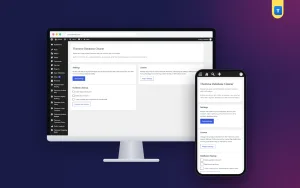
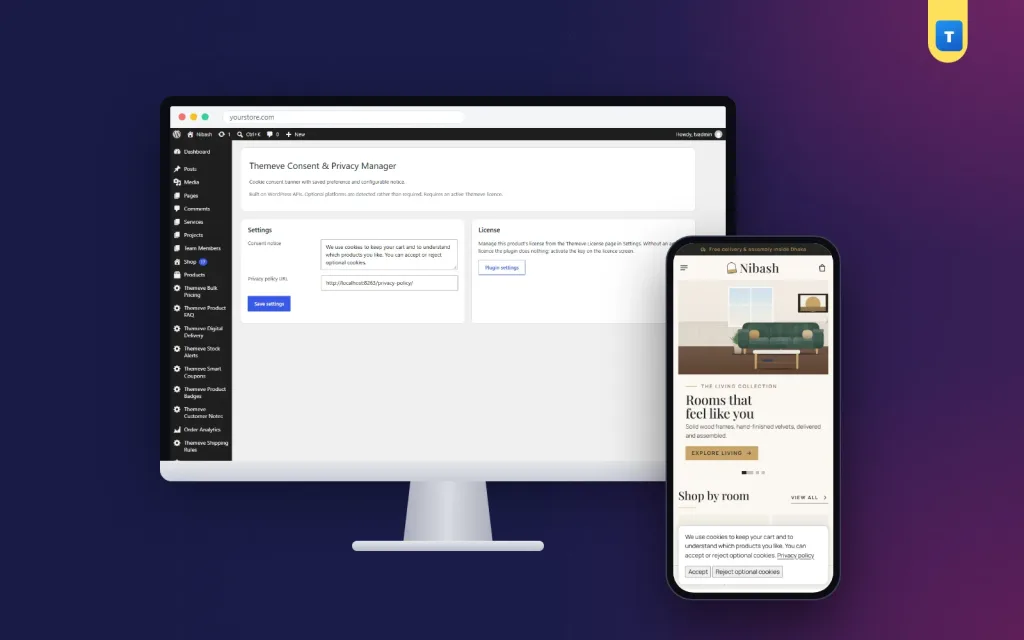
Consent & Privacy Manager adds a settings screen under Settings, Themeve Consent & Privacy Manager. Write your banner text and add the link to your privacy policy. Switch the banner on, and visitors see it when they arrive, with two buttons: Accept and Reject optional cookies.
The visitor's choice is remembered in their browser, so the banner does not reappear on every page. The plugin is light, with no outside subscription service and no heavy script, and it works with any theme.
What it does not do
A banner shows the message and records the choice. It does not block other scripts by itself. If you use analytics or ad tracking, decide how your site should respect a Reject choice and configure those tools accordingly. A banner alone also does not make a site legally compliant; laws differ by country, so check what applies to your business.
Setting it up
Upload the zip from Plugins, Add New, Upload Plugin, and activate it. The plugin needs an active Themeve licence key. Until the key is entered, no banner is shown and only the lock screen and License screen open. Paste the key from My Account, Licenses, and the settings become available. While the licence is active, updates arrive in Dashboard, Updates.
Write your banner text, add your privacy policy link and switch the banner on. Open your site in a private browser window to see it as a new visitor would. Try both buttons, then reload the page to check that the choice is remembered.
Cookies, tracking code and your site
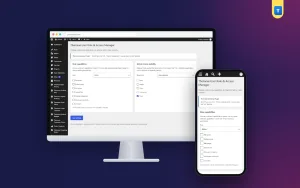
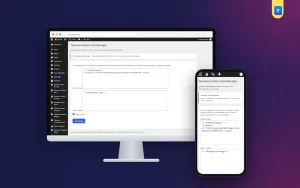
Many site owners add tracking code by pasting it into theme files, which is easy to forget and hard to manage. Global Code Manager lets administrators add header and footer code, such as analytics or chat widgets, from one screen with an on/off switch. That makes it easier to see what tracking runs on your site, which in turn makes your privacy policy easier to write.
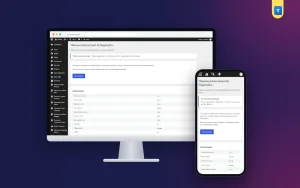
Privacy and search appearance often go together in a site review. SEO Manager adds an SEO title, meta description, canonical URL and robots setting to each post, so your pages look clear in search results as well as on screen.
Respecting visitors' choices
A choice only means something if you respect it. When you add new tracking tools, think about how they fit with your banner. Keep the number of tools small; every extra pixel or analytics script is something to explain and manage. Remove tools you no longer look at.
Be careful with customer data beyond cookies too. Do not share order lists in public groups, limit who can see customer details, and delete data you no longer need. Privacy is a habit, not only a banner.
Tips for Bangladeshi websites
Many local sites run Facebook ads and use the Pixel. Mention it honestly in your privacy policy: that you use it to measure ads and show ads to people who visited your site. If you sell to buyers abroad through your website, take extra care with your banner and policy, since those buyers may expect stricter privacy standards.
Keep your banner calm and short. A huge pop-up that covers the whole screen on a phone frustrates visitors more than it reassures them. A small bar at the bottom of the screen is usually enough.
Reviewing your setup
Every few months, review three things: the banner text, the privacy policy and the list of tools that use cookies on your site. If you added a new analytics tool, a chat widget or an ad pixel, update the policy. If you stopped using one, remove it and update the policy again.
Ask a friend to visit your site on their phone and tell you what they think the banner means. If they are confused, rewrite it. A banner that real people understand does its job better than one written for lawyers.
A sample banner and policy outline
Here is a simple starting point for a small shop. Banner: We use cookies to keep your cart and to understand how visitors use our site. You can accept or reject optional cookies. Then link the words privacy policy to your policy page. That is short enough for a phone screen and clear enough for anyone.
For the policy, use a few short sections: who you are and how to contact you; what information you collect when someone orders, such as name, phone, email and address; why you collect it, mainly to deliver orders and answer questions; which tools use cookies, such as analytics or an ad pixel; how long you keep data; and how someone can ask you to update or delete it. Write each section in two or three plain sentences.
Adapt this outline to your own site. A blog without a shop will not collect addresses; a service business may collect booking details instead. The goal is a policy that matches what your site actually does.
Common mistakes
The first mistake is a banner with only one button. Give visitors a real choice. The second is a privacy policy copied from another site that mentions tools you do not use. Write about your own site. The third is assuming a cookie consent plugin solves every legal question. It shows the notice and records the choice; you still need to understand your own tools.
The fourth mistake is a banner that covers important buttons on phones. Always check on a small screen.
Frequently asked questions
Can I write my own banner text?
Yes. The text is yours, with a link to your privacy policy.
Is the visitor's choice saved?
Yes, in the visitor's browser, so the banner does not keep appearing.
Does the plugin block tracking scripts?
No. It shows the banner and records the choice. Configure your tracking tools to respect it.
Does it work with my theme?
Yes. It works on any WordPress site.
Cookie Consent Plugin guide: final thoughts
Being clear about cookies is a simple way to earn visitors' trust. Write a short, honest banner, give a real choice, keep your privacy policy accurate and review your tools regularly. To add a calm, clear cookie banner to your WordPress site, try Consent & Privacy Manager.