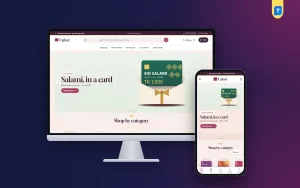
A digital marketplace website design template gives you the layout, product pages and checkout for an online shop that sells gift cards, software keys, top-ups, ebooks and other items delivered online. Instead of paying a designer to draw every page, you start with a tested design and fill it with your own products. For a small seller in Bangladesh, that can cut the time to launch from months to days.
This guide covers what "digital marketplace" means in practice, how to plan the site, which pages and features matter, and how to avoid the mistakes that cost sellers sales. It also looks at gift cards in detail, since they are one of the most popular digital products.
What a digital marketplace is, and what it is not
People use the word "marketplace" in two ways, and the difference changes what you need to build.
- A multi-vendor marketplace lets many independent sellers list products and earns a commission on each sale. It needs vendor accounts, payouts and dispute handling. It is a big project.
- A single-seller digital marketplace is one business that stocks many kinds of digital goods from many brands in one place. The buyer sees a wide range, but one owner runs the shop.
Most small sellers in Bangladesh want the second kind. You buy or hold stock of gift cards, keys and subscriptions, and you sell them on one site. This guide is about that model. If you want to host other sellers, plan that as a separate and larger project.
What sells well in a digital marketplace
Digital goods suit a phone-first market because the buyer does not wait for a parcel. These categories are popular:
- Gift cards for shopping, food, streaming and travel.
- Software licence keys, including antivirus, office and VPN plans.
- Game top-ups, passes and in-game currency.
- Subscriptions for music, video and design tools.
- Ebooks, courses, templates and printables.
- Mobile recharge and bill payment.
You do not have to sell everything. A tight range that you know well is easier to run than a huge list you cannot keep correct. Start with two or three categories and add more when orders come steadily.
Plan the range before you choose a digital marketplace website design template
Do this planning on paper or in a spreadsheet before you look at any design. It tells you what features you actually need.
- List every product, its price and the supplier you buy it from.
- Mark which items need extra buyer details, such as a recipient email or a player ID.
- Decide how each item is delivered: on screen, by email, by WhatsApp or by direct top-up.
- Group items into categories a customer would recognise.
- Note your busiest days, such as Eid, birthdays and sale seasons.
Take your time with this step. A digital marketplace website design template can be changed later, but a messy product list causes wrong prices and unhappy buyers on day one. This list also shows your margins. Digital goods often have thin margins, so a clear picture of cost and price protects you from selling at a loss.
The pages a digital marketplace needs
A small set of well-made pages beats a large site with weak ones. Build these first:
- Homepage with categories, best sellers, offers and a search box.
- Category pages with filters by brand, value or price.
- Product page with value options, a short description, delivery time and key facts.
- Cart and checkout kept as short as possible.
- Order confirmation that repeats what was bought and when it will arrive.
- Help page covering delays, wrong details and refunds.
- Contact page with phone, WhatsApp and support hours.
Add a privacy page and a refund policy page. They build trust, and some payment gateways ask for them.
Features to look for in a digital marketplace website design template
Judge a design by how it handles the buying process, not by how its homepage looks in a screenshot. Check these points.
No address and no delivery charge
A shop that sells digital goods should never ask for a street address. Look for a checkout that asks for name, mobile number and email, and shows no shipping line.
Product details that suit digital goods
A gift card needs value, region and validity. A software key needs platform, number of devices and licence length. An ebook needs format and pages. Good templates have product detail lines you can fill with these facts.
Local payment support
bKash and Nagad are the first two methods most buyers in Bangladesh look for. Card and mobile payment through a gateway helps too. Manual Send Money with a transaction ID field is a useful backup.
Fast pages on a phone
A marketplace shows many product cards, which can make pages heavy. Look for lazy loading images, little script code and fonts that can be switched off if you want a lighter page.
Easy homepage control
You will change offers often. Pick a design where you can turn blocks on or off and change their order without code.
Gift card store ecommerce website design: what to get right
Gift cards deserve their own attention, because the buyer and the user are two different people. A good gift card store ecommerce website design recognises this.
- Make choosing easy. Let buyers shop by person, such as mother, friend or colleague, and by budget, such as under 500 taka.
- Allow a personal message. A short "To", "From" and message field turns a card into a present.
- Show a preview. Seeing the card update as they type reassures the buyer.
- Allow a recipient email. Many gifts are bought for someone else, so an optional recipient email at checkout helps.
- Mark gifting days. A countdown for Eid, Pohela Boishakh or Valentine's Day pushes people to buy early.
- State the facts. Show the value, where the card can be used, how long it is valid and how it is delivered.
The same thinking applies to a wider digital marketplace website design template: remove every step that does not help the buyer pay. A gift card is often bought in a hurry, late at night, from a phone. Anything that shortens the path from idea to payment earns more sales.
Design a checkout that works on a phone
Most of your visitors will come from Facebook or a search on mobile. A long checkout loses them. Follow these rules:
- Ask only for what you need to deliver the order.
- Use large buttons and fields that are easy to tap.
- Show the total clearly before payment.
- Explain each payment method in one or two lines.
- Offer sign-in in a popup, so buyers do not leave the page.
- Show a confirmation page and send an email straight away.
Think about what a nervous first-time buyer sees. They want to know the price, the delivery time and what happens if the code does not work, all without scrolling far. Put those three answers close to the buy button on every product page.
Test the whole path on a cheap phone with a slow connection. If it feels slow to you, it feels slower to a buyer.
Payments for a Bangladeshi digital marketplace
Trust in payment decides whether a visitor becomes a buyer. Offer methods people already use, and explain them plainly.
- bKash and Nagad Send Money are simple to start. Show your number, ask for the transaction ID and confirm after checking.
- A card and mobile gateway confirms payments automatically, but approval takes time and has fees.
- Rocket and Upay add choice for buyers who prefer them.
Check each payment against your wallet before you release a digital item, since a code or key cannot be taken back once sent. Write your delivery time next to the payment steps, so buyers know what to expect.
Delivery: speed and honesty
With digital goods, delivery is the product. Late or missing codes cause most complaints.
- State a delivery time you can meet, and mention support hours.
- Send the key or code by email, and by WhatsApp if the buyer asks.
- Include a short guide on how to use or redeem the item.
- Keep a record of every delivered code to settle disputes.
- Reply to late-order messages quickly and say what you are doing.
Keep a simple stock sheet. When a card or key sells, mark it used straight away, and check the sheet daily so you never sell the same code twice. If you buy codes in bulk, note the date and supplier next to each one, which helps if a code fails later.
Never promise instant delivery if you check payments by hand at certain hours. Honest timing builds repeat customers.
A ready-made option for digital sellers
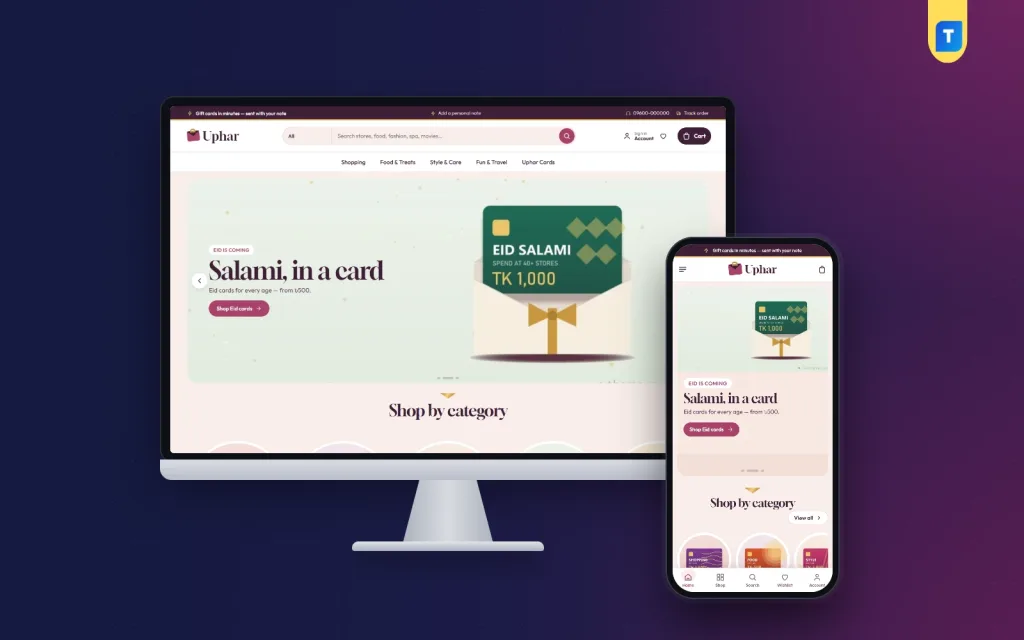
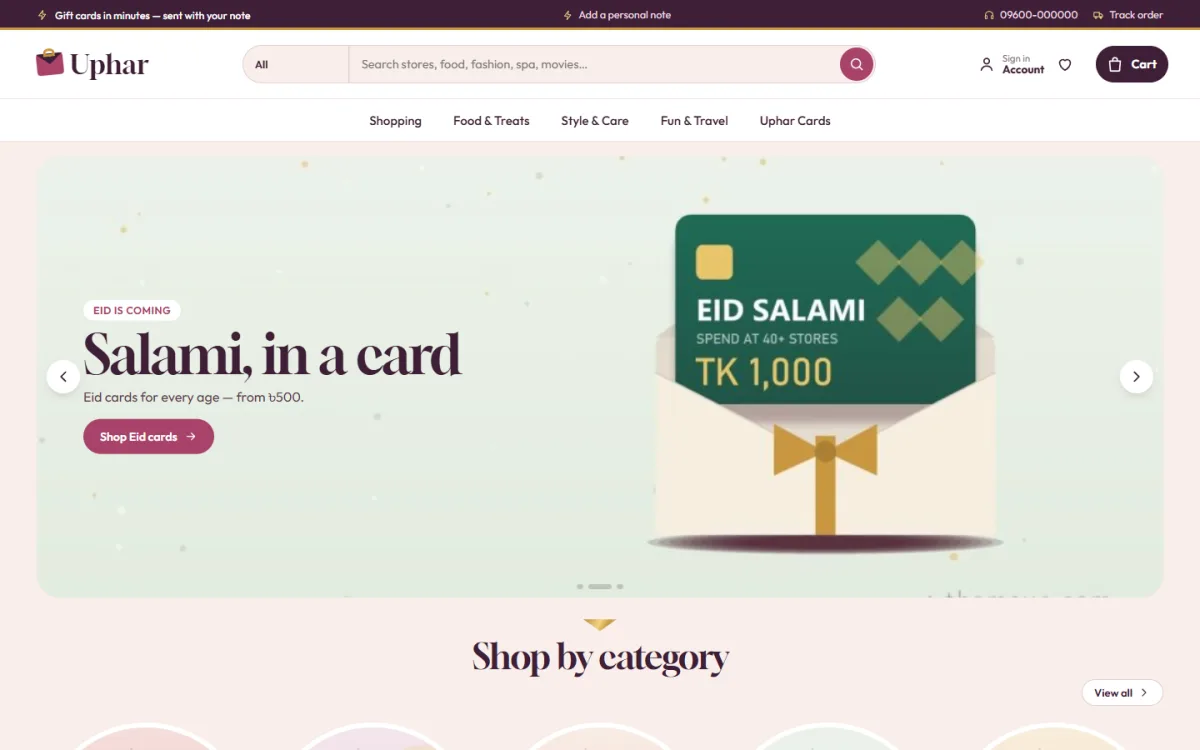
If you would rather not design from scratch, Uphar – Digital Product Download WordPress Theme is one option to consider. The demo is a gift card shop, and you can sell any item that is delivered online.
It includes:
- A card studio with a live preview of To, From and a message.
- An optional recipient email carried to checkout.
- A gifting days countdown for Eid and other sales.
- Checkout with no address and no delivery charge.
- bKash, Nagad, SSLCommerz and manual Send Money payments.
- Quick facts for platform, region, validity, devices and format.
- 17 homepage blocks, five colour palettes and four font pairs.
It runs on the Themeve Commerce plugin, which is bundled, so you do not need WooCommerce. The theme script does not load jQuery, and images load lazily. You can look at the demo first and read the details on the Uphar product page.
Build trust so strangers will pay you
A new site has no reputation. You have to show that real people run it.
- Put a real phone number and WhatsApp link on every page.
- Show your business name, address or page link in the footer.
- Publish clear refund and delivery rules.
- Use real customer feedback with permission.
- Reply to messages fast and politely.
- List only products you can truly supply.
Be careful with brand logos. Use them only where you have the right to, and describe products truthfully.
Launch checklist for your digital marketplace website design template
Before you announce the site, check each of these:
- Place a test order for each product type.
- Test every payment method and the transaction ID step.
- Check that confirmation emails arrive in the inbox.
- Read all product pages for wrong prices and typos.
- Open the site on a phone with weak signal.
- Check the site title, address and contact details.
- Take a backup and set a regular schedule.
Do not worry if the first week is quiet. Use it to learn. Watch where visitors leave, read the messages they send and improve one thing at a time.
Ask three regular customers to try the site and tell you where they got stuck. Fix those spots before the public launch.
Grow after launch
Once orders flow, small steady work adds up.
- Post offers on Facebook and link each one to a product page.
- Add a gifting days block before Eid and other sales seasons.
- Check which products sell most and move them to the top of the homepage.
- Add questions customers keep asking to your help page.
- Update prices when suppliers change them.
- Keep WordPress, the theme and plugins updated after a backup.
If you want to read more on the technical side, the official WordPress documentation is a good, reliable reference.
Frequently asked questions
What is a digital marketplace website design template?
It is a ready-made site design for selling digital goods such as gift cards, keys and downloads. It gives you the homepage, product pages and checkout, so you only add content.
Can a digital marketplace website design template host many sellers?
Most do not. A design template for a single business shows many products from one owner. A multi-vendor marketplace needs vendor accounts and payouts, which is a separate build.
What makes a good gift card store ecommerce website design?
A short path to the right card, a personal message field, a clear value and validity, and a checkout with no address. Gifting day reminders also help.
Do I need WooCommerce?
Not always. Some themes come with their own shop plugin, so you can run the store without WooCommerce and without a separate payment plugin.
Which payment methods should I offer?
Start with bKash and Nagad Send Money, as most buyers use them. Add a card gateway when your order volume justifies the setup.
How many products do I need to launch?
About 15 to 25 well-described items is enough. Add more once you can keep prices and stock correct.