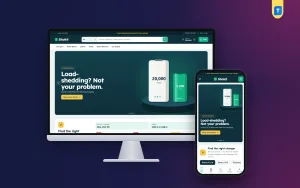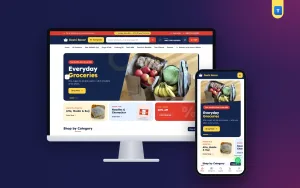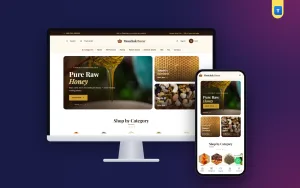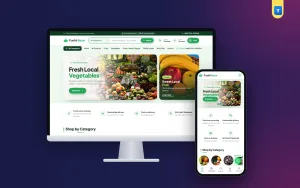
Gadget store website design is mostly about helping a buyer say yes to a small, technical purchase without calling you first. Chargers, power banks, earbuds and smart watches look alike in photos, and buyers worry about the details: watts, capacity, cable type, battery life. A good website answers those worries before they are asked.
This guide shows how to plan and build an online gadget shop step by step. It is written for small sellers in Bangladesh who sell through Facebook today and want a proper website tomorrow. You will get clear lists, a launch checklist and a list of mistakes to avoid.
What a gadget shop website has to do
Good gadget store website design treats the site as a helpful assistant. A gadget shop is not a fashion shop. People do not buy a power bank because it looks nice. They buy it because it charges their phone twice and arrives safely. So the site must work like a helpful shop assistant.
It should do these jobs:
- Show the numbers that matter, such as watts, mAh and ports.
- Tell the buyer if the item works with their phone or device.
- Give honest warranty and return details.
- Offer the payment methods people use in Bangladesh.
- Load fast on a mobile phone.
Keep this list beside you while you plan. Every design choice should serve one of these jobs.
Choose your products and your buyer first
Before you open any design tool, decide what the shop sells. Gadgets cover a very wide range. A focused shop is easier to build and easier to trust.
- List your top 20 products by sales or by profit.
- Group them into six to eight categories.
- Decide who buys them: students, office workers, gamers, parents buying gifts.
- Note the price range. Under 1,000 taka items sell on impulse. Items over 5,000 taka need proof and reassurance.
A typical gadget range includes chargers, power banks, cables, earbuds, headphones, smart watches, speakers, and car or desk accessories. If you also sell cases and protectors, keep them in their own category so they do not crowd the main grid.
Plan the structure of your gadget store website design
The structure is the skeleton of the site. Get it right and everything else is easy. A simple structure for gadget store website design looks like this:
- Home: offers, categories, best sellers, trust points.
- Shop pages: one page per category, with filters.
- Product pages: photos, specs, price, stock, warranty.
- Cart and checkout: short and clear.
- Track order: so buyers do not need to phone you.
- Help pages: delivery, warranty, returns, contact.
Draw this on paper first. Boxes and arrows are enough. If you cannot explain the shop in one drawing, buyers will not understand it either.
Design the home page like a spec sheet, not a poster
Gadget buyers like facts. Use the home page to show them fast. A clean order of blocks works well:
- A banner with one offer and a clear button.
- Category tiles with small icons or pictures.
- A "find the right one" helper, for example a charger matcher.
- Best sellers with the key spec on each card.
- A flash deal row with a countdown and a stock bar.
- Reviews and trust points.
- Latest tips or blog posts.
Put the main spec on each product card. A small label such as "65W GaN, 3 ports" or "10,000 mAh" tells the buyer what they need to know without opening the page.
Avoid long auto-moving sliders. They hide products and slow the page. One banner and a few static blocks are better.
Help buyers find the right product
The biggest sales leak in a gadget shop is confusion. A buyer does not know which charger suits their phone, so they leave or send a message that waits hours for a reply.
Fix it with simple tools:
- A phone or device picker that shows matching chargers and cables.
- Filters for brand, price, wattage and capacity.
- Short comparison lines such as "charges a phone about three times".
- A search box that accepts model names.
For power banks, show how many full charges the bank gives. Buyers understand "three charges" faster than "20,000 mAh".
Write product pages that remove doubt
A strong product page has a fixed pattern. Use the same pattern for every item so buyers know where to look.
- Title with brand, model and the key number.
- Three to six clear photos, including ports and the box.
- A spec table: input, output, size, weight, cable length.
- A short "what is in the box" list.
- Warranty length and who handles claims.
- Delivery time for Dhaka and outside Dhaka.
- Honest stock status.
Add a line on safety for chargers and power banks, such as the protections they include. Do not copy claims you cannot prove. A wrong claim costs more trust than it earns.
Bundles and add-ons that raise the order size
A single cable is a small sale. A cable, a charger and a case together is a proper order. Use bundles to lift your average order without pushing hard.
- Show "bought together" items under the product.
- Offer a small discount on a set, for example charger plus cable.
- Suggest a screen protector at the cart stage.
- Set a free delivery level just above your average order.
Keep the offers honest and easy to read. A buyer who feels pushed will close the page.
Banner design for a phone accessories shop
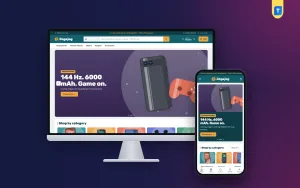
Banners are the first thing a Facebook visitor sees, so treat them as a sales tool. Good phone accessories shop banner design follows a few simple rules.
- One message per banner: "Fast chargers from 499 taka" beats a list of ten offers.
- Big readable text, even on a small phone screen.
- One clear button, such as "Shop chargers".
- A real product photo with clean edges, not a cluttered collage.
- Good contrast between text and background.
- The offer end date, if there is one.
Make each banner in the right size for the place it appears: a wide one for the home page and a square one for Facebook and Instagram. Keep the file small so the page stays fast.
Payment, delivery and trust in Bangladesh
Local habits shape checkout. Offer what buyers already use.
- bKash and Nagad for wallet users.
- SSLCommerz for card and bank payments.
- Cash on delivery for buyers who want to see the item first.
For delivery, pick one or two couriers and set flat charges. Steadfast and Pathao are common choices. Show delivery days on each product page, and give customers a tracking page.
Trust also comes from small details. Show your shop address, a phone number that answers, and real customer photos. Write your warranty and return rules in plain sentences, and link them in the footer.
Speed, mobile layout and photos
Most visitors will arrive on a phone, often on mobile data. A heavy site loses them, and no clever layout can bring them back once they have left. Speed is part of the design, not an extra.
- Resize photos before upload. Aim for under 150 KB on listing pages.
- Use square, even product images with clean backgrounds.
- Keep the number of homepage blocks reasonable.
- Make buttons big enough for thumbs.
- Show more products per scroll with compact cards on mobile.
- Test on a cheap Android phone, not only your own.
Good photos matter as much as speed. Take your own pictures where you can. Show the item in a hand for scale, and show the ports clearly.
A ready-made option: Shokti
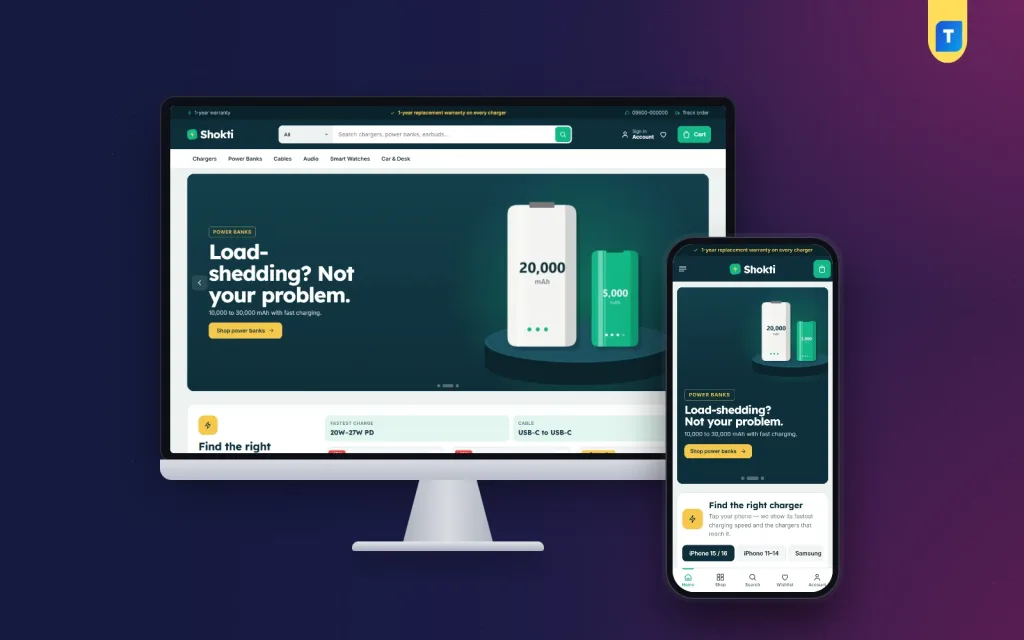
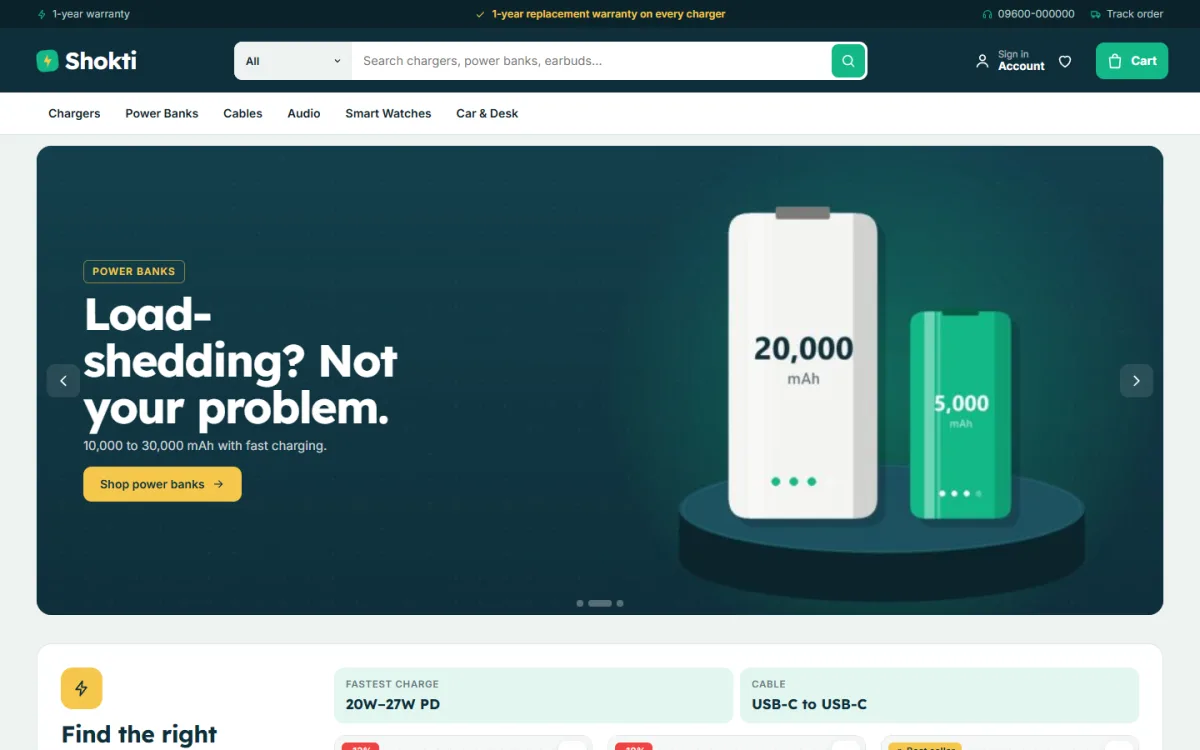
If you want to skip the long build, start from a finished theme. Shokti is a WordPress theme made for shops that sell chargers, power banks, cables, earbuds, headphones, smart watches and car or desk gear.
These points come from its feature list:
- A charger matcher: tap a phone and see matching chargers.
- Power-bank battery bars that show how many charges each bank gives.
- Square product cards with a green spec pill.
- 24 homepage blocks you can switch off and re-order.
- Flash deals with a countdown and stock bars.
- Five colour palettes and four font pairs.
- A one-click demo with 36 products from 6 brands.
- Sign-in and register in a popup.
- bKash, Nagad, SSLCommerz and cash on delivery.
- Steadfast and Pathao couriers with order tracking.
It is a theme, so you still add your products, photos and policies. But the layout work for a gadget store website design is already done, and you can focus on stock and prices.
Ready-made theme or custom build
Both routes can work for gadget store website design. Choose by budget and need. Add up the full cost of each, including your own time, before you decide.
Ready-made theme:
- Lower cost and a quick start.
- You edit text, colours and blocks yourself.
- Good for a first online shop.
Custom build:
- Higher cost and longer wait.
- Makes sense for unusual tools, such as complex product builders.
- You depend on the developer for changes.
Most small sellers do better with a theme first. You learn what your customers want, then you decide if custom work is worth the money. You can look at the Shokti demo on your phone and judge it yourself.
Keep your gadget store website design fresh after launch
A shop is never finished. Prices change, new phones launch, and old stock must go. A little weekly work keeps the site useful and keeps buyers coming back.
Here is a simple weekly routine that takes about an hour:
- Update prices and stock for the fastest-moving items.
- Remove or hide products you can no longer supply.
- Add the new arrivals with full specs and photos.
- Reply to reviews and questions, good or bad.
- Refresh the home page banner with the current offer.
- Check the order list for stuck or unpaid orders.
Every month, look at your numbers. Which categories get the most visits? Which pages lose buyers at checkout? Which search words do visitors type that return nothing? These small facts tell you what to fix next.
New phone models are a good chance for fresh content. When a popular handset arrives in the market, add the matching chargers, cables and cases to your picker the same week. Buyers search for these items right away, and a shop that is ready first wins the order.
Seasons matter too. Eid, Pohela Boishakh, exam time and the start of the school year all change what people buy. Plan banners and bundles a week or two ahead, for example a charger and cable pair or an earbud and case set.
Move from Facebook to your own website
Facebook is great for finding buyers but poor for keeping orders in order. A website gives you a record, a stock count and a checkout that works at night.
- Put the website link in your page bio and pinned post.
- Share product links instead of photo-only posts.
- Answer chat questions with the product or policy link.
- Give a small discount on the first website order.
- Keep one stock count so you never sell an item twice.
After a few weeks, regular buyers start to order straight from the site, and your chat load drops.
Launch checklist for your gadget store website design
Run through this list before you announce the shop.
- Place a test order with every payment method.
- Check the confirmation email and the admin notice.
- Open each page on a low-cost phone.
- Read all titles, prices and specs for mistakes.
- Search for five product names and check results.
- Check delivery charges for two districts.
- Call the contact number and confirm someone answers.
- Make sure the warranty and return pages are published.
- Set up a weekly backup.
After launch, review orders every week. Look for products with many views and few sales, and improve those pages first.
Mistakes to avoid
- Specs missing from product pages.
- Copied manufacturer photos on every listing.
- No clear warranty statement.
- A checkout that forces account creation.
- Too many banners fighting for attention.
- Prices that are out of date.
If you want to read more on the technical side, the official WordPress documentation is a good, reliable reference.
Frequently asked questions
How much does gadget store website design cost?
A ready-made theme costs far less than a custom build. Add hosting, a domain and your time for photos and product text. A custom site costs more and takes longer.
What is the first step in gadget store website design?
List your best products, group them into categories and decide who buys them. Design comes after that plan, not before it.
Which payment methods should I offer?
Offer bKash, Nagad, a card gateway and cash on delivery. Most Bangladeshi buyers expect at least bKash and COD.
How big should phone accessories shop banner design be?
Use a wide banner for the home page and a square one for social posts. Keep one message, large text and a small file size.
How many products do I need to launch?
Twenty to thirty complete product pages are enough. Add more as you learn what sells.
Can I manage the shop from my phone?
You can handle orders and edit products from a phone. Layout changes are easier on a computer.