Learning how to create a website for grocery store customers is easier than most owners expect, but the order of the steps matters. A grocery shop sells small items, many times a week, to people who want speed and trust. Your website has to respect that.
This guide walks through the whole job in plain steps: what to decide first, what pages you need, how to set up products, delivery and payment, and how to get your first orders. It is written for small shops in Bangladesh, but the basics work anywhere.
Start with the shop model, not the design
Before you open any tool, answer a few questions on paper. The answers decide everything else.
- What do you sell: daily needs, organic food, honey and dates, or fresh vegetables?
- Do you deliver only inside your city, or across the country by courier?
- Will customers reorder every week, or buy once in a while?
- Do you keep stock, or order from suppliers after a customer buys?
- Who packs and who talks to customers on the phone?
A shop that delivers in two areas of Dhaka needs a different site from one that sends spices to Chattogram by courier. Write your answers down. You will use them in every step below.
Choose your platform and hosting
For a small grocery business, WordPress is a sensible choice. You own the site, there is no monthly fee to a platform, and thousands of themes are available. You only pay for a domain name and hosting.
Pick hosting with these points in mind:
- A server close to your customers, so pages load fast on mobile data.
- Free SSL, so the browser shows the lock sign.
- Daily backups you can restore with one click.
- Support that answers in Bangla or simple English.
Choose a short domain name that is easy to say on the phone. Avoid hyphens and numbers. If your Facebook page already has a name people know, try to use the same name for the domain.
How to create a website for grocery store sales: the steps in order
Here is the whole path in order. Keep this list open while you work.
- Register a domain and buy hosting.
- Install WordPress and turn on SSL.
- Install a store-ready theme and its plugin.
- Create product categories.
- Add your first 30 to 50 products with good photos.
- Set delivery areas and charges.
- Connect bKash, Nagad and cash on delivery.
- Connect a courier if you ship outside your own area.
- Write the About, Delivery and Contact pages.
- Place three test orders yourself.
- Share the link on Facebook, WhatsApp and your packaging.
Do not wait until everything is perfect. A site with 40 good products that takes orders is better than a site with 500 products that never launches.
How to create a website for grocery store pages that people understand
Keep the page list short. Shoppers should never wonder where to click.
- Home: categories, best sellers, today's offers and a search box.
- Shop: all products with filters for category and price.
- Product page: photo, pack size, price, a short description and an Add to Cart button.
- Cart and checkout: one clean page, not five steps.
- Order tracking: so customers stop calling to ask where the parcel is.
- Delivery and returns: areas, charges, time, and what you do about damaged items.
- About and Contact: a real address, a real phone number and your face or your shop.
The Delivery page is the one people forget. Food shoppers want to know when it arrives and what it costs before they trust you with money.
Plan your categories and products
Good categories follow how people think in the kitchen, not how your warehouse is arranged. A customer looks for "oil" or "rice", not "Supplier B items".
A simple category list for a general grocery shop:
- Rice, flour and lentils
- Oil and ghee
- Spices
- Honey, dates and nuts
- Vegetables and fruit
- Dairy and eggs
- Tea, coffee and snacks
- Household items
For each product, write the same details in the same order. This makes the shop look tidy and helps search.
- A clear name, such as "Mustard Oil 1 litre".
- The pack size in its own field.
- The price, and the sale price if there is one.
- Two or three sentences: where it comes from and how it is used.
- Stock status.
Take food photos that build trust
Customers cannot touch or smell your goods, so the photo does the work. You do not need a studio.
- Shoot near a window in daylight. Avoid the flash.
- Use a plain white or light wooden surface.
- Show the real pack, with the label readable.
- Keep the same angle and size for every product.
- Add one extra photo of the item opened or cooked where it helps, such as a jar of honey with a spoon.
Resize images before uploading. A 4 MB photo makes the page slow, and slow pages lose mobile shoppers.
Set up delivery that matches how you really work
Delivery is where grocery sites win or lose. Decide your rules first, then set them once in the shop settings.
Charges by area
Most shops in Bangladesh use three simple zones: inside the city, nearby areas and outside. Each zone gets its own charge. The customer picks the district and area at checkout and the charge appears on its own, with no calls needed.
Free delivery rules
A free delivery limit, such as orders above 1,500 taka, encourages bigger baskets. Show the limit in the header so shoppers see how close they are.
Delivery slots
If you deliver fresh items, tell customers when. "Today before 8 PM" is a promise people understand. Only promise a slot you can keep.
Accept the payments your customers already use
In Bangladesh, a grocery site that only takes cards will lose most buyers. Offer the methods people use daily.
- Cash on delivery: still the first choice for many, especially for new shops.
- bKash and Nagad: direct mobile payment, which also reduces fake orders.
- Card and net banking: through a payment gateway.
- Manual payment with a transaction ID: useful when you are just starting out.
One smart habit: ask for a small advance on large or far-away orders. It protects you from fake orders and returned parcels.
Connect couriers and order tracking
If you sell outside your own delivery area, couriers such as Steadfast and Pathao take over. The best setup lets you book the parcel from the order screen, so you do not type the address again.
Send the tracking link to the customer by SMS or on the order page. People who can see their parcel move do not call you. That alone saves hours each week.
Food store website design: keep it clean and fresh
Good food store website design is mostly about restraint. The products are the colour on the page, so the layout around them should stay quiet.
- Use one main colour and one accent. Green and orange work well for fresh food, but any pair is fine if the text stays easy to read.
- Choose one readable font for text and one for headings.
- Leave white space around product cards so each item can be seen clearly.
- Put the search box and the cart where the thumb reaches on a phone.
- Show badges such as "New", "Best seller" and "Offer" only on a few items, or they lose meaning.
- Add short trust signs near the top: cash on delivery, fresh stock, easy returns.
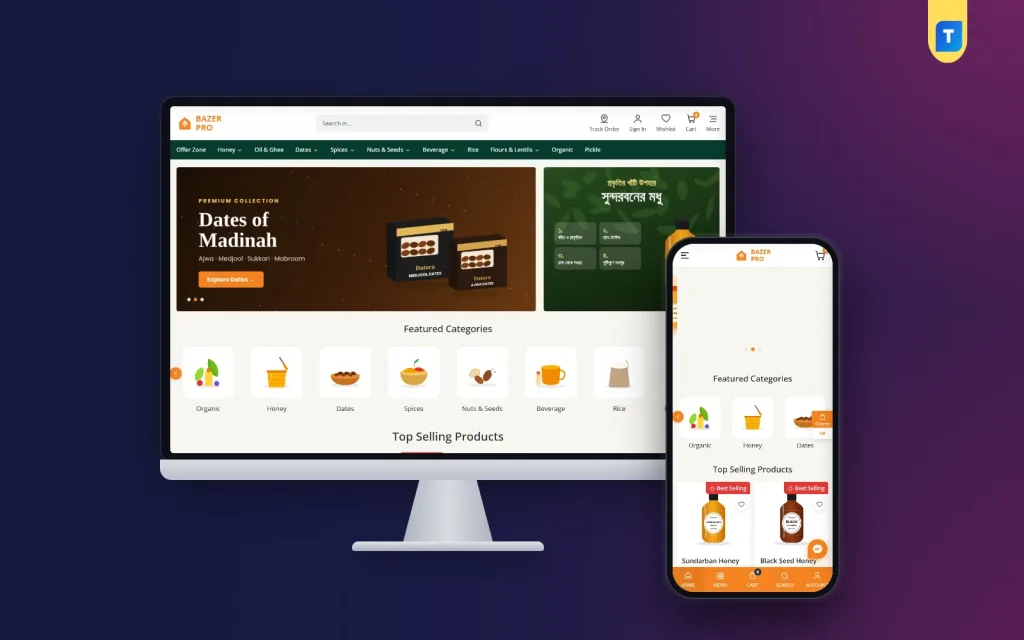
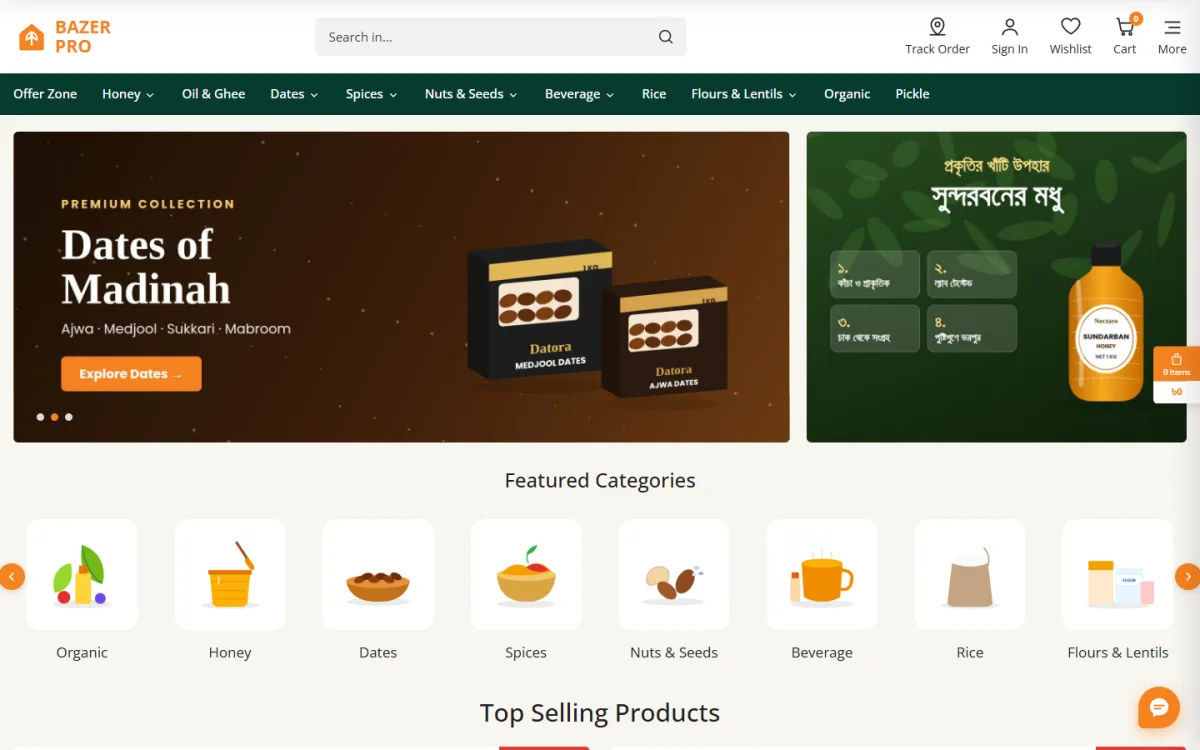
A tidy home page has a simple order: a banner, category tiles, best sellers, an offer block, and a few customer reviews. Real reviews from real buyers are worth more than any slogan. Ask your first ten customers to write one line each.
Also think about repeat shoppers. Grocery buying is a habit, so give people a way to reorder. A saved address, a wishlist or a simple "buy again" list makes the next purchase take under a minute.
Make the site fast and easy on a phone
Most of your visitors will arrive from Facebook on a phone. Test everything on a small screen.
- Buttons big enough for a thumb.
- A search box that shows results while typing.
- A cart that slides in, so shoppers do not lose their place.
- A quantity control on the product card, so two kilos of rice need no extra page.
- Checkout with as few fields as possible: name, phone, address.
Open your site on mobile data, not Wi-Fi. If the home page takes more than four seconds, remove heavy sliders and large images.
A ready-made option for Bangladesh shops
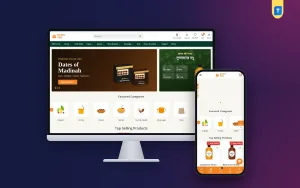
You can build every part above by hand, but a theme made for grocery stores saves weeks. Bazer Pro is an organic grocery store WordPress theme for shops that sell honey, dates, spices, oils, nuts, rice and daily needs.
It comes with its own store plugin, so you do not need WooCommerce. Here is what it covers:
- One-page checkout with district and thana
- Delivery charge set by area
- bKash and Nagad direct payments, SSLCommerz and cash on delivery
- Steadfast and Pathao booking from the admin
- SMS OTP and fake order blocking
- Live search, product filters and a slide-in cart
- One-click demo import, so you start from a finished layout
You still add your own products and photos. The theme only removes the technical setup. You can see the Bazer Pro demo before you decide.
Costs and time: what to expect
When you plan how to create a website for grocery store sales, set a small budget with clear lines. Here is a simple way to think about it.
- Domain: a yearly fee, usually small.
- Hosting: monthly or yearly. Shared hosting is enough at the start.
- Theme and plugin: a one-time purchase for most ready-made options.
- Photos: free if you shoot them yourself, or a small fee per product if you hire someone.
- Payment and courier fees: charged per transaction or per parcel.
For time, expect two or three days for setup, three or four days for products and photos, and one day for testing. If you work alone and keep the shop open at the same time, double that.
Keep a notebook for the first month. Write down every question customers ask. Each question points to something missing on the site, such as pack size, delivery time or return rules.
Test before you tell anyone
Run this checklist yourself, on your phone and on a computer.
- Place an order with cash on delivery.
- Place an order with bKash or Nagad.
- Check that the order email and SMS arrive.
- Check that the delivery charge is right for each area.
- Try a wrong phone number and see what happens.
- Open the order tracking page.
- Ask a family member who has never seen the site to buy something. Watch where they hesitate.
Fix what confuses them. Then fix it again.
Keep the shop running after launch
Launch day is only the start. A grocery site needs a few small habits every week.
- Update prices and stock each morning if your items change daily.
- Remove or hide sold-out items so customers do not order what you cannot send.
- Answer messages the same day.
- Check abandoned or incomplete orders and call those customers politely.
- Back up the site every week, or let the host do it daily.
- Update WordPress, the theme and plugins after you take a backup.
Look at your top five products every month. If they sell well, feature them higher. If something does not sell, change its photo or price before you remove it.
Bring your first customers
A new website has no visitors. You have to bring the first ones yourself.
- Post your link on your Facebook page and pin it.
- Write the web address on every parcel and bag.
- Message past customers and offer a small first-order discount.
- Share your best three products with photos on social media each week.
- Join local area groups, follow their rules, and answer questions honestly.
Over time, add helpful content such as recipes, storage tips and seasonal buying guides. They bring search visitors who are ready to cook.
Common mistakes to avoid
- Too many products at launch with poor photos.
- No delivery information before checkout.
- Forcing customers to register before they can buy.
- Prices that are not updated when the market changes.
- No phone number on the page.
- Never testing the order process.
Most failed grocery sites fail on small details like these, not on technology.
If you want to read more on the technical side, the official WordPress documentation is a good, reliable reference.
Frequently asked questions
How long does it take to build a food store website design and launch?
With a ready theme and 40 products, many owners finish in a week. Most of the time goes into photos, prices and delivery rules, not the software.
Do I need WooCommerce?
No. Some themes come with their own store system. Pick one approach and keep it simple, because running two shop systems together causes confusion.
How much does it cost?
You pay for a domain, hosting and a theme. Payment gateways and couriers have their own fees. Cash on delivery costs nothing to set up.
Can I take bKash and Nagad payments on my site?
Yes. You can use direct API payment, or a manual method where the customer sends money and enters the transaction ID.
How many products should I start with?
Between 30 and 50 well-photographed items is enough. Add more once orders begin and you learn what people ask for.
What is the first step in how to create a website for grocery store beginners?
Decide what you sell and where you deliver. After that, choose your domain and hosting, and then install a store-ready theme.
Can I manage the shop from my phone?
Yes. WordPress admin works in a mobile browser, so you can check orders and change stock from your shop counter.