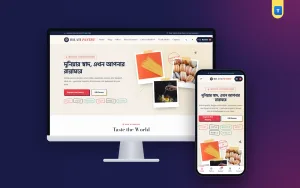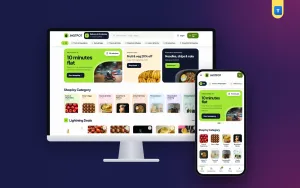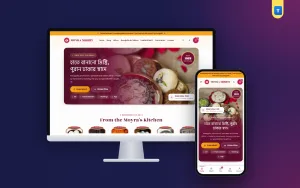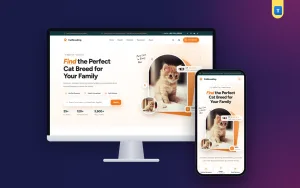
A good imported food website design template has to prove one thing above all: the products are genuine. Buyers of Italian pasta, Japanese ramen, Belgian chocolate or Spanish olive oil pay more because they want the real thing.
The website must show origin, freshness and care, while still being quick to shop on a phone. This guide covers what to look for in such a design, and how to use it well, for an imported food shop in Bangladesh.
Use it as a checklist when you compare designs or improve the shop you already have.
What imported food buyers worry about
Imported food buyers are often experienced. Many have lived or travelled abroad and know exactly what a product should look and taste like. They worry about:
- Genuine products: is this the real import, or a local copy?
- Freshness: how close is the best-before date?
- Storage: was the chocolate kept cool, or did it melt in a warehouse?
- Price: is the mark-up fair?
Every part of the site should calm one of these worries. Good design here is less about decoration and more about clear, honest information.
A look that says "from abroad"
Travel themes work well for imported food: passport stamps, airmail stripes, luggage tags and postmarks. They tell the story of products that crossed borders, and they are fun without being childish.
Use them as frames, not as clutter. A calm base of navy and parchment with one strong accent, such as tomato red, lets the colourful packs stand out. Keep the fonts simple and readable; many product names are already in Italian, Japanese or Korean.
Keep the stamps light
Stamps and stripes should be made with simple shapes and colours, not big image files. A heavy design slows the page and loses buyers before they see the pasta.
Shop by country and by kitchen
Imported food buyers often shop by country: "something Korean tonight", "an Italian dinner". An imported food website design template should let them do this. Two simple tools help:
- Country stamps on the homepage, such as Italy, Japan, Belgium, Spain, Korea and Turkey, each opening that country's products.
- Kitchen categories, such as Pasta & Sauces, Cheese & Olives, Chocolates & Sweets, Asian Pantry, Oils & Condiments and Breakfast & Spreads.
Put the country in every product title or tag, so search and country stamps find it. "Spaghetti No. 5, Italy, 500 g" is clearer than "Premium Spaghetti".
A homepage order that works
Here is an order that suits most imported food shops:
- Hero with a short promise, such as "Imported · Customs cleared", two buttons and a few product photos.
- Taste the world: country stamps.
- Categories as luggage tags.
- Just landed: the newest shipment.
- Favourites: your best sellers.
- Tasting box: a monthly or gift box offer.
- Promises: genuine imports, cool storage, best-before dates, easy returns.
- Reviews, FAQ and blog.
Each block should end with one clear button. "See all Korean food" beats "Explore".
The "just landed" rail
New shipments are news for imported food buyers. A rail of the newest products, updated with each shipment, gives regulars a reason to visit every week. It is one of the simplest ideas in any imported food website design template, and one of the most effective.
Product pages that prove it is genuine
The product page is where trust is won. Near the top, show:
- A clear photo of the original pack, label facing the camera, with the foreign text readable.
- The country of origin.
- Net weight and pack options, such as Single and Twin Pack, each with a price.
- The best-before date of the current stock, or at least the month.
- Storage advice: "keep below 25 °C", "refrigerate after opening".
- An "In Stock" pill and Add to Cart and Buy Now buttons.
If you add a local sticker with the importer's details, show a photo of it. In Bangladesh, an importer sticker is often what buyers look for as proof that a product came in properly.
Ingredients and allergens
List main ingredients and allergens in English, even if the pack is in another language. Buyers with children or allergies read this closely. Note whether a product contains pork or alcohol, as many buyers need to know.
Photos of your real stock
It is tempting to copy product photos from the maker's website. Do not. Buyers of imported food want to see the pack they will receive, with the importer sticker, the batch and the real label. Your own photos also prove that the product is in your store, not just in a catalogue.
Shoot every item in daylight on a plain light background, front label facing the camera. Add a second photo of the back label with ingredients, and a third of the product in use, such as cooked pasta or an open chocolate bar. Keep photos square and matching, so the grid looks tidy.
When the pack design changes with a new shipment, update the photo. A buyer who receives a different pack from the picture may think it is fake. In an imported food website design template, the photo is your strongest proof.
Storage and freshness
Chocolate melts, cheese spoils and oils go stale if stored badly. Tell buyers how you store them:
- A cool room or air-conditioned store for chocolate and sweets.
- A fridge for cheese, butter and cold cuts.
- Stock rotation, so older stock sells first.
A short promises block on the homepage, with four lines such as "Genuine imports", "Stored cool", "Best-before date on every product" and "Easy returns", sums it up. Only promise what you do. A buyer who receives melted chocolate after reading "stored cool" will not trust anything else on the site.
Gourmet food website design ideas
Many imported food shops also sell gourmet items: fine cheese, truffle oil, premium chocolate, specialty coffee. A few gourmet food website design ideas help them sell:
- Pairing notes: "this cheese with this cracker and this honey".
- Recipe cards linked to the products in them.
- Tasting boxes that let buyers try several items at once.
- Gift boxes with a short story card for each product.
These gourmet food website design ideas turn a list of products into a food experience, which is what gourmet buyers pay for.
Tasting boxes and gifts
A tasting box is a strong offer for an imported food shop. It lets new buyers try a few countries at once and gives regulars a monthly surprise. Present it as something special, for example as a boarding pass with a route of countries, a price, a short list of what is inside and a "Book this box" button.
Gift boxes work well for Eid, birthdays and office gifts. Show each box open, list its contents and prices, and let buyers send it to another address with a card message.
Monthly boxes
If you run a monthly box, explain the rules simply: price, what kind of items, when it ships and how to stop. A subscription plugin can handle billing when you have many subscribers; at the start, a chat button is enough.
Prices and offers
Imported food is expensive, and prices change with the exchange rate and duties. Be honest:
- Show prices in taka with no hidden extras.
- Use real sales only, with the old price crossed out.
- Offer twin packs or bundles at a small saving instead of constant discounts.
- Explain price rises briefly if a shipment costs more.
Buyers accept higher prices for genuine products when the shop is open about them.
Delivery and packing
Most pantry items travel well, but some need care. Be clear about:
- Areas and charges, such as ৳80 inside Dhaka and ৳120 outside.
- Which items you ship by courier, and which stay in the city, such as cheese and chocolate in summer.
- How glass bottles and jars are packed.
Show the delivery charge in the cart. A free-delivery bar, such as "Add ৳600 more for free delivery", encourages a second jar of sauce or a bar of chocolate.
Wrap glass in paper or bubble wrap, keep chocolate in an insulated bag in hot months and put the invoice inside the box. A broken bottle of imported olive oil is an expensive mistake.
Checkout and payment
Keep checkout short: name, mobile number, area and address, plus a note field. Cash on delivery is still common, but imported food buyers often pay by card or mobile wallet. Offer bKash, Nagad and cards as soon as you can, and show their logos on product pages.
Accounts help repeat buyers, who often reorder the same pasta or ramen every month. A sign-in pop-up with a mobile number or email saves their address, wishlist and order history.
An imported food website design template on phones
Most orders come from phones. An imported food website design template should work well on a small screen:
- A menu button, logo and cart in the top bar.
- One main banner with the shop's promise.
- Country stamps in a scrolling row.
- Product cards two per row with pack and price.
- A bottom tab bar with Home, Shop, Cart and Account.
Test the shop on a cheap Android phone over mobile data. Compress photos, and choose a light theme without a page builder.
Content that builds trust
A small blog suits an imported food shop well:
- How to cook real Italian pasta at home.
- Five Korean pantry basics and what to make with them.
- How to store cheese in a Bangladeshi summer.
- What "best before" really means.
Write in plain words with one clear photo, and link to the products. Google's guide to helpful content rewards useful, honest writing for real buyers.
Common mistakes
- Product photos taken from the internet instead of your own stock.
- No country of origin or best-before information.
- Chocolate shipped hot in summer.
- Prices that change without explanation.
- Gift boxes with no list of contents.
- A heavy, slow homepage full of decoration.
Fixing these does more than any redesign, and most take an afternoon. Even the best imported food website design template needs honest photos and dates to work.
How to compare an imported food website design template
When you test a design, check these things on a phone:
- Can buyers shop by country as well as by category?
- Is there a place for origin, best-before and storage on product pages?
- Is there a "just landed" rail for new shipments?
- Can you show a tasting box or gift box offer?
- Does search show results as you type?
- Is checkout short, with cash on delivery?
- Does it work with normal shop plugins for payment and delivery?
An imported food website design template that passes these tests saves months of custom work. One that only looks good in screenshots will cost you later.
Opening your shop with Bilati
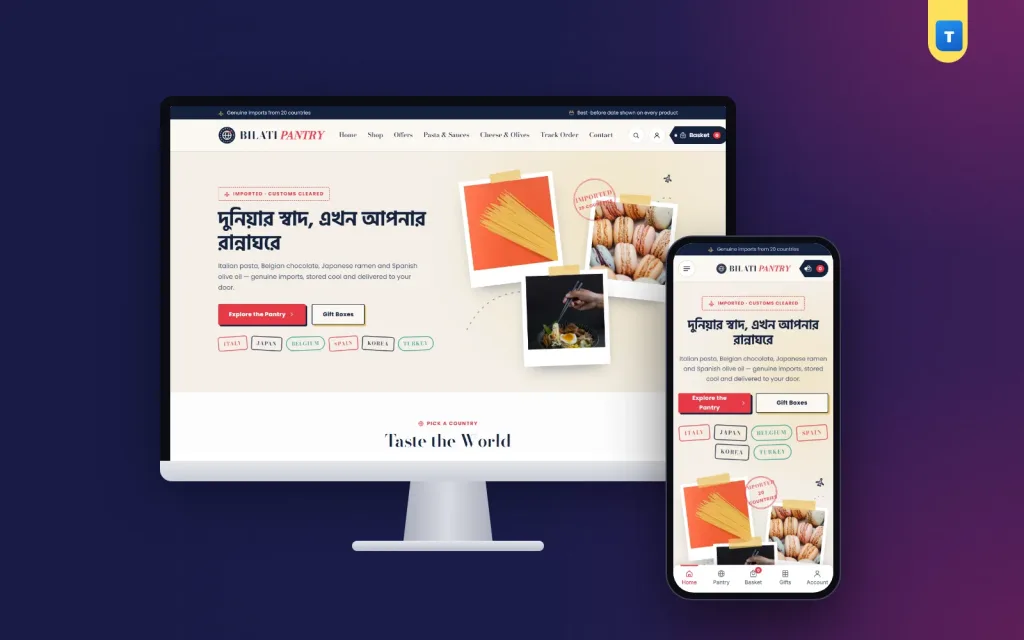
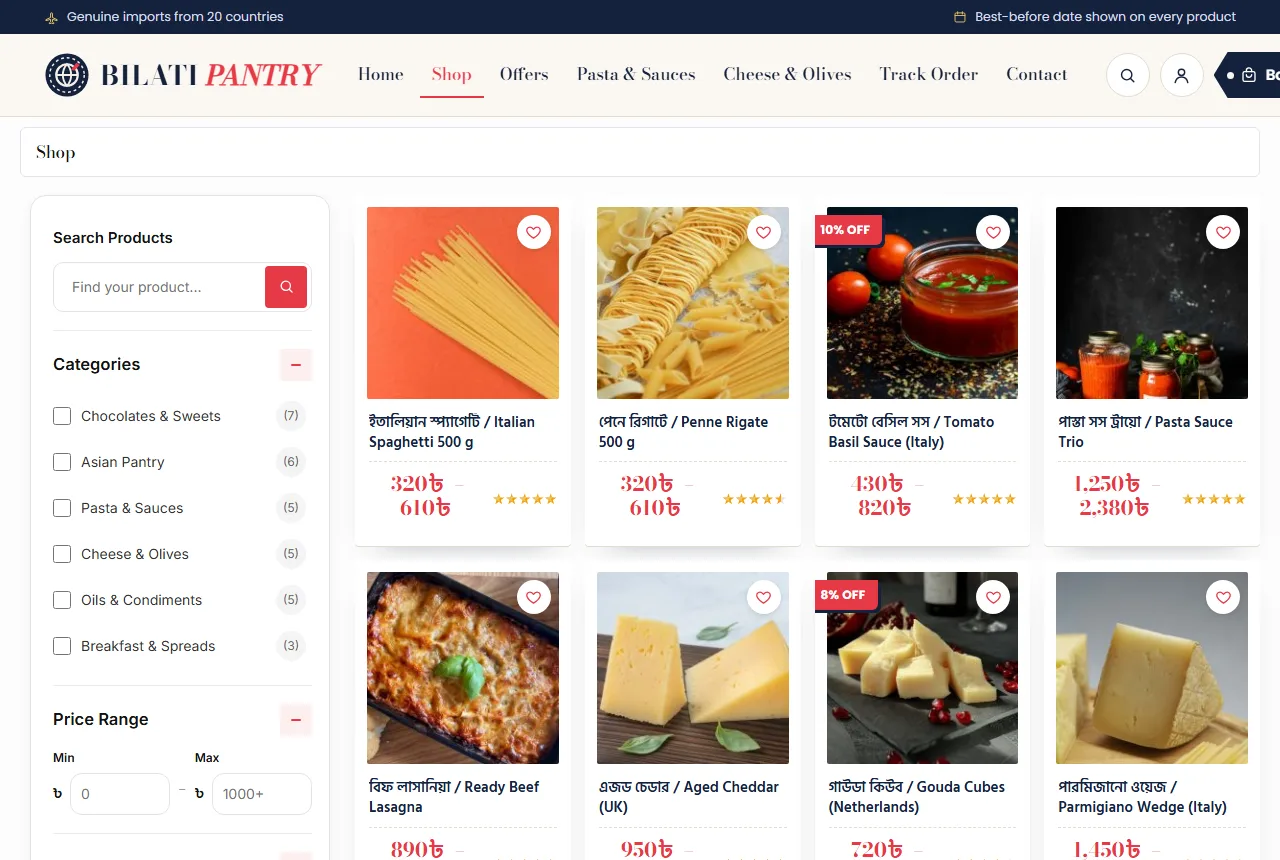
Many of these ideas are built into the Bilati imported food ecommerce website template for WordPress and WooCommerce. It has a passport-style header, a polaroid hero with passport stamps and a postmark, "taste the world" country stamps, luggage-tag categories, a just-landed rail, favourites, a boarding-pass tasting box, four authenticity promises, postcard-style reviews, FAQ and a blog block.
Every demo product has Single and Twin Pack options. Delivery zones, cash on delivery, mobile or email sign-in, a wishlist and a phone tab bar are ready after the demo import, so you can list your next shipment the day it lands.
Frequently asked questions
What should an imported food website design template include?
Shopping by country, room for origin and best-before dates, a new arrivals rail, gift or tasting boxes and a quick phone checkout.
How do I show that products are genuine?
Use your own photos of the original packs, show the importer sticker and list the country of origin.
Should I sell a monthly tasting box?
Yes, if you have enough variety. It brings new buyers and gives regulars a reason to return.
Which colours suit an imported food website design template?
Calm navy or parchment with one strong accent, plus light travel details such as stamps and airmail stripes.
Can I ship chocolate in summer?
Only with insulated packing and fast delivery. Many shops pause courier delivery of chocolate in the hottest months.