Ladies fashion ecommerce website design is more than choosing a pretty theme. A woman who shops for a kurti, a saree or a co-ord set wants to see the fabric, check the size and trust that the colour matches the photo. Your website has to answer these doubts without a chat on Messenger.
This guide is for small clothing labels in Bangladesh that are moving from a Facebook page to their own online shop. It covers the plan, the pages, the homepage, product photos, size help, payments, delivery and a launch checklist. You can follow it with any platform.
What good ladies fashion ecommerce website design looks like
A good fashion shop feels calm and clear. The clothes are the main thing. Everything else, such as menus, buttons and banners, stays out of the way.
Check your design against this list:
- Large, bright photos that show the piece from more than one side.
- A simple menu with a few clear categories.
- Prices, sizes and delivery details visible without extra clicks.
- A size guide on every product page.
- A checkout that takes one page and works well on a phone.
- Payment choices your customers already use.
- Pages that open fast on mobile data.
If a design fails two or three of these, shoppers will leave, however beautiful the homepage is.
Plan your ladies fashion ecommerce website design first
Take one hour with a notebook. Write down the answers to these questions:
- What do you sell: kurtis, sarees, lounge sets, dresses, festive wear?
- Who is your customer: students, office workers, homemakers, brides?
- How often do you release new designs, and on which day?
- What is your usual price, and what is your lowest and highest?
- Which cities do you deliver to, and how?
The answers decide your categories and your homepage. A label that drops new prints every Friday needs a strong "new this week" block. A label with high-value festive wear needs more photos and a longer story. Without a plan, you will add blocks you never use.
Choose a clear structure for categories
Women's wear has many types, so the menu can get messy. Keep it short. Four to seven top-level categories are enough for most small labels.
An example menu
- New arrivals
- Kurtis and tunics
- Co-ord sets
- Sarees
- Dresses
- Lounge wear
- Sale
Use words your customers use. If they say "three-piece", do not label it "ensemble". You can also add filters for size, colour and price, but only when you have enough products to need them.
Keep the same names in the menu, in the page titles and in your Facebook posts. When the words match everywhere, customers find things faster and search engines understand your pages better. Add a "Sale" or "Last few" category only if you really have such pieces.
Build a homepage that reads like a lookbook
The homepage is your shop window. Think of it as a lookbook, not a price list. A woman should see your style in the first few seconds.
A simple order that works:
- A big portrait photo with a short headline and one or two buttons.
- A thin service line: delivery, cash on delivery, exchange.
- Photo tiles for each category.
- New this week, eight pieces at most.
- A "shop the look" photo, where one outfit links to every piece in it.
- Most loved pieces, grouped by category.
- Customer reviews with the name of the piece.
- A short note from you or your studio.
- Your latest blog posts or Instagram photos.
Do not try to fit everything. Every block must earn its place by helping someone find a product or trust you.
Think about the buyer who arrives from a Facebook post about one kurti. She should reach that kurti in one click, and then see two or three related pieces. She should not have to scroll through a long homepage to find it. Link your posts to product pages, not only to the homepage.
Photos that carry ladies fashion ecommerce website design
Photos decide most sales in fashion. You do not need a studio, but you need a routine.
- Shoot near a window in daylight, away from direct sun.
- Use a plain wall as a background.
- Take a full-length photo, a close-up of the fabric and one of the back.
- Use the same photo shape for every product. The 4:5 portrait shape suits most fashion photos.
- Show the real colour. Do not over-edit, because wrong colours cause returns.
- Add the model's height and the size she is wearing in the description.
A second photo that appears when the shopper moves the mouse over a card is a nice touch on desktop. On a phone, make sure the swipe through photos is easy.
Write product pages that answer questions
A product page should feel like a helpful salesperson. Keep the text short and useful.
What to include
- A clear title: type, fabric and colour, for example "Cotton block print kurti, indigo".
- Price and any discount.
- Sizes as buttons, not a drop-down.
- A size guide link with measurements in inches.
- Fabric, fit and care in three or four lines.
- Delivery time and charge.
- Return and exchange rules.
- Related pieces, such as matching bottoms or a dupatta.
Write your return and care text once and reuse it. Customers do not want a long story on every page. They want the facts.
Give size help to reduce returns
Wrong size is the most common reason for returns in women's clothing. A little work here saves a lot of money.
- Measure each piece when laid flat: bust, waist, hip, length.
- Put the numbers in a table for each size.
- Explain how a customer can measure herself, in two or three lines.
- Note if a piece runs small or large.
- Offer a quick exchange for the first order.
Customers who see a clear table feel safer and are more likely to pay online instead of choosing cash on delivery.
Keep a simple record of returns for the first three months. Write down the piece, the size ordered and the reason. If one kurti keeps coming back as "too tight", fix the size note or the pattern. The data tells you what to change in the photos, the table or the cut.
Set up payments and delivery for Bangladesh
Your checkout should match how your buyers pay. Offer these:
- bKash and Nagad.
- Card payment through a gateway such as SSLCommerz.
- Cash on delivery.
- Manual payment with a transaction ID field.
For delivery, use a courier with parcel tracking. Steadfast and Pathao are widely used. Show delivery charges for inside Dhaka and outside Dhaka before the last step. Add a track order page so customers can check their parcel without calling you.
Cash on delivery brings more orders but also more refused parcels. Many labels ask for a small advance through bKash on high-value orders. State this rule clearly at checkout.
Move from Facebook to your own website
Many women's labels start with good photos on Facebook and no shop to send buyers to. Orders arrive in Messenger, and you answer the same questions again and again. A website fixes this.
- Keep posting on your page. Do not stop.
- Add every new piece to the website with the same photos.
- Put the product link under each post.
- Pin the shop link on your page.
- Tell loyal customers that ordering on the website is faster.
Ladies fashion website design for clothing brand owners does not need to be complicated. A few good pages, clear photos and simple checkout will do more than a heavy design with many effects.
Build trust with reviews, policies and contact details
A new online shop has one big problem: strangers do not know if you will really send the parcel. Trust is built with small, visible signs.
- Real reviews. Show the latest five-star reviews on the homepage, with the name of the piece. Ask happy customers to write one after delivery.
- Customer photos. A photo of a real customer in your kurti is worth more than a studio shot. Ask permission first.
- Clear policies. Put delivery, return and exchange rules in plain words, and link them in the footer.
- Contact details. Show a phone number, a WhatsApp number and your address, even if you work from home.
- Your story. A short note from you, with your name, tells buyers a real person runs the label.
When you plan ladies fashion website design for clothing brand growth, trust items matter more than effects. A plain page with honest reviews and clear contact details sells better than an animated page with none.
Also think about what happens after the order. Send a confirmation message, tell the customer when the parcel leaves, and share the tracking link. Customers who feel informed do not need to call, and they are more likely to order again.
Make the site fast on a phone
Speed is part of design, not a separate job. A shop that looks lovely but needs ten seconds to open will lose most mobile visitors before they see a single photo.
Most of your visitors will arrive from Facebook or Instagram on a phone. If the page takes too long, they leave. Keep it light:
- Resize photos before uploading. Do not upload a 5 MB photo straight from the camera.
- Avoid page builders and sliders with heavy effects.
- Use one or two fonts.
- Load images below the first screen later.
- Pick reliable hosting.
- Test the shop on a mid-range phone with a normal mobile connection.
- Run a speed test once a month, and again after you add many new photos.
A ready-made option for women's clothing labels
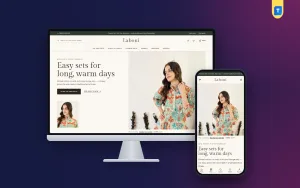
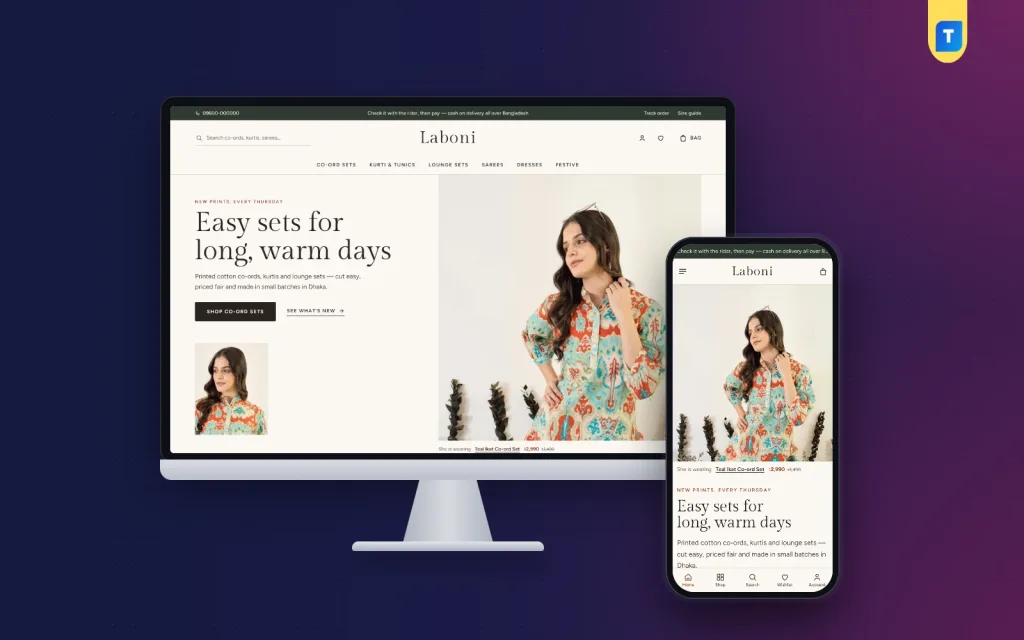
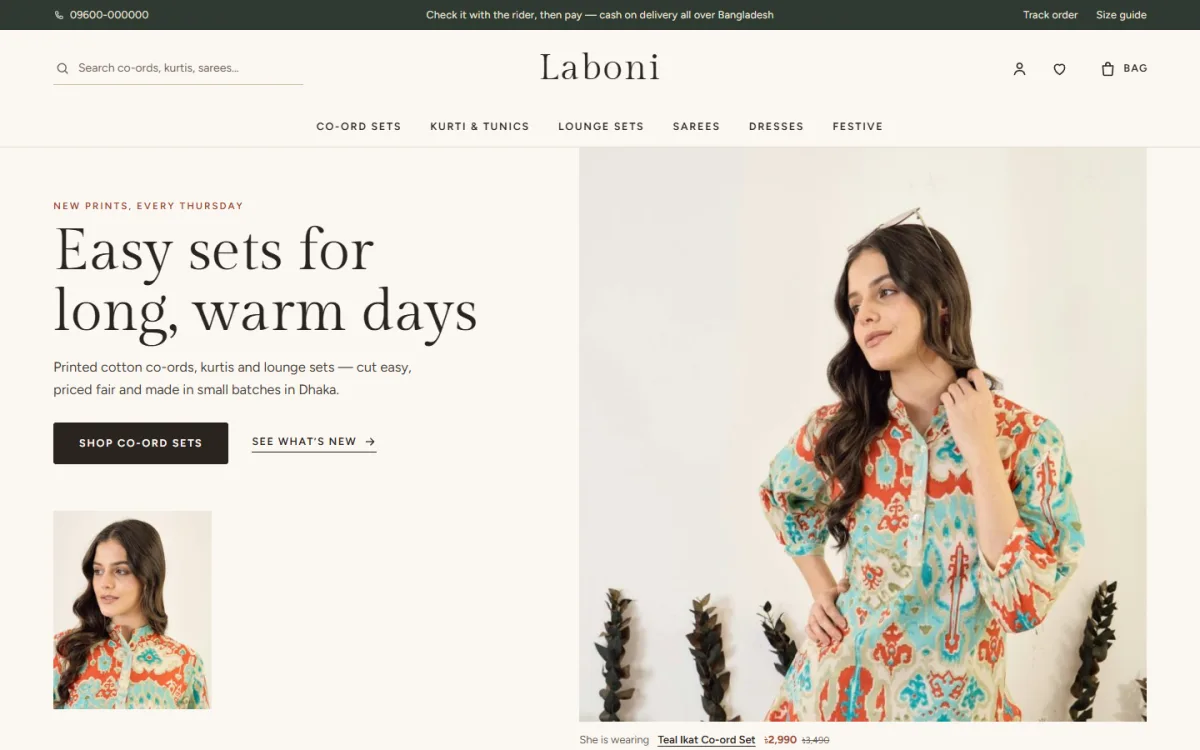
If you would like a theme built for this kind of shop, Laboni is one option. It is a WordPress theme for small womenswear labels that sell co-ord sets, kurtis and tunics, lounge sets, handloom sarees, dresses and festive wear. Its look is quiet: ivory pages, umber text and terracotta accents.
The facts that matter for the points above:
- 17 homepage blocks you can switch off or move.
- An editorial hero with a "She is wearing" link, and a shop the look block with one-tap add.
- 4:5 product cards with a second photo and quick sizes that rise up on hover.
- A size guide with square size buttons, and a "frequently bought together" row.
- An "our story" note signed by your studio.
- Sign in and register in a popup.
- bKash, Nagad, SSLCommerz and cash on delivery, with Steadfast and Pathao courier and order tracking.
- Four colour palettes, five font pairs and a one-click demo with 32 womenswear pieces.
It suits a label that wants its shop to look like a studio and not a market. You can open the live demo and the admin panel from the product page: view Laboni. Compare any theme, including this one, with the checklist in this article before you decide.
Launch checklist
- Place a test order with every payment method.
- Check the confirmation email and the order placed message.
- Open the shop on two phones and a laptop.
- Proofread product titles and size tables.
- Click every menu link and banner.
- Check delivery charges and areas.
- Publish your return and exchange policy.
- Add your phone, WhatsApp and social links to the footer.
- Take a backup before you announce the launch.
Good ladies fashion ecommerce website design is never finished on launch day. After the launch, review the shop every week. Look for products that get views but no orders. The fix is often a clearer photo or a better size note.
If you want to read more on the technical side, the official WordPress documentation is a good, reliable reference.
Frequently asked questions
What should ladies fashion ecommerce website design include first?
Start with clear photos, a short menu, a size guide, local payments and a simple checkout. You can add extra blocks and effects later.
How many products do I need to launch?
Twenty to thirty well-photographed pieces are enough. A small, clean shop looks better than a large one with weak photos.
Do I need WooCommerce for a women's clothing shop?
Not always. Some WordPress themes include their own shop system. Laboni works without WooCommerce, so you do not add separate plugins for payments or couriers.
How is ladies fashion ecommerce website design different from general shop design?
Fashion buyers need to judge fit, fabric and colour from a screen. That means more photos, better size help and a calmer layout than a general shop needs.
Can I show the same products on Facebook and my website?
Yes. Post on your page and link each post to the product page. Buyers then pay at a proper checkout instead of through chat.
How do I lower the number of returns?
Give exact measurements, note the fit, show the real colour and describe the fabric. These four steps remove most wrong-size and wrong-colour returns.