Madrasa management website design is not the same as designing a normal school page or a mosque notice board. The site has to speak to parents, donors, students and your own staff, and it has to do it in Bangla, on a cheap phone, over a slow connection.
This guide explains how to plan the site step by step. You will see which pages to build, what each page must contain, how to handle admission, donations and results, and which mistakes waste the most money. You can use it whether you hire a designer, build the site yourself or choose a ready-made system.
What a madrasa website must do
Before you open any design tool, write down the jobs the site has to do. A madrasa website is a working tool, not a poster. Most madrasas need it for six things:
- Show parents that the madrasa is real, safe and well run.
- Take admission applications without a visit to the office.
- Receive donations, including Zakat, Lillah and Sadaqah, with clear records.
- Publish notices, exam routines and results.
- Let a guardian check on a child without a phone call.
- Give the muhtamim and teachers one place to manage students.
If a feature does not help one of these jobs, leave it out for now. A small site that works is better than a large one that nobody updates.
Know your visitors before madrasa management website design starts
Good design starts with the people who will use the site. In most madrasas there are four groups.
- Parents and guardians. They want to see the curriculum, the fees, the daily routine, photos of the campus and a phone number. Many of them use only a phone.
- Donors. They want to know where the money goes. They look for the donation page, the bank or bKash details and proof that funds are kept apart.
- Students. Older students check results, routines and notices.
- Staff. The principal, accountant and teachers need a private dashboard behind the public site.
Ask five parents what they wanted to know before they chose your madrasa. Their answers are your page list. Do not copy the structure of a city school site if your visitors are asking different questions.
Pages every madrasa website needs
Good madrasa management website design keeps the menu short. Seven or eight items are enough. Here is a page list that works for most Qawmi, Hifz, Alia and Noorani madrasas.
- Home. Name, logo, one clear line about what you teach, a photo slider, the admission button and the donation button.
- About. History, aim, the founder or committee, affiliation and the names of the muhtamim and senior teachers.
- Departments. One block each for Hifz, Qawmi Kitab, Alia or Noorani, with class lists and age ranges.
- Teachers. Photo, name, subject and a short line on experience.
- Admission. Rules, dates, documents needed and the online form.
- Notices and events. A dated list that is easy to scan.
- Gallery. Real photos of classrooms, the hostel, the dining hall and events.
- Donation. Fund types, payment methods and what the money is used for.
- Results. A search box for published results.
- Contact. Address, phone, map and a WhatsApp number.
Write every page in Bangla first. Add English later if you have visitors from abroad. Use Bangla digits and dates so that older guardians read them without trouble.
Layout and design rules for madrasa management website design
Design here means clarity, not decoration. These rules keep the site easy to use.
Plan for phones first
Most guardians will open your site on an Android phone. Test every page on a small screen. Buttons must be big enough for a thumb. Text must be readable without zooming.
Choose calm colours
Green, white and a dark neutral are common and work well. Use one main colour and one accent. Keep strong contrast between text and background so that it can be read in sunlight.
Use a Bangla font that reads well
Pick a clean Bangla web font, and use one size for body text, at least 16 pixels. Avoid fancy calligraphy for long paragraphs. Use it, if at all, only for the madrasa name.
Show real photos
Parents trust real classrooms, real teachers and real students more than stock pictures. Get permission before you publish any child's photo, and follow your committee's rule on showing faces.
Keep the home page short
A slider, three or four short blocks, the latest notices and two buttons are enough. Long pages with many animations load slowly and tire the reader.
Admission: from online form to enrolled student
The admission page is where a website pays for itself. A good flow looks like this:
- The guardian fills in a short online form with the child's name, age, previous class, guardian name and phone.
- The system gives an application number and sends it by SMS.
- The office reviews the application and calls the family if needed.
- The office approves it and the child becomes a student record.
- The family receives the next steps: documents, fee and start date.
Ask only for what you really need. A form with twenty fields is abandoned halfway. Offer a printable form too for families who prefer paper. List the documents clearly, such as a birth certificate copy, a photo and a transfer certificate where relevant.
Donations, Zakat and Sadaqah pages
Donors give when they trust the account. The donation page should be plain and honest.
- Explain each fund in one or two lines: Zakat, Lillah, Sadaqah, Sadaqah Jariyah, and any building fund.
- Show how to give: bKash, Nagad, bank transfer or a visit to the office.
- Say what the money is used for, for example food, books, salaries or construction.
- Publish a short report each month or each quarter.
- Give a name and a phone number for questions.
Behind the page, the accountant must keep each fund separate. Mixing Zakat with general funds causes real religious and legal problems. Pick a system that keeps separate books for each fund and prints a receipt for each gift.
Results, notices and certificate checks
Parents ask for results more than anything else. A results page saves your office many calls.
- Add a search box where a student enters a roll number or ID and class.
- Show marks, grade and position only after the committee has approved the result.
- Offer a printable marksheet.
- Publish exam routines and admit card dates as notices.
A certificate check is also useful. Each testimonial or transfer certificate carries a serial number and a QR code. Anyone can scan it and confirm that the madrasa really issued it. This protects your name from forged papers.
Parent communication and the staff dashboard
SMS, apps and portals
A public site only goes halfway. Guardians also want private information about their own child: attendance, lesson progress, fees due and messages from teachers.
For a Hifz madrasa this matters even more. Parents like to see the daily lesson record: the new lesson, the revision and the quality of recitation. A parent login that shows this builds trust faster than any brochure.
Plan these items:
- A guardian login with the child's attendance, results and fee status.
- An SMS when a student is absent or a fee is due.
- A way to request leave or ask to meet a teacher.
- An alert when a boarding student is late returning from leave.
SMS needs an account with an SMS company. Keep that cost in your yearly budget.
The dashboard behind the website
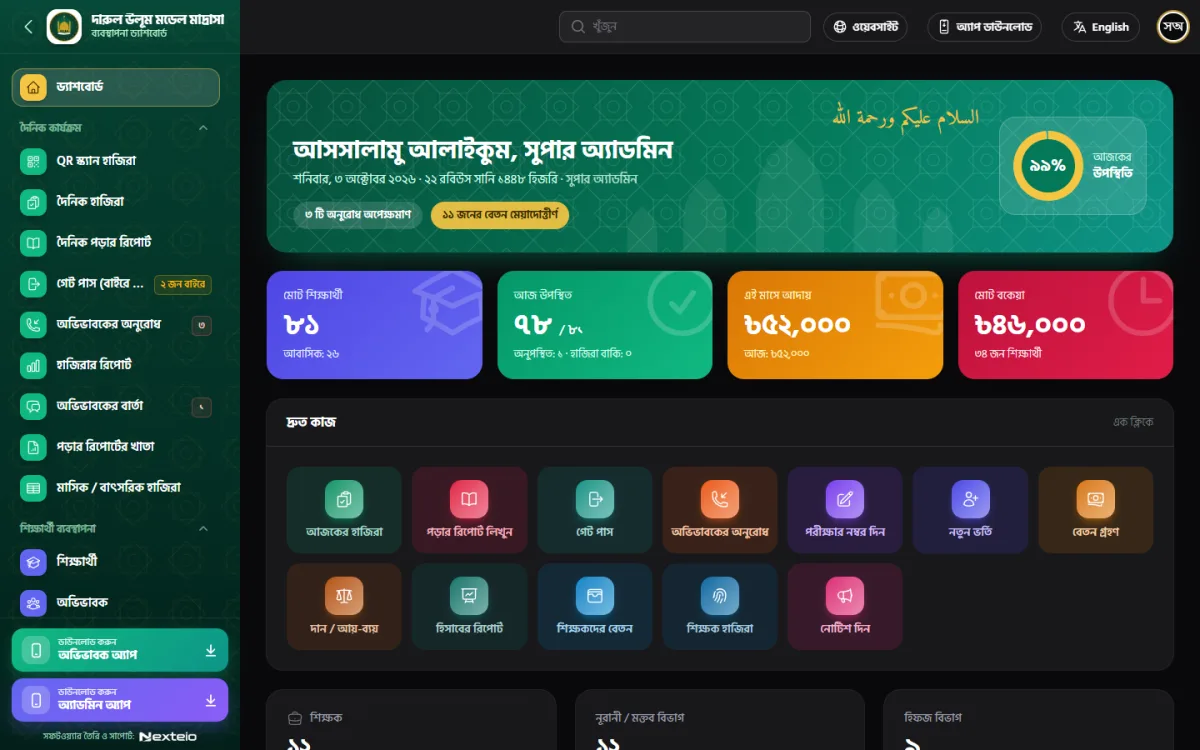
The public pages are what people see. The dashboard is what keeps the madrasa running. Do not treat it as an afterthought. A good madrasa dashboard covers:
- Student records with photo, guardian details, class and hostel room.
- Daily attendance, by hand or by scanning QR cards.
- Exams, marks, tabulation sheets and report cards.
- Monthly fee invoices, receipts and due lists.
- Staff attendance, salary slips and a cash book.
- Roles, so that a teacher cannot open the accounts.
When the website and the dashboard are one system, you enter each fact once. A new student from the admission form appears in the class list, in the fee list and in the guardian's login with no retyping.
Options: custom build, WordPress or a ready-made system
There are three common ways to approach madrasa management website design. Each has trade-offs.
Custom build from a developer
You get exactly what you ask for, but the cost is high and you depend on one person. Ask for a written scope, the source code and a fixed delivery date.
A WordPress theme
A good theme gives you a quick, low-cost public site with notices, a gallery and a contact page. It works well if you only need information pages. It does not manage students, fees or results by itself.
A ready-made madrasa system
This gives you the website and the management tools together. You pay once, and the team installs it on your hosting. It is the fastest way to get admission, results, fees and a parent login on day one. The limit is that you work inside the system's structure instead of designing every detail yourself.
A ready-made option for Bangladeshi madrasas
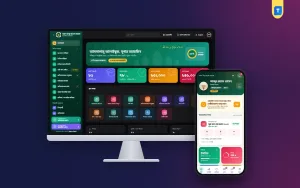
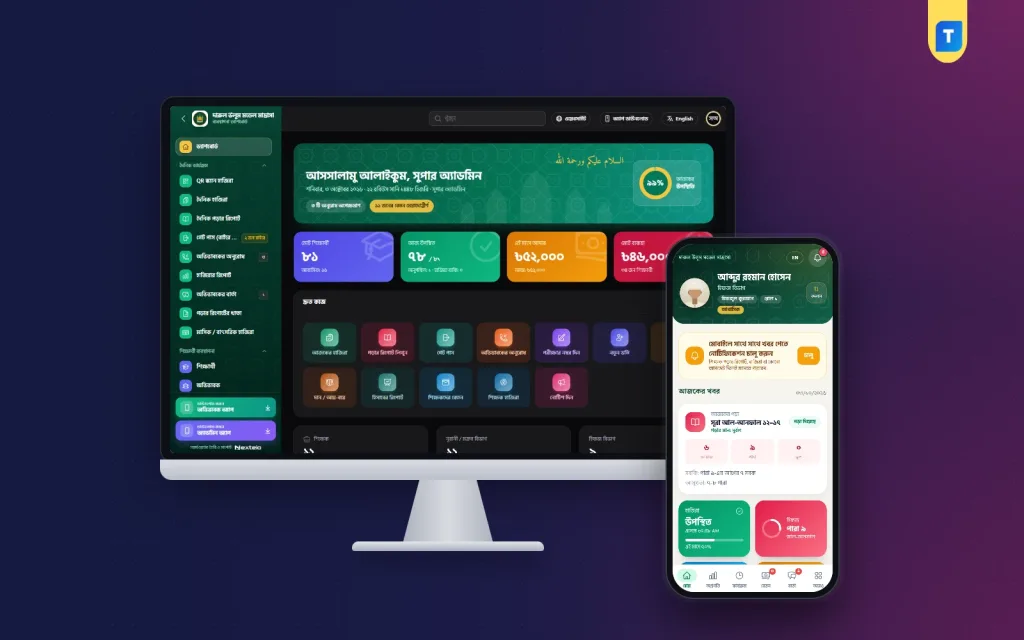
If you want the public site and the management tools in one package, look at Madrasa Management Software. It is made for Hifz, Qawmi Kitab, Alia and Noorani madrasas and works in Bangla by default, with a full English mode.
Here is what it includes, taken from the product page:
- A public madrasa website with a banner slider, departments, teachers, notices, a gallery, an online admission form, a donation page, results search and certificate verification.
- Hifz lesson reports with sabak, sabqi and amukhta, plus QR card attendance and a gate pass with late-return alerts.
- Exams, admit cards, report cards and Befaq registration and marks.
- Monthly fee invoices with receipts, and separate Zakat, Lillah and Sadaqah funds with a cash book.
- A parent app and a teacher app, with Android apps built for your domain.
- Role permissions, two-factor login and a nightly backup.
It is a standalone web application, not a WordPress plugin. Our team installs it on your own hosting and domain, and the licence is a one-time lifetime licence for one madrasa on one domain. SMS and bKash payment need your own accounts with those companies. You can try the live demo of Madrasa Management Software before you buy.
Budget and timeline
Plan the money and time for madrasa management website design in five blocks.
- Domain and hosting. A .com or .org.bd domain and shared hosting with SSL. Renew them every year.
- Design and software. A one-time purchase or a developer fee.
- Content. Photos, text, teacher profiles and fee tables. This is your own work and it takes the longest.
- SMS and payments. Prepaid SMS credit and a merchant account if you want online payment.
- Training. One or two sessions for the office staff and teachers.
With a ready-made system and prepared content, a madrasa can go live in days. With a custom build, expect weeks or months. Prepare your photos and text while the technical work is going on.
Mistakes to avoid
These errors appear again and again in madrasa management website design projects, so check your own plan against them.
- Building a site and never updating the notices. An old notice board looks like a closed madrasa.
- Using stock photos of buildings that are not yours.
- Writing only in English when your guardians read Bangla.
- Asking for too many fields on the admission form.
- Mixing Zakat and general donations in one account.
- Publishing student photos or phone numbers without permission.
- Giving every teacher full admin rights.
- Skipping backups. Ask for a daily or nightly backup and test a restore once.
- Choosing a developer who will not hand over the files and passwords.
Launch checklist
Go through this list before you announce the site.
- Every page loads fast on a phone with a weak connection.
- All text is correct Bangla, with no broken letters.
- The admission form sends an SMS and reaches the office.
- Test donations arrive in the right fund.
- Results search shows only approved results.
- The contact page has a working phone number and map.
- The site has an SSL padlock.
- Admin passwords are strong and only the right people have them.
- A backup runs every night.
- Two staff members know how to post a notice.
After launch, share the address in the mosque, on your Facebook page and in the next guardians' meeting. A site that nobody knows about does not help.
If you want to read more on the technical side, the Laravel documentation is a good, reliable reference.
Frequently asked questions
What is madrasa management website design?
Madrasa management website design is the planning and building of a madrasa's public site together with the tools used to run it, such as student records, attendance, exams, fees and donations. The aim is one connected system instead of separate files and registers.
How many pages should a madrasa website have?
Eight to ten pages are enough at the start: home, about, departments, teachers, admission, notices, gallery, donation, results and contact. You can add more once the first pages are kept up to date.
Can a madrasa website take Zakat and Sadaqah online?
Yes, if you set up the right payment method, such as bKash or a bank account, and keep each fund in a separate account. Good madrasa management website design makes the fund type clear on the donation page and prints a receipt for every gift.
Do I need a developer to run the site?
Not for daily work. A ready-made system lets office staff add notices, photos and events from a dashboard. You only need technical help for installation and rare changes.
Should the site be in Bangla or English?
Start with Bangla because your guardians read it. Add English if you have overseas donors or want to reach a wider audience.
Is a WordPress theme enough for a madrasa?
It is enough for a simple information site. If you also want admission records, fees, results and parent logins, you need a management system as well.
How do I protect student data?
Use role permissions, strong passwords and two-factor login for admins. Keep daily backups and publish photos only with the guardian's consent.