Effective mobile phone store ecommerce website design helps buyers choose the right phone, trust your shop and order without visiting in person. Phone buyers compare prices and specs across many shops, worry about fake or grey products and want to know about warranty before they pay. A website that answers those worries clearly wins the sale; one that hides them loses it to the next shop.
This guide covers what a phone and gadget shop website needs: categories and brands, product pages, variants, deals, trust signals, checkout, delivery and mobile layout. It applies to phone shops, accessory sellers and small electronics stores.
How phone buyers shop online
Understanding the buyer shapes every design choice. Most phone buyers:
- Already know the brand or model they want, or have a short list.
- Compare the same model across several shops on price and warranty.
- Check whether the phone is official or unofficial.
- Want to see the exact colour and storage before ordering.
- Buy accessories such as cases, chargers and screen protectors at the same time.
So the website must help people find a specific model quickly, compare variants clearly and add accessories easily.
Navigation: brands and categories
Give shoppers two ways in: by brand and by category.
- Brands: a strip of brand logos on the homepage and a brand filter on every listing page.
- Categories: smartphones, feature phones, tablets, smartwatches, earbuds, power banks, chargers and cables, cases and covers.
- Search: a search box that understands model names and shows results as you type.
Keep the main menu short. Most people will use search or brand filters, not a deep menu.
Mobile phone store ecommerce website design for product pages
The product page decides the sale. For phones, a strong page includes:
Clear photos of the real product
Front, back and side views in each colour you sell. If you sell unofficial units, show the actual box.
Variants with exact prices
Storage and RAM combinations, such as 8/128 GB and 8/256 GB, and colours, each with its own price and stock. Never show a "from" price that changes at checkout without warning.
Key specs near the top
Display size, chipset, RAM, storage, main camera and battery in a short list. Full specifications can sit in a tab below.
Warranty clearly stated
Official or shop warranty, how long it lasts and how to claim it. This one line answers the biggest worry phone buyers have.
Accessories suggested
A small "add a case and screen protector" section under the main product raises the order value and saves the buyer a second search.
Reviews
Reviews from real buyers about delivery and product condition help new customers trust you.
Deals and flash sales
Phone buyers love a good deal, and timed offers bring them back to your site:
- Flash deals with a countdown. A daily deal that ends at a fixed time creates a reason to visit every day.
- Bundle offers. Phone plus earbuds or phone plus case at a combined price.
- New launch pre-orders. Let buyers reserve a new model before it arrives.
- Clearance section. Older models at lower prices for budget buyers.
Be honest with countdowns; a timer that resets every time someone reloads the page destroys trust.
Trust signals for gadget shops
- Warranty and return policy pages written in plain words.
- Physical shop address and photos, if you have one.
- Order tracking so customers can check their order without calling.
- Payment logos for the methods you accept.
- Customer reviews with names and areas.
- Clear contact options: phone, WhatsApp and email.
Checkout and payment
Keep checkout short. Name, phone, address and payment method are usually enough. Offer cash on delivery for lower-priced items and mobile payments such as bKash or Nagad for everything. For expensive phones, many shops ask for an advance payment to reduce fake orders. Let customers sign up with a mobile number so the next order is faster.
If you offer EMI through banks or payment providers, show it clearly on the product page with an example monthly amount.
Delivery information
Phone buyers want their new phone fast. Show delivery times for your city and for outside, the delivery charge and whether you offer same-day delivery. Explain how the phone will be packed and whether the buyer can check it at delivery. A clear delivery promise often beats a slightly lower price.
Designing for phones first
It is no surprise that people shop for phones on phones. On small screens:
- Show two product cards per row with price and storage visible.
- Keep search at the top of every page.
- Make variant buttons large and easy to tap.
- Keep the cart button visible as people scroll.
- Load images quickly so lists do not feel slow.
Test the full flow on a mid-range Android phone over mobile data, because that is what many of your customers use.
Using a mobile phone store website design template
Building brand filters, variants, flash deals and order tracking from zero is a big project. A mobile phone store website design template gives you a finished structure: homepage sections, brand strips, product pages and help pages are already designed. You upload your products and logo, set your colours and start selling.
When comparing templates, check that variants show their own prices, that flash deals have a real daily timer, that brand logos can be uploaded and that every shop page is styled, including cart, checkout and account. A good mobile phone store website design template should also be light enough to load quickly on mobile data.
Homepage layout that sells
A gadget shop homepage can hold a lot, so order matters. A layout that works well:
- Hero banner with the latest launch or main offer.
- Category tiles for phones, tablets, watches, audio and accessories.
- Flash deals with the countdown.
- Best sellers.
- Brand strip with logos.
- Latest arrivals.
- Accessories section.
- Why buy from us: warranty, delivery, returns, payment.
- Customer reviews.
- FAQ and blog.
Being able to switch sections on or off and reorder them lets you adapt the homepage for launches, festivals and sales without a developer.
Content that helps buyers decide
Helpful posts bring visitors from search and build trust: "Best phones under ৳20,000 this month", "Official vs unofficial phones: what to know", "How to check a used phone before buying". Keep posts practical and link to the products you mention. Google's guidance on helpful, people-first content explains why this kind of writing performs well.
Product photography for gadgets
Gadgets are shiny, which makes them tricky to photograph. A few simple tricks help a lot:
- Use a white background and soft light. A sheet of white paper curved behind the phone and a window nearby give a clean look.
- Avoid reflections. Angle the phone slightly so the screen does not reflect you or the room.
- Turn the screen on with a simple wallpaper. A black screen looks dull; a busy wallpaper distracts.
- Shoot every colour. Buyers often choose by colour, so show each one.
- Show the box contents. A photo of the charger, cable and box tells buyers exactly what they get.
- Keep the same framing. Consistent photos make the product grid look professional.
Square images fit most product grids. Resize and compress them so long product lists still load quickly on a phone.
Writing product titles and descriptions
Product titles should follow the same pattern across the shop: brand, model, storage and colour, for example "Nova X5 8/256 GB Midnight Black". This helps search on your site and on Google. Descriptions should be short and useful: what the phone is good at, who it suits, what is in the box, and the warranty. Avoid copying long marketing text from brand websites; buyers want your honest summary and search engines prefer original writing.
For accessories, mention compatibility clearly: "Fits Nova X5 and X5 Pro" saves many returns. A small compatibility note on each case or cable is one of the easiest wins in mobile phone store ecommerce website design.
Handling returns and warranty claims
Even the best shop gets returns. A clear process protects both you and the buyer:
- Explain on the return page which problems qualify, such as a dead screen on arrival, and which do not, such as physical damage after delivery.
- Set a clear time limit, for example seven days for returns and the warranty period for repairs.
- Ask buyers to record an unboxing video for expensive phones; it settles most disputes quickly.
- Give one contact point for claims, such as a WhatsApp number, and reply the same day.
When customers know how problems will be handled, they feel safer buying in the first place.
Common mistakes
- Prices that change at checkout. Show exact variant prices on the product page.
- Unclear warranty. Buyers will not risk an expensive phone without it.
- Out-of-stock items shown as available. Keep stock updated daily.
- Stock photos of phones you do not have. Use your own photos where possible.
- No order tracking. It leads to many "where is my order" calls.
Measuring what works
Each week, check which products get many views but few sales; they often need a better price, clearer warranty or better photos. Check how many carts are abandoned and at which step. Watch which brands and categories people search most, and feature them on the homepage. Good mobile phone store ecommerce website design improves step by step, guided by what your customers actually do.
Your first month online
Launch with the models and accessories that already sell best in your physical shop, each with proper photos, exact variant prices and warranty details. Pick three products a day for the flash deal and share the deal link on your social pages every evening, when most people browse. Offer a small first-order coupon to turn visitors into buyers. Ask every customer to leave a short review after delivery, and add a photo of the box at handover if they agree. After a few weeks, look at which brands and categories get the most views, give them more space on the homepage, and remove products that nobody opens. Steady, small changes like these build a shop that people return to whenever they need a new phone or accessory.
Keep a simple weekly routine as well: update stock every morning, check new reviews and questions, refresh the hero banner when a new model launches, and reply to every message on the same day. Customers notice an active shop, and they reward it with repeat orders and recommendations to friends and family.
Frequently asked questions
Do I need a separate page for each colour?
No. Use one product page with colour and storage options, each with its own price and stock, so buyers can compare without leaving the page.
Should I list phones I do not have in stock?
Only if you mark them clearly as pre-order with an expected arrival date. Otherwise, show them as out of stock so buyers can save them and come back later.
Should I sell official and unofficial phones on the same site?
You can, as long as each product clearly says which it is and what warranty applies.
How many photos does each phone need?
At least front, back and side in each colour, plus the box if it matters to buyers.
Is cash on delivery safe for expensive phones?
Many shops ask for an advance or full payment for high-priced models and keep cash on delivery for accessories.
How often should flash deals change?
Daily deals work well because they give people a reason to visit every day. Pick products with real savings and enough stock, so buyers are not disappointed when the deal sells out in minutes.
Starting with Mobiling
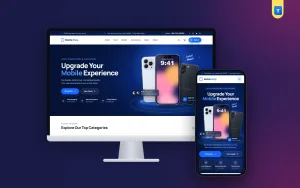
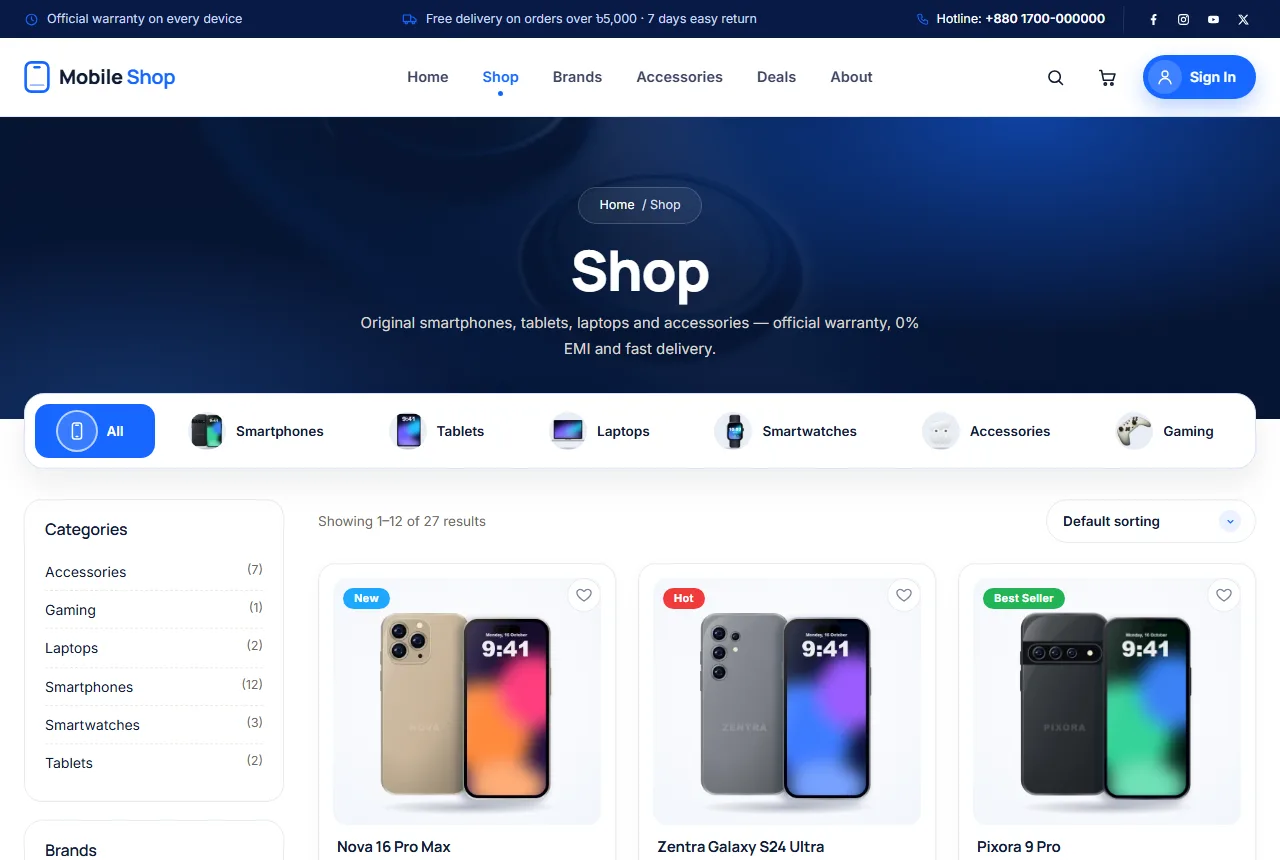
If you want a ready design built around these ideas, Mobiling is our mobile phone shop website template for WordPress and WooCommerce. It has flash deals with a daily countdown, shop by brand with logo uploads, 16 homepage sections you can switch and reorder, saved items, order tracking and sign-in with a mobile number. The demo includes 27 products in 6 categories.
Whatever you build with, keep the basics of mobile phone store ecommerce website design in mind: exact prices, clear warranty, quick search and a smooth checkout on a phone.