A good online news website example teaches you more than a long list of theme features. When you look at a working news site, you see how the stories are arranged, where the ads sit and how a reader moves from the home page to an article. This guide uses that idea. It shows what to look for, what to copy in spirit, and what to avoid when you plan your own Bangla news portal.
You do not need a big team. A single editor with a phone and a laptop can run a tidy site if the structure is right. Below you will find the main site types, the parts of every news page, a launch checklist and a short list of common mistakes. Use it as a working document and tick off the points as you go.
What an online news website example should teach you
Many people open a famous news site, like the colours and then try to copy the look. That rarely works. The look is the last layer. What matters first is the job each part of the page does.
When you study any site, ask these questions:
- What does a first-time visitor see in the first three seconds?
- Where is the lead story, and how do you know it is the lead?
- How many clicks does it take to reach sports, politics or entertainment?
- Where do the ads sit, and do they hide the story?
- How fast does the page open on a mobile connection?
- Can you tell who wrote the story, and when?
Write the answers in a notebook for three or four sites. Each online news website example then becomes a short case study. After that you will see a pattern. Good news pages are plain, fast and consistent. They put the headline and the picture first and keep everything else quiet.
Types of news site you can build
Before you pick a layout, decide what kind of site you are making. The type changes the homepage, the menu and the amount of work each day.
- General news portal. Covers politics, sports, business, entertainment and world news. It needs many categories and several editors.
- Local or district news site. Covers one town or district. The stories are shorter and the readers care about nearby events, markets, schools and roads.
- Single-topic news site. Covers only cricket, technology, education or jobs. It is easier to run and often builds a loyal audience faster.
- Online magazine. Fewer stories each day, but longer features, interviews and photo essays.
- Web edition of a printed paper. Reuses print stories and adds fresh updates during the day.
- Video and photo news channel. Built around galleries and video posts, with short text.
- Community or campus news page. Small team, volunteer writers, a simple layout.
Every online news website example you study will fit one of these types. Pick one type first. You can add another later. A site that tries to be everything on day one usually ends up empty in every section.
The parts of a good news homepage
Every strong homepage has the same basic blocks, even when the colours are different. A news and magazine website example from any country shows the same pattern. Check that your plan includes each one.

Top bar and logo
A thin top bar can show the date, a short menu and a search box. The logo should be clear and not too tall, because a big header pushes the news below the fold.
Main menu
Keep the menu short. Six to nine items is enough: Home, Bangladesh, World, Politics, Sports, Entertainment, Business, Opinion. Put the rest under a "More" item.
Lead area
One large story with a picture, followed by three or four smaller stories. The lead story should change many times a day. If it stays the same for a week, readers will stop checking.
Category blocks
Under the lead area, add one block per desk. Each block shows four to six recent headlines. The block heading links to the full category page.
Sidebar
Use the sidebar for a latest list, a most read list and one or two ad spaces. Do not fill it with ten widgets. A busy sidebar makes the whole page look cheap.
Footer
Add links to About, Contact, Privacy Policy, Terms and an editorial policy page. These pages build trust, and ad networks look for them.
Layout of the article page
Most of your visitors will not land on the home page. They will arrive from Google or Facebook on a single story. So the article page matters more than any other page, and any useful online news website example will show it first.
A clean article page contains:
- A clear headline, not longer than two lines on a phone.
- The author name, the date and the category under the headline.
- One large featured image with a caption if needed.
- Short paragraphs of two to four lines.
- Subheadings in long stories.
- Share buttons that do not cover the text.
- A "Related stories" block at the end, so readers keep reading.
Test the page by reading one story on a cheap phone. If you struggle to read, your readers will leave too.
How to study an online news website example step by step
Here is a simple method that takes about an hour. Do it before you choose a theme or write one line of content.
- Pick three news sites you read yourself. Choose different sizes: one big, one medium, one small.
- Open each on your phone first, then on a laptop.
- Take a screenshot of the home page and one article page.
- Mark the lead story, the menu, the ads and the sidebar with a pen.
- Count the categories and the number of headlines above the fold.
- Time how long each page takes to load on mobile data.
- Write down two things you like and two things that annoy you.
Now compare the notes. The things that annoy you on all three sites are the things to avoid. The things you like on all three are the safe basics.
Categories and menu planning
Categories are the skeleton of a news site. Plan them on paper before you create them in WordPress.
Some rules that work well:
- Use 8 to 12 main categories at the start, not 30.
- Give each category a simple Bangla name that readers already use.
- Use sub-categories only when a section has many stories, for example Sports with Cricket and Football.
- Assign every story to one main category. Use tags for extra topics.
- Never rename a category once it has many stories, because the links change.
A new site with 30 categories and 3 stories in each looks empty. A site with 8 categories and 25 stories in each looks alive.
Speed and mobile reading
In Bangladesh, most readers use a phone, often on a mobile data plan. A heavy page loses them. Speed is not a technical extra. It is part of the reading experience.
Simple speed rules
- Resize images before upload. A 5 MB photo from a phone camera is far too large for a web page.
- Use one featured image per story, not a slider on every page.
- Keep the number of plugins small.
- Choose reliable hosting with enough memory for your traffic.
- Do not load many ad networks at the same time.
Mobile checks
Open your site on a phone and check the menu, the search box, the text size and the buttons. Links should be easy to tap with a thumb. Ads should never push the headline off the screen.
Where to place ads without hurting readers
Ads pay for the newsroom, but too many ads push readers away. A balanced page is better for you in the long run.
- One banner space at the top, under the menu.
- One space in the sidebar on desktop.
- One space inside long articles, after the third or fourth paragraph.
- One space at the end of the article.
Do not place an ad directly above the headline on mobile. Do not use pop-ups that cover the text. Ad networks have their own rules, and approval depends on your content and your policy pages, not only on the design. Read the programme rules before you apply.
Trust pages and editorial basics
A news site lives on trust. Readers and ad networks both look for signs that real people stand behind the site.
- An About page that tells who runs the site and why.
- A Contact page with a working email and a phone number.
- A Privacy Policy and Terms page.
- A short editorial policy: how you check facts and how you handle corrections.
- A byline and a date on every story.
- A clear mark between news, opinion and sponsored content.
Publish original reporting. Copying text from other sites harms your reputation and can lead to a copyright claim. Write your own headline and your own words, and credit the source when you use a quote.
A simple daily workflow for a small newsroom
A theme can make publishing fast, but your routine decides the quality. Here is a workflow that suits two or three people.
- Morning: check the news calendar, plan three or four stories and assign them.
- Midday: publish the first stories, update the lead area and share on Facebook.
- Afternoon: add follow-ups, photos and one longer piece.
- Evening: review the day, correct mistakes and schedule tomorrow's early posts.
Use the WordPress scheduling feature so that stories go out at fixed times. Readers then know when to expect fresh news.
A ready-made option for a Bangla news site
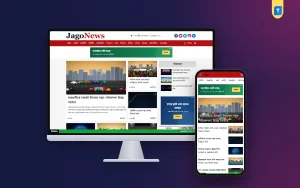
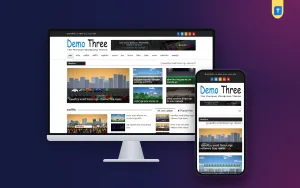
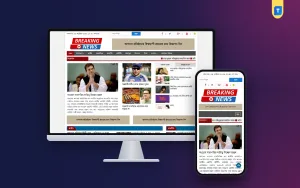
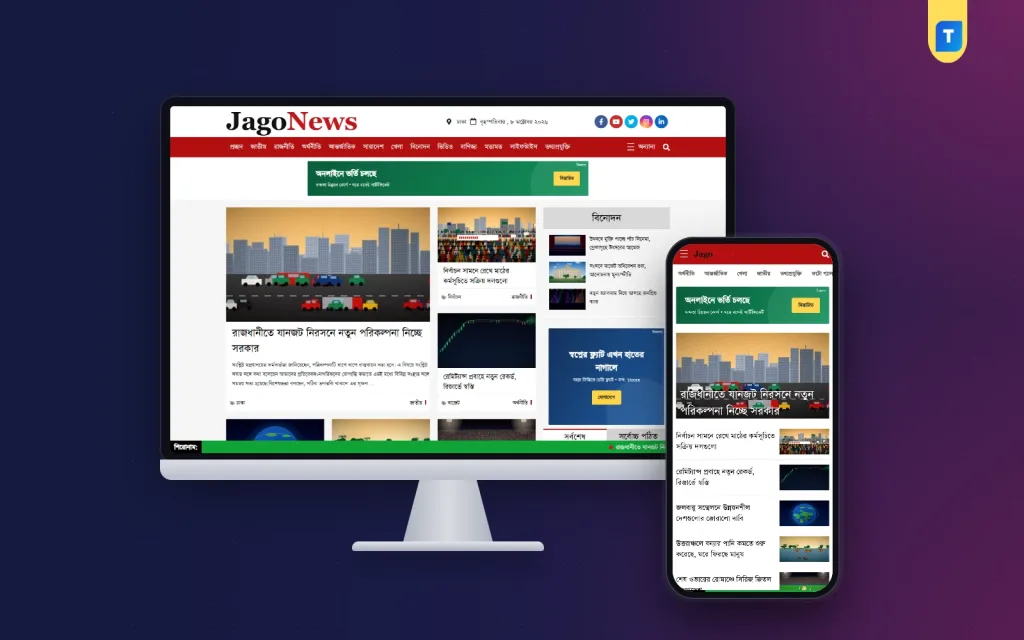
If you do not want to design every block yourself, a ready-made theme can save weeks. One option on Themeve is the newspaper website template. It is a WordPress theme for Bangla news portals and blogs, with a clean, content-focused layout.
These are the facts that matter for a news publisher:
- It is compatible with Bangla typography.
- The layout is responsive, so it works on phones, tablets and desktops.
- It is AdSense-friendly, with spaces for your own ad code.
- The structure is made for fast loading and SEO-minded pages.
- It suits political, sports, entertainment and lifestyle news.
- You can customise it from the WordPress dashboard, with no code.
- The unlimited-use licence covers multiple domains, including client sites.
If you build a news and magazine website example for a client, the same newspaper website template can be used on their domain too. No theme can bring readers by itself. Your reporting does that. A theme only removes the design work, so you can spend your time on stories.
Launch checklist for a new news site
Go through this list before you tell anyone about the site. Keep your own online news website example notes next to it and compare the two.
- Domain and hosting are ready, and HTTPS is on.
- The theme is installed and the logo is uploaded.
- Eight to twelve categories are created.
- At least 25 original stories are published.
- The menu works on phone and desktop.
- About, Contact, Privacy Policy, Terms and editorial policy pages are live.
- A sitemap is submitted in Google Search Console.
- A Facebook page is linked and the share image looks right.
- A backup plan is set up.
- Every page has been checked on a phone.
Common mistakes to avoid
Most new news sites fail for simple reasons. Avoid these:
- Copying another site's design in detail. Readers notice, and it does not build your own name.
- Starting with too many categories.
- Publishing five stories on day one and nothing for a week.
- Uploading huge images.
- Filling the page with ads before you have readers.
- Skipping the policy pages.
- Never updating the lead story.
- Ignoring the mobile view.
Fix these early. They are much harder to fix when the site has thousands of posts.
After launch, look at your numbers every week. See which categories get the most visits, which stories keep readers longest, and from where visitors arrive. Do more of what works and drop what does not. Ask a few readers what they find hard. Small changes, made steadily, build a better site than one big redesign.
When you look back at your first notes, you will see how far the site has moved from the plan. That is normal and good. A news site is never finished. It grows with its readers.
If you want to read more on the technical side, the official WordPress documentation is a good, reliable reference.
Frequently asked questions
What is a good online news website example for a beginner?
Start with a small local or single-topic news site. It has fewer sections, a simple menu and a clear audience. Study how such a site arranges the lead story, the category blocks and the article page, then build your own version with your own content.
How many categories should a new news site have?
Eight to twelve is enough at the start. Add more only when a section has many stories. Too many empty categories make the site look unfinished.
Can I build a site like my favourite online news website example on WordPress?
Yes. WordPress handles news and magazine sites well, and a news and magazine website example built on it can look as clean as any other. Choose a theme with a clear lead area, category blocks and a clean article page, then add your own categories, logo and stories.
How many stories do I need before I apply for ads?
There is no fixed number. A common advice is to have at least 20 to 30 original, useful stories, plus the About, Contact and policy pages. Approval depends on the ad network and on your content quality.
Which news site should I copy?
Do not copy one site. Learn the pattern that many good sites share: a clear lead story, a short menu, fast pages and readable articles. Then give your site its own logo, colours and voice.
Do I need coding skills to run a news site?
No. With a ready-made WordPress theme you manage the menu, logo and widgets from the dashboard. You only need coding for deep changes that most small news sites never need.
How often should I publish?
Choose a number you can keep. Five good stories a day, every day, beats thirty stories in one week and then silence. Readers come back to sites that update on a clear routine.