An organic grocery store website has a harder job than a normal grocery shop. It has to sell everyday food at a higher price, and it has to make buyers believe the word "organic" before they have tasted anything. This guide walks through what such a site needs: trust, categories, packs, product pages, delivery, payment, phone layout and the first weeks after launch, with examples for shops in Bangladesh.
Nothing here needs a big budget. Most of it is about clear information and honest photos.
What an organic grocery store website must do
Every page of the shop should answer four questions a careful buyer asks:
- Is it really organic or chemical-free? Where does it come from, and who grew it?
- Is it fresh? When was it picked, packed or made?
- What exactly do I get? Pack size, weight and price.
- When will it arrive, and what does delivery cost?
A shop that answers these on the homepage and on every product card already beats most competitors. A shop that hides them behind "Contact us for price" loses the buyer to the next tab.
Remember who is buying. Many organic buyers are parents, older people with health concerns or young families who cook at home. They read labels, compare prices and come back every week if they trust you. Your site should treat them as careful shoppers, not impulse buyers.
Build trust before you sell
Trust is the real product of an organic shop. You can build it with simple, checkable facts:
- Name the source. "Vegetables from our partner farmers in Bogura" is stronger than "farm fresh".
- Show the people. One photo of a farmer, your packing table or your delivery rider says more than a paragraph.
- Explain your method. If you test for formalin or pesticides, say how and how often. If you do not, do not claim it.
- Be honest about certification. If a product is not certified organic, call it "chemical-free" or "naturally grown" and explain what that means for you.
- Publish a real return rule. "Not fresh on arrival? Send a photo and we replace it" is a powerful promise if you keep it.
Avoid health claims. Do not say a honey cures colds or an oil prevents disease. Careful buyers distrust these lines, and they can create legal trouble.
A clear look that feels fresh
Green is the natural colour for organic food, and it works. Pair a deep green with cream, beige or white so the page stays calm and light. Use one colour for buttons and prices, and keep it the same everywhere.
Rounded, friendly heading fonts suit food better than sharp, technical ones. Keep body text plain and large enough to read on a phone. Leave space around product photos so each item can breathe.
Photos decide the sale
Shoot fruit and vegetables in daylight, on a plain surface, from a slight angle. Show real size: a hand holding a gourd or a coin beside a lemon helps. Use the same background for a whole category so the grid looks tidy. Never use a stock photo of perfect tomatoes if yours are smaller and uneven. The buyer will notice at the door.
Categories that match how people shop
Buyers think in shelves, not in your supplier list. A good starting set for an organic grocery store website looks like this:
- Fresh Vegetables
- Fresh Fruits
- Rice, Dal & Flour
- Oil & Ghee
- Spices & Masala
- Honey & Sweeteners
- Dairy & Eggs
- Nuts, Seeds & Dry Fruits
- Breakfast & Snacks
- Drinks & Tea
- Pickles & Homemade Items
- Household & Personal Care
Twelve shelves are enough for most shops. Show them as photo tiles on the homepage with the number of products in each, so buyers see the shop is stocked.
Add Bangla words in product names or tags where buyers use them, such as "lal shak", "deshi murgi dim" or "sorisher tel". Many people search in English letters for Bangla food names.
Packs, sizes and fair prices
Grocery buyers compare price per kilo without thinking. Make it easy:
- Offer two clear packs, such as a Regular Pack and a Family Pack, with the weight in the name.
- Let buyers choose the pack on the product card, not only on the product page.
- Show the saving on the larger pack in plain numbers.
- Keep units the same across a category: all rice in kg, all oil in litres.
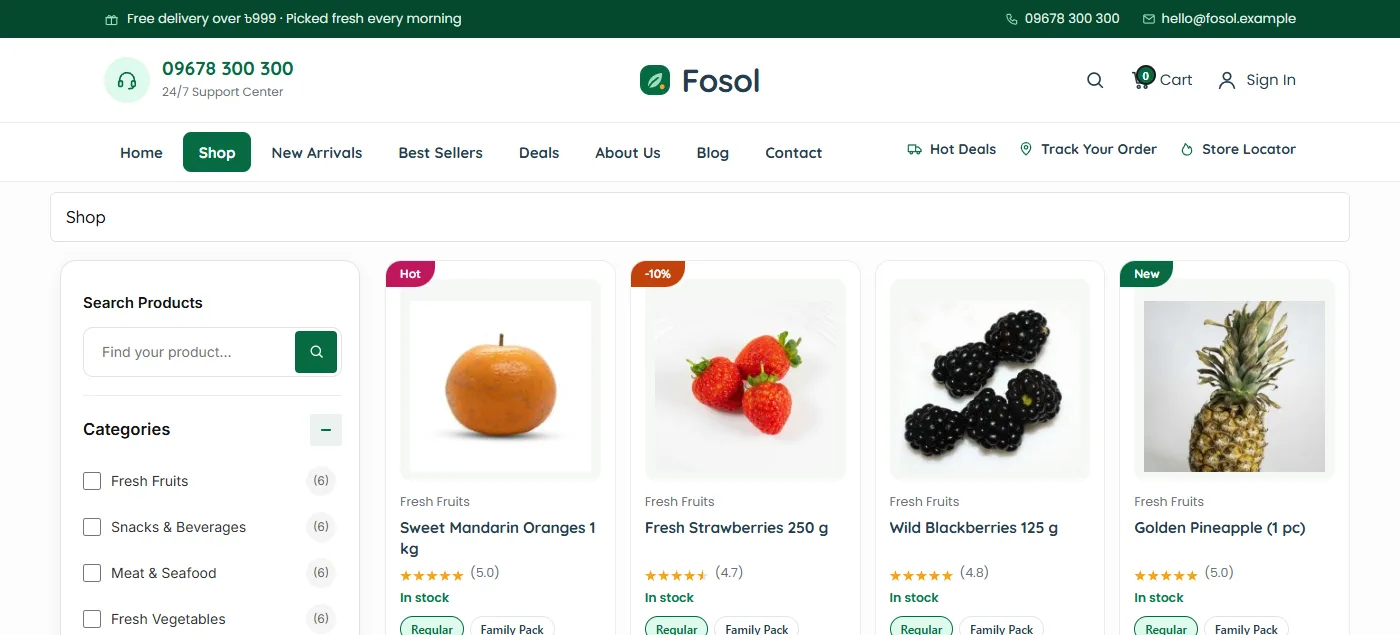
Pack chips on the card with an Add button that works without reloading the page save buyers many taps. Someone filling a weekly basket of twenty items will feel the difference.
A homepage order for an organic grocery store website
Here is an order that works for most organic shops:
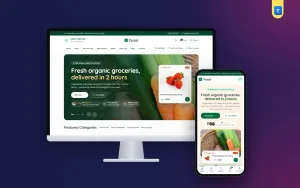
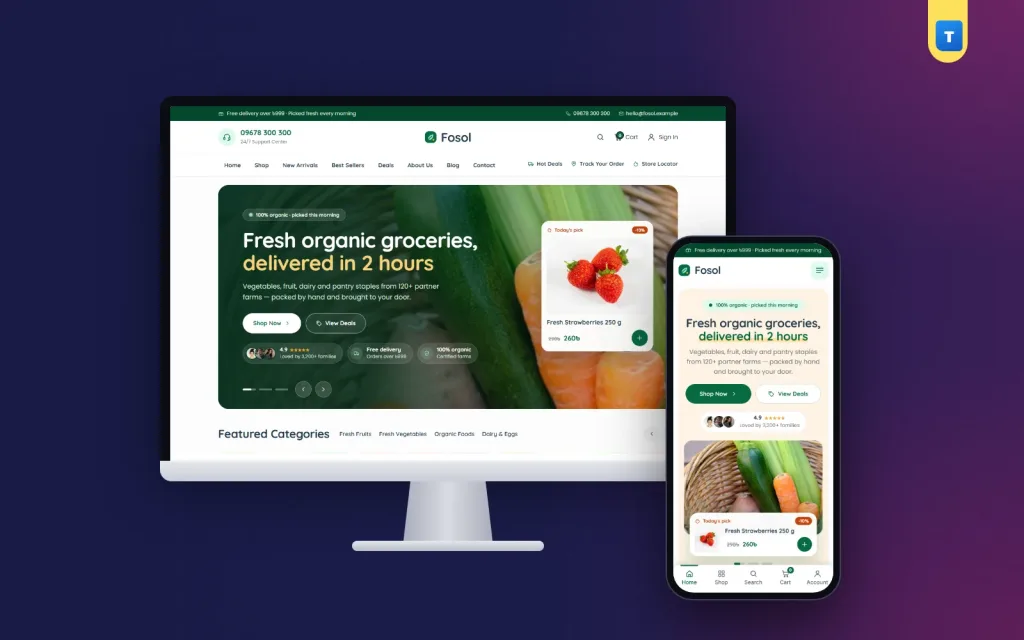
- Hero with a real food photo, a short headline, a Shop button and a deals button, and one real product on sale that can be added from the hero.
- Category tiles with photos and counts.
- Three promo banners for this week's offers.
- Popular products with category tabs.
- Daily best sells and deals of the day with a countdown.
- Short lists: top selling, trending, recently added and top rated.
- Your story in a photo band: where the food comes from.
- Service benefits, reviews, blog, FAQ and a newsletter sign-up.
Each block should end with one clear action. "Shop vegetables" works better than "Explore more".
Keep offers real
Countdowns sell, but only when the deal really ends. A timer that resets every time the page loads teaches buyers to ignore you. Run a few honest daily deals on items you have plenty of, such as seasonal fruit.
Product pages that answer questions
Near the top of every product page, show:
- Two or three photos, including one that shows real size.
- Pack options with weight and price.
- Stock status and the sale price, if any.
- Source: farm, district or maker.
- Harvest or packing date for fresh items, and shelf life for packed ones.
- Storage advice: "keep honey away from sunlight", "refrigerate after opening".
- Add to Cart and Buy Now buttons, plus Call and WhatsApp for questions.
Write the description in short lines. Buyers want facts, not poetry. Reviews with a photo from a real customer are worth more than any paragraph you write.
Quick view saves time
A quick view pop-up lets a buyer check price, pack and photos from the homepage or shop page. On an organic grocery store website, where baskets are large and repeated weekly, it shortens every visit.
Search and filters
A grocery shop with more than fifty items needs good search. Search should show results as the buyer types and let them choose a category first. On the shop page, add filters for category, price, rating, stock and items on sale. A buyer looking for "ghee under ৳1,000, in stock" should get there in three taps.
Check your search with common spellings: "chal" and "rice", "dim" and "egg". Add the missing words as tags.
Delivery that matches your real routes
Delivery is where organic shops keep or lose buyers. Be precise:
- List the areas you deliver to, with a charge for each, such as ৳80 inside Dhaka and ৳120 outside.
- Give honest delivery times for each area.
- Set a free-delivery amount, such as ৳999, and show it in the cart with a progress bar.
- Say what happens with fresh items outside your city: some shops send only dry goods there.
The free-delivery bar is one of the best tools an organic grocery store website has. "Add ৳150 more for free delivery" turns a small order into a full basket, and full baskets make delivery worth your rider's time.
Make sure the bar uses the same amount as your real shipping rule. A bar that says "free" while checkout still charges ৳80 breaks trust in one step.
Checkout and payment for an organic food website in Bangladesh
Keep checkout short: name, phone, area, address and a note. Make the phone number required, because riders call before they arrive.
Payment options for an organic food website in Bangladesh usually start with:
- Cash on Delivery, still the first choice for many new buyers.
- bKash, Nagad or Rocket Send Money, where the buyer sends the total to your number and shares the transaction ID. It is manual: you check each payment before packing.
- Automatic gateways such as bKash, Nagad or SSLCommerz, which need a merchant account and the provider's plugin. Add them when your order volume makes manual checks slow.
Show the payment logos on product pages so buyers know their option is available before they reach checkout. A small welcome coupon, such as ৳200 off a first order above a set amount, helps a nervous first-time buyer try you.
Accounts for weekly buyers
Let buyers sign in with a mobile number or an email. Most people in Bangladesh remember their phone number better than any username. A saved address, order history and wishlist make the weekly order quick, and a Track Order page cuts down "where is my order?" calls.
Designing the shop for phones
Plan the phone view first. Most grocery orders come from phones, often at night for the next day's cooking.
- Keep the phone header small: a menu button and the logo.
- Put search, cart and account in a bottom tab bar under the thumb.
- Show one hero slide clearly, with the buttons side by side.
- Show product cards two per row with large pack buttons.
- Make sure nothing scrolls sideways on a 360 px screen.
Test on a cheap Android phone over mobile data. Compress photos before upload. A light theme without a page builder keeps an organic grocery store website quick even when the product list grows.
Content that brings buyers back
A small blog helps an organic shop more than most businesses, because buyers have real questions:
- How to tell pure honey from mixed honey at home.
- Which vegetables are in season this month.
- How to store leafy greens so they last three days.
- Simple recipes using this week's deals.
Write in plain words with one clear photo and link to the products at the end. Google's guide to helpful, people-first content rewards this kind of useful writing. An organic food website in Bangladesh that teaches buyers also earns their trust.
Add a newsletter or WhatsApp list for weekly offers. Send one useful message a week, not five.
Common mistakes
- Calling everything "organic" with no source or method.
- Stock photos that do not match the real product.
- No pack weight or price per kilo.
- Delivery charges that appear only at the last step.
- A free-delivery message that does not match the real shipping rule.
- Fake countdowns and fake reviews.
- A phone layout with a huge header and tiny buttons.
Fixing these does more for an organic grocery store website than any new banner, and most take an afternoon.
A launch checklist
- Every product has real photos, a pack size, a price and a source.
- Your about page explains where the food comes from and how you check it.
- Delivery areas, charges and times are written on a shipping page.
- The free-delivery amount in the cart matches your shipping settings.
- Return and refund rules are clear and short.
- Payment numbers are correct, and you know who checks Send Money payments.
- You placed three test orders from a phone, from cart to order received.
After launch
Watch two numbers every week: how many buyers order again, and how many complain about freshness. The first tells you if people like the shop; the second tells you if your supply works. Fix freshness first, always.
Building an organic grocery store website with Fosol
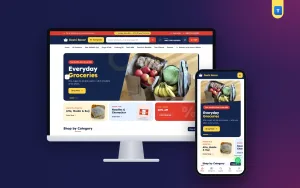
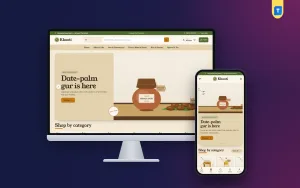
These ideas are easier when the theme already has them. The Fosol organic shop WordPress theme for WooCommerce has a photo hero slider with a live "Today's pick" sale product, featured category tiles, promo banners, popular products with tabs, daily best sells, deals of the day with countdowns, four product lists, reviews, a blog, a FAQ and a newsletter band.
Its product cards have Regular and Family Pack chips, an Add button that works without reloading and a quick view. The free-delivery bar reads the real amount from Theme Options (৳999 by default). Cash on Delivery, a manual bKash, Nagad and Rocket Send Money method, mobile-or-email sign-in, a Track Order page and a phone tab bar are ready after the one-click demo import with 64 products in 12 categories.
Frequently asked questions
What should an organic grocery store website show first?
Real food photos, your categories and a short line about where the food comes from. Then this week's offers.
Can I call my products organic without certification?
Be careful. If a product is not certified, describe what you do, such as "grown without chemical pesticides", and explain how you check it.
How do I set a free-delivery amount?
Choose an amount above your average order, such as ৳999, and make sure the cart bar and your shipping rules use the same number.
Which payments does an organic grocery store website need?
Start with Cash on Delivery and bKash, Nagad or Rocket Send Money. Add an automatic gateway once you have a merchant account.
How many products do I need to launch?
Fifty to seventy items in about twelve categories is enough to look like a real shop. Add more as you learn what sells.