A good organic shop website design template has one hard job: make a buyer believe your vegetables, oil and rice are as clean as you say, before they have touched them. Photos, words, prices and delivery promises all have to work together.
This guide goes page by page through what an organic food shop in Bangladesh should show, from the homepage to the checkout, with simple habits that keep orders coming.
Every idea here is cheap to try. Pick the ones that fit your shop, test them for a few weeks, and keep what works.
What makes an organic shop website design template different
A general grocery site sells on price and speed. An organic shop sells on trust. Buyers pay a little more because they believe the food was grown and handled with care. If the site cannot show that care, the extra price feels like a trick.
- Source: where the food was grown and who grew it.
- Freshness: when it was picked or packed.
- Honest weight: 500 g, 1 kg or a bundle, written clearly.
- Fair delivery: when it arrives and what it costs.
When every page answers these four questions in the same calm way, buyers learn to trust your shop.
The homepage: one promise, then the food
Open with one clear promise, such as "chemical-free daily food, fresh from farmers". Put it on a big slider with a real photo of your produce and one button to the shop. Two slides are enough; a third is rarely seen on a phone.
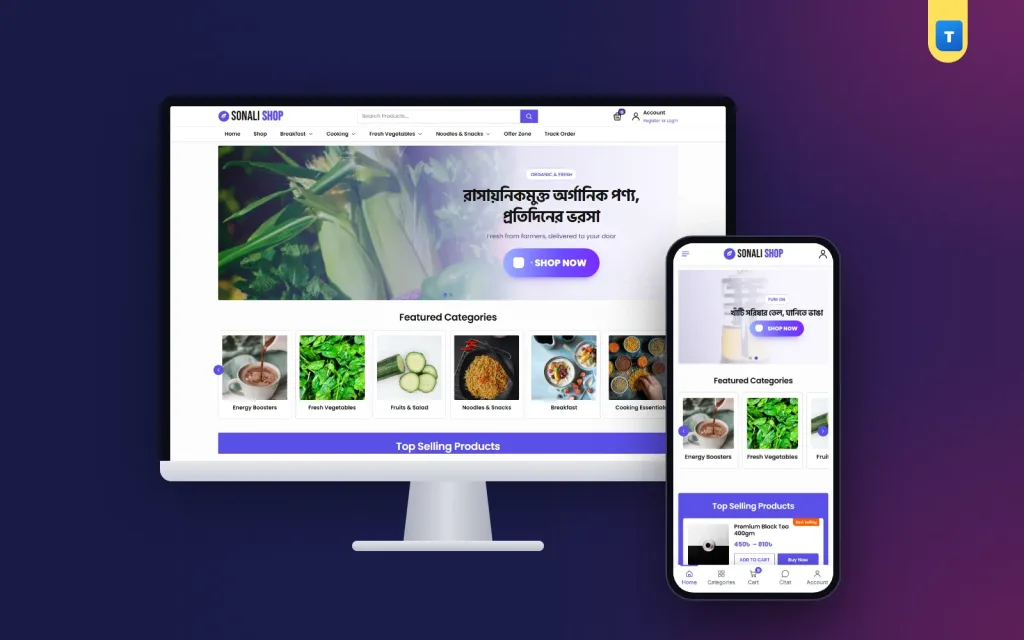
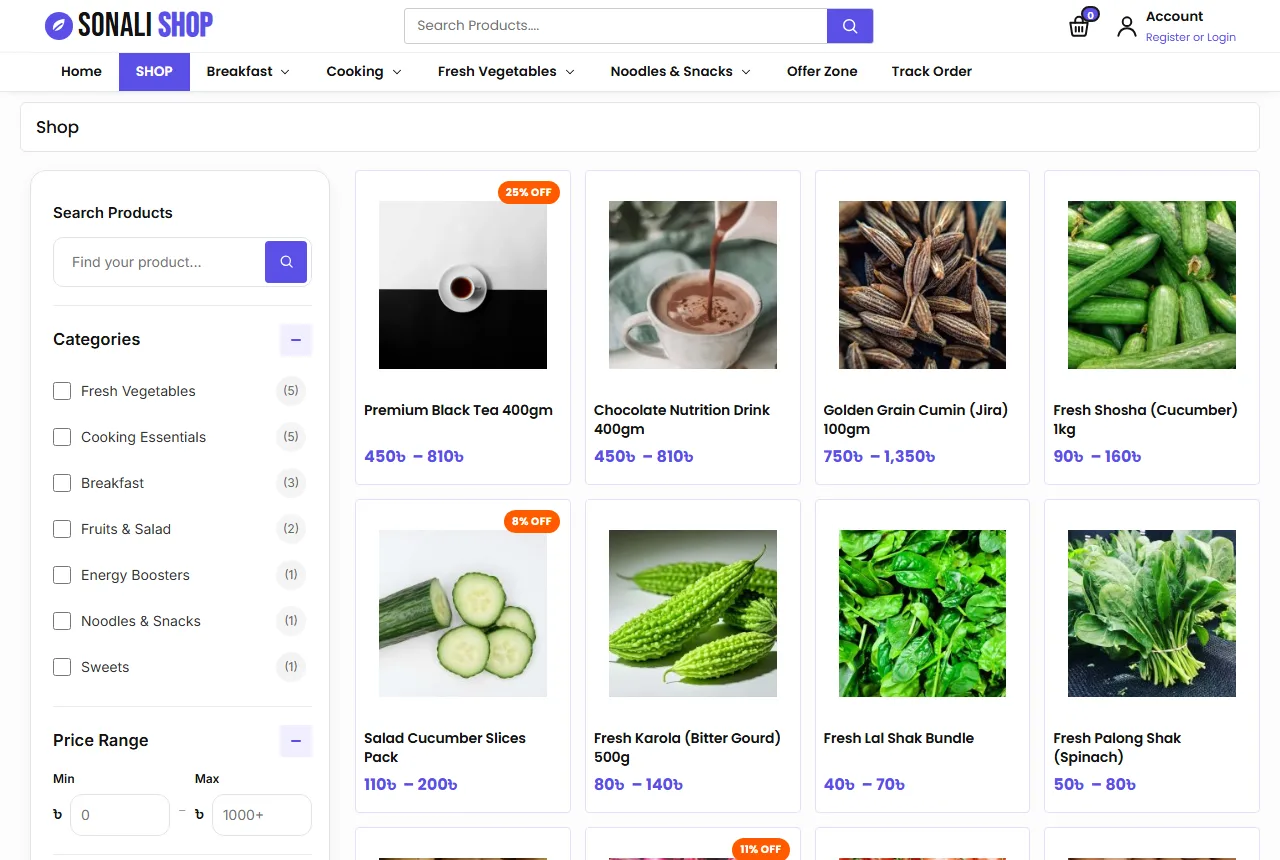
Under it, show your categories as cards with a photo and a short name, such as Fresh Vegetables, Fruits & Salad, Breakfast, Cooking Essentials, Energy Boosters, Noodles & Snacks and Sweets. A row that slides with arrows keeps the page short.
A homepage order that works
- Hero slider with your main promise.
- Category cards so people can jump to what they came for.
- Top selling products in a coloured panel, with Add to Cart and Buy Now.
- All products grid, newest first, with a Load More button.
- Two banners for a season or a hero item, such as ghani mustard oil.
- Promises: organic, fast delivery, cash on delivery, live support.
- Reviews from real buyers.
- FAQ about sourcing, delivery and freshness.
- Blog posts with healthy cooking ideas.
Any organic shop website design template you pick should let you switch these blocks on or off and change their order, because your season and stock will change.
Photos that look fresh and honest
Organic buyers look closely at photos. They expect leaves with small marks, potatoes with a little soil and tomatoes of different sizes. Over-polished stock photos make them doubt you.
- Shoot produce the morning it arrives, in daylight.
- Use one plain background, white or light wood, for every item.
- Show a real bundle size next to a hand or a common kitchen item.
- For oil, rice and lentils, show the sealed pack and a small bowl beside it.
Never boost colours in an editing app. When the parcel arrives and the spinach is a different green, the buyer feels cheated. In an organic shop website design template, honest photos do more than any slogan.
Product pages that answer questions
A buyer on a product page wants answers fast: what is it, where is it from, how much, how fresh, and what if it is not good. Put them near the top.
- A gallery with two or three real photos.
- The price with an In Stock pill.
- A short text with the source, such as the district or farm group.
- Size buttons, such as Regular and Family Pack.
- Quantity, Add to Cart and Buy Now.
- Small promise boxes for delivery, cash on delivery and returns.
Below that, use tabs for the full description, the sizes and the reviews. In the description, add how to store the item and one simple way to cook it.
Words you can stand behind
Write claims you can prove. "Grown without harmful pesticides by our partner farmers in Bogura" is better than "100% pure natural organic premium". If you have a test report or a certificate, say what it is and show it. If you do not, describe your process plainly.
A natural products website design template works the same way for honey, ghee or herbal items: say where it comes from and how you check it.
Sizes, prices and offers
Families buy in bulk; single buyers want small packs. Offer two sizes where you can, such as a Regular pack and a Family Pack, and show them as buttons. The price should change as soon as the buyer taps a size.
Show prices in taka with the ৳ sign and no decimals, such as ৳120. Keep the Family Pack slightly cheaper per kilo, so regular buyers move up.
Do not put everything on sale. Organic food has real costs, and constant discounts make buyers ask what is wrong. Keep offers for a weekly banner or a first-order coupon.
An organic shop website design template for phones
Most orders in Bangladesh come from a phone, often in the morning before cooking. Design the phone view first.
- A menu button, the logo, the cart and the account in the top bar.
- A bottom tab bar with Home, Categories, Cart, Chat and Account.
- Product cards two per row, with the price easy to read.
- Buttons big enough for a thumb.
Test the shop on a cheap Android phone over 4G. If the homepage feels slow there, it is slow for most of your buyers. A light theme with small files beats a heavy page builder.
Keep the shop light
Compress photos before upload; most product photos are fine at 800 to 1200 pixels wide. Keep plugins few and remove the ones you do not use. Check your shop speed once a month.
Delivery, freshness and payment
Fresh food changes the delivery rules. Leafy vegetables do not wait two days in a warehouse. Be clear about what you deliver where.
- Fresh vegetables and fruits: same day or next day inside Dhaka.
- Rice, lentils, oil, tea and snacks: two to four days anywhere in Bangladesh.
- A cut-off time, such as orders before 11 AM go out today.
If you can, offer delivery time slots, such as morning or evening. Even a simple note at checkout, "tell us your preferred time", helps. Show delivery charges early; many shops charge about ৳80 inside Dhaka and ৳120 outside.
Packing fresh food
Pack leafy greens loose in paper, not sealed plastic. Keep eggs in trays, oil bottles taped, and sweets in a separate box. Write the order number on every bag.
Cash on delivery is still the main payment method. Add bKash, Nagad and card payments with a payment plugin as the shop grows, and show the logos of what you accept.
Accounts, reviews and repeat buyers
Organic shops live on repeat orders. A family that likes your vegetables will order every week. Let buyers create an account with a mobile number or an email, so the address is saved and the next order takes a minute.
If fake cash on delivery orders become a problem, ask everyone to sign in before checkout. A wishlist and a Track Order page give buyers a reason to sign in again.
Ask happy buyers for a review after delivery, ideally with a photo of the meal. Reply to every review, including unhappy ones. A clear replacement promise, such as "tell us within 24 hours and we replace it free", turns a bad day into trust.
Trust pages and the blog
Buyers check help pages before their first order. Write these before launch:
- About: who runs the shop, which farmers you work with and how you check food.
- Shipping: areas, charges, cut-off times and delivery days.
- Return: what you replace and how fast.
- FAQs: sourcing, freshness, sizes, delivery and payment.
- Contact: phone, WhatsApp, address and a form.
- Track Order, Privacy and Terms.
A small blog is part of a strong organic shop website design template. Short posts, such as how to keep leafy greens fresh or a five-minute healthy breakfast, bring visitors from search and answer questions before they reach you.
Google's guide to helpful content is a good reminder here. Write for buyers, in your own words, from your own farm visits and kitchen.
Common mistakes to avoid
- Big claims with no source or proof.
- Stock photos that do not match what arrives.
- No weight or size in the title.
- Fresh food promised to areas you cannot reach in time.
- Delivery charges shown only at the last step.
- Pop-ups on phones that hide the cart button.
Each of these breaks trust, and trust is the whole point of an organic shop website design template.
A launch checklist
- Every product has real photos, a title with the weight, a price and stock.
- Every product has a short source line.
- Sizes show as buttons and change the price.
- Delivery areas, times and charges are clear before checkout.
- Help pages are written and linked in the footer.
- You placed three test orders from a phone.
Track a few numbers every week after launch: visitors, orders, average order value and returning buyers. Change one thing at a time, and your organic shop website design template gets better each month.
Plan for the seasons too. Winter brings shak, cauliflower and khejur gur; summer brings mango and litchi; Ramadan lifts dates, drinks and breakfast items. Change the slider and the banners for each one.
How to choose a theme for your shop
Once you know what each page needs, pick the tool that builds it. Before you buy any organic shop website design template, open its demo on your own phone and check a few simple things.
- Does the homepage load fast on mobile data, without a long white screen?
- Can you switch blocks on or off, and change their order, without code?
- Do product pages show size buttons, stock and a clear price?
- Can buyers sign in with a mobile number, not only an email?
- Does it work with the payment and courier plugins you plan to use?
- Do the cart, checkout and account pages match the rest of the design?
Also look at the files. A theme that needs a heavy page builder or many extra plugins will slow down as you add products. A theme built on WooCommerce alone keeps orders, stock and coupons in one familiar place.
Finally, think about who will run the shop every day. If a family member or a staff member updates prices each morning, the settings must be easy to find. A good organic shop website design template puts slides, banners, promises and the FAQ in one settings page with plain labels, so daily changes take minutes, not an evening.
Ask the seller about updates and support too. Food shops change fast, and you want fixes to arrive in the dashboard without losing your content.
Building your organic shop with Sonali
All of this is easier when the theme already follows these rules. The Sonali organic food shop theme for WordPress and WooCommerce works as a ready natural products website design template: a hero slider, sliding category cards, a purple top selling panel with Add To Cart and Buy Now, an all products grid, two banners, a promise strip, reviews, a FAQ and a blog block.
Its product page has size buttons, an In Stock pill, a payment logo strip and promise boxes. Buyers get live search, shop filters, mobile number or email sign-in, a wishlist and a Track Order page. Every homepage block can be switched on or off. Import the demo, add your products, and you can take orders the same week.
Frequently asked questions
What pages does an organic shop website design template need?
A homepage, shop and category pages, product pages, cart and checkout, plus About, Shipping, Return, FAQs, Contact and Track Order.
How should an organic shop website design template show sourcing?
Put one short source line on every product and a fuller story on the About page.
Do I need online payment from day one?
No. Cash on delivery is enough at first. Add bKash, Nagad or cards later.
How many products should I start with?
Start with 20 to 40 items you can always keep fresh and in stock, then grow.
Should I offer family packs?
Yes. A Regular and a Family Pack size suit both single buyers and families.