 −50%
−50%
SEO Manager – SEO Plugin for WordPress
✦ Key features
- SEO title per post and page
- Meta description per post and page
- Canonical URL field
- One clear box in the editor
- Tags printed in the page head
- Basic XML sitemap at /themeve-sitemap.xml
- No scores or clutter
- No script or style on public pages
- Works with any WordPress theme
- Updates in the dashboard with an active licence
Overview
SEO Manager is a simple SEO plugin for WordPress. Write the SEO title, meta description and canonical URL for each post and page in one clear editor box, with no scores or clutter. It works with any theme.
SEO Manager is a simple SEO plugin for WordPress that lets you write the title, the description and the canonical address of every post and page from one box in the editor. It does a few jobs and does them clearly. There are no scores, no colour lights and no long checklists to work through.
Search results show a title and a short description before anyone clicks. If those are vague or cut off, people skip your page, even when it is the best answer. This plugin gives you direct control over both. It is made for site owners, small shops, bloggers and agencies who want a light tool instead of a large suite.
Who can use this SEO plugin for WordPress
The plugin does not depend on a theme or a shop system, so it suits almost any site that needs SEO for WordPress at a basic level. Any site that runs WordPress 6.2 or newer on PHP 7.4 or newer can use it. Typical users are:
- Small business sites with a handful of key pages, such as a clinic, a coaching centre or a law office.
- Bloggers and news writers who want to write their own search titles and descriptions.
- Online shops that run on a WordPress page or post structure and want clear text for landing pages.
- Freelancers and agencies who set up many client sites and need the same small tool everywhere.
- Portfolio, restaurant and event sites with a short list of pages that must look right in search.
Light by design
The plugin adds very little to your site. This is what it really does on the public side:
- It prints up to three lines in the page head, and only on single posts and pages.
- It loads no script and no stylesheet on your visitors' pages.
- It makes no calls to outside services.
- Its admin stylesheet loads only on its own settings screen.
Because it stays out of the way, it fits on shared hosting and on small plans without trouble. A good SEO plugin for WordPress should not slow down the pages it is meant to help, and this one adds only a few short lines of text.
What visitors and search engines see
Visitors do not see anything new on the page itself. The effect is in the page head, which search engines read. When you fill in a field for a post or page, the plugin prints the matching tag on the front end.
Page head output
- SEO title: printed as a title meta tag in the head of that page.
- Meta description: printed as a description meta tag. This is the text search engines often show under your title.
- Canonical link: printed as a canonical link tag, so search engines know which address is the main one.
If a field is empty, nothing is printed for it. Your theme and WordPress carry on as before. The tags appear on single posts and pages only, not on archives or the blog index.
XML sitemap file
The plugin also serves a basic XML sitemap at the address /themeve-sitemap.xml. It lists up to 500 published posts and pages with their last change date. You can submit that address to search tools, or keep using the sitemap that WordPress already provides. Both work side by side.
Back end: the editor box
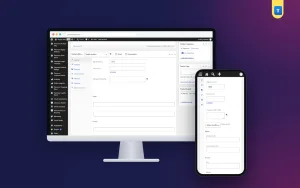
Open any post or page and you will find a box named Themeve SEO, placed high on the edit screen. It has three fields. Each one is a plain text input, so there is nothing to learn.
SEO title
The title you want search results to use. Keep it clear and specific, around sixty characters, with the main topic near the start. Write it for a person scanning results on a phone.
Meta description
One or two sentences that say what the page offers and why someone should click. Around 150 characters works well. Give each page its own description rather than repeating one text across the site.
Canonical URL
Use this when the same content can be opened at more than one address. Paste the full address of the main version. Most pages can leave it empty.
How saving works
- The values are saved with the post, when you press Update or Publish.
- Saving is protected by a security check and needs permission to edit that post.
- Autosaves and revisions are skipped, so half-typed text is never stored.
- Text is cleaned before it is saved, and the canonical field accepts a proper web address only.
The box appears for posts and pages. It does not appear on other content types, and the plugin does not add fields to categories or tags.
Back end: the settings screen
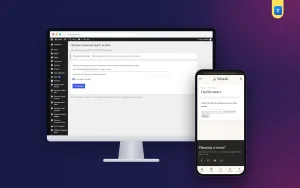
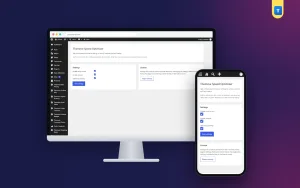
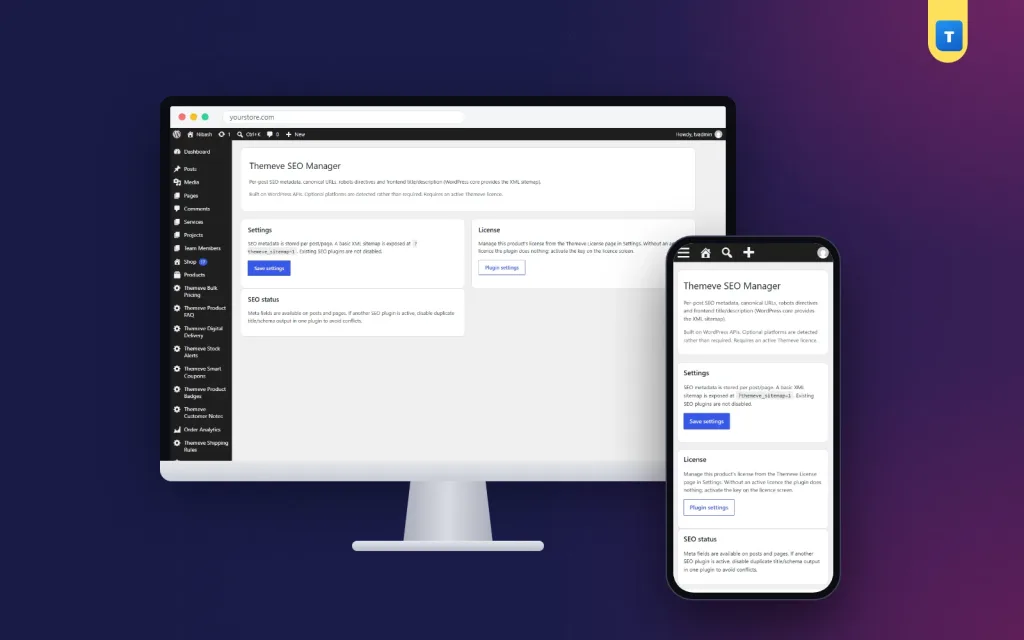
Go to Settings, then Themeve SEO Manager. The screen is short and has three cards.
- Settings card: explains where the SEO data is stored and where the sitemap lives, with a Save settings button.
- Licence card: a link to the licence screen, where you activate and check your licence.
- SEO status card: a short reminder that the fields are available on posts and pages, and that you should run only one SEO tool at a time.
There are no hidden tabs and no long option lists. The real work happens in the editor, page by page.
Licence and updates
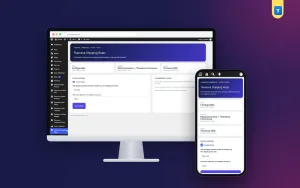
The plugin needs an active licence. Without it, the editor box is not added, and only the lock screen and the licence screen open. Once activated, updates appear in your WordPress dashboard under Updates for as long as the licence stays active.
What this SEO plugin for WordPress does not do
It helps to know the limits before you buy. A tool that promises everything usually does little of it well. This one is honest about its size.
- It does not give a score or a grade for your content.
- It does not rewrite your visible page title. It adds a title tag in the head.
- It does not add a robots setting. To keep a page out of search, use the visibility tools that come with WordPress or your theme.
- It does not add structured data or social share cards.
- It does not replace the sitemap that WordPress already has.
- It cannot promise a ranking or traffic. Good content, a fast site and honest page details are what help over time.
If another SEO tool is active on the site, choose one and switch the other off. Two tools printing the same tags only create confusion.
How it helps you run your site
A clear title and description make a real difference in how a page looks in results. Think of this SEO plugin for WordPress as a tidy label maker for your pages. Here are some practical examples.
- A tutoring centre's homepage showed the title Home. The owner wrote a title with the centre's name and subjects, and a two-sentence description with the area it serves.
- A clothing shop gave each category page its own description, instead of one repeated line. Each result now says what that category holds.
- A blogger fixed old posts by adding a canonical address to a post that was also published under a second link.
- An agency used the same small tool on ten client sites, so training took five minutes.
Where to start
Do not try to fill in every page on day one. A small, steady habit beats a rushed weekend of work. Begin with the pages that get the most attention:
- Your homepage.
- Your main service or category pages.
- Your top five posts or products.
- Any page where the current search title looks odd or too long.
Any SEO plugin for WordPress works best when you use it on the pages that matter first. Review the text again whenever a page changes, so the description always matches what visitors find. Use the words your customers use, and include the area you serve when it is true.
Setup steps
- Download the plugin zip from your account after purchase.
- In your WordPress dashboard, open Plugins, then Add New, then Upload Plugin, and choose the zip.
- Press Install Now, then Activate.
- Open the licence screen from the plugin settings and activate your licence.
- Edit your homepage. Fill in the SEO title and meta description, then press Update.
- View the page source in your browser and check that the description tag is in the head.
- Repeat for your most important pages, then add the canonical address where you have duplicates.
Why choose a simple SEO plugin for WordPress
Many themes pick a title and a description for you, and the result is often poor. A page title may be only the page name. A description may be the first sentence of the page, cut halfway. Writing your own text is the cheapest improvement you can make to how a page appears in search.
Handling SEO for WordPress does not have to mean a crowded dashboard. Compared with a large suite, this plugin has fewer screens and fewer things to break. You can teach it to a new team member in a few minutes. You pay for the three fields that matter, and you do not carry the weight of features you will never open.
Questions buyers often ask first
- Will my old text be lost? No. The plugin stores its fields separately with each post, and nothing in your content is changed.
- Can several editors use it? Yes. Anyone who can edit a post can fill in its three fields. The settings screen is for administrators.
- What happens if I deactivate it? The tags stop printing. Your posts and pages stay exactly as they were.
- Does it slow down the editor? No. The box is three plain inputs and loads no extra script.
What is included
- The plugin zip, ready to upload from the Plugins screen.
- A licence for your site, with updates in the dashboard while the licence is active.
- The editor box with SEO title, meta description and canonical URL.
- The settings screen with the licence link and status notes.
- The basic XML sitemap file for posts and pages.
- Documentation after purchase and support for six months.
It needs WordPress 6.2 or newer and PHP 7.4 or newer, and it has been tested up to WordPress 7.1. It works with any theme.
Pair it with a redirect tool when you rename pages, and with a speed tool for faster loading. Together, they cover the basics of a tidy site without a heavy suite.
SEO Manager is built on the official WordPress documentation standards, and you can browse more of our WordPress plugins.
Reviews
0.0
Write a review
★★★★★
0 reviews from buyersNo reviews yet — be the first to share your experience after buying.
Frequently Asked Questions
01What is the best SEO plugin for WordPress for a small site?
A small site needs clear titles and descriptions more than a long checklist. SEO Manager gives you exactly three fields for each post and page.
02Which fields does this SEO plugin for WordPress add?
SEO title, meta description and canonical URL, in a box named Themeve SEO in the post and page editor.
03Does it have a robots setting?
No. It adds the title, description and canonical fields only.
04Does it create a sitemap?
It serves a basic XML sitemap of up to 500 published posts and pages at /themeve-sitemap.xml. The WordPress sitemap keeps working too.
05Can I use it with another SEO plugin?
Use one SEO tool at a time, so the same tags are not printed twice.
06Will it improve my rankings?
No tool can promise rankings. Clear titles and descriptions help people understand your pages in search results.
07Does it work with any theme?
Yes. It works on any site with WordPress 6.2 or newer and PHP 7.4 or newer.
08Does it need a licence?
Yes. Without an active licence the editor box is not added and only the lock and licence screens open.
Delivery & Support
1Place your orderAdd to cart, sign in and pay with bKash or Rocket.
2Payment verified automaticallyEnter your Transaction ID — the payment is matched automatically, usually within seconds.
3Get your productYour license key and download appear in My Account → Licenses.
- Secure automatic payment verification
- Delivery to your account & e-mail
- Friendly WhatsApp support
Refund Policy
This policy applies to every product in our store.
You get a refund when the product does not work as described and we cannot fix it, when your license will not activate your website, or when a manually delivered product is late and you cancel before delivery. A working license, or a single license already used on a live domain, is not refundable. Approved refunds go back to the number you paid from within one working day, minus the Send Money charge.
More items
View all →