−50%
−50%
Customer Notes – Customer Notes Plugin WordPress
✦ Key features
- Private note on each customer profile
- Visible to staff only
- Never shown to customers
- Follows the customer across orders
- Side box on Themeve Commerce orders
- On/off switch
- Plain text, quick to write
- Stored on your own website
- Works with WooCommerce and Themeve Commerce
- No setup beyond activation
Overview
Customer Notes is a customer notes plugin wordpress shops use to keep a private, staff-only note on every customer profile. On Themeve Commerce the note also appears in a side box on each order, so packing staff read it at once.
Customer Notes is a customer notes plugin wordpress shop teams can use to keep a private, staff-only note on every customer profile. Write down what you learned about a buyer, such as preferred sizes, delivery habits or a past problem, and the next person who handles that customer can read it.
It works with WooCommerce and Themeve Commerce. On Themeve Commerce order screens, the note appears in a side box right beside the order. There is one on/off switch and nothing else to set up.
Why shops need private customer notes
Good shopkeepers remember their regulars. This one always wants the larger size. That one prefers delivery after six. Another had a damaged parcel last month and deserves extra care. In a small shop the owner keeps all this in their head.
Once two or three people handle orders, that memory gets split and lost. Private notes fix that. Whatever one staff member learns, everyone else can read the next time that customer orders.
Who can use this customer notes plugin wordpress
- Tailoring and fashion shops: measurements, fits, fabric and colour preferences.
- Grocery shops: regular items and a preferred delivery slot.
- Gadget and electronics shops: warranty dates and which charger or accessory a customer bought.
- Beauty and cosmetics shops: skin type and shades a buyer liked.
- Book sellers: authors and series a reader follows.
- Gift shops: birthdays, favourite colours and the person the gift is for.
- Any shop with more than one staff member: a shared memory of what each buyer needs.
A note on every customer profile
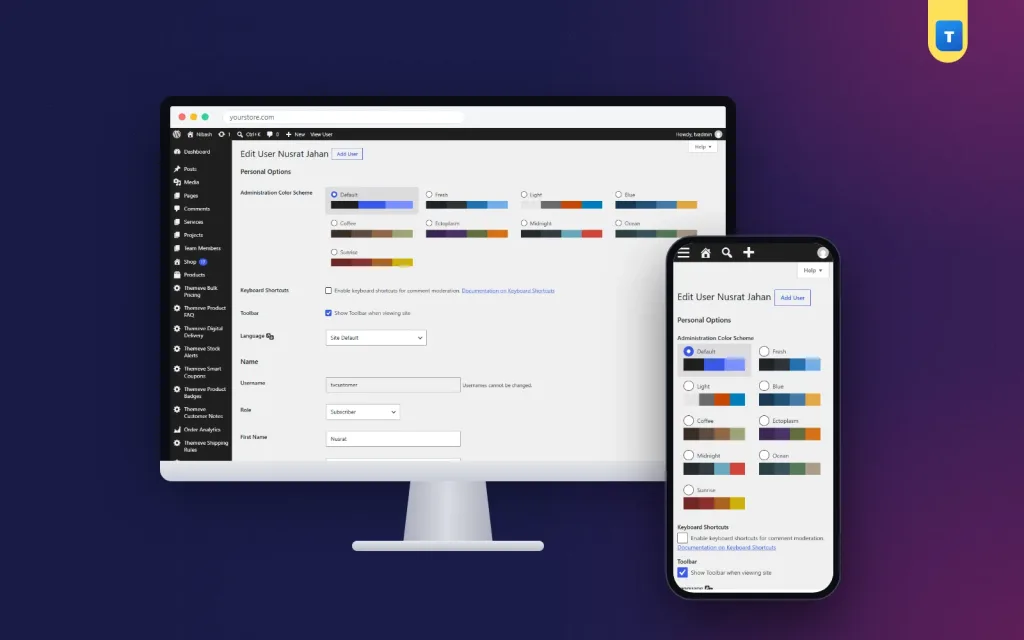
The plugin adds a section called Themeve Customer Note to the user profile screen in the dashboard. It contains one text box labelled Private note. Type anything useful in plain words and save the profile.
- The note is plain text and quick to write.
- It is visible only to staff who can edit the user.
- Customers never see it, not on their account page, not in emails and not on invoices.
- It stays on your own website.
- Because it lives on the profile, it follows the customer across every order they place, now and later.
Beside Themeve Commerce orders
On Themeve Commerce stores, each order screen gets a side box called Themeve Customer Note. It shows the buyer's note. If there is nothing saved, it says that no private customer note is saved.
Your packing team reads the note at the exact moment they prepare the parcel. They do not need to open another page or ask the owner.
Front end: what customers see
Nothing. This is a staff tool. The plugin adds no field, text or button to your public pages, your customer account area, your emails or your invoices. Customers only notice the effect: orders arrive in the right size, at the right time, with fewer questions.
Back end: every setting and screen
The plugin has a short admin area. It sits in the left menu under the name Themeve Customer Notes. On WooCommerce, shop managers can open it. On a Themeve Commerce store without WooCommerce, administrators can open it.
Enable feature
This is the only setting. One checkbox switches the note feature on or off, and a Save settings button stores your choice. It is on by default. Turn it off if you want to pause the feature, and your saved notes stay in place.
Status panels
The top of the screen shows the plugin status, the shop systems it supports and the licence state. These panels are for information. Nothing to type here.
Compatibility and notes panel
A side panel explains what the plugin does and reminds you that the licence must be active before the plugin switches on.
Private note on the user profile
This is where the real work happens. Staff with permission to edit users see the Private note box and can type and save.
Side box on Themeve Commerce orders
This box shows the saved note next to the order, so the team sees it while handling that order.
What to write in a note
Keep notes short and useful. Here are ideas that save time on the next order:
- Sizes and fits that worked
- Favourite colours or products
- The best time to call
- A landmark the courier always needs
- A reminder that this buyer pays in advance by bKash
- Past problems, such as parcel arrived damaged, replacement sent, handle with care
Avoid opinions and anything you would not want the customer to read. A good rule: write notes as if the customer might one day see them, even though they will not.
A day with customer notes
In the morning, a regular buyer messages for another pair of sandals. The staff member opens her profile and reads size 38, wide fit, prefers delivery after 5 pm. The order is packed in the right size and booked for an evening delivery, without a single question to the buyer.
In the afternoon, a buyer whose parcel was damaged last month orders again. The note says double box, fragile sticker. The packing team follows it, and the buyer notices. That is how a customer notes plugin wordpress stores can rely on turns small details into repeat sales.
Building a note habit in your team
A notes tool only works when people use it. Agree a few simple rules on day one and write them on the wall or in your staff group chat.
- Add a note whenever you learn something that will matter on the next order.
- Read the note before you pack or call the customer.
- Write short facts, not long stories.
- Update the note when something changes, instead of adding a second line that disagrees with the first.
With these four rules, a customer notes plugin wordpress teams can learn in one meeting gives a small shop the kind of memory that only big shops with a customer care department have.
What a good note looks like
- Size 40, slim fit, likes dark colours.
- Call before delivery, shop closes at 1 pm on Fridays.
- Last parcel damaged, double box and fragile sticker.
- Pays in advance by bKash, no need to confirm cash on delivery.
What to leave out
- Opinions about the customer as a person
- Health details or other sensitive facts
- Passwords, card numbers or ID numbers
- Anything you would not say to the customer directly
Speed and lightness
The plugin is small. It adds one text box to the profile screen and one side box to Themeve Commerce orders. It loads nothing on your public pages. Its own stylesheet loads only on its settings screen.
Privacy and access in a customer notes plugin wordpress store
Notes are private and stay on your own website. Only staff with access to customer profiles can read them. Treat them with the same care as phone numbers and addresses, and keep them factual.
- Do not store passwords, card numbers or national ID numbers in a note.
- Remove or update notes when a situation changes.
- If a customer asks you to forget them, remove the note along with their other details.
Setup steps
- Download the plugin zip from My Account after purchase.
- In your dashboard, go to Plugins, Add New, upload the zip and activate it.
- Activate your Themeve licence on the License screen. Until you do, the note field is not added and only the lock and License screens open.
- Open Themeve Customer Notes in the left menu and check that Enable feature is ticked.
- Open a customer's user profile, add a short note and save.
- On Themeve Commerce, open one of that customer's orders and find the note in the side box.
- Tell your team what to write and what to avoid.
Updates arrive in Dashboard, Updates while the licence is active.
Customer notes for woocommerce stores, kept simple
Some stores use a full customer management system just to remember a few facts. If your need is small, customer notes for woocommerce can be as simple as one text box on the profile. You get the memory without learning a new system, and the team can start the same day.
A few limits are worth knowing. Notes belong to customer profiles, so a guest buyer without an account has no profile to hold a note. There is one note per customer, and it is plain text. On WooCommerce stores the note lives on the customer profile, and the order side box is a Themeve Commerce feature.
Where it helps most
The biggest gains show up in three places.
- Repeat orders: the right size or delivery slot is chosen without asking.
- Problem orders: a note about a past issue makes the team more careful.
- Staff changes: a new person reads the history and serves a regular customer as well as the owner would.
A good customer notes plugin wordpress shops can hand to any new team member keeps the knowledge in the store, not in one person.
Why choose it over a paper list or spreadsheet
- The note sits on the customer profile, where staff already look.
- It follows the customer across every order.
- It shows beside the order on Themeve Commerce, at the moment of packing.
- Customers cannot see it.
- It is stored on your own site, not on a separate service.
- There is nothing to import, sync or update by hand.
What is included
You get a focused customer notes plugin wordpress shops can switch on in minutes:
- Customer Notes plugin, version 1.0.1, as a zip you upload in Plugins, Add New.
- Updates in Dashboard, Updates while the licence is active.
- Support for 6 months, with friendly WhatsApp help.
- Works with WordPress 6.2 and above, tested up to WordPress 7.1, and PHP 7.4 and above.
- Instant download after payment is verified, with unlimited re-downloads.
Customer Notes is built on the official WordPress documentation standards, and you can browse more of our WordPress plugins.
Reviews
0.0
Write a review
★★★★★
0 reviews from buyersNo reviews yet — be the first to share your experience after buying.
Frequently Asked Questions
01Can customers see the notes in this customer notes plugin wordpress?
No. Notes are private and visible only to staff in the admin.
02Where do I write a note?
On the customer's user profile in the WordPress admin, in the Themeve Customer Note section.
03Does the note appear on orders?
On Themeve Commerce order screens a side box shows the buyer's note. On WooCommerce stores the note is on the customer profile.
04Can I write a note for guest buyers?
Notes belong to customer profiles, so the buyer needs a customer account on your site.
05Is customer notes for woocommerce limited in length?
There is no length setting. Keep notes short and factual so your team can read them at a glance.
06Can I switch it off?
Yes. The on/off switch is in Themeve Customer Notes in the left admin menu, and saved notes stay in place.
07Does it need a licence?
Yes. Without an active Themeve licence the note field is not added and only the lock and License screens open.
Delivery & Support
1Place your orderAdd to cart, sign in and pay with bKash or Rocket.
2Payment verified automaticallyEnter your Transaction ID — the payment is matched automatically, usually within seconds.
3Get your productYour license key and download appear in My Account → Licenses.
- Secure automatic payment verification
- Delivery to your account & e-mail
- Friendly WhatsApp support
Refund Policy
This policy applies to every product in our store.
You get a refund when the product does not work as described and we cannot fix it, when your license will not activate your website, or when a manually delivered product is late and you cancel before delivery. A working license, or a single license already used on a live domain, is not refundable. Approved refunds go back to the number you paid from within one working day, minus the Send Money charge.
More items
View all →