If you are asking how to improve SEO WordPress sites need most, the answer starts with simple basics: clear page titles, useful content, a fast site and clean links. You do not need expensive tools to begin. You need a plan and the habit of checking your work.
This guide gives you a practical routine. It covers titles, descriptions, content, speed, links and a short WooCommerce SEO guide for shops. You will also get a checklist and answers to common questions. It is written for small business owners, bloggers and shop owners in Bangladesh, but the steps work for any WordPress site. No one can promise a ranking, but these steps give your pages a fair chance.
What SEO means for a small site
SEO stands for search engine optimisation. It means helping search engines understand your pages, and helping people choose your page when they see it in results.
Three things matter most:
- Relevance. Does your page answer what the person searched for?
- Clarity. Can a search engine tell what the page is about?
- Experience. Does the page load fast and read well on a phone?
Most small sites do not lose because of tricks they missed. They lose because their titles are vague, their pages are thin or their site is slow. Fix those first.
Start with the right keywords
A keyword is a phrase that people type into a search box. Before you write or edit a page, decide which phrase it should answer.
- Write down what your customers would type. Think of questions, not only product names.
- Type the phrase into Google and look at the suggestions that appear.
- Look at the top results. What do they cover? What is missing?
- Choose one main phrase for each page.
- Do not use the same main phrase on two pages. They will compete.
Choose specific phrases over broad ones. "Cotton panjabi for Eid" is easier to match than "clothes". Specific searches also come from people closer to buying.
How to improve SEO WordPress titles and descriptions
When your page appears in results, people see a title and a short description. These two pieces decide whether they click. If they are vague, cut off or copied from the first line of the page, fewer people choose you, even when your page is the best answer.
Follow these rules for the SEO title:
- Keep it around 60 characters so it is not cut off.
- Put the main topic near the start.
- Make it specific and honest.
- Give every page a different title.
- Add your brand name at the end if there is room.
And for the meta description:
- Write one or two sentences, about 150 characters.
- Say what the page offers and why someone should click.
- Use the main phrase once, in a natural way.
- Do not copy the same description to many pages.
Start with your most important pages: the home page, your top products or services, and your best articles.
How to improve SEO WordPress content for readers
Content is still the heart of SEO. A page that fully answers a question will do better than one that repeats keywords.
- Answer the question in the first paragraph, then explain.
- Use short paragraphs and plain words.
- Break the page with clear headings.
- Use lists and steps where they help.
- Add your own examples, prices, photos and experience.
- Update old pages when facts change.
A useful test is to read your page as a stranger would. Would you trust it? Would you know what to do next? If not, add the missing detail, such as price, size, delivery time or a contact number. Real details are what separate a helpful page from a thin one, and they are what customers remember.
Do not stuff the main phrase in again and again. Write for the reader first. If a sentence sounds odd when you read it aloud, change it.
Use headings and clean structure
Headings tell both readers and search engines how a page is organised. Each page should have one main title, then sections under it.
- Use one main heading per page, which is usually the page title.
- Use second-level headings for the main sections.
- Use third-level headings for smaller parts inside a section.
- Put the main phrase in one or two headings where it fits naturally.
- Do not skip levels or use headings only for size.
A page with clear headings is easier to scan. Many visitors scan before they read.
Control the canonical URL and robots setting
Two settings are often ignored, but they solve real problems.
Canonical URL
Sometimes the same content can be reached at more than one address. A canonical URL tells search engines which address is the main one. Most pages can leave this empty. It matters when you have duplicates, such as a product shown in several categories.
Robots setting
This tells search engines whether a page should appear in results. Good candidates to keep out are thank-you pages, test pages, private landing pages and old drafts. Be careful: setting an important page to stay out of search will hide it.
Make the site fast on mobile
Many visitors in Bangladesh use phones on mobile data. A slow page loses them quickly. Speed is part of the experience that search engines look at, and it is also simply good service.
- Resize large photos before you upload them.
- Use a light theme without heavy scripts.
- Remove plugins you do not use.
- Use caching if your host supports it.
- Choose reliable hosting with a fast response time.
- Test on a real phone, not only on a laptop.
Speed work also saves you money. Lighter pages use less bandwidth on your hosting plan, and they cost your visitors less mobile data. That is a real advantage in a market where many people watch their data balance.
Run a free speed test on your home page and one product or article page. Fix the biggest problem it reports before the small ones.
Build good internal and external links
Links help visitors move around and help search engines find your pages.
- Link from older pages to your newer, important pages.
- Use clear link text, such as "cotton panjabi collection", not "click here".
- Fix broken links. If you move a page, add a 301 redirect from the old address.
- Link to trusted outside sources when they help the reader.
- Earn links by being useful. Do not buy them in bulk.
Think about links as a map of your site. Your most important pages should be easy to reach from the home page in one or two clicks. If a page sits deep inside the site with no links pointing to it, neither visitors nor search engines will find it easily. Add it to a menu, a category page or a related post.
Share your pages on Facebook, WhatsApp and local groups. Those shares send visitors and help people find you.
A short WooCommerce SEO guide for shops
If you run a shop, product pages are your most valuable pages. This short WooCommerce SEO guide works for any online shop.
- Write unique product descriptions. Do not copy the supplier text. Describe size, material, colour and use in your own words.
- Give each product a clear title. Include the product type and one key detail.
- Write a meta description for top products. Mention a real benefit, such as delivery area or payment options.
- Use good photos with short file names. Add alternative text that describes the photo.
- Organise categories well. Use a few clear categories, not dozens of tiny ones.
- Keep out thin pages. Use the robots setting for cart, checkout and thank-you pages.
- Handle sold-out items. Redirect or link to a similar product.
- Show payment and delivery information. bKash, Nagad and cash on delivery details answer questions before the customer asks.
Treat each product page like a small article that answers a buyer's questions.
A few more shop habits help. Add a short FAQ to your best-selling products, with questions customers really ask on Messenger, such as size, colour, return rules and delivery time. Show reviews when you have real ones. Keep prices and stock up to date, since an out-of-date page frustrates shoppers.
If you sell in several districts, say which areas you deliver to and how long it takes. This kind of detail is useful to customers, and it gives search engines more to understand about each page.
A ready-made option: SEO Manager
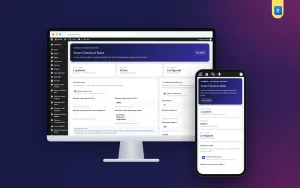
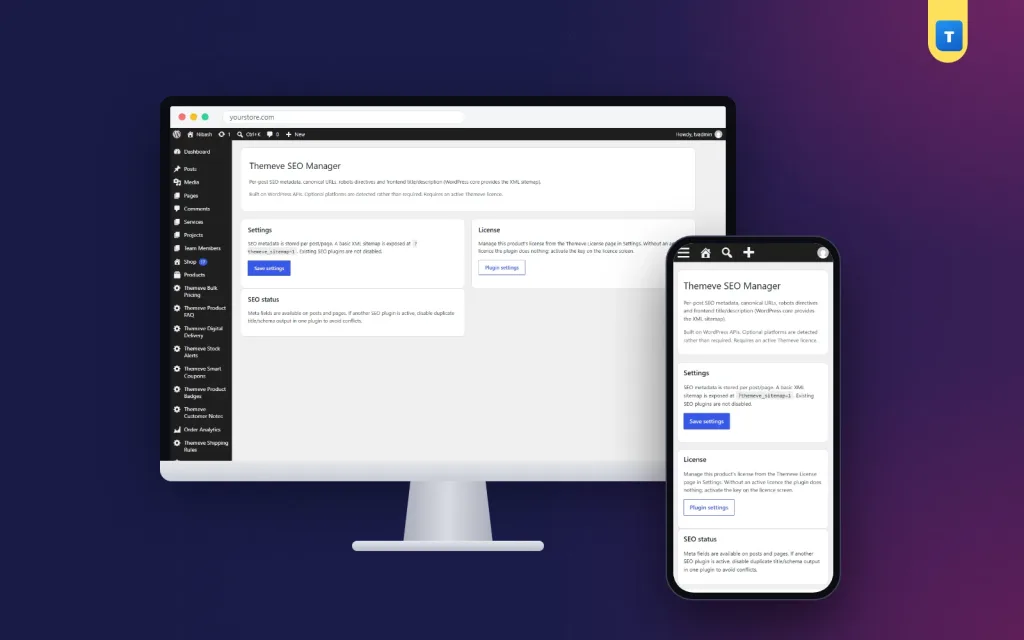
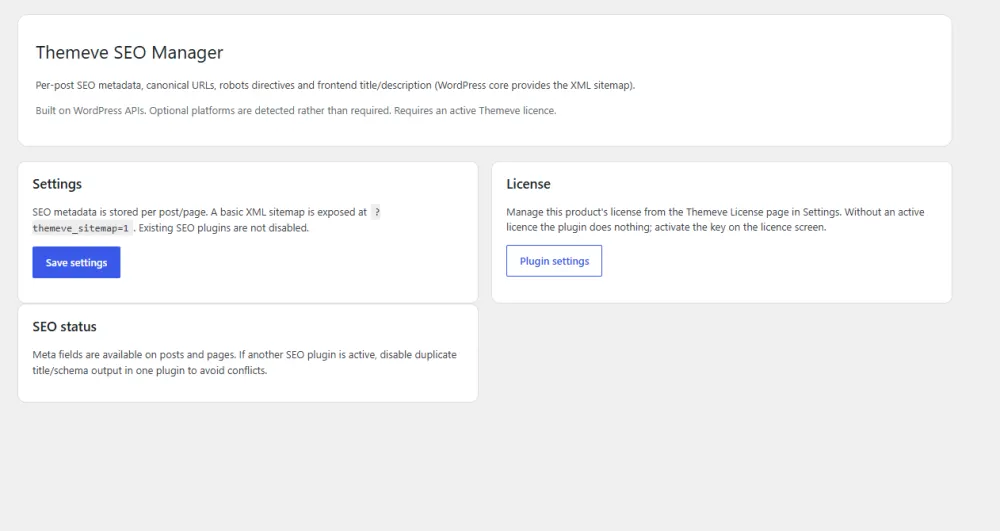
If you want one place to control the basics, SEO Manager is a simple WordPress SEO plugin. It adds one clear box to the editor of every post and page.
The box has four fields:
- SEO title.
- Meta description.
- Canonical URL.
- Robots setting.
The meta description and canonical link are printed in the page head automatically. It works with the WordPress core sitemap and with any theme. There are no scores or clutter, so you spend your time writing, not chasing colours. Settings live under Settings and then Themeve SEO Manager.
It is a focused tool. It handles titles, descriptions, canonical links and robots settings, and it will not write content or fix a slow site for you. See the details on the SEO Manager product page.
Track your progress
Many owners change settings, then never look at the result. A simple habit fixes that: write the date and the change in a notebook or a sheet. A month later, compare the numbers before and after. Over a year, you build a clear picture of what works for your own audience.
SEO works slowly. Check your progress on a regular schedule, and do not change everything at once.
- Set up Google Search Console for your site and submit your sitemap.
- Look at which searches bring impressions and clicks.
- Note pages that get impressions but few clicks. Their title or description may need work.
- Check for pages that Google could not index.
- Review once a month, and keep a short log of what you changed and when.
If you wonder how to improve SEO WordPress sites show most clearly in the numbers, watch clicks and impressions for your top ten pages. Those two figures tell you more than a long report.
Give each change a few weeks before you judge it. Results never arrive overnight, and no tool can promise a position.
Common mistakes to avoid
- Using the same title on many pages. Each page needs its own.
- Keyword stuffing. It reads badly and helps nobody.
- Hiding important pages by mistake. Check your robots setting after changes.
- Copying text from other sites. Write your own.
- Ignoring mobile. Most visitors are on a phone.
- Changing addresses without redirects. You lose visitors and links.
- Expecting instant results. SEO takes patience.
A simple monthly SEO checklist
- Pick one main phrase for each new page.
- Write a clear SEO title under 60 characters.
- Write a meta description of about 150 characters.
- Check headings, photos and alternative text.
- Link to two or three related pages.
- Test the page on a phone.
- Set the robots setting correctly.
- Review Search Console and update weak pages.
This routine takes less than an hour a week, and it is the practical answer to how to improve SEO WordPress owners can repeat month after month.
If you want to read more on the technical side, the official WordPress documentation is a good, reliable reference.
Frequently asked questions
How to improve SEO WordPress beginners can manage alone?
Start with unique titles and descriptions, helpful content, fast pages and working links. These steps need no coding and make a real difference over time.
Do I need an SEO plugin?
You do not strictly need one, but a plugin makes it easy to set a title, description, canonical URL and robots setting on every page. Choose a simple one.
How long does SEO take to work?
Usually weeks or months, depending on your competition and how often you publish. No one can promise a ranking.
What is a canonical URL?
It is the main address for a page that can be reached in more than one way. It tells search engines which one to treat as the original.
How to improve SEO WordPress shops need for product pages?
Write unique descriptions, give each product a clear title and meta description, use good photos and keep thin pages like checkout out of search.
Should I write meta descriptions for every page?
Start with your most important pages. A good description helps people choose your result, so it is worth the effort where traffic matters most.
Does page speed affect SEO?
Speed is part of the page experience, and a slow page loses visitors. Faster pages are better for people and for search.