What is hospital management system software, and why do so many hospitals in Bangladesh now ask for it? In short, it is a computer program that connects the front desk, doctors, nurses, lab, pharmacy and accounts of a hospital, so that every department works from the same patient record.
This guide explains the idea in plain words. You will see what a hospital system does, which modules it has, who uses it, what benefits to expect, what to check before you buy and how to start without disturbing patient care.
What is hospital management system software in simple words?
Think of a hospital without a system. A patient registers at the desk on paper. The doctor writes a prescription by hand. The lab writes results in a register. The pharmacy keeps its own stock book. The accountant collects the numbers at the end of the day and tries to match them.
A hospital management system replaces these separate books with one shared database. The patient is entered once. After that, the bill, the prescription, the lab test, the bed and the medicine all link to the same record. People see only the menus that suit their role.
It is also called HMS or hospital management software. Both names mean the same thing. The system is usually a web application that runs in a browser, so staff can use it from a desktop or a tablet inside the hospital.
What is hospital management system software meant to solve?
Hospitals adopt a system because paper and spreadsheets break down when volume grows. Common pains include:
- Long queues at the registration and billing counters.
- Lost or illegible prescriptions.
- Lab reports that reach the patient late or to the wrong person.
- Nobody knows which beds are free without walking the ward.
- Pharmacy stock that runs out, or medicine that expires on the shelf.
- Daily cash that does not match the bills.
- Owners who cannot see income, dues or doctor-wise collection without waiting for a report.
A system does not fix a badly run hospital by itself. But it removes the manual copying that causes most mistakes, and it gives the manager real numbers.
Main modules of a hospital system
Different products group the work in different ways. Most cover the following areas.
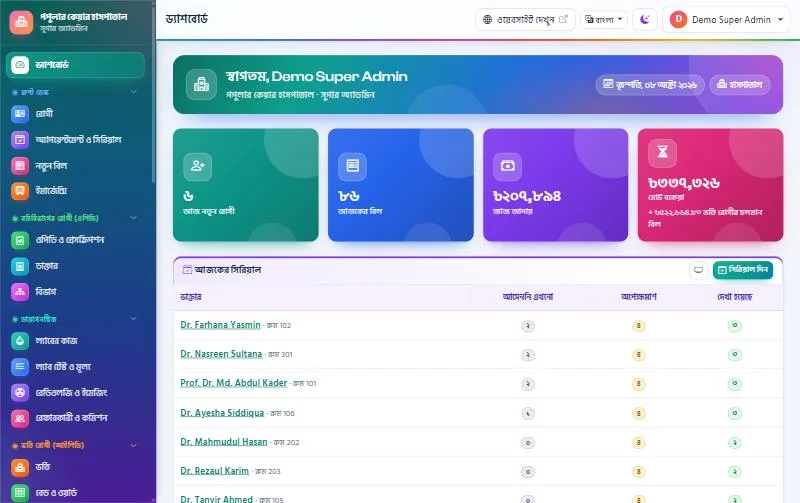
Front desk and billing
- Patient registration with an ID and a printed card, often with a QR code.
- A service price list, with discount, VAT, part payment, dues and refunds.
- A printed money receipt for every payment.
Doctors and outpatient care
- Doctor profiles, chamber schedules and leave days.
- Serials for walk-in, phone and online patients.
- A prescription writer with medicine name suggestions and templates.
- A queue screen in the waiting room.
Lab and imaging
- Test orders from the prescription or the desk.
- Sample labels, result entry and verification by a pathologist.
- Report printing and online download.
- Reports for ultrasound, X-ray, ECG and echo.
Inpatient care
- A bed board showing free, occupied, cleaning and closed beds.
- Admission with advance payment, transfers and a running bed charge.
- Nursing notes, vitals charts and medication charts.
- A discharge summary and final bill.
Specialist services
- Operation theatre booking and a pre-operation checklist.
- Emergency triage.
- Blood bank stock and donors.
- Ambulance requests and trips.
Pharmacy, store and accounts
- Pharmacy sales with barcode scanning and expiry-first stock.
- Store purchases and stock counts.
- Income and expense records, and daily and monthly reports.
- Staff attendance, payroll and payslips.
Who uses a hospital management system?
If you ask what is hospital management system really for, the best answer is to look at the people who use it. Each one has a different view.
- Receptionist: registers patients, gives serials and takes payments.
- Doctor: sees the day's patients, writes prescriptions and orders tests.
- Nurse: records vitals, gives medicine and writes shift notes.
- Lab technician and pathologist: enter and verify results.
- Pharmacist: sells medicine and manages stock.
- Accountant: checks collection, dues and expenses.
- Hospital owner or director: reads reports and watches income.
- Patient: books a serial, downloads a report and pays online, if the system has a portal.
Good systems use role permissions. A receptionist should not open the salary sheet, and a nurse should not change a bill. Always check that roles can be edited.
Benefits you can expect
Before buying, many owners ask what is hospital management system adoption going to change for them. These are the main gains.
- Faster service. A returning patient is found in seconds and a bill is printed at once.
- Fewer errors. Typed prescriptions and test reports are clear, and orders do not get lost between departments.
- Better money control. Each payment, discount and refund is recorded with a user name and time.
- Less leakage. Pharmacy stock with expiry dates and a daily cash report make loss easier to see.
- Clear bed use. Staff see free beds immediately, and the running bed charge goes to the final bill without manual counting.
- Trust. QR-checked prescriptions and lab reports are hard to forge.
- Data for decisions. Reports on doctor-wise income, department income and dues help you plan staff and prices.
These benefits appear only if staff use the system every day. A half-used system gives half the benefit.
How it works day to day
The steps below show what is hospital management system use like for one outpatient visit in a good system.
- The patient arrives. The receptionist finds the record or creates a new one and prints a card.
- The receptionist books a serial with the chosen doctor and collects the consultation fee.
- The patient waits. A TV screen in the waiting room shows the serial now being seen.
- The doctor opens the patient, writes the prescription and advises tests.
- The advised tests appear as an unpaid bill at the counter.
- The lab takes samples, prints labels and enters results. The pathologist verifies them.
- The patient gets an SMS when the report is ready and downloads it online or collects a print.
- The pharmacy sells the prescribed medicine and updates stock.
For an inpatient, the same record continues through admission, daily charges, nursing notes, tests, operation and discharge. All charges end up in one bill.
Is a hospital management system the same as a clinic system?
Many people mix these up. A clinic usually works with doctors in chambers, a lab and a few beds. A hospital also runs wards, ICU, an operation theatre, emergency care, a blood bank and sometimes ambulances.
Some vendors sell one product for both and let you switch modules on or off. That is useful because a small clinic can start with a short menu and add modules as it grows. Others sell separate versions. Pick the one that matches the services you actually offer.
A diagnostic centre is a third case. It runs mostly on tests and reports, with little or no admission work, so its needs are narrower.
How to choose a hospital system
Use the checklist below when you compare products. Test each point in a live demo, not only on paper.
- Match your services. List the departments you run today and the ones you plan in two years.
- Check the language. Staff should be able to use a Bangla interface. Prescriptions and reports should print in Bangla or English.
- Try the billing. Create a bill with a discount, part payment and a refund. Check the receipt.
- Test the prescription writer. Doctors need it to be quick on the keyboard.
- Look at the bed board and discharge. Admit a test patient and print the discharge summary.
- Check roles and logs. Who can edit a bill? Is there a record of changes?
- Ask about backup. Daily backup, and a way to restore.
- Ask about installation. Who sets it up, on which hosting, and how long it takes.
- Check support and updates. Ask how long they are free and how fast a problem is answered.
- Confirm the licence terms. One hospital, one domain, one-time or yearly.
What is hospital management software cost made of?
Many buyers ask what is hospital management software going to cost in total. The answer has several parts, and the software itself is only one of them.
- The licence, which may be one-time or a yearly fee.
- Hosting and a domain with SSL.
- Installation and set-up of your price list, doctors and departments.
- SMS credit for appointment, report and discharge messages.
- A payment gateway account if you want patients to pay online.
- Hardware such as barcode scanners, label printers and a TV for the queue screen.
- Staff training time.
Ask the vendor to list every item in a written quote. Then add your own costs for hardware and training.
A ready-made option for Bangladeshi hospitals
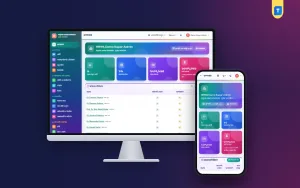
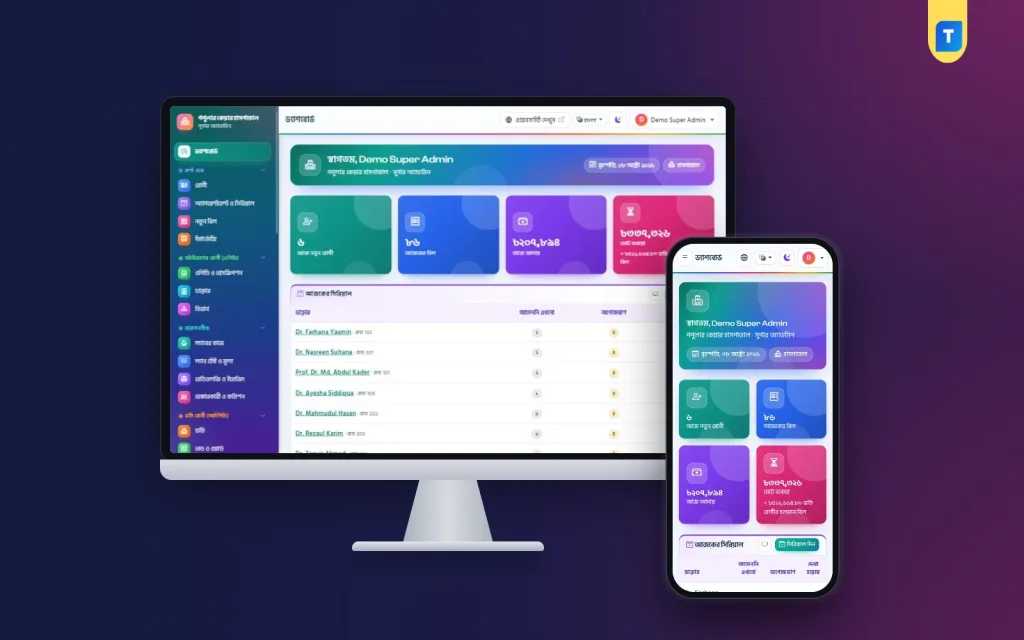
If you are comparing products, look at Hospital Management Software. It is a Bangla and English system for private hospitals, with 22 modules on top of patients, billing, users and settings. The Super Admin can switch any module off if the hospital does not use it.
From the product page, it includes:
- Patient registration with a QR patient card, and billing with discount, VAT, dues and refunds.
- Doctor serials, a waiting-room TV queue screen and a prescription writer with QR check.
- A colour bed board, admission, nursing vitals and medication charts, and a discharge summary.
- An operation theatre board with a pre-op checklist, emergency triage, blood bank and ambulance.
- Lab labels and verified QR reports with online download.
- Pharmacy POS with barcode and expiry-first stock.
- A patient website and portal with bKash and SSLCommerz.
It is a standalone web app, not a WordPress plugin. You install it from cPanel with a web installer, with no terminal or SSH, and each purchase works on one domain. SMS and online payment need your own accounts. For smaller facilities, the same family also has clinic and diagnostic centre versions. You can try the demo before you buy.
Starting without disturbing patient care
A hospital cannot stop for a week to learn a new system. A phased start is safer.
- Week one: install, set up users and roles, load the service price list and doctor schedules.
- Week two: train the front desk and run billing in parallel with the old method.
- Week three: switch on doctor serials and prescriptions.
- Week four: add lab and pharmacy.
- Later: wards, nursing, theatre and accounts, one at a time.
If you choose the Hospital Management Software above, you can switch on only the modules you need for each week. Name one person in each department as the system lead. They answer simple questions from colleagues and report problems to the vendor.
Data safety and privacy
Patient records are private. Treat the system as you would the paper files in a locked room.
- Give every person their own login. Never share one password.
- Use role permissions so that people see only what they need.
- Turn on two-step login for admins if the product offers it.
- Keep SSL on, so data travels in encrypted form.
- Run a daily backup, store a copy away from the server and test a restore.
- Remove access the day a staff member leaves.
- Show only first names on the waiting-room screen.
Mistakes to avoid
- Buying every module on day one and using none of them well.
- Skipping training for doctors and nurses.
- Entering old data badly, then trusting the reports.
- Not setting the price list correctly, which gives wrong bills.
- Letting one staff member hold all admin rights.
- Choosing by price alone, without a demo.
- Forgetting the cost of SMS and hardware.
If you want to read more on the technical side, the Laravel documentation is a good, reliable reference.
Frequently asked questions
What is hospital management system software used for?
It is used to run the daily work of a hospital in one place: patient registration, billing, doctor serials, prescriptions, lab, beds, theatre, pharmacy, accounts and staff.
What is hospital management software and is it the same as an HMS?
Yes. Hospital management software, hospital management system and HMS are three names for the same type of product.
Can a small clinic use a hospital system?
Yes, if the system lets you switch off modules you do not need. A clinic with no beds or emergency work can keep a short menu and add more later.
Do I need a developer to install it?
Not always. Some products install from cPanel using a web installer. Ask the vendor who does the set-up and how long it takes.
Is the data safe?
It can be, if you use role permissions, strong passwords, SSL and daily backups. Choose a system that supports all four.
Can patients use it too?
Many systems include a patient website or portal where people book serials, see reports and pay bills online.
What is hospital management system implementation like in practice?
Plan about four weeks for a phased start: set-up and billing first, then doctors, lab and pharmacy, then wards and accounts. Train staff in short sessions and appoint one lead per department.