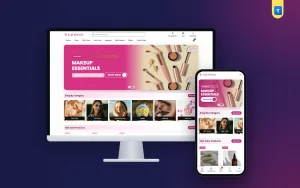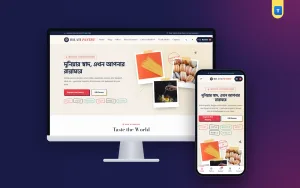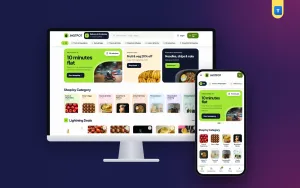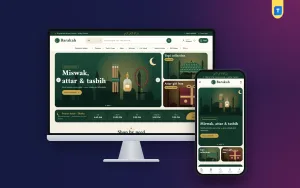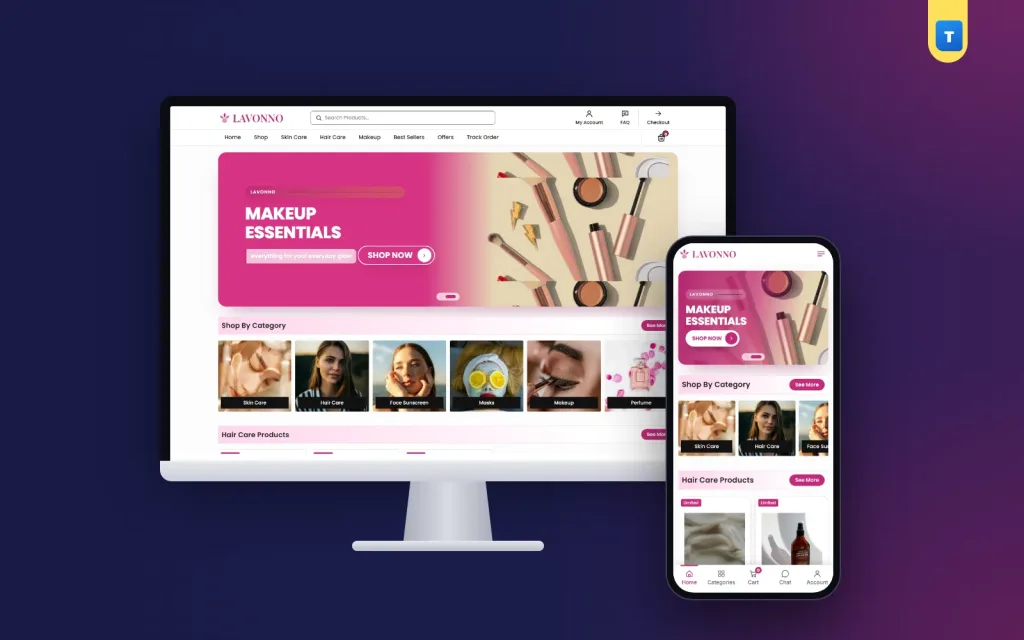
Good beauty products website design starts with one fact: a buyer cannot touch, smell or test a cream through a screen. Your website has to do the job a shop assistant does at the counter. It must show what the product is, who it suits, how to use it and why it is genuine.
This guide covers photos, categories, product pages, filters, checkout and the daily habits that help a skin and hair care shop in Bangladesh get repeat orders.
Every idea here is simple and cheap. Pick the ones that fit your shop, try them for a few weeks, and keep what works.
Why beauty products website design is different
A buyer of a phone cover cares about size and colour. A buyer of a face serum cares about her skin. She worries about breakouts, fake products and wasted money. That makes beauty shopping slower and more careful than most online shopping.
- Trust comes first. Fake creams are a real fear, so every page must show that your stock is original.
- Skin and hair types matter. The same sunscreen can be perfect for oily skin and wrong for dry skin.
- Buyers come back. Shampoo, sunscreen and moisturiser run out every month or two.
The answer is clear information. When each product page answers the same questions in the same place, buyers learn your shop fast and order again without asking.
Build the shop around the daily routine
Most care buyers think in steps: cleanse, treat, moisturise, protect. Hair buyers think in wash, condition, treat. Your categories should follow that thinking, not your supplier list.
A simple set of main categories works for most shops: Skin Care, Hair Care, Face Sunscreen, Masks, Makeup and Perfume. Six is enough for a small store. You can add Body Care or Men's Care later when you have real stock for them.
Show the categories as photo tiles near the top of the homepage. Tall portrait photos suit beauty products well, because bottles and tubes are taller than they are wide. Put the name on a dark bar along the bottom of each tile so it stays readable on any photo.
Product rows by routine
Below the categories, add rows of products grouped by need: Skin Care Products, Hair Care Products, Best Sellers and Limited Products. Each row should have a "See More" link to the full list. Five cards per row on a laptop and two on a phone keeps the page tidy.
Smart beauty products website design puts the routine on the homepage itself. A buyer who scrolls past cleanser, serum, cream and sunscreen in one row starts to think of a full routine, not one bottle.
Photos that build trust
Photos are the most important part of a beauty store. They have to look clean and honest at the same time.
- Shoot every product on the same plain background, white or very light pink.
- Show the front of the pack with the name and size readable.
- Add a second photo of the back label, with ingredients and the expiry date.
- Add a texture photo: a swipe of cream, a drop of serum or a line of lipstick on skin.
- Keep photos square for the product cards, 800 to 1200 pixels wide.
Do not use heavy filters on texture shots. A buyer who gets a beige cream after seeing a white one in the photo will not trust your next picture.
Model photos and promo tiles
Use one or two model photos in the hero slider and promo tiles, not on every product. Three soft pastel tiles, each pushing one hero product such as a sun stick, a lipstick and a moisture cream, give the homepage colour without hiding the products.
Product pages that answer skin questions
A buyer on a product page has a short list of questions. Answer them near the top, before the long description.
- What is it, and what size is it?
- Which skin or hair type is it for?
- What are the main ingredients?
- How do I use it, and how often?
- Is it original, and when does it expire?
- How fast can I get it, and can I return it?
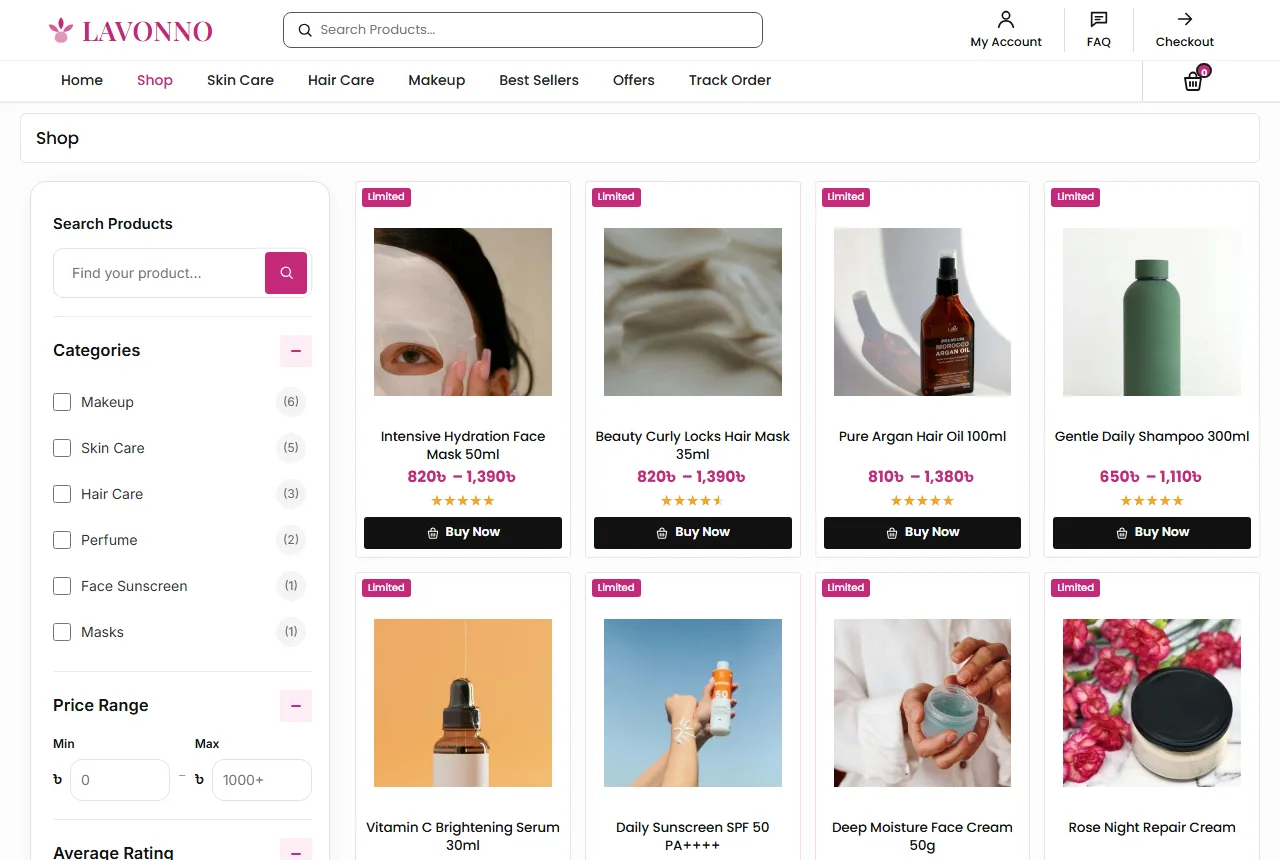
Write the title in one pattern: product type, main benefit or ingredient, then size. For example "Vitamin C Brightening Serum 30ml" or "Gentle Daily Shampoo 300ml". Buyers compare size and price first, so put both where they can see them.
Sizes and combo packs
Many care products sell well in two sizes. Offer a regular size and a combo or value pack as option buttons on the product page. Buttons are easier to tap than a dropdown on a phone. Show the price change as soon as the buyer picks an option.
A good skincare website design also shows stock clearly. A small "In Stock" pill next to the price saves a lot of questions on Messenger.
Filters and search for a care catalogue
When a shop has more than fifty products, filters become the main menu. Add a filter card on the shop and category pages with:
- a search box for the shop;
- categories, or the current category on its own page;
- a price range in taka;
- average rating;
- stock status;
- on sale items.
Add Apply and Reset buttons. On phones, open the filters in a panel so they do not cover the products.
Put skin type, hair type and concern words in your product titles and tags, such as "oily skin", "dry hair" or "dark spots". Buyers type these words into search far more often than a product name.
Test your search every week. Type the ten words buyers use most, including Banglish words, and look at the results. If "sunscreen" shows a lipstick, fix the titles. Small fixes like this do more for beauty products website design than a new banner.
Reviews, FAQ and advice
Real reviews are the strongest proof a beauty shop has. Ask every buyer for a short review a week after delivery, when she has used the product. Reviews in Bangla are fine, and many buyers trust them more.
Show three review cards on the homepage with a photo, a name and the stars. On the product page, show a score card above the reviews list, so buyers see the average at a glance.
An FAQ block that saves chats
Write down the questions you answer every day on Facebook and WhatsApp. Is it original? How long is delivery? Which one suits sensitive skin? Can I return it? Put the answers in an FAQ block on the homepage, with your phone number and a WhatsApp button below it.
Offer advice openly. A line such as "Message us with your skin type and we will help you choose" turns a nervous visitor into a chat, and a chat often turns into an order.
Beauty products website design for phones
Most beauty orders in Bangladesh come from a phone, often on mobile data. Design the phone view first, then the desktop.
- A menu button, the logo and the cart in the top bar.
- A bottom tab bar with Home, Categories, Cart, Chat and Account.
- Category tiles in a row that scrolls sideways.
- Product cards two per row.
- Buttons big enough for a thumb.
Test the shop on a cheap Android phone over 4G. If the homepage feels slow there, it is slow for most of your buyers. A clean beauty products website design loads fewer heavy pieces and keeps buyers scrolling.
Keep the shop light
Every extra second of loading costs orders. Compress photos before upload. Use a shop theme with small files instead of a heavy page builder. Keep plugins few, and remove the ones you do not use. System fonts load faster than web fonts if speed matters more than the font.
Checkout, delivery and payment in Bangladesh
A long checkout loses orders. Ask only what the delivery needs: name, mobile number, district, area and a short address line.
Show delivery charges early. Many beauty shops charge about ৳80 inside Dhaka and ৳120 outside Dhaka. Say this in the FAQ, on the product page and in the cart, so nobody feels tricked at the last step. Dhaka delivery in one or two days and outside Dhaka in two to four days is a common promise.
Packing creams, oils and perfume
Beauty parcels leak and break. Tape the cap of every liquid, put bottles in a zip bag, and wrap glass perfume in bubble wrap. In summer, keep creams and sunscreens out of hot vans when you can. A clean, well-packed parcel is the first thing a new buyer judges.
Cash on delivery is still the main payment method. Add bKash, Nagad and card payments with a payment plugin as the shop grows, and show the logos of what you accept near the Add to Cart button and in the footer.
Accounts, returns and repeat buyers
Repeat buyers are where a care shop earns its profit. Someone who bought a sunscreen in April will need another in June. A saved account makes that second order quick.
Make sign-up easy. A popup that accepts a Bangladeshi mobile number (01XXXXXXXXX) or an email with a password is enough. A wishlist and a Track Order page give buyers a reason to sign in again.
Fake cash on delivery orders cost real money. If they become a problem, ask buyers to sign in before checkout. It adds one step but cuts many orders that would never be received.
A fair return rule
Beauty items are hard to resell once opened. A common rule is a 7-day return on unopened, sealed products, and a free replacement if the item arrives damaged. Write it in plain words on the Return Policy page and link it from every product page.
Common mistakes in beauty products website design
- Photos with different backgrounds, sizes and lighting.
- Titles with no size, skin type or main ingredient.
- No back-label photo, so buyers cannot check ingredients or expiry.
- Delivery charges shown only at the last step.
- Product text copied from a supplier, word for word.
- Promises such as "removes all spots in 3 days" that no product can keep.
- Pop-ups on phones that hide the cart button.
Google's guide to helpful content is a good reminder here. Write product text for buyers, in your own words, and answer the questions they really ask. Honest claims also keep you safe with buyers who compare.
Seasons and content
Beauty shopping in Bangladesh follows the weather and the calendar. Before summer, move sunscreens and light gels to the top rows. In winter, move rich creams, lip balm and hair oil up. Before Eid and Pohela Boishakh, push makeup, perfume and gift sets in the hero slider.
A small blog helps too. Short guides such as a simple four-step skin care routine, how to choose the right sunscreen or how to make perfume last all day bring visitors from search and answer questions before they reach you. Link each guide to the products it mentions.
Seasonal beauty products website design does not need a new layout every month. Change the slider, the promo tiles and the order of the rows, and regular buyers will see a shop that is alive.
A launch checklist
- Every product has a front photo, a back-label photo, a clear title, a price and stock.
- Category tiles sit near the top of the homepage.
- Skin and hair types are in titles or tags.
- Filters work on every category page.
- Delivery charges and the return rule are visible before checkout.
- The FAQ block answers your top six questions.
- You placed three test orders from a phone.
Track a few numbers every week after launch: visitors, orders, average order value and returning buyers. Change one thing at a time, and watch whether the numbers move. Good skincare website design grows from small tests like these.
Turning these ideas into a shop with Lavonno
Beauty products website design is easier when the theme already follows these rules. The Lavonno skin and hair care theme for WordPress and WooCommerce has a rounded slider, portrait category tiles, product rows by category or tag, three pastel promo tiles, a promises strip, review cards, an FAQ block with a WhatsApp button and a blog block.
It also has a shop filter card with search, price, rating, stock and on sale, Regular and Combo Pack option buttons, a Buy Now button, and mobile number or email sign-in with a wishlist and a Track Order page. Every homepage block can be switched on or off. Import the demo, add your products, and you can take orders the same week.
Frequently asked questions
How many categories does beauty products website design need at the start?
Six main categories are enough for most new shops: skin care, hair care, sunscreen, masks, makeup and perfume.
What colours suit beauty products website design?
A soft pink, peach or sage with plenty of white works well. It lets product photos stand out.
Do I need online payment from day one?
No. Cash on delivery is enough at first. Add bKash, Nagad or cards later.
How many photos should each product have?
At least three: the front of the pack, the back label and a texture shot.
Should I write product text in Bangla or English?
Use the language your buyers search in. Many shops use English titles and add Bangla notes in the description.