Well-planned car showroom website design helps buyers compare models, understand running costs and book a test drive before they visit. A car is one of the biggest purchases a family makes, and electric vehicles add new questions about range, charging and battery life. A website that answers those questions clearly brings you buyers who arrive at the showroom informed and ready to decide.
This guide covers what a car or EV showroom website needs: model search, vehicle pages, specifications, calculators, charging information, trust signals, booking and mobile layout. It is written for EV showrooms, new and reconditioned car dealers and importers.
What car buyers look for online
Most buyers spend weeks researching before visiting a showroom. On your website they want to:
- See which models are available now and at what price.
- Compare key numbers: range or mileage, power, size, features.
- Understand the monthly cost if they pay in instalments.
- For electric cars, understand charging time and where to charge.
- Know about warranty, service and registration.
- Book a test drive or reserve a car without long phone calls.
Good car showroom website design puts each of these answers within one or two taps.
Model search on the homepage
Start the homepage with a simple search: body type (sedan, SUV, hatchback, pickup), budget and a featured or newest filter. Keep it to three choices with large, easy dropdowns. Below the search, show featured models with a photo, price and one or two key numbers such as range. This lets buyers start exploring in seconds.
Car showroom website design for vehicle pages
Photos and colours
Show the car from the front, side, back and interior, in each available colour. Use your own photos of cars in your showroom where possible; buyers trust what they can see in person.
Key specs as tiles
Put the most important numbers right under the price: range, 0–100 km/h, battery size or engine, seats and boot space. Tiles with large numbers are easy to scan on a phone.
Full specifications
Below, list everything in a clear table: dimensions, weight, charging times on home and fast chargers, safety features, comfort features and warranty.
Price and EMI
Show the full price and an EMI calculator where buyers can enter down payment and months to see the monthly amount. Many buyers decide by monthly cost, not total price.
Delivery, registration and warranty
Separate tabs or sections explain delivery time, registration steps and costs, warranty terms and service intervals.
Electric vehicle website design: explaining the switch
Many visitors are new to electric cars. Electric vehicle website design must teach as well as sell:
- A savings calculator. Let buyers enter daily distance and fuel price to see how much they save each month by driving electric.
- A charging page. Explain home charging, charging times, fast charging and where public chargers are.
- Battery and warranty facts. How long batteries last and what the warranty covers.
- Common questions. Rain and floods, long trips, running costs and resale.
When buyers understand electric cars, they stop worrying and start comparing models.
Planning the site structure
A car showroom website works best with a small set of clear pages. A structure that suits most dealers looks like this:
- Home: model search, featured models, why buy from you, savings calculator, customer stories and a call to action.
- Models: every car you sell, with filters for body type, budget and availability.
- Model pages: photos, spec tiles, full specifications, EMI calculator, test drive booking and delivery, warranty and FAQ sections.
- Charging: home charging, public charging, charging times and charger products.
- About: your company, showroom photos, team and service centre.
- Contact: showroom addresses, phone, WhatsApp, map and opening hours.
- Policies: booking and refund, warranty, delivery and registration, privacy and terms.
Keep the main menu to five or six items. Visitors should never feel lost, especially on a phone.
Comparing models side by side
Buyers often narrow their choice to two or three models and then compare them closely. Help them by using the same spec fields in the same order on every model page, so differences are easy to spot. A short "who this car suits" line on each page, such as "ideal for city commuting and small families", helps buyers match a model to their needs. If two models are very close, explain the real difference in one sentence instead of leaving buyers to guess from numbers.
Consistency matters in car showroom website design because buyers move between pages quickly. When every page follows the same pattern, they can compare without frustration and they spend more time on your site instead of a competitor's.
Writing model descriptions
Model descriptions should be short and practical. Open with who the car is for and its biggest strength: "A compact electric SUV with 480 km of range, made for families who drive between cities." Then cover comfort, safety and technology in plain words. Avoid copying long brochures; buyers want your honest summary. For used or reconditioned cars, add the year, kilometres driven, condition and service history. Accurate, honest descriptions reduce wasted visits and build a reputation that brings referrals.
Booking test drives and reservations
The website should make the next step easy:
- Test drive booking with date, time and branch on every car page.
- Online reservation with a booking amount that holds the car.
- Accounts with a mobile number or email so buyers can see their bookings.
- Call and WhatsApp buttons for buyers who prefer to talk first.
Confirm every booking quickly by phone. A fast, personal response often decides which showroom gets the sale.
Trust signals for car dealers
- Showroom address, map and photos.
- Authorised dealer details if you represent a brand.
- Warranty and service centre information.
- Customer stories with photos of delivery day.
- Clear policies for booking, cancellation and refunds.
Accessories and chargers
Sell home chargers, cables, floor mats and other accessories as normal products next to the cars. Buyers who just reserved a car are very likely to add a home charger, and a clear accessories section raises the value of every sale.
Designing for phones
Most car research happens on phones. On small screens, keep the model search simple, show spec tiles large and readable, make the EMI calculator fit the screen and keep call and WhatsApp buttons always visible. Test every page on a mid-range Android phone.
Speed with large photos
Car photos are big and beautiful, and they can slow a site down. Resize and compress every image, avoid heavy page builders and load galleries only when needed. Google's guide to Core Web Vitals explains why fast, stable pages matter for both visitors and search.
Common mistakes
- No prices. "Call for price" sends buyers to competitors.
- Missing range or charging info for electric cars.
- Stock photos of cars you do not have.
- Sold cars still listed as available.
- Brand logos you are not authorised to use.
Photography in the showroom
Professional car photos are expensive, but good photos are possible with a phone and some care. Clean the car thoroughly, park it in an uncluttered spot with even light and shoot in the morning or late afternoon. Take the classic set for every car: front three-quarter, side, rear three-quarter, front, rear, dashboard, front seats, rear seats, boot and charging port. Keep the same order and framing for every model so the site looks consistent. Avoid dramatic filters that change the paint colour; buyers want to see the real shade they will drive home.
Electric vehicle website design for after-sales
For electric cars, the relationship continues long after the sale. Use the website to support owners with a service booking form, a charging guide, battery care tips and answers to common questions about software updates and tyre wear. Owners who feel supported recommend you to friends, and that word of mouth is the strongest marketing a showroom can have. Good electric vehicle website design therefore includes an owners' section, not only a sales section.
Financing and trade-in
Many buyers need financing or want to trade in their current car. Explain both clearly on the website. For financing, list the banks or partners you work with, the documents needed and a typical approval time, and link the EMI calculator. For trade-in, offer a simple form where owners enter their current car's make, model, year and kilometres, and promise a valuation call within a day. Handling these questions online removes two of the biggest obstacles to buying and brings buyers to the showroom with fewer doubts.
Helping buyers switch to electric
Switching from petrol to electric is a big step, and many buyers have the same worries. A short "Thinking about electric?" page can answer them in plain words: how far the car goes on one charge, how long charging takes at home, what happens during floods, how long the battery lasts and what servicing costs. Use real numbers from the cars you sell and avoid exaggerated claims. Honest answers build trust, and buyers who feel informed are much more likely to book a test drive.
Add a few owner stories with photos, in which local drivers describe their daily use and real running costs. Stories from people like them convince buyers far more than specifications alone, and they give your site warm, original content that search engines value.
Your first month online
Launch with the models in stock, each with your own photos, exact prices, complete specs and range figures. Set a realistic EMI rate and test the calculators on a phone. Write one blog post answering the question you hear most at the showroom, such as home charging costs. Share each model page on social media with a short walk-around video. Answer every test drive request the same day. After a month, look at which models and filters are used most, feature those models in the hero, and improve the pages that get views but few bookings.
Measuring what works
Track which models get the most views, how many test drives each one generates and how many bookings follow. Models with many views but few test drives may need clearer prices or better photos. If the savings calculator is used a lot, feature it more prominently. Good car showroom website design improves month by month as you learn what buyers care about.
Frequently asked questions
Should I show prices online?
Yes. Buyers compare prices before visiting, and hiding them usually loses the sale.
Is an EMI calculator worth adding?
Yes. Many buyers think in monthly payments, and a calculator answers that instantly.
How much charging information do I need?
At least home charging time, fast charging time and where public chargers are. A dedicated charging page helps first-time EV buyers most.
Should I list reconditioned cars with new ones?
Yes, as long as each listing clearly states the condition, year, kilometres and warranty. A filter for new and reconditioned helps buyers see only what they want.
How often should I update stock?
Every day. Mark sold cars immediately and add new arrivals as soon as they reach the showroom, with fresh photos.
Do customer stories really help?
Yes. Short stories with delivery-day photos show that real people buy from you and are happy with the result, which is one of the strongest trust signals for a showroom.
Can I sell accessories on the same site?
Yes. Chargers and accessories fit naturally next to the cars and raise the value of each sale.
Starting with Bidyut
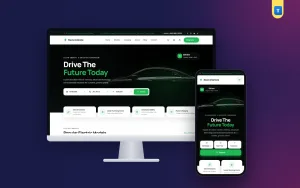
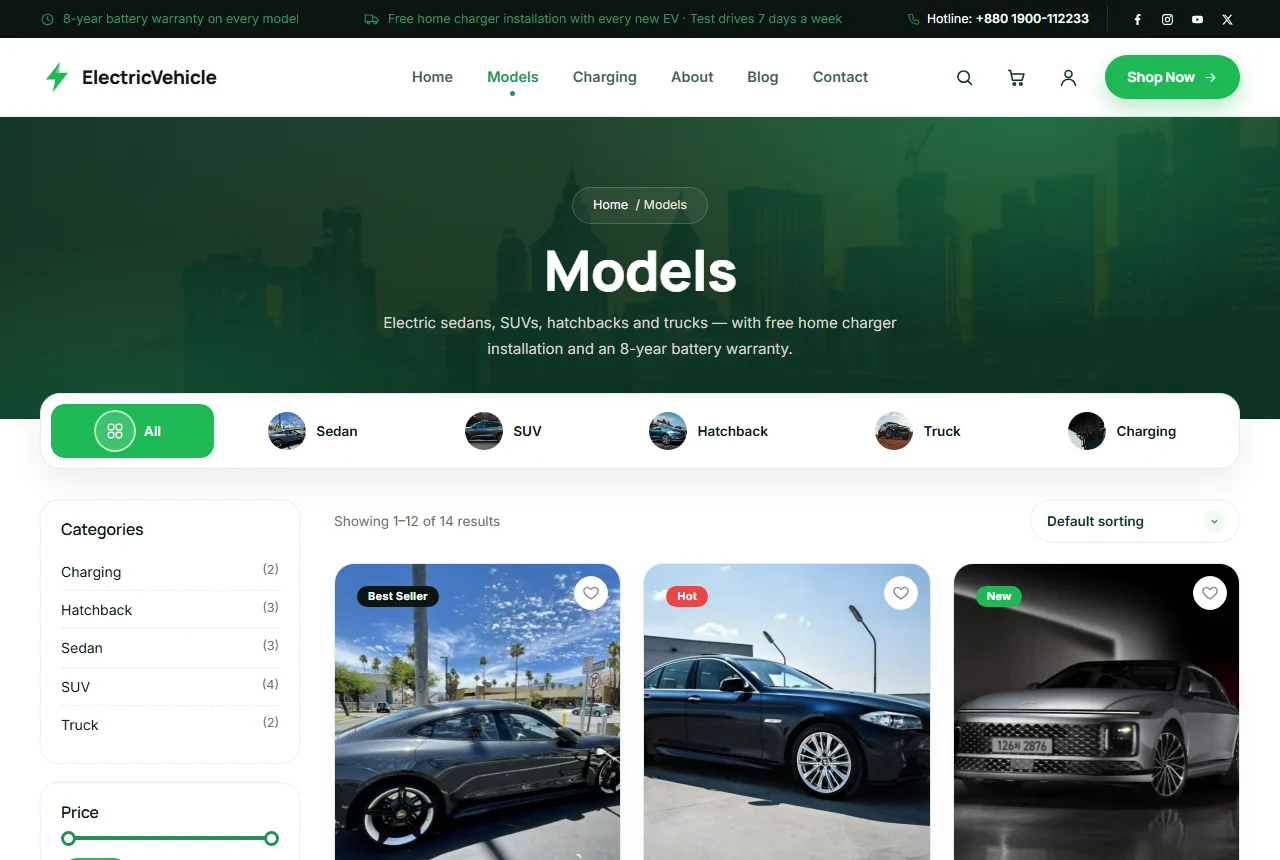
If you want a ready design built on these ideas, Bidyut is our car dealer WordPress theme for EV showrooms. It has a model search on the homepage, key spec tiles, an EMI calculator, a savings calculator, charging and warranty information and online booking through WooCommerce. The demo includes 12 cars in 4 body types and 2 chargers.
Whatever you choose, good car showroom website design comes down to clear numbers, honest information and an easy next step. Start with the cars you have in stock, keep every number accurate and every promise realistic, and let each satisfied driver become a story on your website that helps the next family decide with confidence.