A good cctv shop website design template does more than show camera photos. It has to help a shop owner, an office manager or an installer pick the right kit, trust your warranty, and order without a phone call. That calls for a layout built around specs, departments and clear service details.
This guide explains how to plan and build an online store for CCTV, networking and office equipment. It covers the homepage, product pages, installation services, payments and couriers for Bangladesh, a launch checklist and common mistakes.
Who buys CCTV and office equipment online
Your customers are often not casual shoppers. They know what they need, or they are about to ask someone who does. Typical visitors include:
- Shop owners who want four or eight cameras over the shutter and a recorder inside.
- Office managers fitting out a new floor with Wi-Fi, switches, printers and power backup.
- Home owners who want a few cameras for a gate or a roof.
- Installers and technicians who buy in bulk and need stock by tomorrow.
- Schools and clinics that need a full set of equipment with a clear quotation.
These people care about specs, warranty and installation. They compare resolution, lens type, storage and night vision. Your design should put those facts up front and keep decoration modest.
Plan your cctv shop website design template choice first
Many owners pick a design and then squeeze their stock into it. A short planning session on paper works better.
- List your product groups: cameras, recorders, kits, routers, switches, UPS, printers, scanners, projectors and accessories.
- Choose two or three main departments for the homepage, for example CCTV, networking and printing.
- Pick 25 to 40 products to feature first.
- Write your warranty terms, delivery area and installation policy.
- List your payment methods and your courier.
- Collect clear product photos on a plain background.
This list also shows you early where you lack photos or specs, which is the most common delay.
Be honest about what you sell. A shop that sells only cameras needs a different homepage from one that supplies a whole office.
What a cctv shop website design template needs on the homepage
The homepage should send each visitor to the right department in one or two scrolls. A dependable order looks like this:
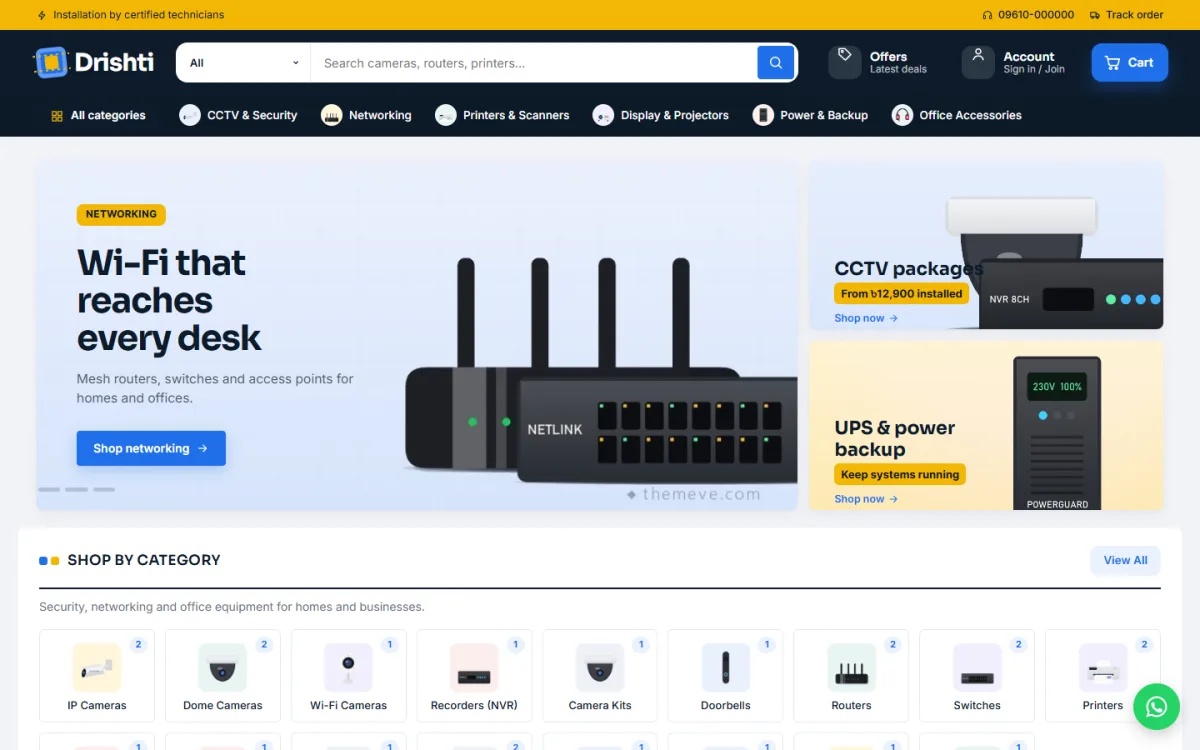
- A slim offer line, for example a free site survey in your city.
- A header with a long search bar and a category picker, so people can search within cameras only.
- A dark category bar for quick jumps to cameras, routers or printers.
- A main slider with one clear message and two side banners.
- Picture tiles for categories, with product counts.
- Department sections, each with a wide banner and a set of products.
- Product rows for new arrivals and best sellers.
- Deals of the week with a countdown.
- An "About the store" block with short ticks about warranty, installation and support.
- A footer with address, phone number and policies.
Keep each block optional. You will want to switch off sections when stock runs out, or change the order before a busy season.
Department blocks for security, networking and printing
Department blocks are the heart of a security and office store. Each one pairs a banner with a short set of products. A visitor who came for a dome camera sees cameras, recorders and kits together. The office buyer scrolls on to routers and printers without digging through menus.
- Give each department a clear banner message, such as "Complete 4-camera kits".
- Show four to eight products per block.
- Link the banner to the department page.
- Use the same card style in each block so the page feels calm.
Three departments is a good number, and it is easy to keep tidy. More than that and the homepage turns into a catalogue.
Product pages in a cctv shop website design template
Security buyers read specs, so any cctv shop website design template you use should make them easy to scan. A product page for a camera or recorder should be built for that habit. Use this order:
- A clear title: brand, model, type and resolution.
- Photos of the product, the box contents and the mounting.
- Price, old price and stock status.
- Three to five key specs in a short list near the price.
- Full specs grouped under headings, such as Video, Lens, Storage, Network and Power.
- Warranty length and what it covers.
- Delivery time and installation options.
- Related items: cables, hard drives, power adapters and mounts.
Grouped specs make it easy to compare two models. A square product card with the main specs shown on the card itself saves the buyer from opening every page.
Show your installation and survey services
For many customers, the product is only half the purchase. They also want someone to fit it. If you offer installation, say so on the homepage, on product pages and in a dedicated page.
A good installation page covers:
- Which areas you serve.
- What is included: mounting, cabling, setup, phone app access.
- Typical time for a 4-camera or 8-camera job.
- Whether a site survey is free, and how to book one.
- Your service or maintenance plan after fitting.
Do not list prices you cannot keep. A range such as "from 2,500 taka per camera for standard cabling" is more honest than a single low number that changes at the visit.
Add a setup guide page too. Short, plain guides on viewing cameras on a phone, resetting a recorder or checking a hard drive cut support calls and make your shop look careful. Use numbered steps and a few screenshots, and keep each guide under 400 words. Short guides on viewing cameras on a phone reduce support calls.
Warranty, trust and proof
Customers spending 30,000 taka on a security system want to know you will still be there next year. Build proof into the site.
- Show your shop address, trade licence and a working phone number.
- Explain warranty terms in plain words, with the claim process.
- Name the brands you are an official dealer for, only if it is true.
- Add photos of your own shop, team and completed jobs, with permission from clients.
- Publish return and replacement rules.
- Keep every claim honest. Never make up reviews or client logos.
A simple page titled "Our warranty" with three short paragraphs does more for trust than a banner full of badges.
Payments and couriers in Bangladesh
Equipment orders range from a 600 taka cable to a 90,000 taka system. Your checkout should handle both.
- bKash and Nagad for fast payments, with the transaction ID recorded.
- A card gateway such as SSLCommerz for larger orders.
- Cash on delivery for small items.
- Manual bank transfer or a quotation for large projects.
For delivery, connect a courier such as Steadfast or Pathao. Cameras and recorders are fragile, so ask for good packing and state the delivery time for each area. Send a tracking link with the order confirmation.
For bulk and project orders, add a "Request a quote" link near the cart. Many business buyers prefer a written quote.
Bulk orders and quotations
Business buyers rarely add ten cameras to a cart and pay by card. They ask for a quote, compare it with two others, and then place a larger order. Make that path easy.
- Add a "Request a quote" button on department pages and on kit products.
- Ask for only what you need: name, phone, location, number of cameras and the type of building.
- Reply within one working day, even if only to confirm a visit date.
- Send the quote as a clear list with model names, quantities, unit prices and the warranty.
- Offer ready kits, such as a 4-camera home kit and an 8-camera shop kit, with fixed prices.
Ready kits are especially helpful. A first-time buyer does not know how much storage or cable they need. A kit takes that decision away and makes the order simple.
Speed and mobile use
Even technical buyers often start on a phone. Check your site on a small screen and a slow connection.
- Resize and compress product photos.
- Use no more than three slides in the main slider.
- Keep the search bar visible on all pages.
- Make tap targets large enough for a thumb.
- Test checkout on two different phones.
Slow pages push away exactly the people who are ready to buy. Choosing a cctv shop website design template with light blocks and few effects helps here, since every extra animation adds load time on a weak connection.
A ready-made option: Drishti
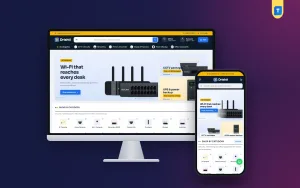
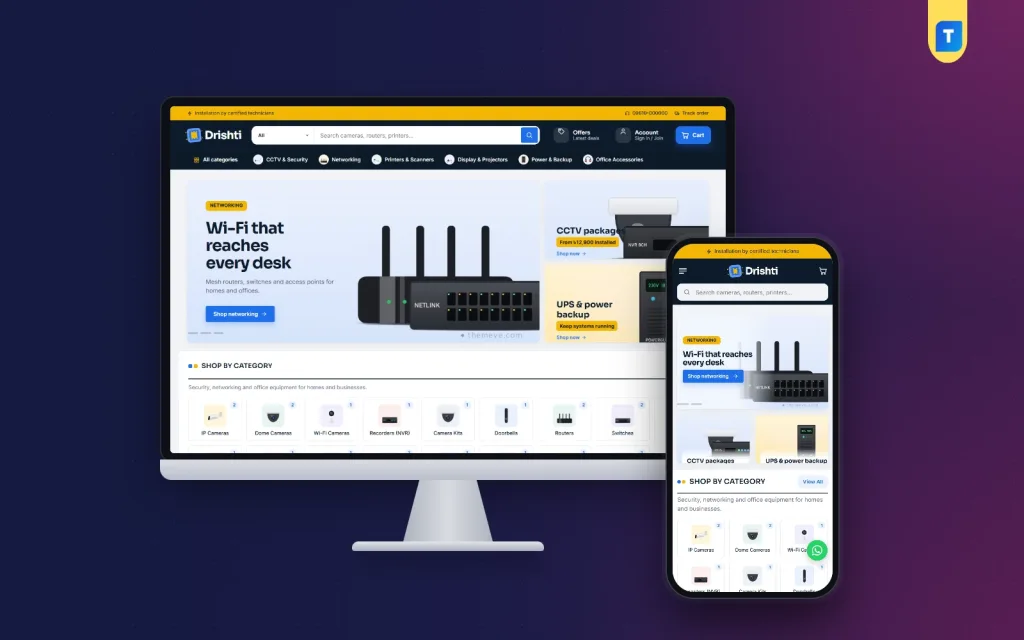
If you want a starting point, Drishti is a WordPress theme made for CCTV, networking and office equipment stores. It uses a navy and signal-blue design that looks sharp and serious, which suits a security supplier.
The parts that match the advice above:
- A long header search with a category picker.
- Three department blocks, each with a banner and products.
- 19 homepage blocks that you can switch off or re-order.
- An About the store text block with ticks.
- Deals of the week with a countdown.
- Square product cards with key specs.
- Grouped specifications with warranty details, and a Compare page for two products.
- Five colour palettes and eight font pairs.
- A demo with 23 products from 6 brands, which are samples you replace with your own.
- bKash, Nagad, SSLCommerz and cash on delivery, with Steadfast and Pathao courier and order tracking.
The shop plugin is bundled, so you do not need WooCommerce. It is a practical base if you want a cctv shop ecommerce website design that is ready to fill with your own stock. See the Drishti product page for the full list and the live demo.
Launch checklist
Before you announce the shop, check each item:
- Titles show brand, model, type and resolution.
- Every product has a price, photos and grouped specs.
- Warranty terms appear on every product page.
- Installation, survey and setup guide pages are live.
- Test orders work with bKash, Nagad and cash on delivery.
- The courier sends a tracking link.
- Contact, return and privacy pages are published.
- The phone number is a real, answered line.
- The site opens quickly on mobile data.
Place one real order from your phone and follow it to the door. You will find something small to fix.
Common mistakes to avoid
- Specs hidden in images. Buyers cannot search or copy them.
- No installation details. Many buyers leave to ask elsewhere.
- Too many departments on the homepage. Pick three.
- Vague warranty text. Say who gives it, how long, and how to claim.
- Copied descriptions. Write your own short, accurate text.
- Missing delivery times. Fragile goods need clear promises you can keep.
- Stale offers. Remove expired deals the day they end.
Keep your product data tidy as the range grows. Use the same naming pattern for every camera, such as brand, model, megapixels and lens type. Consistent names make search and filters work well, and they make your own stock checks quicker.
After launch, review the shop monthly. Look at which departments get visits, which products are added to cart but not bought, and which questions customers keep asking. Then add an answer to the page.
If you want to read more on the technical side, the official WordPress documentation is a good, reliable reference.
Frequently asked questions
What should a cctv shop website design template include?
It should include department sections, a search with a category picker, spec-first product cards, grouped specifications, warranty details and pages for installation and setup.
Why use a cctv shop website design template instead of a custom build?
It costs less and takes days instead of months. You still choose your colours, fonts and block order, and you add your own products.
Is one template enough for cameras, routers and printers?
Yes, if it has flexible department blocks. Each block can feature a different group of products with its own banner.
How do I show installation services on the site?
Use a banner, a short ticked list on the homepage and a separate installation page. Say what is included and how to book a survey.
Can I run a full cctv shop ecommerce website design without WooCommerce?
Yes. Some themes, including Drishti, bundle their own shop plugin for cart, checkout, payments, couriers and orders.
Which payment methods suit a security equipment store?
bKash, Nagad and cash on delivery for small orders, a card gateway for medium orders, and bank transfer or a quote for large projects.
Do I need coding skills to rearrange the homepage?
No. A good theme lets you switch blocks on or off and change their order from the WordPress dashboard.