Clothing store website design for a family shop has one special problem: nobody buys for just one person. A mother shopping for Eid is picking outfits for her husband, her children and sometimes her in-laws, all on one budget. A design that treats every purchase as a single item makes that job slow and tiring.
This guide shows how to build a site around the family list instead. You will find layout ideas, planning tools, price tiers, product page tips, checkout steps and a launch checklist, all written for small and mid-size shops in Bangladesh.
How families really shop for clothes
Watch how a family buys in a physical shop and you learn most of what your website needs. They come together or send one person with a list. They compare prices. They want pieces that suit each other. They worry about sizes for children who grow fast.
- They buy in sets. One occasion, several people, one total.
- They work to a budget. The budget changes with the occasion: daily wear, Eid, a wedding, winter.
- They want to match. Colours and styles that look good together in a photo.
- They need many sizes. From baby to grandparent, plus plus-size and school wear.
- They trust people they know. A homely, familiar look helps.
Write these five points on a card and keep it beside you while you plan. Every design choice below comes from one of them.
Clothing store website design ideas for the homepage
The homepage should give a family two things quickly: a way to start shopping by person and a sense that your shop is trustworthy. A simple order works well.
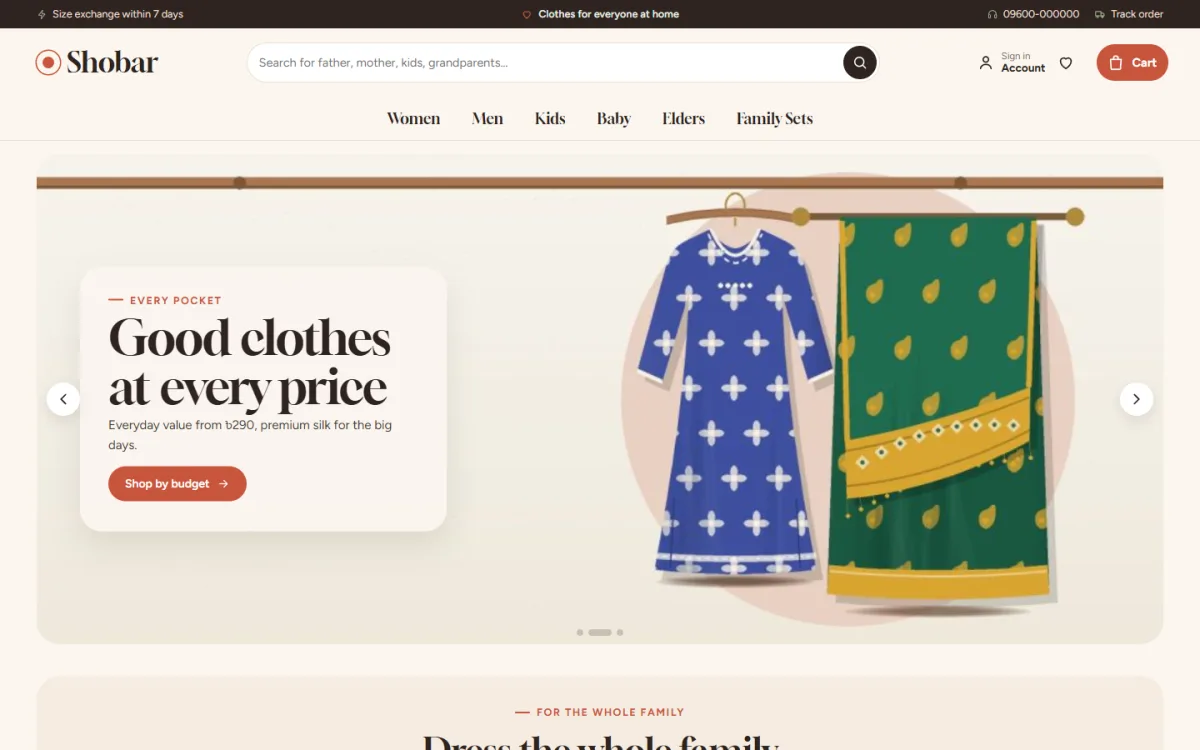
- Hero: a warm family photo with one line and one button.
- Shop by person: father, mother, son, daughter, baby, grandparents.
- Shop by need: plus sizes, elder wear, school wear, winter wear.
- Price tiers: everyday value, smart picks and premium.
- Matching sets: outfits that go together, with the total price.
- New arrivals and best sellers.
- Trust strip: delivery, exchange, cash on delivery, payment options.
- Reviews and footer.
This order is the base of most clothing store website design that works for families. Keep each block short. Two rows of products are enough. A shopper who wants more will tap the category.
Build a "dress the whole family" planner
The best idea for a family shop is a planner. It turns many searches into one. Here is how it works and how you can build the same thing in any way that suits your tools.
- Show chips for each family member: father, mother, son, daughter, baby, grandpa, grandma.
- Add tabs for the occasion: Eid, wedding, daily, winter.
- When the shopper picks who and what for, show one best-selling item for each person.
- Add up the prices and show one total.
- Let the shopper swap any item or add the whole set to the cart in one tap.
The planner needs good tags. Tag every product with the person it is for and the occasion, once, when you add it. After that the planner fills itself. Without tags, any planner turns into a manual job.
Clothing store website design for matching and sets
Matching is a selling point in a family store. Many parents love dressing the family in the same colour for Eid or a wedding. Show it clearly.
- On each product page, add a "Match the family" block with pieces for the other members.
- Group by occasion, so a mother looking at her Eid three-piece sees the panjabi for her husband and frocks for her daughter.
- Show the price of the full set next to the single price.
- Keep sizes visible for each piece.
- Photograph matching sets together at least once a season.
This one block does the work of a good salesperson in a physical shop. It suggests the next item without pushing.
Price tiers for every pocket
Families shop to a budget, and the budget changes by occasion. A shopper may spend little on daily wear and much more for a wedding. Make your price ranges visible.
- Everyday value: low-priced basics for daily use.
- Smart picks: mid-range items with good quality for the price.
- Premium: special occasion pieces.
Show these as three tabs on the homepage, with a short note on each and about eight best sellers per tab. The note can be one line, such as "Good cloth, fair price, for every week". Do not label the cheap tab with a word that sounds poor. Value sounds better than cheap.
Shop by need, not only by category
Some shoppers do not think in categories. They think in needs: "something for my father, he is big", "school uniform", "warm clothes for my mother".
- Plus sizes for men and women.
- Elder wear with easy fastenings and soft cloth.
- School wear for each age group.
- Winter wear: cardigans, shawls, jackets.
- Gift ideas under a set price.
These pages bring in search traffic as well. A page named "plus size panjabi for men" matches how people actually look for things.
Clothing store website design for product cards and pages
In a family store, a product card must show who the item is for. Without that, shoppers waste taps.
Product cards
- A "who it is for" chip: Men, Women, Girls, Boys, Baby, Elders.
- Photo, name, price, old price if on sale.
- Size and colour choices.
- A badge for new, sale or low stock.
Product pages
- Four photo angles, including a close-up of fabric.
- A fit meter, such as runs small, true to size or runs large.
- A delivery date estimate.
- A size guide for adults and one for children.
- A "Match the family" block.
- A short exchange policy near the button.
Children grow fast, so tell buyers how much room to expect. A line such as "Size up if between sizes" prevents many returns.
Write size help for children and elders
Size help needs more care in a family store than in a single-age shop. Give each group its own guide.
- Babies and toddlers: list by age in months and by height.
- Children: list by age in years and chest measurement, and say how much room to expect for growth.
- Adults: use chest, waist and length in inches or centimetres.
- Elders: note stretch, softness and easy fastenings, since comfort matters more than a tight fit.
Measure real garments on a table and publish those numbers. A chart copied from a supplier rarely matches the cloth you actually sell, and buyers soon find out.
Colour, type and mood for a family brand
A family brand should feel warm and reliable, like a tailor everyone in the neighbourhood knows. Loud neon colours do not help that feeling.
- Use earthy tones: terracotta, sage, cream, warm brown.
- Choose one serif heading font for character and one plain body font.
- Use round corners and soft shadows lightly.
- Keep photos natural, with families smiling in everyday places.
- Write in simple, kind language. Avoid slang and sales shouting.
Good clothing store website design also keeps the brand the same everywhere. Whatever colours you pick, repeat them on your Facebook page, packaging and invoices so the brand feels the same everywhere.
Checkout and delivery for Bangladeshi families
Families usually order several items at once, so the cart and the delivery step matter even more than in a single-item shop.
- Show the cart total and delivery charge early.
- Offer bKash, Nagad, card payment and cash on delivery.
- Let buyers save an address for repeat orders.
- Connect a courier like Steadfast or Pathao for slips and tracking.
- Allow exchange for one piece in a set without cancelling the whole order.
- Send an order confirmation with the list of items and sizes.
If a set includes sizes for children, repeat them in the confirmation message. It is easy to pick the wrong one while ordering in a hurry.
Photos that make a family shop feel real
These family clothing website design ideas work for a one-person shop as well as a larger store. Start with the planner and the size help, since they solve the two biggest problems for a family buyer: choosing for many people and getting the size right. Add the rest in stages as orders grow.
Handle returns kindly
Families sometimes order two sizes and send one back. Say so in your policy and make it easy. A shop that accepts an exchange without a fight earns the next Eid order. Write the steps as a short list:
- Contact us within three days of delivery.
- Keep the tag on and the item unwashed.
- Send the parcel back with the courier.
- We ship the new size as soon as it arrives.
Keep a simple record of who returned what, so you can learn which items run small.
People trust faces. A clothing store website design that shows real families wearing real clothes feels safer than one with only flat-lay pictures.
- Shoot a few family sets together each season.
- Use natural light and simple backgrounds.
- Show children and elders too, not only young adults.
- Include close-ups of embroidery, buttons and stitching.
- Compress images so pages stay fast on mobile data.
If you cannot hire models, ask friends and relatives. Honest photos with a plain background beat a stiff studio shot.
A ready-made option
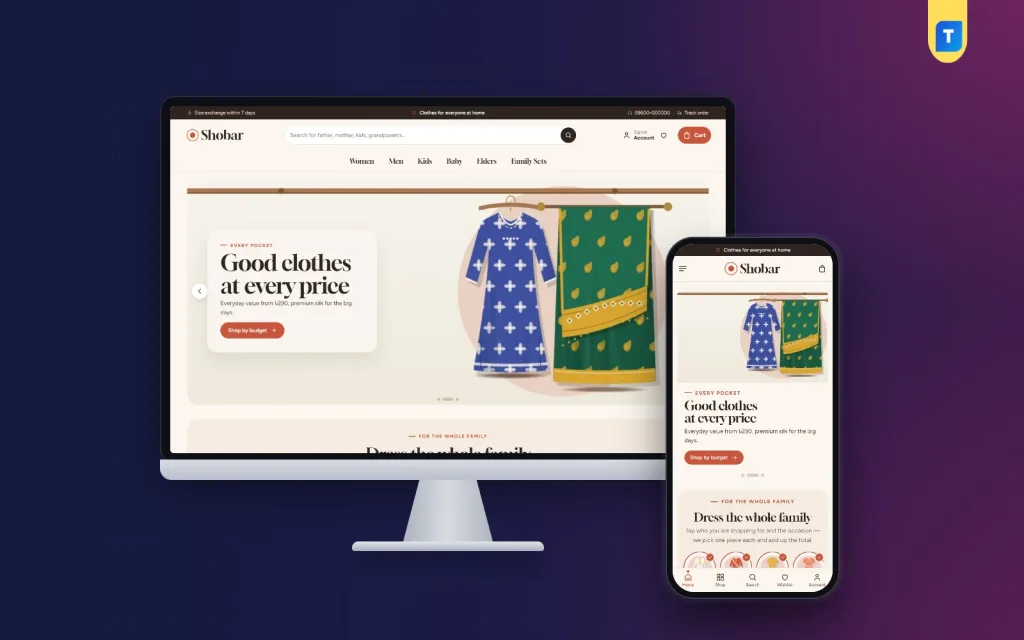
If you want to start from a layout built for this kind of store, Shobar is a WordPress theme made for shops that dress three generations. The shop runs on Themeve Commerce, our own plugin, which is included. You do not need WooCommerce.
Some features that match the ideas in this guide:
- A "Dress the whole family" planner with a total for everyone chosen.
- "Match the family" on every product page.
- Three price tiers shown as tabs.
- Shop by need: plus sizes, elders, school and winter.
- A who-it-is-for chip on every card.
- Four photo angles, a fit meter and a delivery date.
- 24 homepage blocks, 17 on by default, and a phone-friendly Theme Options dashboard.
- bKash, Nagad, SSLCommerz and cash on delivery, with Steadfast and Pathao courier support.
The demo has 37 products with matching family sets, so you can see the planner working before you add your own stock. Details are on the Shobar product page.
Mistakes to avoid and a launch checklist
Most weak shops make the same errors. Check your plan against these lists.
Common mistakes
- Treating every order as one item.
- No size guide for children or plus sizes.
- No label showing who a product is for.
- Hiding the price until the product page.
- Different photo styles for each product.
- Forgetting elders and plus sizes.
- Old Eid banners still on the homepage in July.
Launch checklist
- Every product is tagged with the person and the occasion.
- Photos, prices, sizes and descriptions are complete.
- Size guides for adults and children are correct.
- Payments tested: bKash, Nagad and cash on delivery.
- Courier connection prints slips and tracks parcels.
- Exchange and delivery pages are published.
- Contact details are in the footer.
- Mobile view tested on a real phone.
Plan the year around family occasions
A family clothing shop has a clear calendar. Prepare the homepage in advance so it always feels current.
- Eid seasons: matching sets, festive wear, early delivery notes.
- Wedding months: sarees, sherwani, gifts for the family.
- School start: uniforms and basics for children.
- Winter: shawls, cardigans, jackets, warm wear for elders.
- Quiet months: daily wear offers and new arrivals.
Set a reminder three weeks before each season to update banners, featured items and the planner. After the season, take the banners down. A site that still shows last Eid in the summer looks forgotten.
If you want to read more on the technical side, the official WordPress documentation is a good, reliable reference.
Frequently asked questions
What makes good clothing store website design for a family shop?
A good design lets families shop by person and occasion, shows matching sets with a total price, and offers size help for every age. Simple menus and fast pages matter too.
How do I show prices for different budgets?
Use three price tiers: everyday value, smart picks and premium. Show them as tabs with a short note and a few best sellers in each.
Do I need a custom clothing store website design?
No. A ready-made WordPress theme gives you a tested layout. You rename the labels, add products and set colours. Custom work only pays off for special features.
How do I help buyers pick the right size for children?
Give a clear size chart by age, add a note on fit, and tell buyers when to size up. A fit meter on the product page helps too.
Should family clothing website design ideas include matching sets?
Yes. Matching sets are a strong reason to buy several items at once. Show the outfits together with one total price.
Can a Facebook page seller move to a website easily?
Yes. Start with your best sellers, reuse your best photos and share the website link on your page. Keep taking Messenger orders while the site grows.