A good cosmetic website design template saves you weeks of work, but only if you choose it for the right reasons. A pretty demo is easy to find. A template that suits your products, your buyers and the way you sell in Bangladesh is harder.
This guide shows how to pick, test and set up a template for a skin care, makeup or beauty shop. It lists what the pages should contain, what to check before you pay, and the mistakes that cost sales. Near the end there is one premium option, in case you sell richer, higher-priced products.
What a template can and cannot do for you
A template gives you the layout: header, homepage blocks, product page, cart, checkout and account area. It does not give you good photos, honest product text or a clear offer. Those come from you.
Think of it like a rented shop unit. The shelves and lights are ready, but the customer still judges what is on the shelves. A plain template with excellent photos will beat a fancy template with poor ones.
So use the template to save time on structure, and spend your own time on:
- Clear product names and short, useful descriptions.
- Photos you took yourself, in one consistent style.
- A believable story: who you are, where the products come from.
- Easy delivery and return rules.
Decide what kind of beauty shop you run
Different shops need different layouts. Before you look at any template, place yourself in one of these groups.
- Everyday and value shop. Many products, low prices, lots of offers. You need fast search, filters and a busy homepage.
- Makeup shop. Shades matter. You need colour dots, swatches and a second photo on hover.
- Premium skin care. Few products, high prices. You need space, story and proof of value.
- Handmade or small-batch. Personal brand. You need a maker story and gift boxes.
- Reseller or boutique. Many brands under one roof. You need brand pages and clear category trees.
When you know your group, you can reject half the templates at a glance. A crowded, discount-style homepage will not suit a quiet premium brand, and a wide airy layout will waste space for a shop with 400 products.
How to judge a cosmetic website design template before you buy
Open the live demo and spend ten minutes on it. Do not only look at the homepage. Click through every step a buyer would take.
- Open the homepage on your phone. Does it load fast? Can you read the text without zooming?
- Open a category page. Are there filters? Is the grid easy to scan?
- Open a product page. Is there room for ingredients, how to use, texture and reviews?
- Add to cart and go to checkout. Is it short? Are the fields suitable for a Bangladesh address and phone number?
- Check the account page. Can a buyer see orders and track a parcel?
- Look at the admin side. Can you change colours, fonts and homepage order without code?
If the demo has a separate dashboard or admin preview, use it. A template that is easy for visitors but painful for you will cost time every single week.
Features that matter for beauty products
Cosmetics have needs that general shop templates miss. Look for these features and ask whether they are built in or need extra plugins.
- Ingredient and how-to-use areas on the product page.
- Size and shade variations shown as buttons or colour dots.
- Texture or finish information, because buyers cannot feel the product.
- Gift sets and bundles with a clear saving.
- Countdown deals with real stock bars.
- Review area that does not push the buy button far down the page.
- Sticky add-to-cart bar on phones.
- Quick search that finds products by name and concern.
Each extra feature should have a reason. Too many moving parts slow the site and confuse the buyer.
Check payments and delivery for Bangladesh
This is where imported templates often fail. A beautiful layout is useless if buyers cannot pay or you cannot ship.
Check that the template and its shop plugin support:
- Cash on delivery, which most first-time buyers still prefer.
- bKash and Nagad, either through Send Money instructions or a gateway.
- A card gateway such as SSLCommerz, if you want card payments.
- A courier link, such as Steadfast or Pathao, so you can book pickups from the order screen.
- A track order page, so you stop answering parcel questions one by one.
- Delivery charges by area, for example inside and outside Dhaka.
Ask the seller whether these are included or need paid add-ons. A low template price can hide a high total cost.
Cosmetic website design template layouts that work
Whatever style you choose, a few layout patterns work well for beauty shops. Use this as a checklist when you compare options.
- One clear hero. One message, one button. Not five banners fighting each other.
- A trust strip. Original products, delivery time, returns, cash on delivery.
- Category tiles. Large and named in plain words: Face, Body, Lips, Hair, Gifts.
- Best sellers. Eight to twelve items, with price and a quick add button.
- A guide block. A tool or a short article that helps people choose.
- Reviews. Short, real, with the product named.
- A simple footer. Contact, policies, payment icons.
A good cosmetic website design template lets you switch blocks on and off and drag them into a new order. That way you can test a new homepage in minutes instead of asking a developer.
Get beauty website design ideas, then make them your own
Looking at other sites is useful, as long as you use them for direction and not for copying. Here are ideas that often work:
- Swatch libraries. Show textures or shades as small chips so buyers can compare at a glance.
- Cost-per-day figures. Show how long a jar lasts and what it costs each day. Premium prices feel fairer.
- Routine builders. Morning and night steps in order, with products linked.
- Concern tiles. Dryness, dullness, spots, sun care.
- Ingredient pages. A short page on each hero ingredient, linked from products.
- Gift builders. Pick items, see a total, add the box.
Pick two or three that fit your range. Good beauty website design ideas are the ones your own buyers will actually use. Do not add all of them. A shop with a clear point of view looks more trustworthy than a shop with every trick.
Colours, fonts and photos for your cosmetic website design template
Style is where a template shows its character. Choose with care, because you will live with it for years. A cosmetic website design template should let you change these in minutes.
- Choose one main colour and one accent. Soft neutrals suit skin care, bold colours suit makeup.
- Keep contrast strong. Pale grey text on white looks elegant but is hard to read on a phone.
- Use two fonts: one for headings, one for body text. A serif heading font gives a premium feel.
- Check that the fonts display Bangla correctly if you write in both languages.
- Use square or 4:5 product photos at the same size throughout.
- Compress images to under 200 KB each.
The best templates offer several ready palettes and font pairs, so you can try a look in a minute and change it again next season.
A premium choice: Kuasha
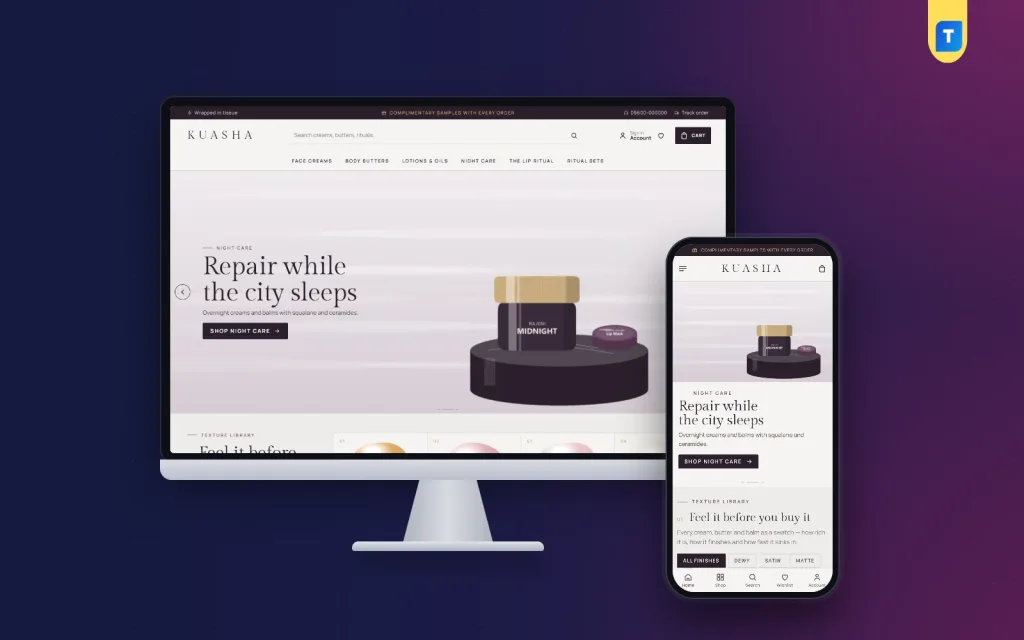
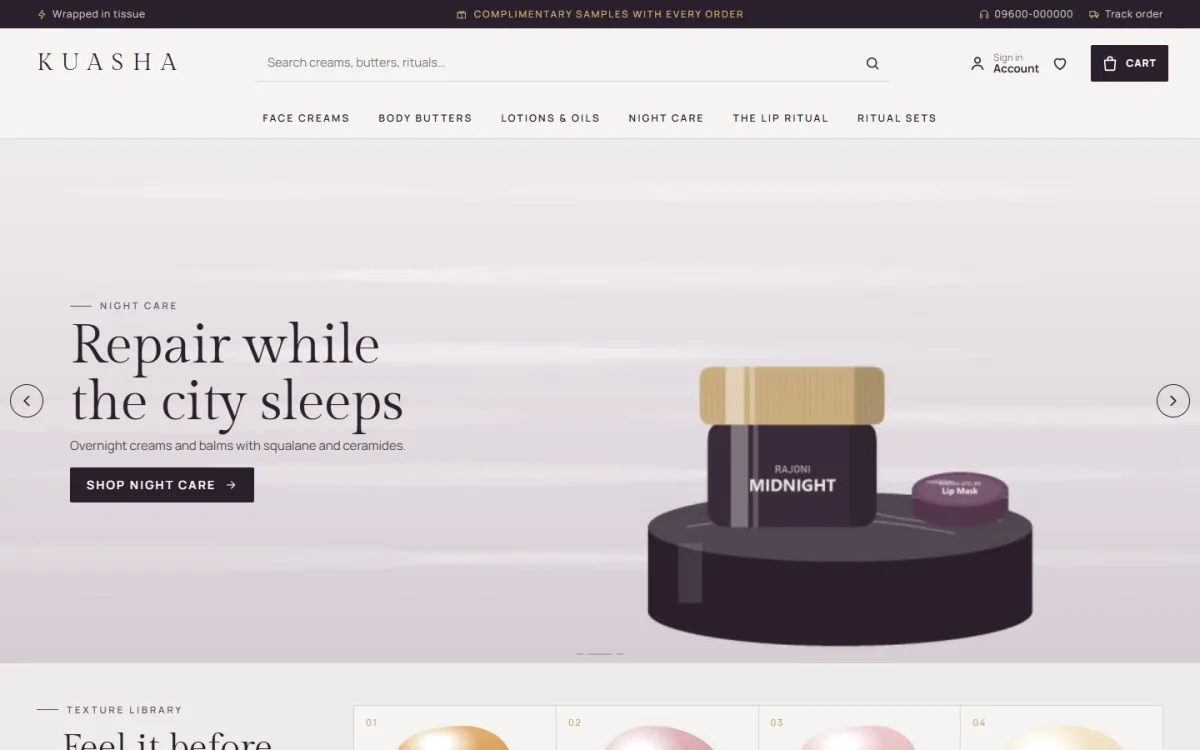
If you sell rich face creams, body butters, dry oils or gift sets, a quiet, editorial layout can suit you better than a loud one. Kuasha is a luxury skincare WordPress theme built for that kind of shop. It reads like a printed beauty journal, with numbered headings, square corners and tall arch categories.
Facts you can check on the product page:
- A texture library: each product appears as a swatch with finish and absorb time, with a finish filter.
- A ritual calculator that shows how many days and weeks a jar lasts and the cost per day.
- 24 homepage blocks to show, hide or re-order.
- A texture meter, ingredients and a ritual tip on each product.
- A winter edit with a countdown and stock bars.
- Five palettes and four serif font pairs.
- bKash, Nagad, SSLCommerz and cash on delivery, with Steadfast and Pathao courier and order tracking.
- A one-click demo with 27 products from 5 houses.
The Themeve Commerce shop plugin is included, so you do not need WooCommerce. Open the Kuasha demo and compare it with the checklist above before you decide.
What a template really costs
The price on the product page is only part of the bill. Before you pay, add up the whole first year so you can compare fairly.
- Template or theme. Usually a one-time fee, sometimes with yearly renewal for updates and support.
- Shop plugin. Some are free, some are paid, and some are already included.
- Hosting and domain. A yearly cost. Pick hosting with a data centre close to your buyers and good support.
- Payment gateway fees. A small percentage on each online payment.
- Photos. Your biggest hidden cost if you hire a photographer, but it pays back.
- Your time. Setup, product entry and testing take real hours.
A cheaper cosmetic website design template that needs three paid add-ons can cost more than a complete one. Ask what is included, and keep the answer in writing.
How to set up your template step by step
Once you have chosen, follow a clear order so nothing is missed.
- Install WordPress on good hosting and add an SSL certificate.
- Install the theme and the shop plugin it needs.
- Import the demo, so you start with a working shop.
- Pick a palette and font pair.
- Replace the logo, then the banners, then the categories.
- Delete demo products and add your own, starting with ten best sellers.
- Set up payments, delivery charges and your courier.
- Write the About, Delivery, Returns and Privacy pages.
- Place three test orders and fix whatever feels slow or unclear.
Do the work in this order. Writing product text early also helps you spot gaps in the template, such as a missing ingredient field. Many people start by editing colours and never finish the products or the policies, and those are what buyers read.
Mistakes to avoid when using a template
- Leaving demo text behind. Search the site for sample names before launch.
- Using stock photos of products you do not sell. Buyers compare them with the parcel.
- Installing many plugins. Each one slows the site and adds risk.
- Skipping the phone test. Most of your buyers will use one.
- Hiding delivery charges. Show them before the last step.
- Fake timers and fake scarcity. Use real end dates and real stock.
- Forgetting backups. Set up daily or weekly backups from day one.
Test the shop like a customer
Before you launch, ask two friends who have never seen the site to buy something. Watch them without helping. You will learn more in ten minutes than in a week of checking alone.
- Do they find the search box and the cart without help?
- Do they understand the delivery charge and time?
- Do they trust the page enough to enter a phone number?
- Do they stop at any field, button or word?
Write down every pause. Each one is a place where a real buyer may leave. Fix the top three, then test again with two new people.
Launch and grow
When the site is ready, tell your Facebook and Instagram followers, add the link to your bio, and offer a small welcome discount. Then watch what people do.
- Check which pages get visits and which carts are left behind.
- Add reviews with photos as soon as you have them.
- Write one helpful guide a month, about a concern your buyers ask about.
- Test one change at a time and keep what works.
A template is a starting point. Good results come from steady, small improvements and from treating the shop as a business, not a project.
If you want to read more on the technical side, the official WordPress documentation is a good, reliable reference.
Frequently asked questions
What should a cosmetic website design template include?
It should include a clear homepage, a product page with room for ingredients and texture, a short checkout, an account area and a track order page. It should also work well on phones and support local payments.
Is a free cosmetic website design template good enough?
It can be, for a very small shop. Check that it is updated, fast and supports the payments and courier you use. Paid templates usually include a tested shop, support and a demo you can import.
How many homepage blocks do I need?
Eight to twelve is plenty for most shops. A template with more blocks is useful only because you can switch the extras off and keep the page short.
Can I use one template for makeup and skin care?
Yes, if it has shade options, size variations and a flexible product page. Replace the demo categories and text, and keep one consistent photo style.
Do I need a developer to set it up?
Not usually. With a demo import and a theme options page, you can change colours, fonts and the homepage yourself. A developer helps with custom features and hosting problems.
Will a template help my Google ranking?
A clean, fast template gives you a good base, but ranking depends on your content, product pages and links. Write original product text and useful guides, and be patient.
Does the template work with WooCommerce?
It depends on the product. Some templates run their own shop plugin, which can be simpler. Read the product page to see which shop system is used and what it supports.