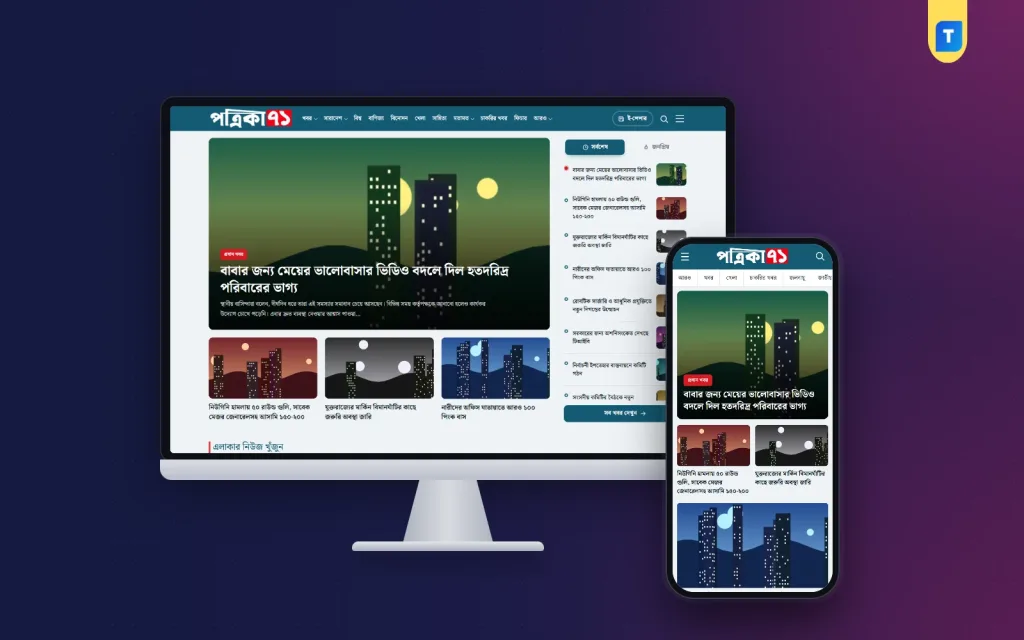
If you are wondering how to create a news portal website that people in Bangladesh actually return to, the answer has less to do with code than with four decisions: how you organise categories, how you cover local news, which Bangla fonts you use and how your team works each day. This guide walks through those decisions in order, for publishers, journalists and freelancers starting a portal from scratch.
Each step ends with how a ready theme can handle it. Our example is Bangla News Pro – Bangla News WordPress Theme, built for news portals, online newspapers and local news websites and run from one theme dashboard, so you can launch without writing code. You can follow the planning steps with any theme, but a concrete example makes each choice easier to picture.
How to Create a News Portal Website: Start With Your Readers
Before categories or colours, decide who you are writing for. A national portal competes with big established names and needs volume and speed. A district or upazila portal competes on closeness: it knows the local market prices, the school results, the road works and the local politics. A topic portal, such as business or education news, competes on depth. Each of these leads to a different structure.
Write a one-paragraph mission for the site and a rough daily target, for example ten local stories and five national ones. Count your people honestly: reporters, an editor and someone who handles Facebook. A Bangla news portal with three people can succeed if its promise is narrow and kept every day. It fails when it tries to cover everything and does nothing well.
Step One: Build a Category Tree That Matches Bangladesh
Categories are the skeleton of a news site. They shape the menu, the homepage blocks, the archive pages and how search engines understand you. Readers in Bangladesh are used to a familiar set: national, politics, the capital, countrywide news by division, international, sports, entertainment, business, opinion and jobs. Using names they already know means less thinking and more reading.
Group them under a small number of parent menus. A sensible tree has News holding national, politics and capital; Countrywide holding the eight divisions; Opinion holding columns, editorials and readers' letters; and a More menu for crime, education, campus, health, law and courts, climate and expat news. Keep categories hidden until you have stories for them, because an empty archive page looks abandoned.
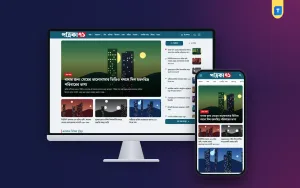
The Bangla News Pro demo menu follows exactly this kind of tree, from the eight divisions to opinion and job news, so you can start from a tested structure and trim it. The header shows today's date with the Bangla calendar date, an e-paper link and a search button. It stays sticky while readers scroll, and a side menu lists all categories and pages in one place.
Step Two: Plan Local News by Division, District and Upazila
Local stories bring loyal readers to any Bangla news portal. People look for news from their own upazila, and they share it widely in local Facebook groups. To cover local news well, recruit correspondents in the districts you care about most, agree on how they send stories and photos, and decide how each story is tagged with its place so it can be found later.
Tagging by place matters for readers too. Someone from Bogura should reach Bogura news in two taps, without scrolling through national politics first. A simple rule helps: every local story gets its division, district and upazila, and the headline names the place clearly. That consistency also helps search engines connect your stories to local searches.
Bangla News Pro handles this with a Find area news box on the homepage. Readers choose a division, then a district, then an upazila, and jump straight to the stories from that place. A District News page gathers local reports in one spot. For a regional portal, this is often the feature that keeps readers coming back each morning.
Step Three: Choose Bangla Fonts That Read Well on Phones
Most of your readers will see the portal on a phone, so the font is not a small detail. Use a Unicode Bangla font designed for screens, with a body size that does not force readers to zoom and enough space between lines for the joined letters. Pair a slightly more formal font for headlines with a clean one for body text, and avoid using more than two families.
Older material is another issue. Many reporters and district offices still send copy typed in Bijoy, which shows as broken characters on the web. Your workflow needs a quick way to convert it to Unicode before publishing, or you will end up with unreadable stories and lost time on a busy news day.
In the Bangla News Pro demo, headlines use Noto Serif Bengali and body text uses Noto Sans Bengali, a pairing that stays readable on small screens, and fonts can be changed from the dashboard. The converter page switches text between Unicode and Bijoy and supports voice typing, which helps when a reporter sends an old Bijoy file or someone wants to dictate a quick update.
Step Four: Set Up the Theme and Homepage
With the plan ready, install WordPress on good hosting and set the time zone to Dhaka. Then upload the theme under Appearance, Themes, Add New, Upload Theme, and activate it. Copy your license key from My Account, Licenses in your Themeve account and activate it in the theme dashboard to switch on one-click updates. The theme needs WordPress 6.0 or higher and PHP 7.4 or higher.

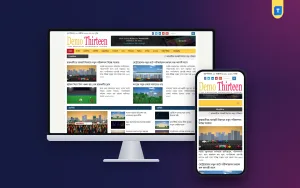
Next, add your logo, colours and fonts, then pick your hero and homepage section styles in the dashboard. The homepage offers 11 section styles, 3 hero styles and 3 photo and video gallery styles, all with dark mode support. In the demo a large lead story with a red lead-news label sits beside Latest and Popular tabs, followed by sections for Opinion, National, Sports, World and more, each with a See all link.
Open the live demo on your own phone to see the layout with sample Bangla news, and sign in to the demo dashboard to see how settings are organised. Ready pages cover a Latest News timeline, an Archive with a Bangla date picker, District News, Photo and Video Galleries and Contact. Article pages have a smart share box, a Read more sidebar and related news at the end.
Step Five: A Daily Workflow for a Small Newsroom
A news portal is a routine more than a website. A simple daily rhythm works for most small teams: a morning check of overnight news and the lead story by eight, district stories through the late morning, a midday refresh of the homepage, and an evening slot for features, opinion and the next day's planning. Write it down so everyone knows who publishes what and when.
Give every role clear WordPress permissions. Reporters write as Authors or Contributors, an editor reviews and publishes, and only one or two people hold Administrator access. The WordPress documentation explains user roles and the editing screen in detail. Keep a shared style sheet for spellings of place names, titles and numbers, so stories look consistent.
Social media is part of the routine. Many Bangladeshi portals get much of their traffic from Facebook, where photo cards with a headline do well. Bangla News Pro includes a built-in photo card maker, so your team can create those cards inside WordPress instead of opening a separate design app. Automatic cache clearing helps fresh stories show up without anyone clearing the cache by hand, and lightweight SEO settings cover the basics.
Mistakes New Portals Make
The most common mistake is launching too wide. Twenty categories with only five of them active tells readers the site is half-finished. Another is copying stories and photos from bigger portals, which damages trust and invites complaints. Many new sites also skip mobile testing and only check the homepage on a laptop, while their real readers arrive on phones from Facebook.
Other mistakes are inconsistent local tagging, which leaves area pages empty, publishing Bijoy text that shows as broken characters, and using nulled themes that carry hidden code. Finally, do not let the routine slip. A portal that publishes ten stories on Monday and none on Tuesday trains readers to stop checking. Regular, honest publishing beats short bursts of activity.
Frequently Asked Questions
Can I learn how to create a news portal website without coding?
Yes. With a ready theme, the work is mostly planning and content. In Bangla News Pro everything is managed from the theme dashboard with visual style options, so logo, colours, fonts, homepage styles and ads are set without code. Basic WordPress skills, such as creating posts, categories and menus, are enough to run it.
Can readers find news from their own area?
Yes. The area news finder lets readers pick a division, then a district, then an upazila, and a District News page collects local stories in one place. For this to work well, your reporters must tag every local story with its correct place when they publish it.
What does the Bijoy converter do?
It switches text between Unicode and Bijoy and supports voice typing. This helps when district reporters send copy in older Bijoy files, which otherwise show as broken characters on the web, and when someone wants to dictate a short update quickly from the field.
How do theme updates arrive?
Your license key appears in My Account as soon as your payment is verified. Once you activate it in the theme dashboard, new versions install from your WordPress dashboard with one click, so you do not need to upload files again for every update.
Start Your Portal the Right Way
Now you know how to create a news portal website that lasts: start with readers, build a familiar category tree, make local news easy to find, choose Bangla fonts that work on phones and keep a steady daily routine. A theme should support those decisions, not replace them. If dark mode, an area news finder and a photo card maker fit your plans, try Bangla News Pro – Bangla News WordPress Theme. For other styles, compare the Latest Bangla News Theme 2025 and the older Bangla News Pro Theme.