Looking at marketplace website examples is the fastest way to learn what a good marketplace needs. A marketplace is not a bigger shop. It is a place where many sellers meet many buyers, and the owner runs the rules, the trust and the payments in the middle.
This guide walks through the main kinds of marketplace website examples, the pages every one of them has, and the lessons you can copy for a Bangladesh market. We describe the patterns, not brand names, so you can apply them to your own idea. A checklist and a short note on a ready-made option come at the end.
What makes a marketplace different from a normal online shop
In a normal shop you buy stock, set prices and ship parcels. In a marketplace, other people own the stock. You provide the platform and take a fee. That changes almost every part of the site.
- Two kinds of users: buyers and sellers, each with their own screens.
- Trust is your job: buyers trust you, not the unknown seller behind the product.
- Money moves in three steps: the buyer pays, you hold or track it, and the seller is paid after your commission.
- Quality control: you decide which sellers and products go live.
- Supply and demand: without sellers there is nothing to buy, and without buyers sellers leave.
Keep these five points in mind as you study any of the marketplace website examples below.
Five types of marketplace website examples
Most marketplaces fit one of these patterns. Knowing which one you want to build saves months of confusion.
1. The general bazaar
One site, many departments: phones, groceries, fashion, home goods, baby care, sports. Shoppers come for deals and variety. Among marketplace website examples, this type needs the strongest search, a deep category tree and flash sales to keep people returning.
2. The niche marketplace
Only one theme, such as electronics, handmade goods or books. The audience is smaller but loyal. Sellers like it because every visitor wants their kind of product.
3. The local or city marketplace
A district or city brings its small shops online in one place. Delivery is local, and trust is high because buyers often know the sellers. This is a strong fit for towns where many shops are not online yet.
4. The service marketplace
Sellers offer time instead of products: tutors, designers, repair workers. Booking and reviews matter more than a cart.
5. The wholesale marketplace
Sellers list stock in bulk for other businesses. Minimum order quantities and price tiers are the main features.
This article focuses on the first three, which sell physical goods and suit most owners in Bangladesh.
Pages every marketplace website example has
When you study real marketplace website examples, the same pages appear again and again. Make sure yours has them.
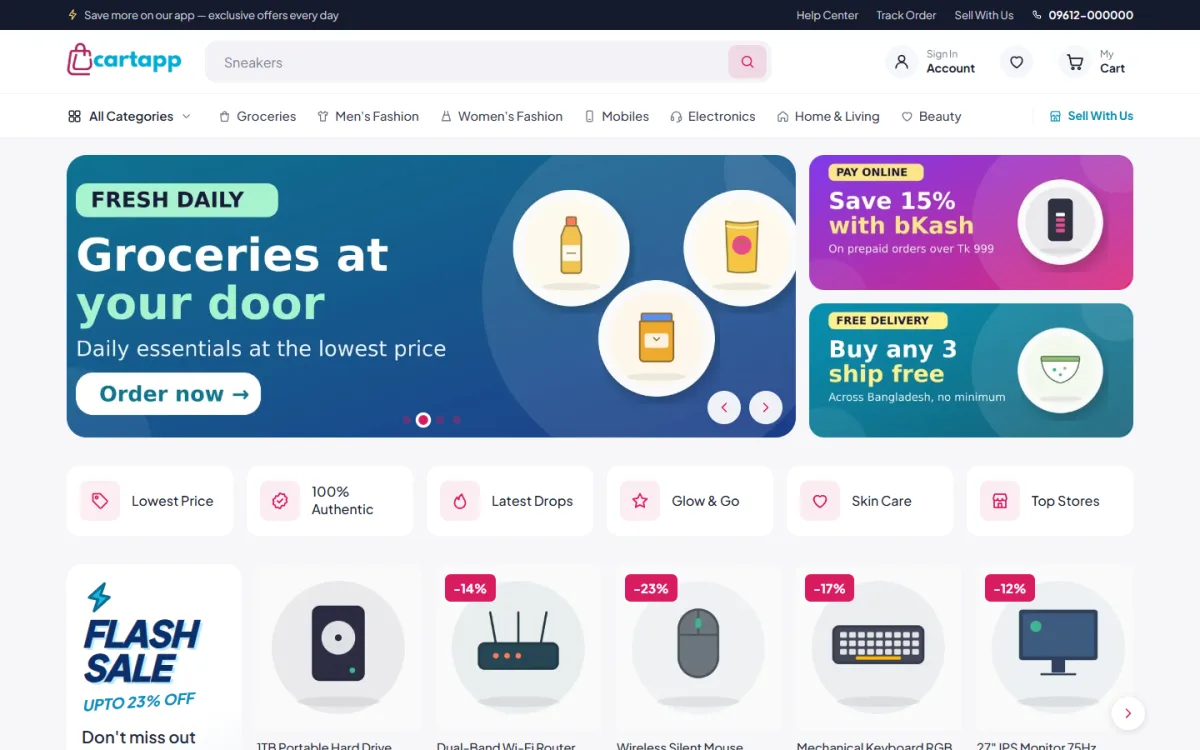
For buyers
- A homepage with banners, categories, deals and an endless product feed
- Search that suggests products as you type
- Category and brand pages with filters and sorting
- Product pages with photos, price, delivery time, returns and reviews
- A seller store page showing that seller's products and rating
- Cart, one-page checkout and order tracking
- Account area with orders, returns, wishlist and vouchers
- A help centre with common questions
For sellers
- A "Sell with us" page that explains the offer and has a sign-up form
- A dashboard with sales, earnings and balance
- A way to add and edit products
- An orders list that shows the commission taken
- A withdrawal request and payout history
- Store settings: name, logo, banner and payout details
For you, the owner
- Seller approval and suspension
- Commission settings
- A ledger of earnings and payouts
- Product review before items go live
- Tools for vouchers and flash sales
Lessons from the best marketplace website examples
Across all types, the strongest marketplace website examples share a handful of habits you can copy.
Show who is selling
Buyers feel safer when they see the seller name, rating and badges. Use a Verified badge for checked sellers and a Fast tag for quick delivery. An official store badge for your own products sets a clear standard.
Make deals visible
A flash sale block with a countdown and "items sold" bars gives honest urgency. A voucher centre, where shoppers collect and use vouchers at checkout, gives them a reason to return.
Keep the homepage busy but ordered
A busy bazaar feel works, as long as the order is clear: hero, categories, flash sale, best sellers, brands, new arrivals, then an endless feed with a Load more button. Let the owner move blocks around before a campaign.
Think phone first
Most Bangladeshi shoppers browse on mobile. Look for a sticky header, a bottom menu like an app, swipeable rows and filters that open as bottom sheets. These patterns appear in nearly all successful marketplace website examples.
Plan your marketplace before you build
Many owners start with the site. Start with the plan.
- Pick the type. General bazaar, niche or local.
- Pick the first sellers. Aim for 5 to 10 real sellers before launch, not a hundred promises.
- Set the commission. Many marketplaces take a percentage of each sale. Choose a level that is fair to sellers and covers your costs.
- Decide the payout rules. How often can a seller withdraw, and by which method?
- Write the rules. Return policy, banned items, delivery time limits and what happens in a dispute.
- Plan the first 100 products. A launch with empty shelves loses buyers fast.
The money side: commissions and payouts
Money is where many marketplaces get messy. Keep the flow clear.
- Every order line that belongs to a seller is written to an earnings ledger with the commission.
- Completed orders make the money available to the seller.
- Cancelled, returned or failed orders take it out again.
- The seller requests a payout, you approve it and mark it paid.
In Bangladesh, payouts often go through bKash, Nagad, Rocket or a bank transfer. Record every payout in the same list, so you never rely on a spreadsheet kept on a phone.
Payments and delivery for a Bangladesh marketplace
Local habits shape what works.
- Offer bKash, Nagad and a gateway for cards, plus cash on delivery for new buyers.
- Decide whether you or each seller ships. Many owners use one courier network and print labels from the admin.
- Show delivery time on the product page, not only at checkout.
- Use SMS or OTP so customer phone numbers are real.
- Give buyers a Track Order page to reduce calls.
Marketplace website design ideas that build trust
Design is not decoration here. It is how a stranger decides to pay a stranger.
- Show return and warranty terms on the product page.
- Show reviews in a fold below the details, with a prompt to write the first one.
- Keep the Buy Now button in reach with a sticky bar.
- Use clear photos and the same image size across all sellers.
- Add a visible help centre and contact number.
- Keep the sign-in and register steps short, in a popup.
A ready-made option: Cartapp
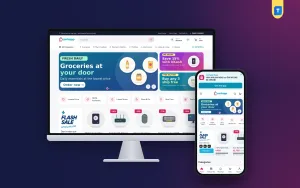
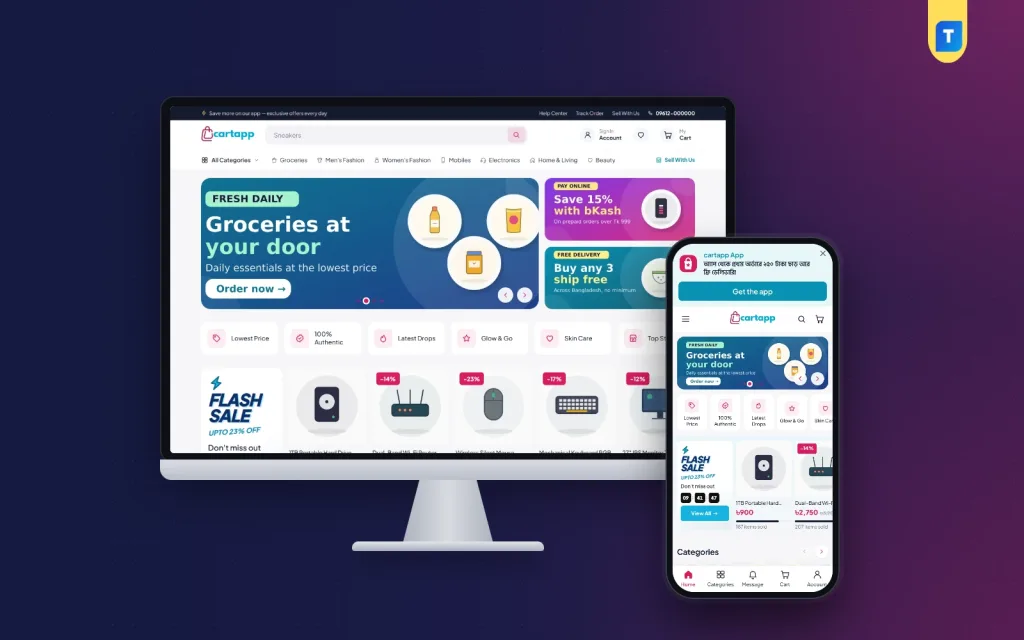
If you want to see these ideas in a working site, Cartapp is a WordPress theme for a multi-vendor marketplace in Bangladesh. It follows the patterns above and adds the seller tools behind them.
The product page lists these features:
- Seller store pages and a Sell With Us landing page for new sellers
- Commission settings, a seller dashboard and payouts
- Verified and FAST badges on product cards
- A flash sale with a countdown and items-sold bars
- A Voucher Center with vouchers used at checkout
- Search with popular and recent keywords
- A two-pane categories page with round tiles
- An app-style bottom menu and bottom-sheet filters on phones
- A sticky Buy Now bar on product pages
- bKash, Nagad, SSLCommerz and cash on delivery
- Steadfast and Pathao courier delivery
- A one-click demo with 85 products and 3 seller stores
The Themeve Commerce plugin is bundled and installs in one click, so you do not need WooCommerce. If you only sell your own goods, a single-store theme is simpler. See the Cartapp product page for the full list.
How to bring in your first sellers
A marketplace has a chicken-and-egg problem. Sellers want buyers, and buyers want choice. You solve it by starting with sellers you can reach in person.
Where to find them
- Small shops in your own city or market area
- Facebook page sellers who already get orders by Messenger
- Friends and family who run a business
- Wholesalers who want a second sales channel
What to offer them
- No listing fee for the first months
- Help with photos and product uploads
- A clear commission, shown before they sign up
- A fast first payout, so they see the system works
- A featured spot on the homepage in the launch week
What to ask from them
- A trade licence or national ID, if you want verified sellers
- A phone number you can call
- Honest stock levels and delivery times
- Agreement to your return policy
Visit your first few sellers yourself. A shop owner who has met you will trust the platform more than one who found a form on a website.
Own shop or marketplace: which should you build?
A marketplace is more work than a shop. Be sure it is the right choice.
- Choose a marketplace if you can attract sellers, handle disputes and want income from commissions.
- Choose a single store if you sell your own goods and want simple operations.
- Start as a store, add sellers later if your brand is still small. Build trust first, then open the doors.
There is no shame in the second or third path. Many strong marketplaces began as one trusted shop.
Common mistakes that kill new marketplaces
- Launching without sellers. Buyers will not return to an empty site.
- Launching without buyers. Sellers leave if no one orders. Promote the site on Facebook before and after launch.
- No quality check. One bad seller can harm the whole brand. Review products and suspend bad sellers quickly.
- Unclear commission. Publish it on the Sell With Us page.
- Slow payouts. Pay on time, and sellers will bring friends.
- Weak search. Poor search hides products and loses sales.
- Copying a giant. Start smaller, with one clear niche or city.
Numbers to watch after launch
Once orders start, check a few numbers every week. They tell you whether the marketplace is healthy.
- Orders per active seller, to see who needs help
- Share of orders delivered on time
- Return and cancellation rate, by seller
- Searches with no result, which show products buyers want
- Repeat buyers as a share of all buyers
- Time from payout request to payout
Talk to your weakest and strongest sellers each month. The first group needs support, and the second can teach you what works.
Launch checklist
- Choose your marketplace type and write down your commission.
- Set up hosting, a domain and SSL.
- Install the theme and import the demo to see how sellers and buyers move through it.
- Create categories and set the homepage block order.
- Invite your first sellers and help them add products.
- Connect payment methods and a courier.
- Write the seller terms, return policy and privacy pages.
- Place test orders as a buyer, then check the seller earnings.
- Test a payout request from start to finish.
- Announce on Facebook with a launch voucher.
If you want to read more on the technical side, the official WordPress documentation is a good, reliable reference.
Frequently asked questions
What are good marketplace website examples for a beginner to study?
Study one general bazaar, one niche marketplace and one local marketplace. Look at their homepage, search, seller pages and checkout. These marketplace website examples show how trust and variety are built.
How do marketplaces earn money?
Most take a commission on each sale. Some also charge a monthly seller fee, sell ad slots or offer paid delivery services. Start with a simple commission.
Can I build a marketplace with WordPress?
Yes. A theme with a built-in seller module handles stores, commissions and payouts. This is the base of many small marketplace website examples in Bangladesh.
What does multivendor ecommerce website design need to include?
Good multivendor ecommerce website design includes seller registration, seller dashboards, store pages, a commission ledger, payout requests and strong search. It must also look simple to buyers on a phone.
How many sellers do I need to launch?
Five to ten active sellers with at least 100 products in total is a workable start. Add more only after the first group is happy.
How do I keep buyers safe on a marketplace?
Review products, show seller badges, state return rules on each page and offer a clear way to report problems. Use trusted payment methods and keep an order record for every sale.