Multi vendor ecommerce website examples teach you more in an hour than a month of guessing. A multi vendor site lets many sellers list products under one brand, and the owner handles trust, payments and rules. Looking at how such sites are built shows you what to copy, what to skip and what to do first.
This guide is for owners in Bangladesh who are planning an online marketplace, or who want a marketplace-style store for electronics, fashion or general goods. You will see the main types of sites, the features they share, the money rules, the mistakes, and a simple way to start small. Brand names are left out on purpose, so you can focus on the patterns.
What multi vendor means in plain words
A normal online shop has one seller: you. A multi vendor site has many. Each seller registers, adds products, gets orders and requests payment. The owner approves sellers, sets a commission and keeps the platform running.
Two other terms are often mixed up with it:
- Multi vendor marketplace: many sellers, one platform, the owner takes a commission.
- Marketplace-style store: one seller, but the layout, search and account area look like a big marketplace.
The second one is much easier to run. Some owners start there and add sellers later. Keep the difference in mind as you read the examples below.
Common multi vendor ecommerce website examples by type
Most sites you will find online fit one of these shapes.
The everything store
Hundreds of thousands of products in 10 to 20 departments. It leans on flash sales, vouchers and an endless feed of products. Search and categories are the heart of the site.
The electronics and gadgets marketplace
Phones, laptops, TVs, ACs and small appliances. Buyers compare specifications, check warranty, ask about EMI and care about the brand. Product pages are dense with facts.
The fashion marketplace
Many small labels share one site. Size, colour and fit filters matter more than anything else. Photos carry the sale.
The local city marketplace
Shops from one town list their stock online. Delivery is quick, trust is personal and orders often arrive by Facebook link.
The grocery and daily needs marketplace
Fast delivery, small baskets and repeat orders. Delivery zones and time slots become the main feature.
Whichever of the multi vendor ecommerce website examples you follow, pick the type closest to your idea, because it decides your homepage, your filters and the way sellers describe products.
Features shared by most multi vendor ecommerce website examples
Different in subject, similar in structure. The same blocks appear in almost all of them.
On the buyer side
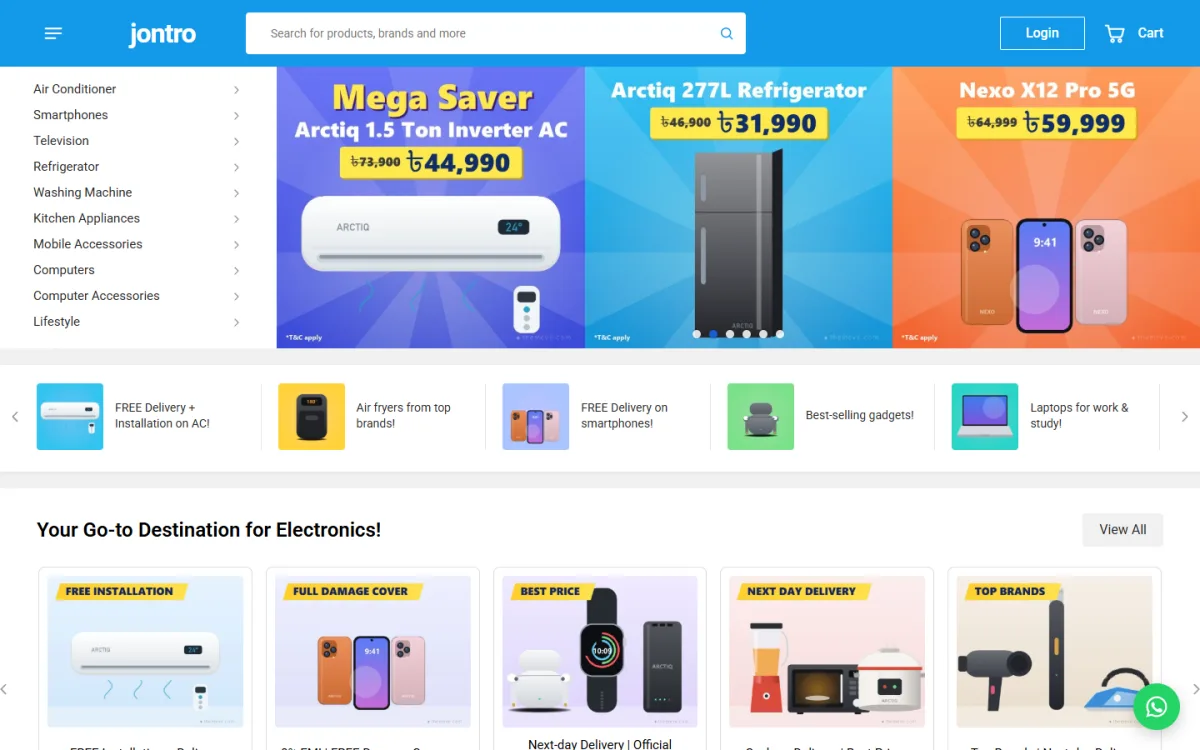
- A header with a wide search box and live suggestions
- A category list with sub-category panels
- Banners and offer shortcuts on the homepage
- Product rows: best sellers, on sale, newest, top rated
- Product pages with price, discount, variants, delivery line and warranty
- Specification tables for technical products
- Filters on category pages: brand, price and attributes
- Cart, one-page checkout and order tracking
- An account area with orders, returns and reviews
On the seller side
- Registration and approval
- A product manager
- An orders list and earnings view
- Payout requests
- Store profile with logo and banner
On the owner side
- Commission settings
- Seller and product review
- Reports and payout records
- Homepage block control
- Payment and courier setup
Lessons from multi vendor ecommerce website examples on trust
Buying from a stranger needs proof. The sites that work show it clearly.
- Show the seller. Name, rating and a store page.
- Show the promise. Delivery time, return days and warranty on the product page.
- Show real reviews. With star counts and a prompt for the first review.
- Show payment options. bKash, Nagad, card and cash on delivery logos.
- Show a human contact. A hotline, not only a form.
- Show order status. A Track Order page that works.
A buyer of a fridge or an AC spends a large sum and wants all of this on one screen before paying.
Marketplace website design ideas you can copy
Good design in this field is mostly about order and speed. These marketplace website design ideas come up again and again.
- One clean header with logo, search, login and cart, with nothing stacked above it.
- A category list beside a banner carousel, so shoppers find the right shelf in two clicks.
- Offer shortcuts under the banner for deals, vouchers and free delivery.
- Brand cards, so buyers who know the brand go straight to it.
- A "shop by budget" or "shop by need" block for undecided buyers.
- A promise strip with delivery, warranty, EMI and payment icons.
- A big product grid at the end with a Load more button.
Keep the colour calm. One main colour, one accent for discounts and white space around the cards. Many electronics sites use a blue header and orange price tags because they read easily.
Specification tables and product pages for technical goods
For electronics, the product page is the sales person. It must answer questions without a call.
- Large photos with vertical thumbnails
- Price with discount and the old price
- Variant and quantity selectors
- Add to cart and Buy now buttons
- EMI per month, warranty and compare option
- Delivery line, brand and seller
- Tabs for Specification, Description and Reviews
- Related products below
Group the specification into blocks such as General, Display, Battery and Camera. A long single list is hard to scan. Use two columns on desktop and one on phones.
Money, commissions and payouts
If you host other sellers, plan the money flow before you plan the look.
- Commission: a percentage per sale, sometimes different by category.
- Holding period: money stays pending until the order is delivered and the return window ends.
- Payout method: bKash, Nagad, Rocket or bank transfer.
- Payout schedule: weekly or on request, with a minimum amount.
- Records: every sale, commission and payout in one list.
Be fair and clear. Publish the rules on the seller sign-up page. Sellers who feel cheated leave quickly and tell others.
Delivery, payments and local rules in Bangladesh
Local habits matter more than design.
- Set delivery zones: inside Dhaka, outside Dhaka, and free delivery above a set amount.
- Offer bKash, Nagad, a payment gateway and cash on delivery.
- Connect a courier so labels and tracking are not typed by hand.
- Use SMS or OTP to confirm phone numbers and reduce fake orders.
- Send new-order alerts to your phone so you act fast.
- Write return rules in plain Bangla and English.
Start small: a marketplace-style store first
Many failed marketplaces tried to be a giant on day one. A calmer path is to build one trusted store with the marketplace look, then add sellers when you have traffic.
- List your own products in the marketplace layout.
- Build reviews, repeat buyers and a delivery routine.
- Study which categories sell most.
- Invite the best outside suppliers as sellers later.
- Move to a full multi vendor setup when you can support sellers properly.
This keeps your costs low while you learn. It also means that the first buyers see a finished, trusted shop, not an empty platform.
A ready-made option: Jontro
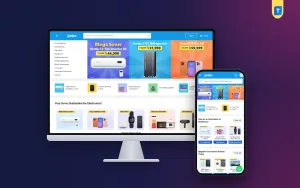
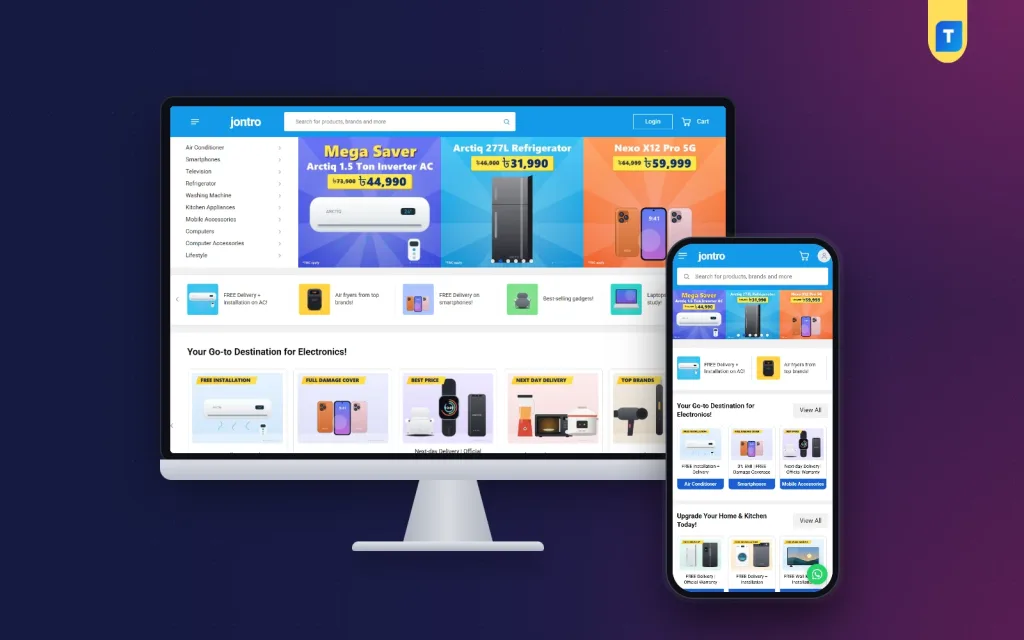
One honest note first. Jontro is a marketplace-style electronics store, not a seller-hosting platform. It has no seller accounts, no seller dashboard and no commission system. You are the only seller. If you need other sellers to register and earn payouts, choose a theme with a seller module.
If your plan is the start-small path above, Jontro gives you the marketplace look for phones, ACs, TVs, fridges, washing machines, kitchen appliances and computers. The product page lists:
- A sky-blue header with a wide live search
- A category list with sub-category panels beside a three-up banner carousel
- Seven product rows, each with its own source
- 37 homepage blocks, 14 on by default
- Grouped two-column specification tables
- A marketplace-style My Account page with an orders table
- Delivery zones inside and outside Dhaka
- Six palettes and four font choices
- EMI, warranty, compare, coupons and invoices
- bKash, Nagad, SSLCommerz and cash on delivery
- Steadfast and Pathao courier with order tracking
- A one-click demo with 50 products from 12 brands
The store plugin is bundled, so WooCommerce is not needed. Open the Jontro product page to see the demo and decide if it fits your plan.
EMI, warranty and after-sales promises
High-priced goods need more than a price. Buyers of a TV or a fridge ask three things before they pay: can I pay in parts, who repairs it, and what if it arrives broken?
- EMI: show the monthly amount on the product page, even if the bank handles the plan.
- Warranty: state the length, who gives it (brand or shop) and where to claim.
- Damage on arrival: tell buyers to check the parcel with the rider and report within a set time.
- Installation: say clearly if AC or large appliance installation is paid or free.
- Invoice: give a proper invoice with the serial number where possible.
Put these points in a small "why buy from us" card near the buy button. It answers the fear that stops many large orders.
Keep a big catalogue fast and tidy
As the product count grows, small problems add up. A few habits keep the site healthy.
- Use one naming pattern for products: brand, model, key feature.
- Write specifications in the same labels every time, so filters and tables stay clean.
- Compress images before upload and use one size for all product photos.
- Switch off homepage blocks you do not need, since each block adds weight.
- Check for out-of-stock items every week and hide them or add an alert button.
- Back up the site before big updates.
Speed is a trust signal too. A slow page makes a buyer doubt the shop, and most visitors will be on a phone with a limited data plan.
Mistakes seen in new marketplaces
- Too many sellers, too little control. Approve sellers one by one at first.
- No products at launch. Empty categories scare buyers away.
- Weak search. If buyers cannot find a product, they leave.
- Hidden costs. Show delivery charges early.
- No return plan. Electronics need a clear warranty and exchange route.
- Heavy pages. Big catalogues need light code and compressed images.
- Ignoring phones. Most traffic is mobile.
Planning checklist
- Decide: full multi vendor marketplace, or marketplace-style store first.
- Pick your category: general, electronics, fashion, local or grocery.
- Write the seller rules, or the return and warranty rules if you sell alone.
- Prepare 50 or more products with full specifications and photos.
- Set delivery zones and charges.
- Connect bKash, Nagad and cash on delivery.
- Connect a courier and test a parcel.
- Place test orders on a phone.
- Announce on Facebook with a launch offer.
- Review the numbers every week and fix the weakest page first.
Review these points every month. Ask a friend who has never seen the site to buy one item on a phone while you watch. Note every pause and every question they ask. Those small moments show you exactly where real buyers get stuck, and fixing them often lifts orders more than any new feature.
If you want to read more on the technical side, the official WordPress documentation is a good, reliable reference.
Frequently asked questions
What are the best multi vendor ecommerce website examples to learn from?
Study one big general store, one electronics marketplace and one local marketplace. Compare their search, category pages, seller pages and checkout. Multi vendor ecommerce website examples like these show what buyers expect.
Do I need other sellers to have a marketplace look?
No. A single store can use the same layout, with category panels, banners, product rows and a rich account area. Many owners begin this way and add sellers later.
What are good marketplace website design ideas for beginners?
Keep one calm colour, put search at the top, show category and banner side by side, add product rows and a promise strip, and keep checkout short. Fine marketplace website design ideas are simple and fast on a phone.
How do multi vendor sites make money?
Most take a commission on each sale. Others add seller fees, paid ad spots or delivery services. Start with a simple commission and keep the rules public.
Is WooCommerce required for a multi vendor site?
No. Some themes include their own store plugin. Check what the theme package contains before you buy another plugin.
How many products should I have at launch?
Aim for at least 50 well-described products. Full specifications and clear photos matter more than a large number.