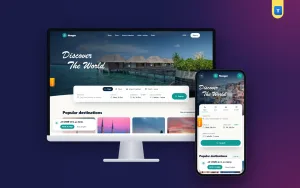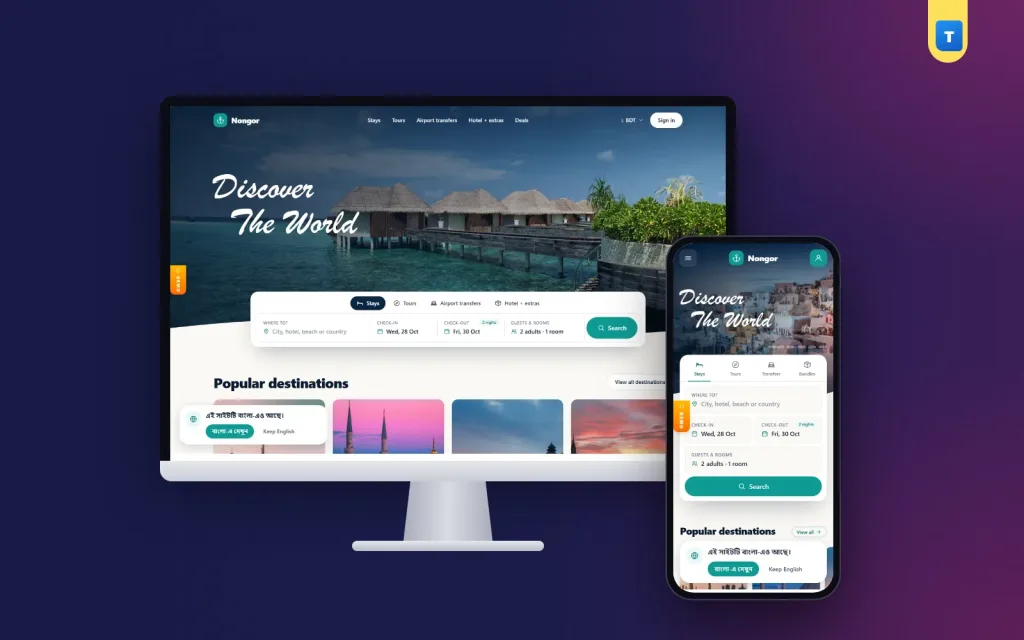
An online hotel booking system is the software that lets a traveller find a room, see the real price for their dates, pay and get a confirmation without a single phone call. Behind that simple screen sit a calendar, a price engine, a payment step and a set of rules for holds, cancellations and refunds.
This guide explains how each part works, what a single hotel needs compared with a travel marketplace, and how to launch one in Bangladesh with local payments, fair rules and a site that loads well on a phone.
You do not need to be a developer to follow it. Each section ends with plain checks you can use when you compare tools.
What an online hotel booking system does
At its core the software answers three questions for every date: how many rooms are free, what they cost, and under what rules they can be sold. Everything a guest sees comes from those answers.
- Inventory: rooms for sale per room type and night.
- Rates: the price per night, often with several rate plans.
- Restrictions: minimum stay, closed arrival days and booking windows.
- Booking flow: search, room choice, guest details, payment and confirmation.
- After the booking: emails, changes, cancellations, refunds and reviews.
When these five parts share one database, a room sold at 10 pm is gone for the next guest at 10:01. When they live in spreadsheets and inbox messages, double bookings follow.
Single hotel or marketplace: two different jobs
A booking engine for one hotel sits on that hotel's own website. It sells only its rooms, and the money goes straight to the hotel. This is the classic direct booking tool.
A marketplace sells rooms from many properties on one site. The owner of the site does not own the hotels. Hotels join as partners, manage their own rooms and prices, and pay the site a commission on each booking.
A multi vendor hotel booking system needs everything a single-hotel engine has, plus partner sign-up, document checks, listing approval, commission rules, partner balances and payouts. That second layer is where most cheap scripts fall short.
Which one do you need?
- You own or manage one resort: a single-hotel engine on your own site.
- You run a travel agency with dozens of hotel contacts: a marketplace.
- You want to build a regional booking site for a beach or hill area: a marketplace.
- You sell tours and want to add stays and airport pick-ups: a marketplace with more than one service type.
Rooms, rate plans and the availability calendar
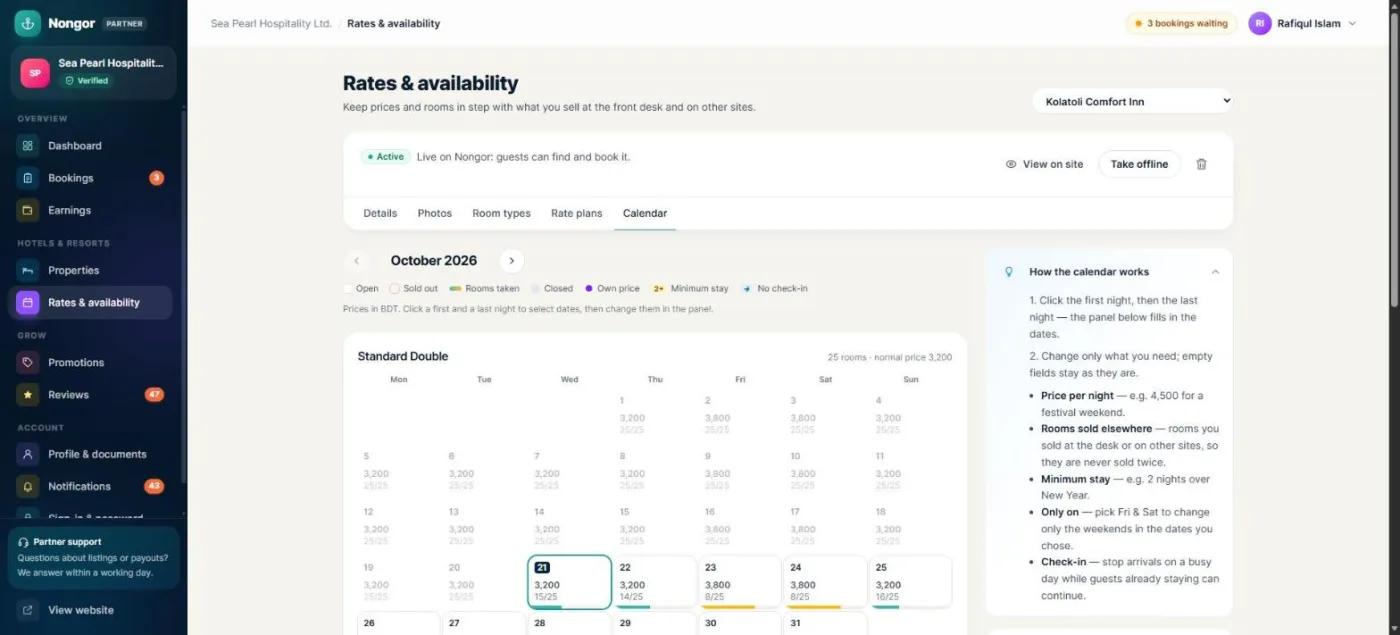
Every online hotel booking system is only as good as its calendar. Partners should be able to change a month of prices in one go, not night by night.
Room types
A room type is a group of identical rooms, such as Deluxe King or Family Suite. It has a name, a size, bed types, the number of guests, amenities and photos. Templates for common room types save partners a lot of typing, and a copy button helps when two rooms differ only in view or size.
Rate plans
A rate plan is a way of selling the same room. "Room only", "breakfast included" and "non-refundable" are the usual three. A non-refundable plan is cheaper because the hotel keeps the money if the guest cancels. Show the plans side by side so the guest can choose in one look.
Calendar rules
- Price per night for a date range, or only for chosen weekdays such as Friday and Saturday.
- Rooms for sale, and rooms already sold through other channels.
- Minimum stay, for example two nights on a long weekend.
- No check-in days, when the hotel does not accept arrivals.
Weekday rules matter in Bangladesh, where Thursday and Friday nights fill first at Cox's Bazar and Sylhet resorts. A good tool lets a partner raise those two nights for a whole season with one form.
Holds, payments and confirmation
Between "Book now" and "Confirmed" there is a short, risky gap. The guest has chosen a room but has not paid yet. A careful online hotel booking system places a hold on the room for a few minutes, so nobody else can take it while the guest pays.
If the payment never arrives, the hold should end on its own and the room goes back on sale. This is usually a scheduled task that runs every minute. Without it, abandoned checkouts slowly block your best rooms.
Payment choices that suit Bangladesh
- Mobile wallets: bKash, Nagad and Rocket are how most local guests pay online.
- Cards and internet banking for corporate and foreign guests.
- Pay at the property: many guests still want to pay on arrival, and many small hotels prefer it.
- Deposit: part online to secure the room, the rest at check-in.
Local payment gateways bundle wallets and cards on one page. Whatever you use, the system should check every payment with the gateway before it confirms a booking, never only trust the return page.
Instant or on request
Instant booking confirms at once and suits hotels that keep their calendar up to date. On-request booking waits for the partner to accept, which suits small guest houses and resorts with few rooms. If a request is not answered in time, the guest should get an automatic refund.
Cancellations, refunds and no-shows
Clear rules protect both sides. Write the cancellation policy on the room card, in the checkout and in the confirmation email, in the same words each time.
- Free cancellation until a set number of days before arrival.
- Partial charge after that, such as the first night.
- No refund for non-refundable plans.
Refunds to a site wallet are faster than bank reversals and keep the money on your platform for the next trip. Admins also need a partial refund button for complaints, such as a broken air conditioner on one night of a three-night stay.
A no-show is a guest who never arrives. The partner should be able to mark it, and the booking should then count toward the partner's earnings under the policy rules, not stay "upcoming" forever.
Partners, commissions and payouts
In a marketplace version of an online hotel booking system, the money flows in one direction and then back out. Guests pay the site, the site keeps its commission, and partners withdraw the rest. Each step should leave a record you can export.
Onboarding partners
- The hotel owner signs up as a partner with business details.
- They upload documents such as a trade licence and an ID.
- You approve the partner after checking the papers.
- They add the property, photos, rooms, rate plans and calendar.
- They submit the listing; you preview it and approve it or send it back with a note.
The note matters. "Add photos of the bathroom and the real check-in time" gets a better listing than a silent rejection.
Commission math
Set a commission per service type, for example one rate for stays and another for tours, and allow a special rate for a key partner. For a booking paid online, the partner's balance is the amount paid, less refunds and commission. For a pay-at-property booking, the partner already holds the cash, so the commission is taken from their balance instead.
Payouts
Partners add a payout account, such as a bank account or a bKash or Nagad number, and request a withdrawal above a minimum. You send the money, then mark the request paid with the transfer reference. Every multi vendor hotel booking system should keep that reference, because it ends most payout disputes in one message.
Beyond rooms: tours, transfers and bundles
Travellers rarely book a room alone. They need a car from the airport and something to do on day two. Selling these on the same site lifts the value of each trip.
- Tours: day trips and packages with their own calendar and price.
- Airport transfers: vehicles with fixed routes and prices.
- Deals: one page for partner promotions and member prices.
- Bundles: a stay plus a transfer and a tour in one booking, with a small discount for booking them together.
Destination pages with highlights, the best time to visit and visa notes bring visitors before they are ready to buy, and give your site something useful to say in search.
Guests: accounts, rewards and trust
A guest account turns a one-time buyer into a returning one. It should show every booking with its status, a pay button for unpaid holds, cancel by policy and an add-to-calendar link.
- Wallet for refunds and credits.
- Reward coins earned on completed stays and spent on the next one.
- Price alerts that email the guest when a saved stay gets cheaper.
- Saved listings for trips still being planned.
- Reviews after the stay, with partner replies.
Only let guests review stays they actually completed. Real reviews from verified stays are the strongest trust signal an online hotel booking system can show, far stronger than any badge.
Photos and listing quality
Ask partners for wide, bright photos at a good size, such as 1800 × 1200 pixels, with the room, the bathroom, the view and the building. Set a minimum before a listing can be approved. One dark photo of a bed loses more bookings than a slightly higher price.
Languages, currencies and phones
Most Bangladeshi guests book on a phone, often on mobile data, so an online hotel booking system has to work well on a small screen. Test every step on a mid-range Android phone: search, room list, checkout and payment. Big buttons, short forms and a sticky price summary help more than animations.
If you want foreign guests, offer more than English and Bangla. Arabic and Urdu need right-to-left layouts, not just translated words. Show prices in the visitor's own currency, while the booking itself is charged in taka at a rate you can update each night or lock by hand.
Let admins edit any text from the panel. Hotel words change: a "cottage" in one area is a "bungalow" in another, and you want to fix that in a minute, not wait for a developer.
Hosting, setup and costs
You can build an online hotel booking system from scratch, rent a hosted service or buy a ready script and host it yourself. Building costs the most and takes months. Hosted services charge every month and may take a share of each booking. A self-hosted script costs once, and you keep full control of your data and your commission.
What a self-hosted script needs
- A modern PHP version and a MySQL or MariaDB database.
- An SSL certificate, which is free on most hosts.
- One cron job every minute for holds, emails, alerts and exchange rates.
- Email settings, so confirmations and partner notices actually arrive.
- A daily backup of the database and the uploaded photos.
A web installer that checks the server, tests the database and imports demo content removes most of the setup pain on cPanel hosting.
A launch checklist
- Pick one area first, such as one beach town, and sign 15 to 30 good properties there.
- Write your partner rules: commission, payout days, photo standard and cancellation options.
- Set up payments in test mode, make a full test booking, then switch to live.
- Turn on pay at the property for guests who will not pay online yet.
- Replace all demo content with your own photos and texts.
- Test on three phones and two browsers, from search to confirmation email.
- Train your partners on the calendar, because a stale calendar is the main cause of complaints.
- Answer every review and every partner question within a day in the first months.
Once your online hotel booking system is live, measure a few numbers each week: searches, bookings, cancellations, average nights and repeat guests. Change one thing at a time and watch what moves.
How to choose an online hotel booking system
Open the demo of each option on your own phone and run through these checks before you pay for anything:
- Can partners set prices for a date range and for chosen weekdays at once?
- Are minimum stay and no check-in days supported?
- Does it hold rooms during payment and release them on its own?
- Does it take bKash, Nagad and cards, and also pay at the property?
- Can you approve partners and listings, and reject with a note?
- Are commissions, partner balances, payouts and partial refunds built in?
- Can you edit the home page, the menu and every text without code?
- Does it run on the hosting you already have?
If a tool fails three of these, you will spend your first year patching it instead of selling rooms.
Building your booking site with Nongor
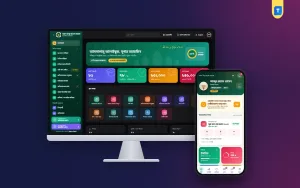
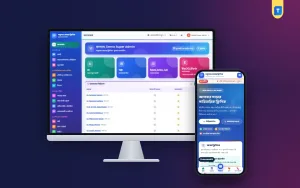
All of these parts come ready in the Nongor hotel and travel marketplace, a self-hosted Laravel application. It is a multi vendor hotel booking system with hotels and resorts, tours, airport transfers, deals and a trip builder. Partners get rooms with templates, rate plans and a calendar with weekday rules, minimum stay and no check-in days, plus bookings, no-shows, earnings, withdrawals, promotions and CSV export.
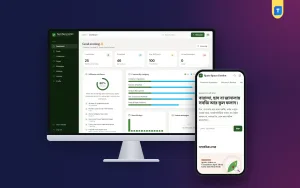
The admin panel approves partners and listings with preview and notes, handles partial refunds, wallet changes, payouts, coupons and commissions, and edits the website from header to footer. Guests get a wallet, reward coins, price alerts and saved listings in 30 languages. SSLCommerz with bKash, Nagad, Rocket and cards is built in, and a web installer sets it up on shared hosting.
Frequently asked questions
What is an online hotel booking system?
Software that shows free rooms and prices for chosen dates, takes the booking and payment, and sends the confirmation, all without a phone call.
How much does an online hotel booking system cost?
A custom build costs the most, hosted services charge monthly or per booking, and a self-hosted script is a one-time cost plus hosting.
Can guests pay with bKash or Nagad?
Yes, through a local payment gateway that bundles mobile wallets and cards. Pay at the property can run alongside it.
What is the difference between instant and on-request booking?
Instant booking confirms at once. On-request booking waits for the hotel to accept and refunds the guest if it does not.
How do partners get paid in a marketplace?
Their balance builds from completed stays after commission, and they request a withdrawal to a bank or mobile wallet account.