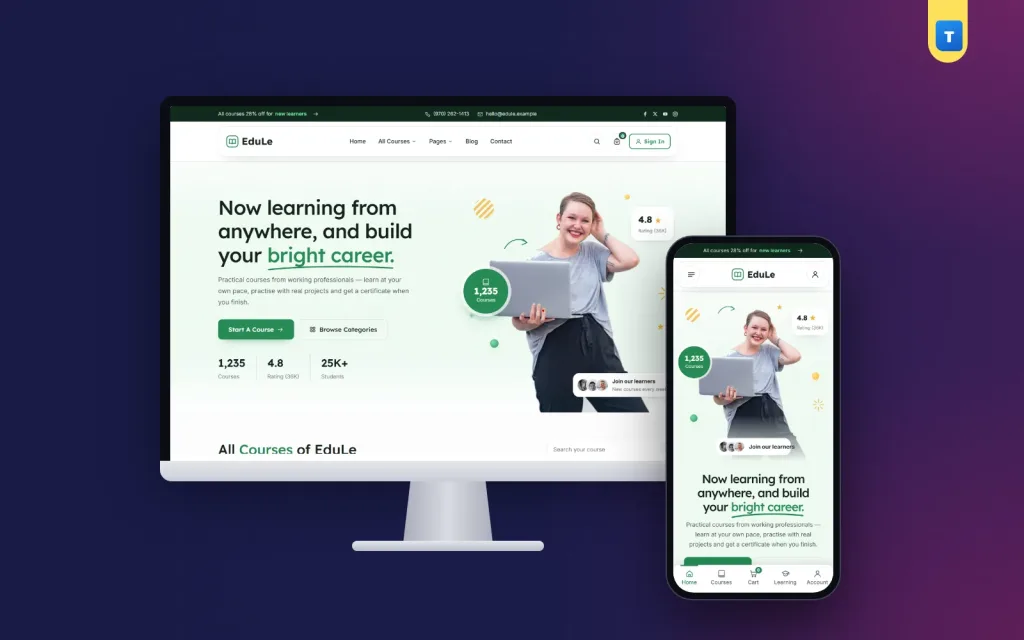
Good online learning website design is less about pretty colours and more about one question: can a student find a course, pay for it and finish it without getting lost? This guide walks through the parts that matter, from the homepage and course pages to lessons, quizzes, payments, certificates and the instructor side, with examples for teachers and coaching centres in Bangladesh.
You do not need a large team. Most of what follows is about clear structure and honest information.
What online learning website design has to solve
A course site serves three groups at once, and each one wants something different:
- Visitors want to know what they will learn, who teaches it, how long it takes and what it costs.
- Students want to open the next lesson quickly, see their progress and get help when they are stuck.
- Teachers and owners want to add lessons easily, see who paid and get paid on time.
Most weak course sites serve only the first group. They have a nice homepage and a Buy button, but the learning part is an afterthought. Students then drop out, ask for refunds and leave bad reviews. Plan all three sides before you choose colours.
Start with the course catalogue
Before you design a single page, write down your courses. For each one, note the title, the level, the number of lessons, the total length, the price and the instructor. This list becomes your catalogue, and it tells you how many categories you need.
Keep categories few and clear; it is the base of all online learning website design. "Design", "Programming", "Spoken English", "Admission" and "Freelancing" are easy to scan. Ten tiny categories with two courses each look empty and make people doubt you.
Name courses by result
"Facebook Ads for Small Shops: Your First 10 Sales" tells the visitor what changes after the course. "Digital Marketing Module 3" does not. Put the result in the title, the level in a small badge and the length beside it.
The homepage: one job per section
A homepage for a course site should move the visitor towards one course page. Each section needs a single job:
- Hero: who you teach and what they gain, with a search box for courses.
- Popular courses: real courses with price, rating and length, not just category icons.
- Instructors: faces, names and what each person teaches.
- Proof: numbers you can defend, such as students taught or lessons published, and short reviews.
- Become an instructor: a band for teachers if you accept other teachers.
- FAQ: payment, access time, certificates and refunds.
Leave out anything that does not help a visitor decide; online learning website design rewards a short, clear homepage. A slider with five stock photos of smiling students adds weight and says nothing.
Course pages that convert
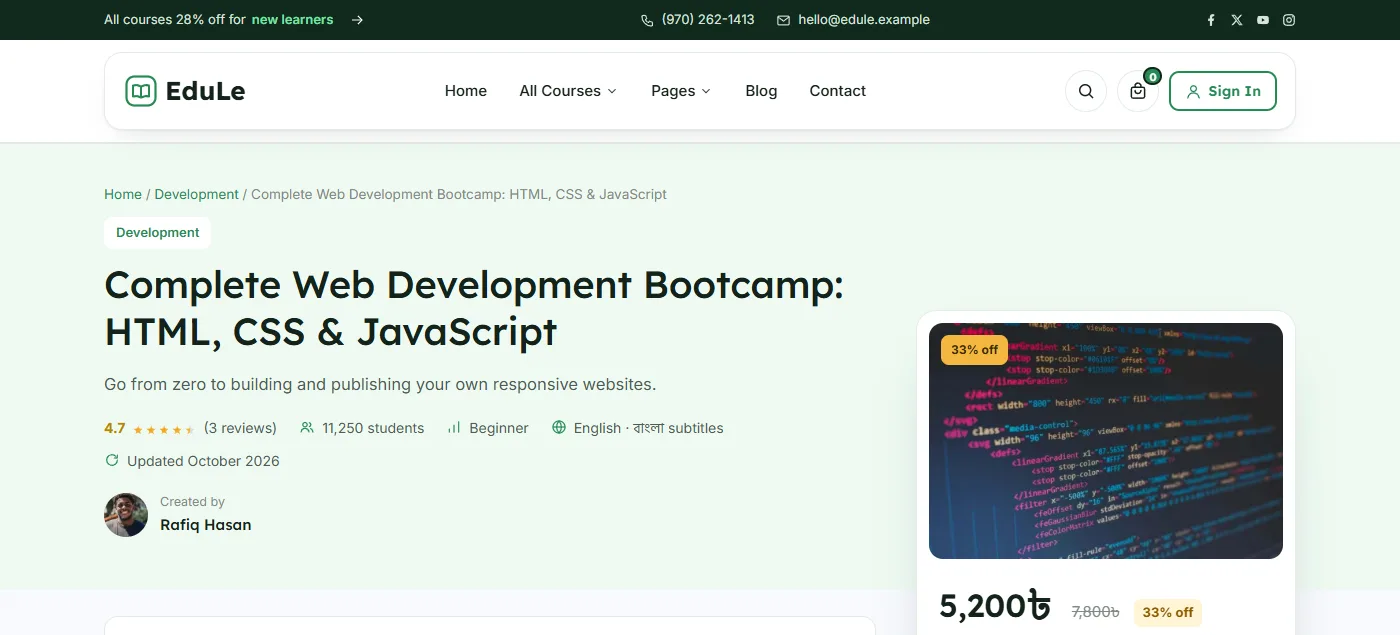
The course page is where the sale happens, so it deserves most of your design time. A strong page answers these points in this order:
- What you will be able to do after the course.
- Who it is for, and who it is not for.
- The full curriculum, with sections, lesson names and lengths.
- The instructor, with a photo and a short, honest background.
- Reviews from real students.
- The price, what is included and how long access lasts.
Show the curriculum openly. Hiding lesson names to "protect" content makes buyers suspicious. Let one or two lessons open as a free preview so people can judge your teaching.
The price card
Keep the price card visible on a computer and give phones a sticky buy bar at the bottom that appears once the main card scrolls away. Put Enrol or Buy Now beside Add to Cart, not under three paragraphs of text.
Colours, fonts and layout
Calm colours suit learning. One main colour for buttons, links and progress bars, a soft tint for panels and plenty of white space is enough. Green, blue and teal all work; what matters is that the same colour always means "click here". In online learning website design, a page that changes button colours from section to section makes students hesitate.
Pick one friendly heading font and one plain body font. Lesson text should be large enough to read on a small phone for twenty minutes without strain, with short paragraphs and clear subheadings.
Course cards
A course card needs a photo, the title, the level, the number of lessons, the rating, the instructor and the price. Keep every card the same height, so a grid of courses looks tidy and is easy to compare.
Photos of real people
Use real photos of your instructors and, with permission, your classes. A visitor trusts a teacher whose face they can see far more than a stock photo of a laptop.
Lesson pages: where students stay or leave
Online learning website design often stops at the course page, but students spend most of their time on the lesson page. It should feel quiet and focused: the lesson in the main area, the curriculum on the side, and clear Previous, Next and Mark as complete buttons.
Show progress everywhere
A progress bar on the lesson page, the dashboard and the course card keeps students moving. "You have finished 7 of 20 lessons" is a small push that works. A "Continue learning" button that opens the last lesson saves them from hunting.
Mix lesson types
Long videos alone lose attention. Mix short videos with written notes, downloadable files such as a PDF workbook, short quizzes after each section and one practical assignment near the end. Each type gives the student a different way to check what they know.
Questions under the lesson
Put a question and answer area under every lesson. A doubt about lesson 4 then stays with lesson 4, other students see the answer, and the instructor does not answer the same question in five Facebook messages.
Make completion mean something
If a certificate can be earned by clicking Next twenty times, it is worth little. Two simple rules help:
- Watch time: count how long the student stays on each lesson and allow "Mark as complete" only after a set share, such as 80%.
- Quiz pass mark: a quiz lesson completes only when the student reaches the pass mark.
Then issue the certificate when every lesson is complete. Show the student's name, the course, the date and a signer, and let them save it as a PDF. A certificate that is earned honestly is something students share, which brings new visitors.
Payments in Bangladesh
Many students here pay with bKash, Nagad or Rocket. There are two common ways to take that money:
- Send Money: the student sends to your number and types the sender number and transaction ID at checkout. You check it and approve the order. It needs no merchant account, which suits new teachers.
- A payment gateway: SSLCommerz or a wallet's own merchant service takes the money automatically and opens the course at once. It needs a business account and some paperwork.
Do not leave a paying student waiting
With Send Money there is a gap between paying and approval. A good fix is a timed preview: while the order is pending, each lesson opens for a minute or so, then locks until you approve. The student sees that the course is real, and you still keep control.
Skip address fields at checkout, a common mistake in online learning website design. A course is not shipped, and every extra field loses buyers. Name, phone or email, and the payment details are enough.
Accounts, messages and trust
Let students sign in with a mobile number or an email. Many first-time buyers do not use email daily. Open sign-in and sign-up in a pop-up so the student stays on the course page they were reading.
Send short messages at the moments that matter: welcome, enrolment, payment confirmed and certificate earned. SMS works better than email for many students in Bangladesh, so connect an SMS provider if you can.
A sign-in history on the student dashboard also helps. When an account is shared or stolen, the student and you can see it.
Online learning website design for phones
Most of your students will watch on a phone, often on mobile data. Design the phone layout first and the computer layout second:
- A slim header with the menu, the logo and an account button.
- Course cards in one column with the price and rating easy to read.
- A lesson page where the video sits at the top and the curriculum opens from a button.
- Buttons large enough for a thumb, and no sideways scrolling anywhere.
Keep pages light. A heavy page builder, five font families and large uncompressed images make lessons slow to open. Test on a cheap Android phone, not only on your own.
If other teachers will sell on your site
Once your site works, other teachers may want to sell on it. That turns it into a small marketplace and adds a few needs:
- An instructor application page and a manual approval step.
- A course builder that teachers can use without your help.
- A review step before any new course goes live.
- A clear revenue share, an earnings page and payout requests with a minimum amount.
- A place to grade assignments.
Write the share and the payout schedule down before you invite anyone. Money questions break more teaching partnerships than anything else.
Content and search
A blog with useful lessons, such as "How to write a CV for your first job" for a career course, brings visitors who are already interested. Write in plain words, show one clear image and link to the matching course at the end. Google's guide to helpful, people-first content explains why this kind of writing earns trust.
Give every course page its own title and description, and do not copy the same text across courses. Good lms website design also means clean course links that people can share in a group chat.
A launch checklist
- Three to five finished courses with full curricula.
- One free preview lesson per course.
- Clear prices, access time and a written refund rule.
- A payment method tested with a real small payment.
- Progress, quizzes and certificates tested by a friend from start to finish.
- SMS or email messages checked for spelling.
- Every page checked on a phone at 360 px wide.
- A FAQ that answers payment and access questions.
Treat online learning website design as ongoing work: watch where students stop and improve that page first. A small launch with three strong courses beats a large one with twenty half-finished ones.
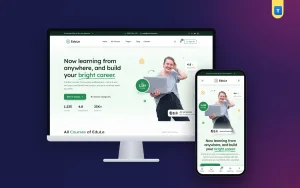
Building your course site with EduLe
These parts come ready in the EduLe online learning WordPress theme. The course system is built into the theme: courses are WooCommerce products, a visual builder adds sections, video and text lessons, quizzes, assignments and files, and every lesson has its own Q&A. Watch time and quiz pass marks decide completion, and certificates open at 100%.
It also has a bKash, Nagad and Rocket Send Money method with a timed lesson preview while payment is pending, sign-in by mobile or email in a pop-up, email and SMS messages, student and instructor dashboards and instructor payouts. The demo imports 7 categories, 6 instructors and 18 courses, so the lms website design work is mostly done before you add your own lessons.
Frequently asked questions
What makes good online learning website design?
Clear course pages, a quiet lesson page with progress, simple payment and a layout that works on phones. Students should never wonder what to click next.
How many courses do I need to launch?
Three to five finished courses are enough. Quality and a working payment method matter more than a long list.
Can students pay with bKash or Nagad?
Yes, either by Send Money with a transaction ID that you check, or through a payment gateway that approves the payment automatically.
Should certificates need every lesson to be finished?
Yes. Tie them to watch time and quiz pass marks, so a certificate shows real effort and students are proud to share it.
How much does online learning website design cost?
A custom build costs the most. A ready course theme with the learning system inside is a one-time cost plus hosting and your own time.