Pathology lab software price is the first thing most lab owners ask about, and it is also the number that tells you the least. Two quotes that look the same can hide very different costs once you add setup, SMS, training and yearly fees. This guide shows what goes into the price, what to ask before you pay, and how to compare offers fairly.
It is written for owners of small and mid-size pathology labs and diagnostic centers in Bangladesh. You do not need any technical background. By the end you will have a clear budget sheet, a list of questions for every seller and a simple way to decide.
What you are really paying for
When someone quotes a pathology lab software price, they may mean one of four different things. Always ask which one it is.
- A one-time licence. You pay once and run the program on your own hosting or computer.
- A monthly or yearly subscription. You pay again and again, and the vendor usually hosts the data.
- A custom build. A developer writes the system for your lab. This is the slowest and most expensive route.
- A free or open tool. There is no licence fee, but you pay in your own time, and support is often missing.
None of these is wrong. The right one depends on how many tests you run in a day, how many branches you have and who will look after the system.
What decides the pathology lab software price
Several factors move the final figure up or down. Check each one before you compare two offers.
- Number of modules. A bare billing tool costs less than a full system with result entry, verification, SMS and accounts.
- Number of branches and users. Some sellers charge for each branch, each user or each collection point.
- Hosting model. Cloud-hosted systems carry a monthly fee. Self-hosted systems need your own hosting and domain.
- Machine connection. Linking analysers to the software is usually an extra job with its own cost.
- Language. Bangla reports and a Bangla patient website matter for most labs here. Check that they are included.
- Support and updates. A cheap licence with no support can cost more in the first bad week.
Hidden costs to add to your budget
The licence is only part of the cost. A careful owner writes down every extra before saying yes.
- Hosting and domain. A self-hosted system needs a hosting plan, an HTTPS domain and a yearly renewal.
- SMS credit. Report-ready messages are sent through an SMS company. You buy that credit separately.
- Barcode printer and labels. Tube labels need a label printer and rolls of stickers.
- Staff training. Plan at least two or three days for the counter, the lab bench and the pathologist.
- Data entry. Your test list, normal ranges and doctor list must be entered once.
- Backups. Lab data is medical data. Pay for daily backups and test a restore.
- Updates. Ask how long updates are free and what they cost afterwards.
Features worth paying for in a lab
A fair pathology lab software price should buy you the features that remove daily mistakes. Use this list as a minimum.
- A lab worklist that shows each test from sample collection to delivery.
- Barcode tube labels, so a sample is never matched to the wrong patient.
- Normal ranges that differ for men and women, with high and low flags.
- Pathologist verification before any report is marked ready.
- A printed A4 report with the verifier's name and a way to check that it is genuine.
- Billing with discount, part payment, dues, refunds and a money receipt.
- Report-ready SMS and an online download, so the counter stops answering report calls.
- Referral commission statements, if you pay doctors or agents.
Features such as imaging templates, a pharmacy counter or doctor chambers are useful only if your center offers those services. Do not pay for modules you will never open.
Features that look good but can wait
Sellers like to show long feature lists. Some items are nice to have, not need to have.
- Fancy dashboards with many charts before you have a month of data.
- Several languages you will never switch on.
- Inpatient and bed management when you only run tests.
- Mobile apps that are sold separately and add a second fee.
Keep the first month simple. You can add modules later, and a lean system is easier for staff to learn.
What is system diagnostics, and does it matter for a lab?
People often search "what is system diagnostics" when they compare lab software. In plain words, system diagnostics is a check of how healthy a computer system is: the server, the database, the storage and the connection. It has nothing to do with the tests you run on patients, but it matters because a lab cannot work when the system is down.
Ask every seller how their program checks itself. A good installer tests the server before it installs anything and tells you what is missing. Ask what happens when the database is full, who gets an alert and how fast a fault is fixed. The answer shows how seriously the seller takes your daily work.
Self-hosted or cloud: how the price differs
This choice changes your pathology lab software price more than any single feature.
Cloud-hosted
- Low start-up cost and quick start.
- Monthly fee for as long as you use it.
- Your data sits on the vendor's server.
Self-hosted
- Higher one-time cost, then only hosting and renewals.
- Your data sits on your own hosting and domain.
- You or your hosting company handle backups.
For a lab that plans to run for many years, a one-time licence on your own hosting often costs less over three to five years. For a lab that wants zero technical work, a cloud plan may be easier. Work out the five-year total for both before you decide.
Questions to ask before you agree a pathology lab software price
Print this list and take it to each demo. Write the answers down so you can compare them later.
- What exactly does the quoted price include?
- Is it a one-time cost or a repeating fee?
- How many branches, users and tests are covered?
- Which SMS companies work with the system?
- Can I try a live demo with the roles of counter staff, technician and pathologist?
- Who installs it, and is installation free?
- How long is support included, and how do I reach it?
- Do updates cost extra, and for how long are they free?
- Can I export all my data if I leave?
- Is the report printable in A4 with my own logo and signature?
How to compare two offers fairly
A simple table keeps you honest. Make one row per cost and one column per seller.
- List the licence or subscription for the first year.
- Add setup, installation and training fees.
- Add hosting, domain and SMS for the first year.
- Add the cost of any machine connection you need.
- Add the yearly renewal for years two to five.
- Divide the five-year total by twelve to get a monthly figure.
Now the real pathology lab software price of each offer is visible. A lower sticker price often loses once renewals are counted.
A simple budget example for a small lab
Imagine a lab with one counter, two technicians and one pathologist. It sends reports by SMS and wants a Bangla report download page. A realistic first-year budget has these lines:
- Software licence.
- Hosting plan and domain.
- SMS credit for the first three months.
- One label printer and stickers.
- Two days of staff training.
- A monthly backup check.
Put your own figures next to each line. Most owners are surprised to see that the licence is less than half of the first-year total. That is normal, and it is why the whole budget matters more than one headline number.
A ready-made option for pathology labs
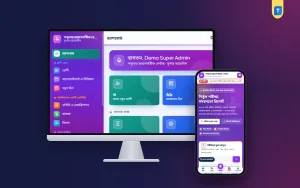
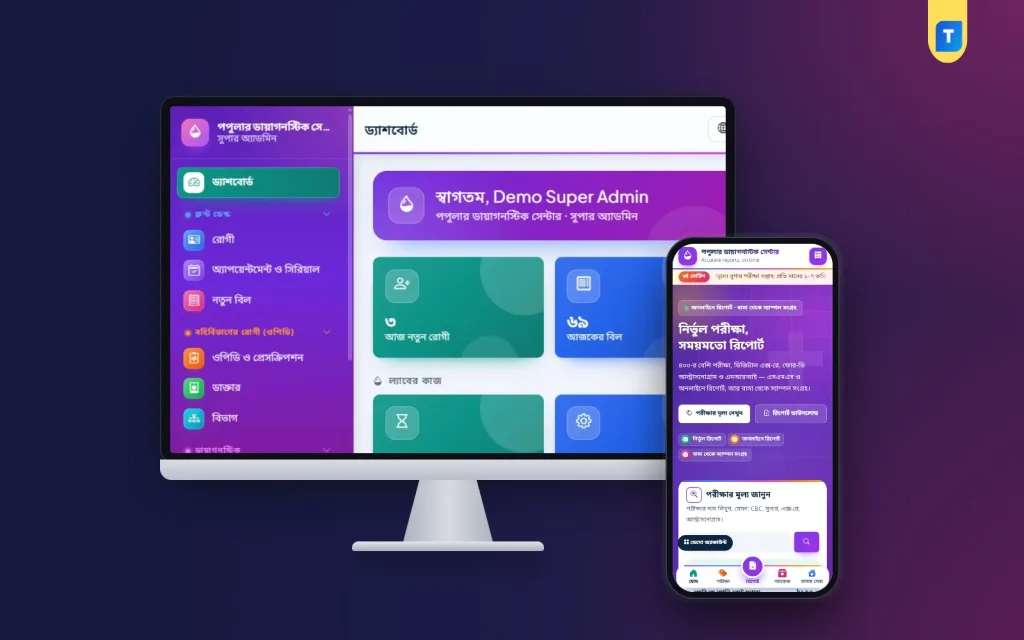
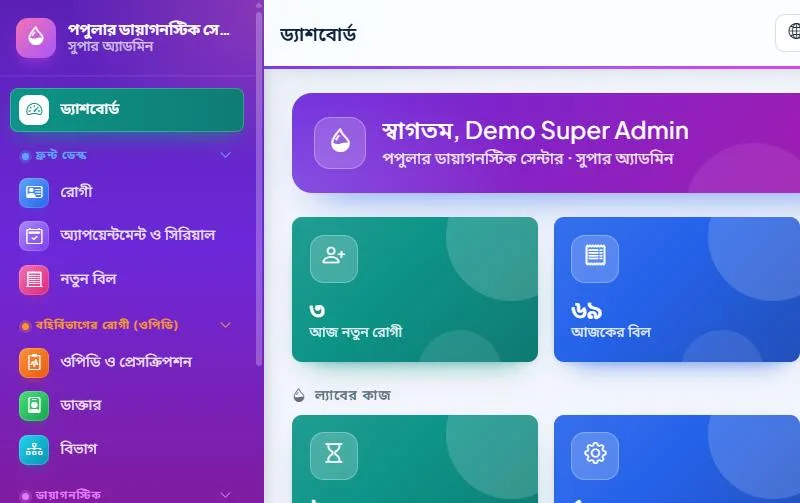
If you want a one-time licence on your own hosting, look at Diagnostic Centre Management Software. It is a Laravel web application made for pathology labs, imaging centers and diagnostic centers that also host doctor chambers.
- A lab worklist from sample collection to delivery.
- Barcode tube labels for every bill.
- H and L flags with male and female ranges.
- Pathologist verification, and an A4 report with a QR check.
- Report-ready SMS and online report download.
- Referral commission statements and payout vouchers.
- Imaging templates, a pharmacy counter, accounts and nine printable reports.
- A web installer in cPanel, with no terminal or SSH.
It works in Bangla and English, and the live demo lets you click through the roles before you decide. You need your own SMS account, and the current price is on the product page. Read the page against the question list above and see if it fits your lab.
Payment terms and the written agreement
Once you pick a seller, get the deal on paper. A short agreement protects both sides and costs nothing.
- The exact product name, version and modules you are buying.
- What the price covers: installation, training, first-year support.
- How many domains or branches the licence allows.
- When and how you can get updates.
- What happens to your data if you stop using the software.
- How and when payment is made. Bank transfer, bKash and Nagad are all common in Bangladesh, so keep the receipt.
Avoid paying the full amount before you have seen the real software running. A live demo with realistic data is a fair request.
What to test during the first week
The first week shows whether the money was well spent. Run these checks with real staff, not only the owner.
- Register a patient and make a bill with a discount and part payment.
- Print the tube label and scan it at the bench.
- Enter a result outside the normal range and check the flag.
- Send the report back from the pathologist once, then approve it.
- Print the A4 report and read every line for spelling and units.
- Send a report-ready SMS to your own phone and download the file.
- Refund a bill and look at the cash book.
If any step feels slow or confusing, tell the seller at once. Early problems are cheaper to fix than late ones.
Common mistakes when buying lab software
- Choosing only by the lowest pathology lab software price and ignoring renewals.
- Skipping the demo, then finding the report layout is wrong.
- Paying for inpatient modules when the lab only runs tests.
- Forgetting SMS credit, label printers and training.
- Giving all staff the same login, so nobody can be traced.
- Never testing a backup restore.
- Starting with all branches at once instead of one branch first.
A simple way to start
- Write down your daily test count and the services you offer.
- Pick three sellers and ask the ten questions above.
- Test each demo with a real example: one bill, one sample, one report.
- Build the five-year table.
- Start with one counter for two weeks, then add the rest.
If you want to read more on the technical side, the Laravel documentation is a good, reliable reference.
Frequently asked questions
What is a fair pathology lab software price for a small lab?
There is no single figure. A fair pathology lab software price is one that covers the modules you need, includes installation and support, and stays reasonable over five years. Compare the total, not the first payment.
Is a one-time licence better than a monthly plan?
For many labs, yes, because the cost stops growing after the first year apart from hosting. A monthly plan suits a lab that wants someone else to run the server.
Does the price include SMS?
Usually not. You buy credit from an SMS company and connect it to the software. Ask which companies are supported.
What is system diagnostics in a lab system?
It is a health check of the software itself: server, database and storage. It is not a medical test, but it helps you spot problems before they stop your work.
Can the software replace a paper register completely?
Yes, once the bill, label, result and report all live in one system. Keep a printed daily closing sheet for the first month while the staff settle in.
Do I need a technician to install it?
That depends on the product. Some need a developer. A web installer that runs from cPanel is easier for a lab owner or a hosting provider to handle.
How long does it take to go live?
A small lab can enter its test list and start billing in a few days. Plan one to two weeks to train staff and check reports.