Opening a supermarket online store is one of the best ways for a grocery shop to grow. Your regular customers already trust you. An online store lets them order from home, and it brings new buyers from across the city. But a supermarket has hundreds of products, tight margins and customers who expect speed. This guide walks you through planning, building and running a supermarket online store, step by step.
It is written for shop owners in Bangladesh, from a neighbourhood mini-mart to a growing grocery delivery business, but most of the advice works anywhere.
Why open a supermarket online store now
Buying groceries online has become normal for many families. People who once ordered only clothes or phones now order rice, oil and milk too. A store of your own, rather than only a Facebook page, gives you:
- a full catalogue that customers can browse and search;
- orders with clear addresses and phone numbers, not messages to decode;
- stock control, so you do not sell what you do not have;
- a customer list for offers and repeat orders.
Plan before you build
Choose your delivery area
Start with an area you can serve reliably, such as your own city or a few neighbourhoods. Add courier delivery to other districts later. Decide your delivery charges: a lower price for pick-up from a courier point and a higher price for home delivery is a simple model.
Choose your first products
Do not upload everything on day one. Start with the 100 to 200 items people buy every week: atta, flour, sugar, salt, oil, milk, tea, snacks, noodles, soap. Add more as orders grow.
Set your rules
Write down your minimum order, delivery times, cut-off time, return rules and payment methods. These go on your Delivery, Return & Refund and FAQ pages.
Design that feels like a supermarket
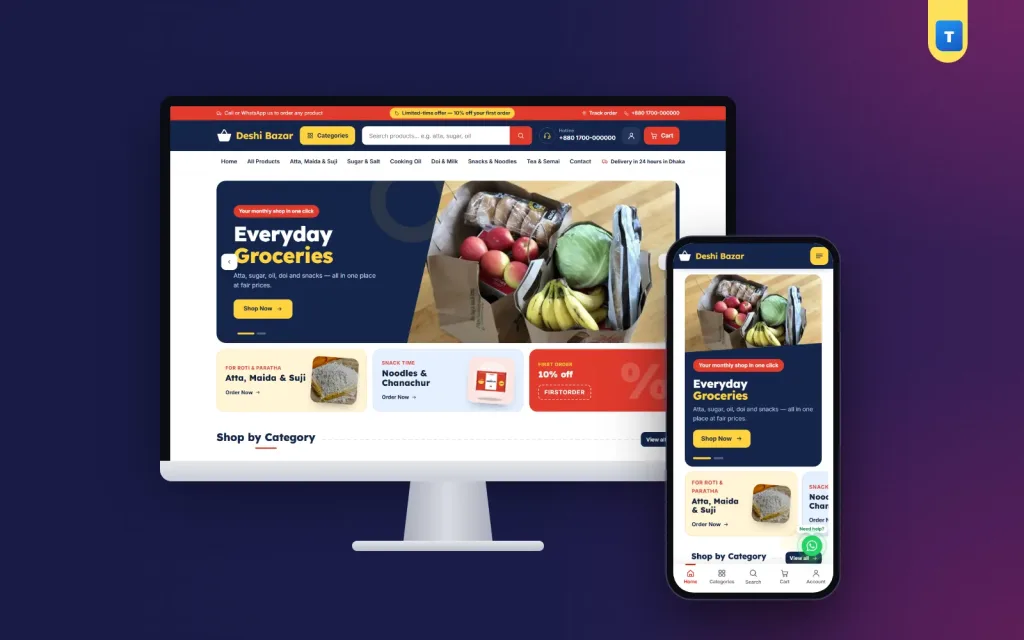
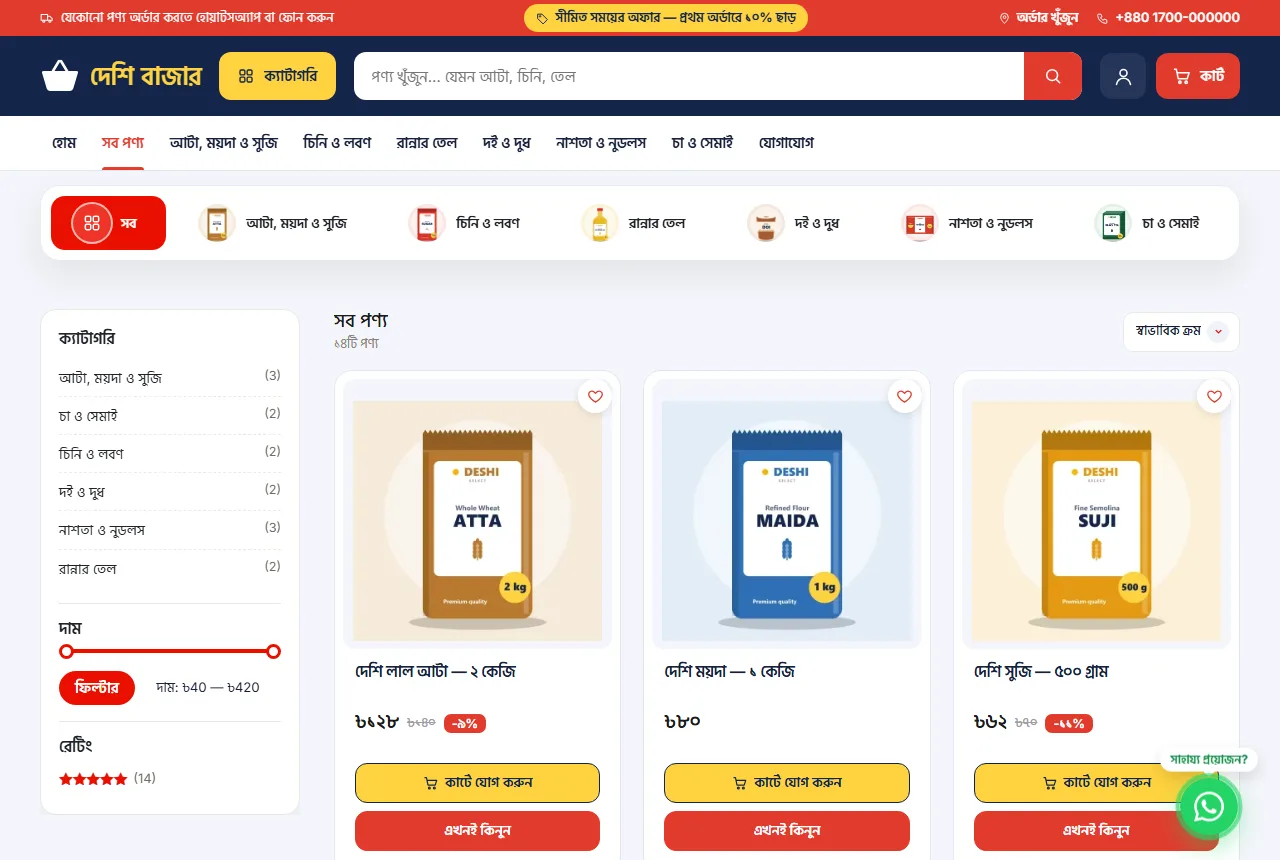
A supermarket online store should look busy enough to feel well stocked, but organised enough to find things fast. Proven elements:
- a big search box in the header;
- a "Categories" button that opens a panel with pictures;
- a hotline number in the header for buyers who prefer to call;
- colourful category tiles on the homepage;
- a "Today's deals" product rail near the top;
- three promo tiles beside the slider, one of them a coupon.
Strong colours such as navy, red and yellow are common in supermarkets because they feel energetic and cheap in a good way.
Organising hundreds of products
Good organisation is what separates a working supermarket online store from a messy one.
- Categories: six to twelve top categories such as Atta Maida & Suji, Sugar & Salt, Cooking Oil, Doi & Milk, Snacks & Noodles, Tea & Semai.
- Names: brand, item and size: "Soybean oil 2 L".
- Photos: front of the pack on a white background, square, same size.
- Tags: "breakfast", "Ramadan", "baby" for special lists you can link from banners.
Import large catalogues with a CSV file instead of adding products one by one.
A checkout built for Bangladesh
A long checkout loses orders. Keep it short:
- name and mobile number, plus an optional second number;
- district and upazila from lists, then a short address;
- point or home delivery with clear prices;
- coupon box;
- cash on delivery, plus bKash, Nagad or card when you are ready.
Decide whether buyers can order as guests. For a grocery online store, allowing guests usually brings more first orders, while accounts make repeat orders faster.
Explain how ordering works
Many buyers are new to ordering groceries online. A small "How to order" block with three steps (find, add to cart, pay on delivery) reassures them. Add a WhatsApp button and your hotline for anyone who still prefers to talk to a person.
Pricing, deals and coupons
Supermarket margins are thin, so use offers carefully:
- a first-order coupon, such as 10% off, shown in the top bar;
- a weekly "Today's deals" rail with a few discounted items;
- bundles such as a monthly basics pack;
- free delivery above an order value that still leaves profit.
Update deals often so returning buyers see something new.
Running daily operations
Orders
Check new orders several times a day. Change the status as you pack and send, so buyers can see progress on the Track Order page.
Stock
Update stock when deliveries arrive. Mark items out of stock immediately; nothing annoys buyers more than a cancelled item.
Packing
Pack heavy items at the bottom, keep liquids upright and separate soap from food. Add a printed order slip.
Delivery
Use your own riders for nearby areas and a courier for the rest. Share the rider's number with the buyer on the delivery day.
Mobile first
Most orders come from phones. Make sure your store has a bottom tab bar (home, categories, search, cart, account), large buttons, two cards per row and fast pages. Test on a cheap phone over mobile data.
Marketing your supermarket online store
- Print the website address on your shop bags and receipts.
- Share weekly deals on your Facebook page with direct links to products.
- Ask happy customers for reviews on product pages.
- Send WhatsApp messages to regular buyers about new stock, but not too often.
- Write helpful posts, such as a Ramadan shopping list, that link to products.
Google's advice on creating helpful content explains why useful pages rank better than keyword-stuffed ones.
Common mistakes
- Uploading products without photos or sizes.
- Hiding delivery charges until the last step.
- Forgetting to mark items out of stock.
- A foreign checkout with postcode and state fields.
- Not answering WhatsApp or phone quickly.
Measuring success
Watch orders per day, average order value, the share of buyers who order again within a month and how many orders are cancelled. If cancellations are high, look at stock accuracy and delivery times first.
A launch checklist
- Top 100 to 200 products online with photos, sizes, prices and stock.
- Categories and search tested.
- Checkout with district and upazila, delivery prices and cash on delivery.
- Delivery, Return & Refund, FAQ, Contact and Track Order pages.
- Hotline and WhatsApp number correct.
- Three test orders placed from a phone.
Launch faster with Deshi
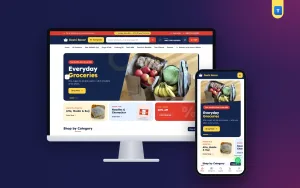
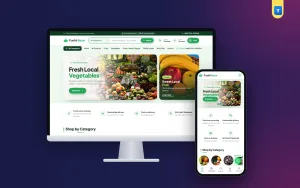
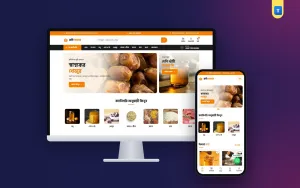
The Deshi supermarket theme for WordPress gives you a ready supermarket online store: a big search, a Categories button with a picture panel, a hotline in the header, colourful category tiles, a "Today's deals" rail, promo tiles, "How to order" steps, a district and upazila checkout, order tracking by mobile number, a phone tab bar and a WhatsApp button. It runs on WooCommerce, switches between English and Bangla, and works with payment and courier plugins. Import the demo, add your products and open your store the same day.
Choosing the right platform
There are three common ways to open a supermarket online store: a marketplace, a hosted shop builder or your own WordPress site with WooCommerce. Marketplaces bring traffic but take a commission and control the customer. Hosted builders are easy but charge monthly fees that grow with you. WordPress with WooCommerce gives you full control and low running costs, and with a ready theme it is no harder to set up. For most local supermarkets, your own site is the best long-term choice.
Domain, hosting and basics
Choose a short domain that matches your shop name. Use hosting with servers close to your buyers and daily backups. Install an SSL certificate so the address starts with https, which browsers and buyers expect. Set up a business email with your domain for order notifications.
Product data that saves time later
Decide your naming rules before uploading: brand first, then item, then size. Use the same size format everywhere ("1 kg", not sometimes "1kg" and sometimes "1 KG"). Add a short description with the main facts: ingredients, origin, shelf life. Clean product data makes search, filters and future imports much easier.
Handling price changes
Supermarket prices change often, especially for oil, sugar and rice. Update prices on the site the same day they change in the shop. If a price changes after an order is placed, honour the order price or call the buyer; never change it silently. Buyers forgive a price rise, but not a surprise.
Building a team routine
Even a small store needs a routine. In the morning, check stock and update prices. Around midday, pack the morning orders. In the afternoon, hand parcels to riders and couriers. In the evening, answer messages and check tomorrow's orders. Write the routine down so anyone on the team can follow it.
Security and backups
Your store holds customer names, phone numbers and addresses. Use strong passwords, keep WordPress, the theme and plugins updated, and take daily backups. Give staff their own accounts with only the access they need, rather than sharing one admin login.
Growing beyond your first area
Once your first area runs smoothly, add more. Start courier delivery to nearby districts with a clear delivery time, such as two to three days. Add more products in the categories that sell best. Consider a second pick-up point if orders cluster in one part of the city. Grow step by step, and keep your delivery promises as you do.
Payments for a supermarket online store
Cash on delivery is still the most trusted payment for groceries in Bangladesh, so keep it. Add mobile banking such as bKash and Nagad when you are ready, because many buyers prefer not to keep cash at home. Card payments matter more for larger orders and corporate buyers. Whatever you add, test each payment method with a real small order before announcing it.
Serving offices and bulk buyers
Offices, hostels and small restaurants buy tea, sugar, milk powder and snacks in bulk. Create bulk sizes, such as cartons, with a slightly lower unit price. A separate coupon for business buyers and an invoice on request can turn a few office clients into a steady base of orders for your supermarket online store.
Using your physical shop
If you also have a physical shop, use it. Put a small sign with your website and QR code at the counter. Offer free pick-up from the shop for online orders. Let shop staff help older customers place their first online order. The physical shop builds trust that a website alone cannot.
Reviewing your first three months
After three months, look back. Which categories sell most? Which areas order most? Which deals worked? How many buyers came back? Use the answers to decide what to add next: more products in strong categories, delivery to a new area or a new payment method. Growing a supermarket online store is a series of small, measured steps.
Keeping customers informed
Clear communication is part of a good store. Send an order confirmation by SMS or WhatsApp with the order number, total and expected delivery time. Send a short message when the order leaves the shop. If an item is missing, call before delivery and offer a replacement or a refund. Buyers who are kept informed forgive small problems; buyers who are left guessing do not order again. Add your opening hours and support hours on the Contact page, so people know when to expect a reply, and keep the hotline staffed during those hours.
Small habits like these cost little, but over months they build the reputation that brings in new buyers through word of mouth. Finally, ask for feedback. A one-question message after delivery, such as "Was everything as you ordered?", shows care and catches problems early. Collect the answers in a simple sheet and review them every week with your team.
Frequently asked questions
How much does it cost to start a supermarket online store?
You need a domain, hosting and a theme. Many shops start for less than the cost of one month's rent for a small shop.
How many products do I need to start?
Start with 100 to 200 everyday items and add more as orders grow.
Can I take bKash or Nagad?
Yes, with a payment plugin. Many stores start with cash on delivery and add online payment later.
Do I need my own delivery team?
Not at first. Use couriers and add your own riders for nearby areas as orders grow.
Should my store be in Bangla?
If most buyers read Bangla, yes. Offer English as a switch for others.