Good tea shop website design helps buyers taste with their eyes. Tea and coffee are sold on flavour, freshness and ritual, none of which can be touched through a screen.
The site has to explain taste in plain words, show how to brew and make reordering a favourite blend easy. This guide covers the look, categories, product pages, brewing help, gifts, delivery and phone layout for a tea and coffee shop in Bangladesh.
The ideas are simple. Try a few, watch your repeat orders and keep what works.
What makes tea shop website design different
Most shops sell things buyers already understand. A tea shop often sells words buyers do not know: orthodox, CTC, first flush, oolong, light roast, single origin. Your design must translate those words into taste.
Three questions sit behind every tea or coffee order:
- Will I like the taste? Strong, light, floral, malty, bitter, sweet?
- Is it fresh? When was it plucked, packed or roasted?
- How do I brew it? How much, how hot and how long?
Answer these on the homepage and on every product page, and the shop sells itself.
A calm look that lets the leaves speak
Tea and coffee photos are rich in colour: amber liquor, green leaves, dark beans, white cups. The design around them should be quiet. A deep navy or dark green with cream and one warm accent, such as copper, gives a tea-room feel without fighting the photos.
A soft serif font for headings adds a crafted, calm feeling. Keep body text in a plain font that is easy to read on a phone.
Small details matter
Steam-line icons, thin rules and tin-shaped cards make a shop feel cared for. Use them lightly. Too many decorations slow the page and distract from the products.
Categories buyers understand
Keep the main menu short: Black Tea, Green & Herbal, Coffee Beans, Ground & Cold Coffee, Teaware & Brewing and Gift Sets. Put details such as estate, flush or roast level inside product names and filters, not in more menus.
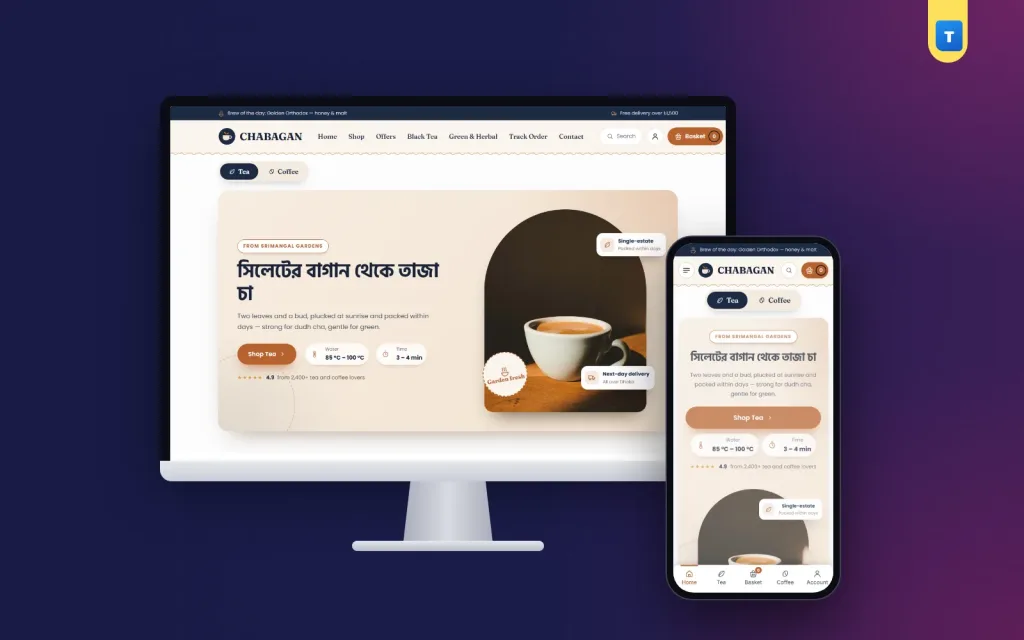
If you sell both tea and coffee, let buyers choose their side early. A switch in the hero, one side for tea and one for coffee, keeps each group on its own path. Coffee buyers do not want to scroll past ten teas.
Use Bangla words where buyers use them: "দুধ চা", "লাল চা", "গ্রিন টি". Many buyers in Bangladesh search for "dudh cha" or "lal cha" in English letters, so add those to titles and tags.
A homepage order for tea shop website design
Here is an order that suits most tea and coffee shops:
- Hero with a tea or coffee switch, each side with its own photo and brewing note.
- Categories as tin-shaped cards.
- Brew guide: four methods with temperature and time.
- Bestselling blends.
- Find your cup: three taste moods linking to categories.
- Garden or roastery story with one photo and a short text.
- Coffee corner: beans and ground coffee in a rail.
- Reviews, FAQ and blog.
Each block should end with one clear button, such as "Shop green tea" or "See all coffee".
Explain taste in plain words
Taste notes are the heart of the product page. Keep them short and familiar:
- Strong and malty: good for dudh cha, holds up to milk and sugar.
- Light and floral: best without milk, in the afternoon.
- Grassy and fresh: green teas, brewed cooler and shorter.
- Chocolate and nut: medium roast coffee, smooth and round.
- Bright and fruity: light roast coffee, best as pour-over.
A "find your cup" block with three moods, such as "I want something strong", "I want something light" and "I want something bold", helps new buyers choose without knowing a single tea name. It is one of the friendliest ideas in tea shop website design.
Show how to brew
A brew guide turns a first-time buyer into a regular. Show four methods side by side, each with the amount, water temperature and time:
- Dudh cha: boil the leaf with water, add milk, simmer 3–4 minutes.
- Green tea: water at about 80 °C, 2–3 minutes, no milk.
- Pour-over coffee: 92–96 °C water, about 3 minutes.
- French press: coarse grind, 4 minutes, then press.
Put the right brewing note on each product page too. A buyer who brews well tastes the best of your tea and comes back. A buyer who over-brews green tea thinks your tea is bitter.
Product pages for blends and beans
Near the top of each product page, show:
- A photo of the dry leaf or beans beside the tin or bag.
- A second photo of the brewed cup.
- Pack options, such as 100 g, 250 g and 500 g, each with its price.
- Taste notes in three or four words.
- Origin and freshness: garden and pluck month, or roast date.
- For coffee: whole bean or ground, and the grind size.
- An "In Stock" pill and Add to Cart and Buy Now buttons.
Freshness sells coffee in particular. "Roasted every Monday" or "roasted on 14 October" is more convincing than "premium quality".
Photos that taste good
Good photos do half the selling. A few habits help:
- Shoot in daylight near a window; avoid yellow light, which turns tea brown.
- Use a dark wooden or navy background to make the liquor glow.
- Show loose leaf in a small bowl, so buyers see the leaf size.
- Show coffee beans in a scoop, close enough to see the roast colour.
- Keep the same cup and angle for every brewed photo.
Matching photos are a quiet part of tea shop website design. Square photos fit product cards on every screen. Real photos of your own tea are always better than stock pictures of a garden in another country.
Tell the garden story
Bangladesh has its own tea country in Sylhet and Srimangal. If your tea comes from a garden you know, tell that story: the hills, the pluckers, the factory, the days from leaf to pack. One photo band with three lines and a button to your About page is enough.
For coffee, tell the roastery story: where the beans come from, how often you roast and how you taste each batch. Keep figures honest. If you put a number on the page, such as years in business or happy buyers, make sure it is real.
Coffee website design ideas for a mixed shop
Many tea shops add coffee later. A few coffee website design ideas fit well into a tea-first shop:
- A coffee corner rail on the homepage, so coffee buyers find their beans fast.
- Grind options on every coffee product: whole bean, French press, filter, espresso.
- Roast dates in the product text.
- Brewing gear in its own category: presses, pour-overs, grinders, kettles.
Keep tea and coffee in separate categories with separate photos, so each feels like it belongs. These coffee website design ideas let one shop serve both kinds of buyer.
Gifts and sets
Tea and coffee are popular gifts for Eid, weddings, office events and visiting family. Make gift sets easy to find:
- A Gift Sets category with three or four boxes at clear prices.
- Photos of the box open, with every tin visible.
- A delivery address that can differ from the billing address.
- A note field for a card message.
Gift sets also bring new buyers: someone who receives a box of your tea may order a pack for themselves next month. Put a small card with your website inside every set.
Corporate buyers often want 50 or 100 sets. A short line with a contact button, such as "Corporate gifts from 20 boxes", brings those orders in.
Delivery and checkout
Tea and coffee travel well, so most shops can deliver across Bangladesh. Be clear about:
- Areas and charges, such as ৳80 inside Dhaka and ৳120 outside.
- Delivery days inside the city and by courier.
- Roast-to-ship timing for coffee.
Keep checkout short: name, mobile number, area and address. Cash on delivery is still common; add bKash, Nagad and cards as you grow. A free-delivery bar in the cart, such as "Add ৳400 more for free delivery", gets buyers to add a second blend.
Accounts help repeat buyers. A pop-up sign-in with a mobile number or email saves the address, keeps a wishlist of favourite blends and shows past orders, so the next order is two taps.
Tea shop website design on phones
Most orders come from phones. Plan that view first:
- A menu button, the logo and the cart.
- One main banner or the tea/coffee switch.
- Tin-shaped categories in a scrolling row.
- Cards two per row with pack size and price.
- A bottom tab bar with Home, Shop, Cart and Account.
Test on a cheap Android phone over mobile data. Dark backgrounds with big photos can be heavy, so compress images and choose a light theme. Speed is part of tea shop website design: a buyer who waits too long will make a cup of the tea they already have.
Content that brings buyers back
A small blog suits a tea shop well. Short posts answer questions buyers ask and bring visitors from search:
- How to make perfect dudh cha at home.
- Green tea: why it tastes bitter and how to fix it.
- Pour-over or French press: which is right for you?
- How to store tea and coffee so they stay fresh.
Write in your own words with one clear photo. Google's guide to helpful content rewards real, useful answers written for buyers.
Common mistakes
- Product names with no taste notes.
- No brewing instructions anywhere.
- No roast date on coffee.
- Tea and coffee mixed in one long list.
- Stock photos of foreign gardens.
- Delivery charges shown only at checkout.
- Rating numbers on the homepage that are not real.
Each of these is easy to fix and costs nothing but an afternoon. Open your shop on a phone once a month and read it as a new buyer would. If a page does not tell you how a tea tastes or how to brew it, fix that page first.
Small, steady fixes do more for tea shop website design than a full redesign every year. Buyers like a shop that feels familiar when they come back.
A launch checklist
- Every product has taste notes, a pack size and a price.
- Coffee products have a roast date and grind options.
- The brew guide is on the homepage.
- Gift sets have photos and clear contents.
- Delivery zones and charges are set.
- You placed three test orders from a phone, one tea and one coffee.
After launch
Track reorders: how many buyers came back for the same blend within six weeks? That number tells you if your tea shop website design is working. Ask regulars what they would like next and bring in small batches to test.
Building a tea and coffee shop with Chabagan
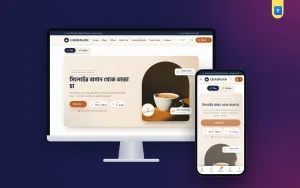
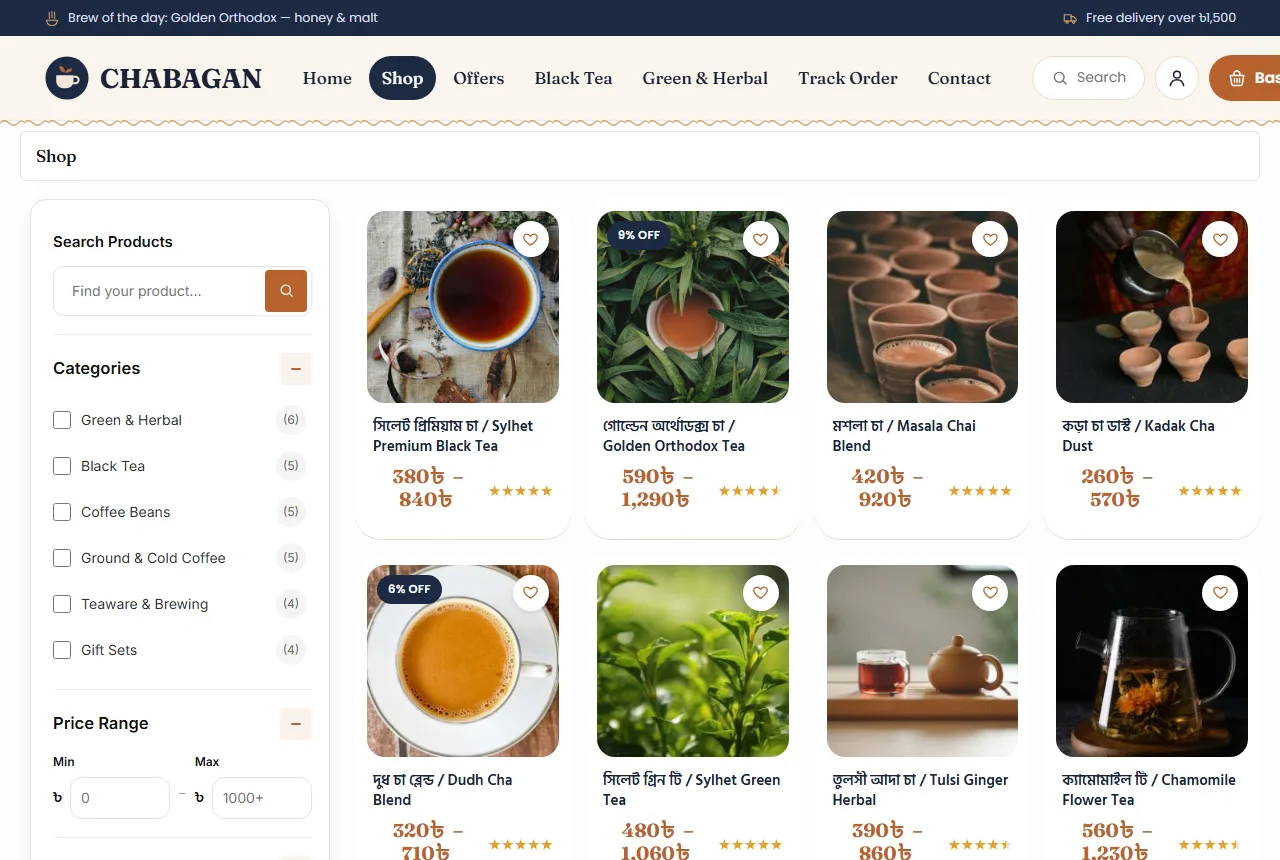
These ideas are easier when the theme already has them. The Chabagan tea shop WordPress theme for WooCommerce has a header with a "brew of the day" note, a tea-or-coffee switch hero with brewing notes, tin-shaped categories, a brew guide, bestselling blends, a find-your-cup block, a garden story band, a coffee corner rail, reviews, FAQ and a blog block.
Every demo product has Small and Large packs. Delivery zones, cash on delivery, mobile or email sign-in, a wishlist and a phone tab bar are ready after the demo import. It is a calm tea-room design you can fill with your own blends in a day.
Frequently asked questions
What should tea shop website design show first?
What you sell, how it tastes and how fresh it is. A tea or coffee switch helps each buyer find their side.
Should I add brewing instructions?
Yes. A short guide with temperature and time on the homepage and each product page avoids bad first cups.
Can one shop sell tea and coffee?
Yes. Keep separate categories, photos and a coffee rail, so each kind of buyer finds their products fast.
Which colours suit tea shop website design?
Deep navy or green with cream and one warm accent. They let the colour of the leaves and the cup stand out.
Do I need online payment from day one?
No. Cash on delivery is enough at first. Add bKash, Nagad and cards later.