Good watch shop website design has to replace the glass counter. In a shop, the buyer holds the watch, turns it in the light and tries it on the wrist. Online, your photos, specs and promises have to do all of that before they tap Buy Now.
This guide covers photos, collections, product pages, gift options, checkout and daily habits that help a watch shop in Bangladesh get steady orders.
Every idea here is simple and cheap. Pick the ones that fit your shop, try them for a few weeks, and keep what works.
Why watch shop website design is about detail
A T-shirt buyer looks at colour and size. A watch buyer looks at much more. They zoom in on the dial, check the case size, read about the strap and worry about whether the watch is genuine.
- Look: dial colour, hands, case finish and strap.
- Size: case width in mm and how it sits on a wrist.
- Quality: movement type, glass, water resistance.
- Trust: warranty, box, return rules and a real shop behind the site.
When every product page answers these four points in the same order, buyers learn your shop quickly and compare with confidence.
Collections that match how people shop
Buyers rarely search for "a watch". They search for a men's chronograph, a ladies' gold watch or a couple set for an anniversary. Group your stock into five to eight collections, such as Men Watches, Women Watches, Leather Strap, Couple Watch and Chronograph.
Show these near the top of the homepage, either as round photos with the number of watches in each, or as tabs that switch between Men, Women and Strap without leaving the page. On a phone, one row that scrolls sideways keeps the page short.
Naming watches clearly
Use one title pattern for every product: style, colour, strap and who it is for. "Black Pilot Chronograph Watch" or "Ladies Gold Mesh Watch" tell the buyer more than a model code. If many buyers search in Bangla, add Bangla words to tags, such as "chhele" or "meye" with "ghori".
Clear names are a quiet part of watch shop website design. They help search, filters and buyers all at once.
Photos that sell a watch
Photos decide most watch sales. Shoot every watch the same way so your grid looks like a real counter.
- A front photo with the hands at ten past ten, on a plain background.
- A side photo that shows the case and the crown.
- A back or clasp photo, so buyers see the finish.
- A wrist photo, so buyers see the real size.
- A box photo, if you sell a gift box.
Use soft light and avoid harsh flash, which hides the dial behind glare. Never edit a silver watch to look gold. When the parcel arrives and it looks different, the review stays on your page for years.
Dark backgrounds suit steel and gold watches well. A deep banner behind a chronograph, with one short title, is a simple trick from luxury watch website design that works for any price range.
Product pages that answer questions
A buyer on a watch page wants answers fast. Put them near the top, beside the photos.
- A gallery with zoom and four or five photos.
- The price, the old price if it is on sale, and an In Stock pill.
- A short text with case size, strap, glass and water resistance.
- Box options, such as Standard Box and Gift Box, as buttons.
- Quantity, Add to Cart and Buy Now.
- Promise boxes for delivery, cash on delivery and returns.
Below that, use tabs for the full description, the details table and reviews. In the description, add how to adjust the strap, how to care for leather and what the warranty covers.
Warranty and genuine products
Say exactly what you promise: how long the warranty lasts, what it covers and how to claim it. If buyers can open the parcel in front of the rider and check the watch before paying, say that clearly too. It removes a big worry for first-time buyers.
Do not use real brand names or logos you are not allowed to sell. Describe imported watches by style and features, and let the photos speak.
Prices, offers and gift boxes
Show prices in taka with the ৳ sign and no decimals, such as ৳3,450. When a watch is on sale, show the old price crossed out and a small percentage tag on the card.
Gift boxes are a simple way to raise order value. Offer a Gift Box option at a small extra cost, and show a photo of it. Many watches in Bangladesh are bought as gifts for Eid, weddings, birthdays and anniversaries.
Do not put every watch on sale. When everything is discounted, buyers start to doubt the normal price. Keep offers for one band on the homepage, two side banners and a first-order coupon.
A homepage order that works
Buyers scroll a watch shop homepage like a mall window. Each block should answer one question. Here is an order many shops use:
- Hero slider on a dark photo, with one real offer.
- Two side banners, such as a men's sale and a couple set.
- Collection tabs for Men, Women and Strap.
- Latest products so regular buyers see new arrivals.
- Offer band with a short deal and a clear button.
- Best sellers as social proof.
- Collections as round photos.
- Promises: quality, returns, delivery and support.
- Reviews, FAQ and blog.
Good watch shop website design keeps each block short. Four to eight watches per row is enough; a "See More" link leads to the rest.
Watch shop website design for phones
Most orders in Bangladesh come from a phone. Design the phone view first, then the desktop.
- A menu button, the logo and the cart in the top bar.
- A bottom tab bar with Home, Categories, Cart, Chat and Account.
- Product cards two per row, with the photo as large as possible.
- Buttons big enough for a thumb.
Test the shop on a cheap Android phone over 4G. Watch photos are often large files, so compress them before upload; 1000 to 1200 pixels wide is enough. A light watch shop website design keeps buyers scrolling instead of waiting.
Search and filters
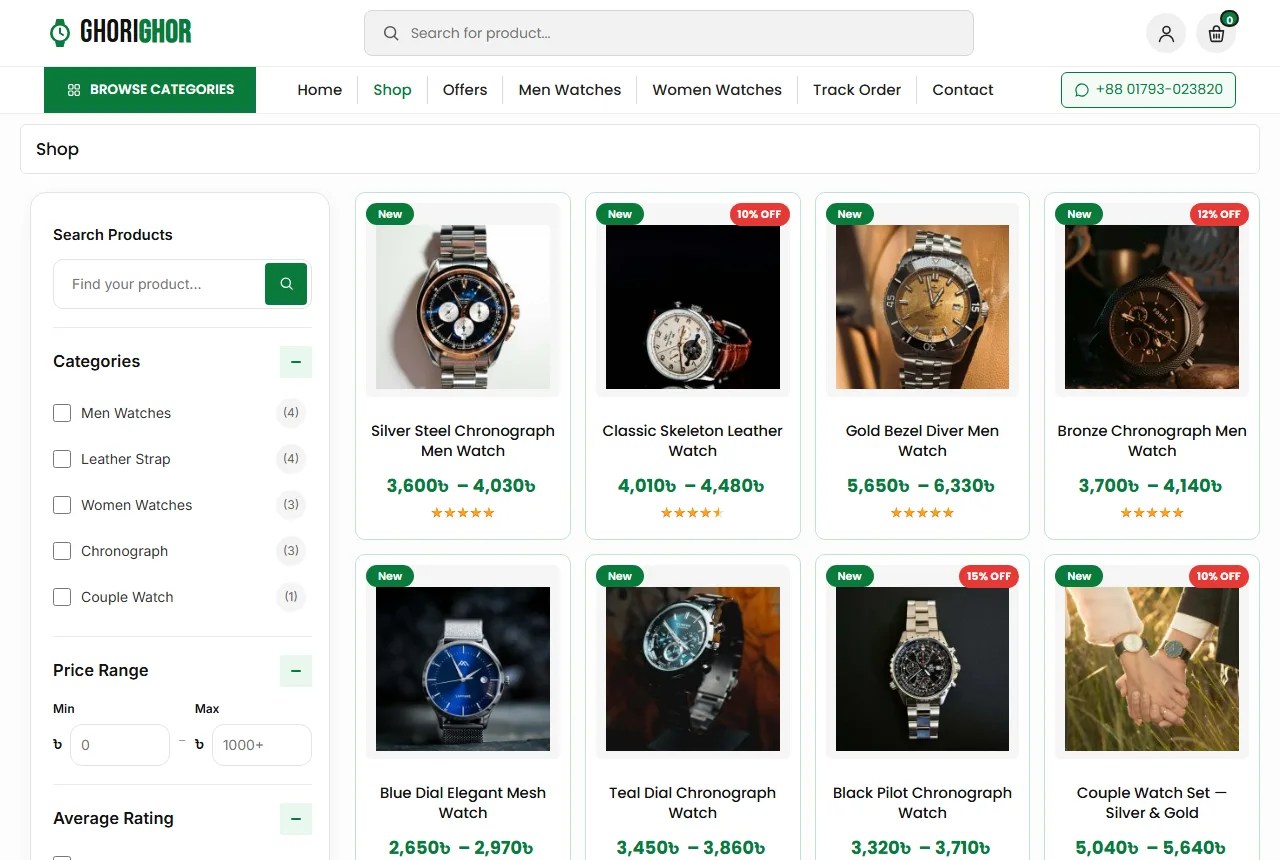
Watch buyers compare a lot. Add a search box with results as the buyer types, and a filter card on shop pages with category, price range, rating, stock and on-sale items. On phones, open the filters in a panel so they do not cover the products.
Checkout, delivery and payment
A long checkout loses orders. Ask only what the delivery needs: name, mobile number, district, area and a short address line.
Show delivery charges early. Many shops charge about ৳80 inside Dhaka and ৳120 outside Dhaka. One to two days inside Dhaka and two to four days outside is a common promise.
Packing watches safely
Put each watch in its box with a soft pillow, then in a padded envelope or a small carton. Add the warranty card and a short note on how to adjust the strap. Write the order number on the parcel so the courier and your staff can find it fast.
Cash on delivery is still the main payment method. Add bKash, Nagad and card payments with a payment plugin as the shop grows, and show the logos of what you accept.
Accounts, reviews and repeat buyers
A buyer who liked a watch for himself often comes back for a gift. Let buyers create an account with a mobile number or an email, so the address is saved and the next order is faster.
If fake cash on delivery orders become a problem, ask everyone to sign in before checkout. A wishlist helps gift buyers save ideas, and a Track Order page cuts "where is my parcel" calls.
Ask happy buyers for a review after delivery, ideally with a wrist photo. Reply to every review, including the unhappy ones, with a calm answer. Real photos from buyers do more for watch shop website design than any studio shot.
Common mistakes to avoid
- Photos with glare, or with different backgrounds and angles.
- No case size or strap details on the page.
- Warranty promises that are vague or missing.
- Real brand logos on watches you cannot prove are genuine.
- Delivery charges shown only at the last step.
- Sale timers that never end.
Google's guide to helpful content is a good reminder here. Write product text for buyers, in your own words, and answer the questions they really ask, such as which size suits a slim wrist.
Trust pages and the blog
Buyers check help pages before their first order. Write these before launch:
- About: who runs the shop and where your counter is.
- Shipping: areas, charges and delivery days.
- Return: what you take back and how.
- FAQs: warranty, strap sizing, gift boxes and payment.
- Contact: phone, WhatsApp, address and a form.
- Track Order, Privacy and Terms.
A small blog is part of watch shop website design too. Short guides, such as how to choose the right watch size or leather versus steel straps, bring visitors from search and answer questions before they reach you.
Watch sales follow the calendar: Eid, wedding season, Valentine's Day and year-end gifts. Change the slider, the side banners and the first tab for each one.
A launch checklist
- Every watch has four or more sharp photos, including a wrist photo.
- Every title follows one pattern.
- Case size, strap and warranty are on every page.
- Gift box options show as buttons and change the price.
- Delivery charges are visible before checkout.
- You placed three test orders from a phone.
Track a few numbers every week after launch: visitors, orders, average order value and returning buyers. Change one thing at a time, and your watch shop website design gets better each month.
How to choose a theme for your shop
Once you know what each page needs, pick the tool that builds it. Before you buy a theme, open its demo on your own phone and check a few simple things.
- Do watch photos stay large and sharp on the product cards?
- Can you switch homepage blocks on or off, and change their order, without code?
- Do product pages show options like a gift box as buttons, with the price changing?
- Can buyers sign in with a mobile number, not only an email?
- Does it work with the payment and courier plugins you plan to use?
- Do the cart, checkout and account pages match the rest of the design?
Also look at the files. A theme that needs a heavy page builder or many extra plugins will slow down as you add photos. A theme built on WooCommerce alone keeps orders, stock and coupons in one familiar place.
Think about who will run the shop every day. If a staff member changes banners before every sale, the settings must be easy to find. A practical watch shop website design puts slides, banners, promises and the FAQ in one settings page with plain labels.
Ask the seller about updates and support too. You want fixes to arrive in the dashboard without losing your content.
Building your watch shop with Ghorighor
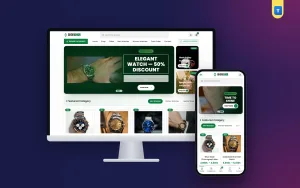
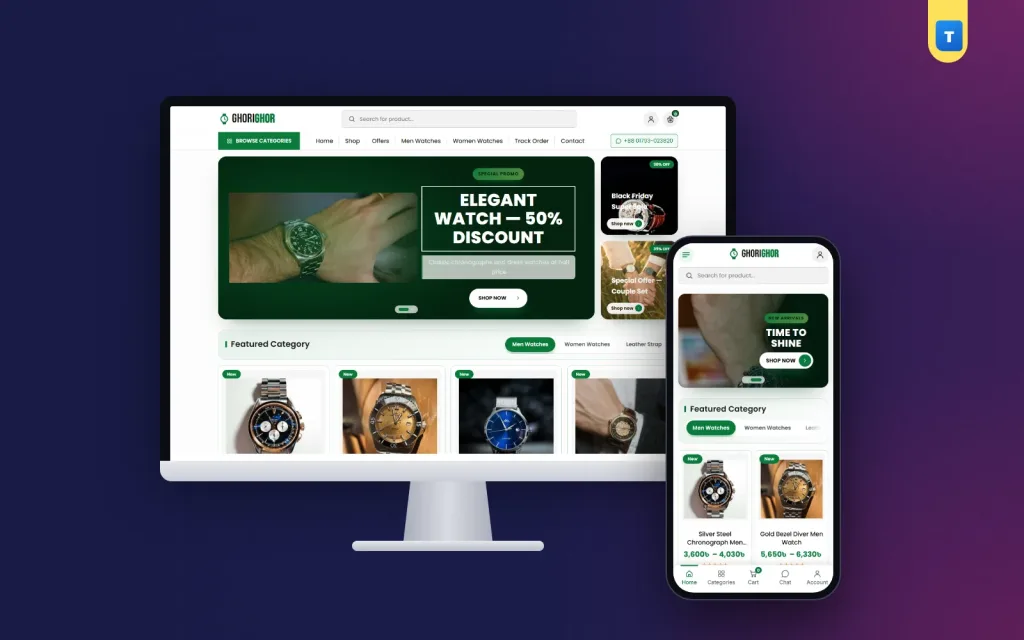
All of this is easier when the theme already follows these rules. The Ghorighor watch shop theme for WordPress and WooCommerce brings ideas from luxury watch website design to any budget: a dark hero slider with two side banners, collection tabs, latest products, an offer band, best sellers, round collection photos, a promise strip, reviews, a FAQ and a blog block.
Its product page has Standard Box and Gift Box buttons, an In Stock pill, a payment logo strip and promise boxes. Buyers get live search, shop filters, mobile number or email sign-in, a wishlist and a Track Order page. Every homepage block can be switched on or off. Import the demo, add your watches, and you can take orders the same week.
Frequently asked questions
What photos does a watch shop website design need?
A front photo at ten past ten, a side photo, a back or clasp photo, a wrist photo and a box photo.
Which details should a watch shop website design show?
Case size, strap material, glass, water resistance, movement type and the warranty.
Do I need online payment from day one?
No. Cash on delivery is enough at first. Add bKash, Nagad or cards later.
Should I offer gift boxes?
Yes. Many watches are gifts, and a Gift Box option raises the order value.
How many watches should I start with?
Start with 15 to 40 models you always have in stock, then grow.