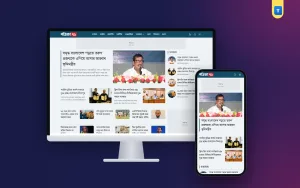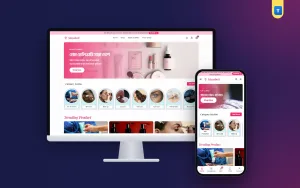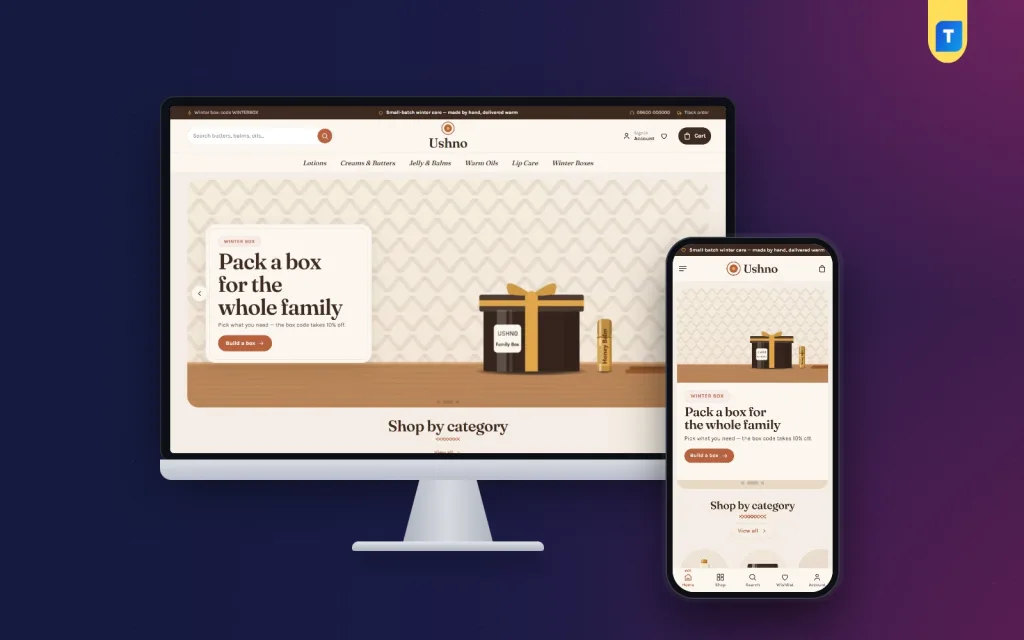
Choosing between beauty website design templates is easier when you know what your own shop needs first. Most people open ten demos, fall for the prettiest one and discover later that it does not fit their products, their buyers or their way of taking orders.
This guide gives you a clear method. You will decide what kind of shop you run, compare templates with a checklist, test the demo like a customer and set the chosen template up step by step. It is written for small and medium shops in Bangladesh, including home-based makers who sell on Facebook today and want their own website.
Start with your shop, not with the template
Write a short note before you look at any demo. It takes ten minutes and saves weeks.
- What do you sell? Skin care, makeup, hair care, soap, perfume, handmade lotions, or a mix.
- How many products? Under 30, around 100, or hundreds.
- Who buys? Students, working women, mothers, gift buyers.
- What is your edge? Price, range, originality, a maker story, fast delivery.
- How do people pay and receive? Cash on delivery, bKash, Nagad, card. Dhaka only, or the whole country.
- Who will manage the site? You alone, or a small team. From a phone or a computer?
Keep this note beside you. Every template you look at must fit it. A template for a large discount store will feel wrong for a maker who pours twenty soaps a week, and the other way round.
Types of beauty website design templates
Templates come in a few broad styles. Knowing them helps you shortlist fast.
- Busy megastore. Big search, many categories, lots of offers. Suits shops with hundreds of products.
- Clean clinical. Cool colours, white space, product facts first. Suits pharmacy-style skin care.
- Premium editorial. Serif fonts, quiet colours, story-led pages. Suits a few high-priced products.
- Warm handmade. Soft textures, personal tone, maker story. Suits small-batch soap, butter and balm sellers.
- Makeup and colour. Swatches, shade dots and bold banners. Suits makeup and nail shops.
Pick the one closest to your edge. Sort beauty website design templates by style first and by price second. You can change colours later, but the basic structure is hard to change.
What to check in beauty website design templates
Use this checklist on every demo. Give each point a yes or no, and drop any template with more than two no answers on the first five points.
- Works well on a phone. Open it on your handset, not only on a computer.
- Loads fast. No heavy sliders, large videos or many scripts.
- Complete shop pages. Product page, cart, checkout and account area are designed, not only the homepage.
- Local payments and courier. Cash on delivery, bKash, Nagad and a courier link are supported.
- Easy to edit. You can change colours, fonts, menus and homepage order without code.
- Product page fits beauty. Room for ingredients, how to use, texture and reviews.
- Variations. Size and shade options work cleanly.
- Updates and support. The seller updates the theme and answers questions.
- Demo import. You can load the demo in one click to see a working shop.
Many sellers show only a beautiful homepage. Open the cart and the account page of the demo to find out whether the work is complete.
Test the demo like a customer
Spend ten minutes doing what a buyer would do. Make notes as you go.
- Find a product using the search box and the menu.
- Open the product page. Can you tell what the product is, how big it is and what it costs without scrolling much?
- Choose a size or shade. Does the price and photo update?
- Add to the bag and open the cart. Can you change the quantity easily?
- Go to checkout. How many fields are there? Would a first-time buyer finish it?
- Try a coupon code field.
- Open the track order page.
Do this on a phone as well. If anything feels clumsy to you, it will feel worse to a tired customer on a slow connection.
Features worth having, and features to skip
A long feature list is not the same as a good template. Look at what each feature does for your buyer.
Worth having:
- Homepage blocks you can switch on, off and re-order.
- A search box that is easy to find.
- Product cards with a second photo on hover and colour dots.
- A sticky add-to-cart bar on phones.
- Countdown deals with real stock bars.
- A guide or tool that helps people choose, such as a texture finder or a gift box builder.
- Login in a popup, so buyers do not leave the page.
Easy to skip:
- Auto-playing video backgrounds that slow the page.
- Many popups.
- Effects that move on every scroll.
- Features you will never fill with content.
Every block on the homepage needs content you can keep fresh. Choose fewer blocks and keep them updated.
Beauty shop website design: the pages you need
Whatever template you choose, good beauty shop website design needs these pages and nothing more at the start.
- Homepage. Sends people to products, offers and guides.
- Shop and category pages. Clear grids with simple filters.
- Product page. Photos, price, variations, ingredients, how to use, reviews.
- Cart and checkout. Short and clear.
- Account and track order pages. Order history and parcel status.
- About page. Who you are, where the products come from.
- Delivery, returns and privacy pages. Plain words, real numbers.
- Contact page. A phone number, a map if you have a shop, and a message link.
Add a small guide section later. Articles on skin care, gift ideas and product care bring visitors from search and help them trust you.
Colours, fonts and photos in beauty website design templates
This is where your brand shows. Most beauty website design templates let you change these in minutes. A template gives you the starting point, and you finish the job.
- Choose one main colour and one accent. Warm browns and creams suit handmade goods. Soft pastels suit skin care. Strong colours suit makeup.
- Check that the text has strong contrast on every background.
- Use two fonts at most. A serif heading with a plain body font is a safe pair.
- Check that the fonts show Bangla properly.
- Take your own photos in daylight, with a plain background.
- Use the same size and angle for every product photo.
- Compress each file to under 200 KB.
Good beauty website design templates offer ready palettes and font pairs. You can test a new mood in a minute, and change it again at Eid or in winter.
Payments, delivery and orders in Bangladesh
Local needs decide whether a template is useful. Check these before you pay.
- Cash on delivery is available at checkout.
- bKash and Nagad payments are supported, by Send Money instructions or a gateway.
- A card gateway such as SSLCommerz is available if you need it.
- Your courier, such as Steadfast or Pathao, can be linked.
- Delivery charges can differ by area.
- New orders reach you quickly by email or a message app.
- An invoice is ready for each order.
Ask the seller whether all of this is included or needs paid add-ons. The cheapest template can become the most costly once you add what you need.
A ready-made option for makers: Ushno
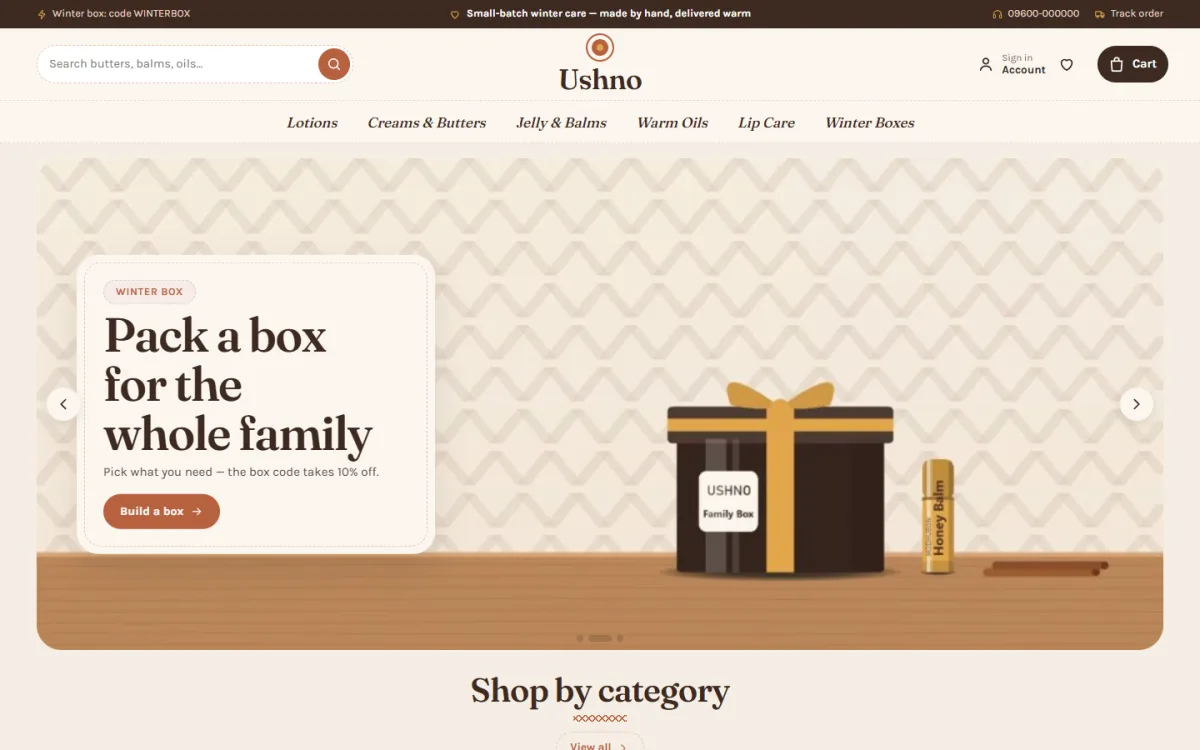
If you make lotions, butters, balms or soaps in small batches, you may want a template that feels personal. Ushno is a handmade cosmetics WordPress theme with a warm, kitchen-table look: Fraunces serif headings, stitched card seams, knit zigzag lines under titles and a cocoa footer.
What you get, as listed on the product page:
- A texture slider that runs from dry oil to jelly, with a note and matching products at each step.
- A build-your-winter-box block with a live total. When the minimum spend is reached, a box code appears. It is linked to a real store coupon that you set up.
- 24 homepage blocks you can switch and re-order.
- A centred logo between the search and the bag.
- Fireside deals with countdown and stock bars.
- Five warm colour palettes and four font pairs.
- A login popup, folding reviews and a sticky add-to-cart bar on phones.
- bKash, Nagad, SSLCommerz and cash on delivery, with Steadfast and Pathao courier and a track order page.
- A one-click demo with 31 products from 5 makers.
The Themeve Commerce shop plugin is included, so you do not need WooCommerce. Theme Options works on a phone too. Visit the Ushno page, open the demo and check it against the list above.
What a template really costs
The price tag is only part of the bill. Add up the first year before you compare.
- Template. Usually a one-time fee. Some sellers charge yearly for updates and support.
- Shop plugin. Free, paid or already included.
- Hosting and domain. A yearly cost. Choose a host with good support and speed.
- Payment gateway fees. A small share of each online payment.
- Photos and packaging shots. Do them yourself with a phone and daylight to save money.
- Your time. Product entry and testing take real hours.
A cheap template that needs three paid add-ons can cost more than a complete one. Ask what is included and keep the answer in writing. When you price beauty website design templates, count the extras, not only the headline fee.
Set up your chosen template step by step
- Buy hosting and a domain. Install WordPress and an SSL certificate.
- Install the theme and the shop plugin it needs.
- Import the demo to get a working shop.
- Pick a palette and font pair that suit your brand.
- Replace the logo, hero banner and category images.
- Delete demo products and add your own, starting with your ten best sellers.
- Set up payments, delivery charges and your courier.
- Write the About, Delivery, Returns and Privacy pages.
- Place three test orders: cash on delivery, bKash and a guest order.
- Test on a phone, fix what is slow and go live.
Follow the order. Many people spend a week on colours and leave the policies empty, and the policies are what a careful buyer reads.
Mistakes to avoid with any template
- Leaving demo text and sample products. Search your site for demo names before launch.
- Using photos that do not match your goods. Buyers notice at once.
- Adding too many plugins. Each one slows the site and adds risk.
- Hiding delivery charges. Show them before the last step.
- Using fake timers. Use real end dates and real stock.
- Skipping backups. Set up regular backups from day one.
- Copying a competitor. Your story is your advantage, so use it.
Write product pages that match the template
A template gives you empty boxes. What you put in them decides the sale. Use the same simple structure for every product so buyers learn where to look.
- Title. Product type, key ingredient and size, for example "Shea body butter 200 g".
- One-line summary. Who it is for and what it does.
- Texture and feel. Light, rich, whipped, oily. Buyers cannot touch it, so describe it.
- Ingredients. The full list in plain words, with allergen notes.
- How to use. How much, how often, and where.
- Batch and shelf life. Important for handmade goods. Add the make date if you can.
- Delivery and returns. One line near the button.
Once the pattern is set, adding a new product takes minutes. Handmade sellers can add a short note on how the batch was made, which builds trust better than any slogan.
After launch: keep the shop alive
A template is only the beginning. Check the shop weekly and improve one thing at a time.
- Add new products and retire sold-out ones.
- Ask buyers for a short review and a photo after delivery.
- Write one useful guide a month.
- Send a message to past buyers before each season with a simple offer.
- Look at your orders to see which products and pages work.
A good beauty shop website design stays fresh through small updates. Over a year, these small habits matter more than the first design. Buyers return to shops that stay clear, honest and easy to use.
If you want to read more on the technical side, the official WordPress documentation is a good, reliable reference.
Frequently asked questions
How do I choose between beauty website design templates?
Define your shop first: products, buyers and payment methods. Then test each demo on a phone, go through the cart and checkout, and check local payments and courier support. Pick the one that needs the fewest changes.
Are free beauty website design templates good enough?
For a tiny shop they can be. Check how often they are updated and whether they include a tested shop, product variations and local payments. Paid templates usually come with support and a demo you can import.
How much does beauty shop website design cost in Bangladesh?
The main costs are hosting, a domain, the template and any paid plugins, plus your time for photos and product text. A ready-made template is far cheaper than a custom build.
Can I change the colours and layout myself?
Yes, if the template has an options page. Look for ready colour palettes, font choices and homepage blocks you can switch and drag into order.
Do I need WooCommerce?
Not always. Some templates include their own shop plugin, which can be simpler. Read the product page to see what runs the cart, checkout and payments.
Can a home-based maker use a template?
Yes. Start with a small catalogue, good photos and a clear story. A template saves you the design work, and you can add products as you grow.
How long does it take to go live?
With a demo import, a basic shop can be ready in a few days. Most of the time goes into photos, product text and testing.