Clinic management software price is one of the first things an owner asks about, and one of the hardest to compare. Vendors quote in different ways, include different features and leave out different costs. A low number on a page can turn into a high bill after SMS, hosting, apps and support are added.
This guide explains what you actually pay for. You will see the pricing models, the extra costs, the features that earn their keep in a Bangladeshi clinic and a step-by-step way to compare offers. It is written for clinic owners and managers, not for programmers.
What decides clinic management software price
Two products with the same name for the same job can differ in price by a wide margin. These factors explain most of the gap.
- Licence type: one-time, yearly or monthly.
- Modules: serials, prescriptions, lab, imaging, beds, pharmacy, accounts, website and portal.
- Users: some plans limit the number of doctors or staff accounts.
- Hosting: your own server or the vendor's cloud.
- Set-up: installation, doctor profiles and price list entry.
- Updates and support: how long, and how fast you get an answer.
- Add-ons: SMS, online payment, custom reports and apps.
Before you compare any two quotes, write these seven items in a table and fill in both columns. Only then can you see the true difference.
Pricing models for clinic software
Almost every offer follows one of the models below. Each one changes how much you pay over five years.
Monthly subscription
You pay every month. The start is cheap and you can stop at any time. The total rises each year, and if you stop paying you may lose access. Ask how to export your patient data.
Per-doctor or per-user fee
The price grows when you add doctors. This works for a clinic with one or two doctors, but it hurts a clinic with many visiting consultants.
One-time licence
You pay once and install on your own hosting. Hosting, a domain and SMS stay as yearly costs. For a clinic that plans to stay with the system, this often has the lowest five-year total.
Custom development
A developer builds a system around your clinic. It can fit well, but it is the costliest route and ties you to one person. Insist on source code, a written scope and a delivery date.
The costs on top of the clinic management software price
Add these items to every quote. They are real money even when the vendor does not mention them.
- Domain and hosting. Renewed every year. The server needs PHP, a database, SSL and the ability to run scheduled tasks.
- SMS credit. Serial confirmations, report-ready messages and follow-up reminders all use SMS.
- Payment gateway. If patients pay online through bKash or a gateway, you need a merchant account, and each payment carries a fee.
- Hardware. Barcode scanner, label printer, receipt printer, and a TV for the waiting-room queue screen.
- Data entry. Doctors, departments, the service price list and medicine names must be loaded before you start.
- Training. Desk staff, doctors and nurses each need a short session.
- Updates and support. Ask what is free and for how long.
Take the licence and add the yearly items multiplied by five. That gives a total you can compare fairly.
Features that justify the price
A long list looks impressive in a brochure. In a real clinic a handful of features carry most of the value.
- Doctor chamber timetable with slot length, a patient limit and leave days.
- Desk and online serials, so staff and patients can both book.
- Waiting-room queue screen showing the serial now being seen.
- Prescription writer that fills in medicine names as you type, keeps templates and prints in Bangla or English.
- Advised tests that become an unpaid bill automatically.
- Lab labels and verified reports with a QR check and online download.
- Billing with discount, VAT, part payment, dues and refunds.
- Pharmacy counter that does not sell expired stock.
- Roles and permissions, so that only the right people can edit a bill or give a discount.
- Reports on daily collection, dues, doctor-wise income and test income.
Skip modules you will not use in the next two years. If your clinic has no beds, a bed board is wasted money. If the product lets you switch modules off, you can still add them later.
Local needs that affect the price
A system made for another country may need custom work to fit Bangladesh. That work costs money and time. Check these before you buy.
- Bangla and English. Prescriptions, receipts and reports in both languages.
- Chamber-style practice. Doctors who sit in the clinic only in the morning or evening, with serial numbers instead of fixed appointment times.
- Local SMS companies. Confirm that the system connects to the ones you can buy from.
- bKash, Nagad and COD-style habits. Many patients pay in cash at the counter, some by mobile banking. You need both.
- Referral commission. Many clinics pay a commission on referred tests. The system should track it and print payout vouchers.
How to compare offers step by step
Use one method for every vendor. It takes a few days and prevents most bad decisions.
- List your services. Doctors, lab, imaging, beds, pharmacy. Mark what you run today and what you plan.
- Ask for a written quote that names every module, add-on and yearly fee.
- Open the live demo. Log in as desk staff, doctor and admin.
- Run a full patient. Register, give a serial, write a prescription, bill a test, enter a result and sell a medicine.
- Check the Bangla for broken letters and mixed labels.
- Calculate five years. Licence, hosting, SMS, support and hardware.
- Ask for a reference. Talk to a clinic that has used the system for a year.
- Read the terms. Who owns the data and what happens if you stop paying?
If a vendor will not show a live demo or put the price in writing, do not go further.
Clinic website examples worth copying
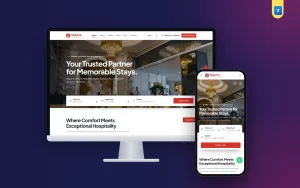
Many modern systems come with a public website, because patients now look for a clinic online before they visit. When you see the demo, look at the website too. These clinic website examples show the layouts that work well:
- The specialist centre. A clean home page for an eye, dental, child or women's clinic, with one main service and a clear call to action.
- The multi-doctor chamber clinic. A doctor list with photos, degrees, chamber days and fees, plus a quick serial form.
- The clinic with a small lab. A page for test prices and a report download box.
- The clinic with cabins. A page for beds, delivery and minor surgery, with contact for admission.
Common parts of a good clinic site are a short menu, a booking box above the fold, the opening hours, a map, a phone and WhatsApp number, doctor profiles and a patient login. Check that the pages load fast on a phone, because most patients will use one.
A ready-made option to put on your list
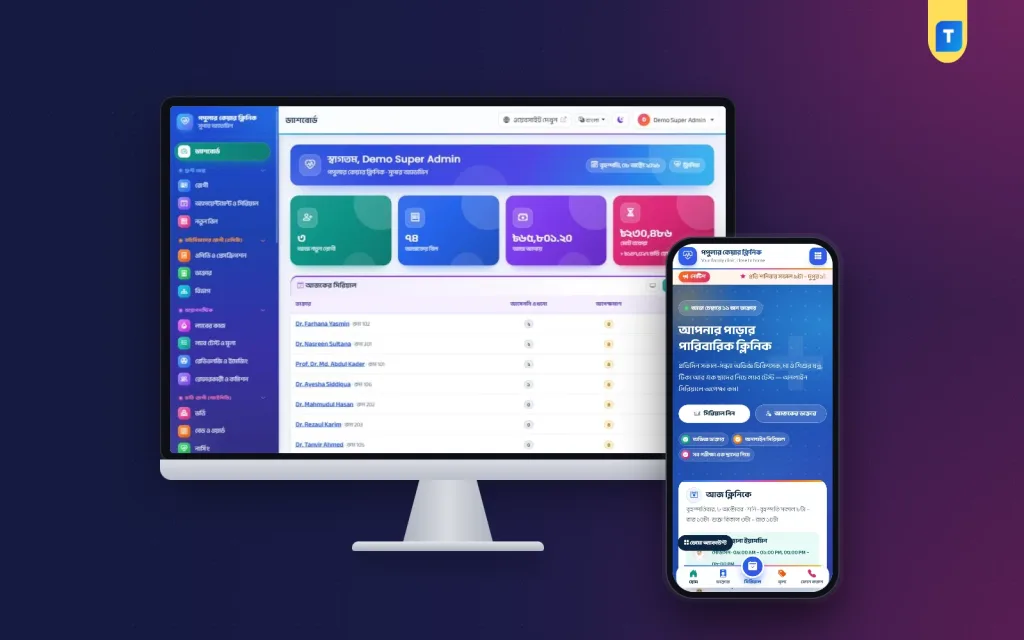
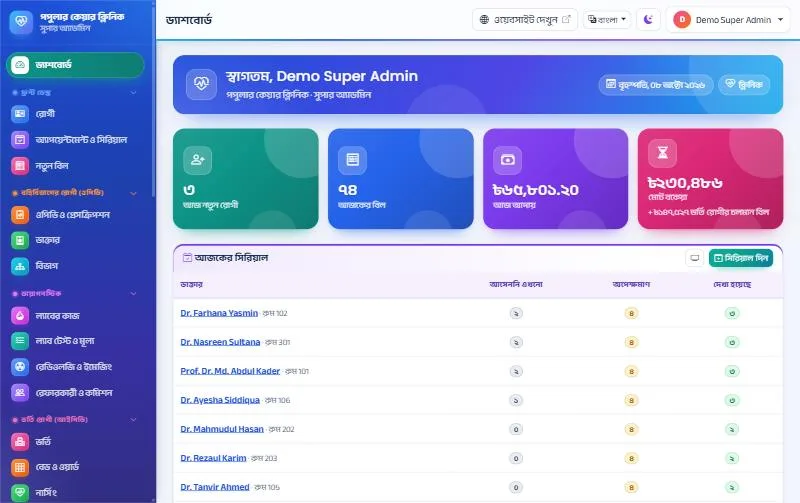
For a chamber-based clinic, put Clinic Management Software on your comparison list. It has 19 modules on top of patient registration, billing, users and settings, with a Bangla and English dashboard. The Super Admin can switch off any module the clinic does not use.
From the product page, it includes:
- A weekly chamber timetable and leave days for each doctor.
- Desk and online serials, with a waiting-room TV queue screen.
- Prescriptions in Bangla or English with a QR check, and advised tests that become an unpaid bill.
- Barcode lab labels, pathologist-verified QR reports and imaging templates.
- A bed board, nursing charts and operation theatre booking with a pre-op checklist.
- A pharmacy counter that never sells expired stock.
- A clinic website with a quick serial form, a patient portal, nine reports, accounts and payroll with payslips.
- Eleven built-in roles that decide who can view, edit or give a discount.
It is a standalone web application, not a WordPress plugin. You upload the zip in cPanel File Manager, create an empty database and let the web installer finish the job, with no terminal or SSH. Each purchase works on one domain. SMS and online payment need your own accounts. Emergency, blood bank and ambulance are only in the hospital version. You can try the demo before you buy.
Questions to ask the vendor
A short call can save months of trouble. Before you agree on a clinic management software price, ask these questions and write down the answers.
- Is the price one-time, yearly or monthly, and what exactly is covered?
- How many doctors and staff accounts are allowed?
- Who installs the system, and how many days does it take?
- Can I export all patient data in a standard file?
- How long are updates free, and what happens after that?
- How do I reach support, and how soon do you reply?
- Can I upgrade later if the clinic grows into a hospital, and is my data kept?
- Can you show me a clinic that has used the system for a full year?
If you grow, the Clinic Management Software page explains that you can move to the hospital version and keep your patients, bills and reports.
Sample budget plan
Here is a simple plan you can fill with real figures from your quotes.
- Year one: licence, domain, hosting, set-up, data entry, hardware and training.
- Each year after: domain and hosting renewal, SMS credit, gateway charges and paid support if any.
- Optional: extra reports, a design change or a second domain for a new branch.
Add up five years, then divide by the number of patients you expect to see. This gives a cost per patient. A clinic that sees a few hundred patients every month will find the cost per visit very small, which is a fair way to judge whether the clinic management software price is acceptable.
Mistakes to avoid when buying
- Choosing by the lowest number on the page.
- Not asking what is included in the clinic management software price.
- Paying for beds, theatre and blood bank when you run a chamber clinic.
- Skipping the demo.
- Forgetting SMS and hosting.
- Not asking who owns the patient data.
- Letting one person hold every admin right.
- Paying the whole amount before you see a working installation.
- Ignoring backup. Ask how often it runs and test a restore.
First-month checklist after you buy
- Load doctors, departments, chamber days and fees.
- Load the service price list and the lab test list.
- Create user accounts with the right roles.
- Print a test serial slip, prescription and receipt, and check the Bangla.
- Run the desk on the system and the old register together for one week.
- Switch on the queue screen in the waiting room.
- Connect SMS and send a test message.
- Check the daily backup.
- Review problems with the staff at the end of the first month.
If you want to read more on the technical side, the Laravel documentation is a good, reliable reference.
Frequently asked questions
What is a fair clinic management software price?
There is no single figure. A fair clinic management software price depends on modules, users, hosting and support. Compare the five-year total of at least three written quotes.
Is a one-time licence cheaper than a subscription?
For a clinic that stays with the system for years, a one-time licence usually costs less overall. A subscription starts low but keeps charging. Compare updates and support terms for both.
Do I pay extra for SMS?
Yes. You buy SMS credit from an SMS company and connect it to the system. Online payment also needs your own merchant account.
Does the clinic management software price include a website?
It depends on the vendor. Some products include a clinic website with online serials, others charge for it. Ask for this in writing.
Can a small clinic with no beds use it?
Yes, if the product lets you switch off modules such as admission, nursing and theatre. The menu becomes shorter, and you can turn them on later.
Do I need a developer to install it?
Not for products that use a web installer in cPanel. Ask the vendor who does the set-up and how long it takes.
Where can I see clinic website examples before I decide?
Ask the vendor for a live demo of the public site and the dashboard. Look at the doctor list, the serial form and how the pages look on a phone.