Good digital marketplace ecommerce website design starts with one idea: the buyer is not waiting for a parcel, so every part of the site should help them choose, pay and receive the item quickly. If you sell licence keys, software plans, subscriptions, gift cards, ebooks or courses, your site has different needs from a clothes or grocery shop. Getting the design right early saves you from rebuilding later.
This guide walks through the planning, page structure, features and checkout of a digital shop. It uses examples that fit sellers in Bangladesh, where most buyers use a phone and pay with bKash or Nagad. By the end you will have a clear checklist you can follow, whether you build the site yourself or hire someone.
What makes a digital shop different from a normal online shop
A physical shop deals with stock on a shelf, sizes, courier zones and returns. A digital shop deals with different problems. Look at the differences:
- No shipping. There is no address, weight, courier or delivery charge.
- Instant expectations. Buyers expect their key or file within minutes, not days.
- Trust matters more. A buyer cannot hold the item before paying, so they judge the seller by the site.
- Extra details. Some orders need an email, a device count or a user ID.
- Delivery equals product. A late or wrong key ruins the whole purchase.
Your design should reflect these points. A checkout copied from a fashion store will ask for the wrong things and slow people down.
Know your product types and what each one needs
Different digital goods need different product pages. Write down what you sell and what each page must show.
- Licence keys and software plans: platform, number of devices, validity period, activation steps.
- Subscriptions: length, region, whether it is a new account or a renewal.
- Gift cards: value, where it can be used, expiry.
- Ebooks and courses: format, number of pages or lessons, language.
- Templates and files: file type, what is included, how it is downloaded.
Some beginners ask a basic question here: what are digital templates? They are ready-made files, such as design layouts, document formats, spreadsheets or website themes, that a buyer downloads and edits for their own use. They are a good product because you create them once and sell them many times.
Plan a digital marketplace ecommerce website design around the buyer's journey
Think of the buyer's path from the first click to the delivered item. Each step should be short and clear.
- Arrive. The visitor lands from Facebook, Google or a message. The homepage must show what you sell in a few seconds.
- Find. They search or browse a category and reach a product.
- Decide. The product page gives price, key facts and delivery time.
- Pay. A short checkout takes name, mobile and email, then payment.
- Receive. The key or file arrives by email, and by WhatsApp if you offer it.
- Return. The buyer comes back for the next renewal or product.
Most sites fail at the Decide step. The visitor likes the look, opens a product and cannot tell what is included, how many devices it covers or when it arrives.
Good digital marketplace ecommerce website design answers these questions on the product page itself, without making the buyer open chat. Draw this on paper. Wherever you can remove a step or a field, remove it.
The pages and blocks you need
Keep the site focused. These are the main pages:
- Homepage with search, categories, best sellers, offers and a short trust section.
- Category pages with clear prices and filters.
- Product pages with key facts, price and a buy button.
- Cart and checkout.
- Account area where buyers see past orders and re-download items.
- Help page with activation guides, refund rules and contact details.
On the homepage, useful blocks include a hero with your main offer, popular categories, a best-seller strip, a short "how it works" section and customer questions. Add a block only if it helps a buyer decide.
Help buyers choose the right plan
Many sellers lose hours answering the same question: "Which one do I need?" A site can answer it for them. This matters most for software with plans by device count.
- Offer a planner where the buyer enters how many computers and phones they have and see the cheapest plan that covers them.
- Show the price per device, so a bigger plan can look fair.
- Put a short "who is this for" line on each plan.
- Link to a simple guide that explains the difference between plan types.
A short example shows why this helps. A family with two laptops, three phones and a tablet would otherwise ask you to work out the plan. With a planner or a table, they see the answer in ten seconds and pay. You save a chat, and they feel looked after.
Even without special tools, you can add a comparison table on category pages. Keep it to four or five rows so it reads well on a phone.
Design the checkout for digital goods
A checkout for digital goods can be very short. Ask for as little as you can.
- Name.
- Mobile number.
- Email, because most keys and files are sent there.
- Any detail the product needs, only on products that need it.
- Payment choice and the steps for it.
If you sell templates, the checkout also needs a download step. Send the link by email and show it on the order page, so the buyer can fetch the file again if the email is lost. Explain in one line what the buyer gets, such as "editable file, one personal use".
This is where the question of what are digital templates matters, because new buyers often do not know they receive a file to edit, not a finished website.
Do not add an address field or a delivery line. If your platform shows them by default, switch them off. A buyer who sees "delivery charge: 0" or an address box for a software key wonders if the shop knows its job.
Show the order total in a fixed place on mobile, and make the pay button large. After payment, show a page that repeats what was bought and when the item will arrive.
Payments for Bangladesh
Payment trust decides sales. Offer the methods your audience already uses.
- bKash and Nagad: the first choice for most buyers.
- Card and mobile payment through a gateway: confirms on its own, but needs an approved account.
- Manual Send Money for bKash, Nagad, Rocket and Upay: simple, with a transaction ID box so you can match payments.
Whatever you use, write the steps in plain words. Say which number to pay, which reference to use and how long confirmation takes. Check each payment before releasing a key, because a sent key cannot be taken back.
Delivery and after-sale support
A digital shop is only as good as its delivery. Plan this part with care.
- Say how the key arrives: email, WhatsApp or the account page.
- Include a short activation guide with each key.
- Keep a log of every key sent, with date and order number.
- Send an invoice with each order so business buyers have a record.
- Have a clear plan for a key that does not work: who to contact and how fast you reply.
- Set support hours and show them on the site.
Think about renewals too. Keys and subscriptions expire, and that is a chance to sell again. Note the end date of each sale and send a polite reminder a week before. Many repeat orders come from a simple message like this, and it costs nothing.
Alerts help you a lot. If you can get a message to your phone when an order arrives, you can deliver faster and keep buyers happy.
A ready-made option: Tala for digital sellers
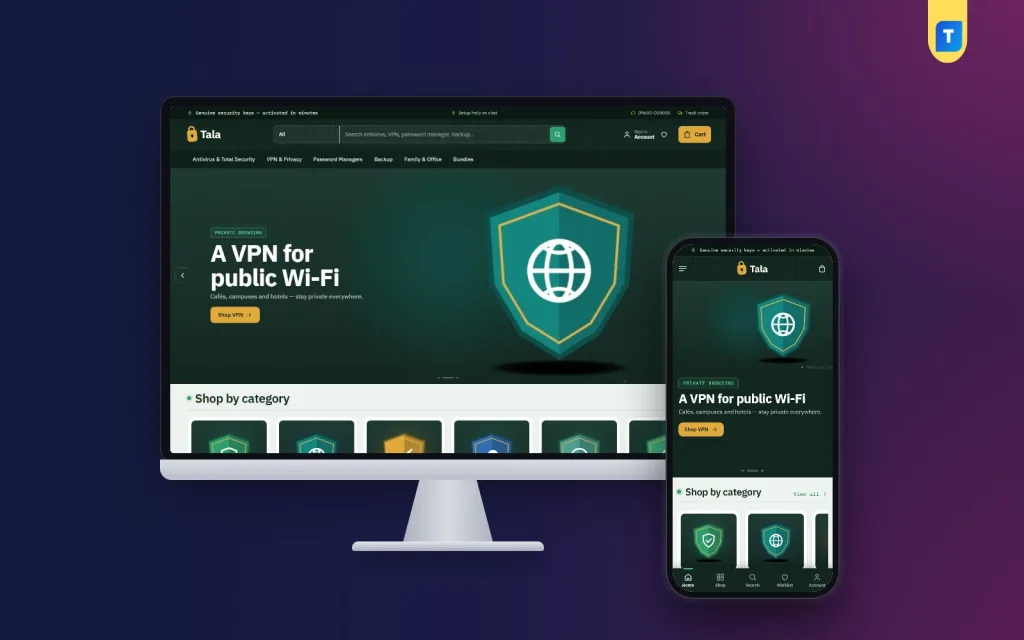
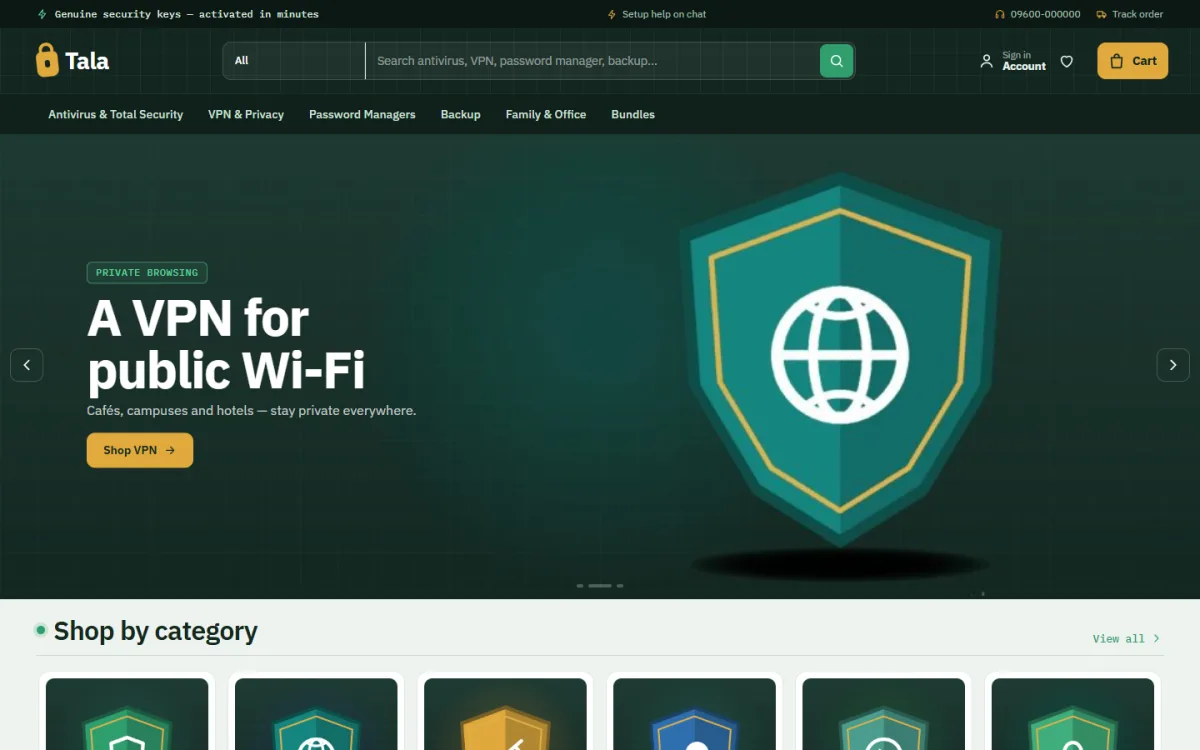
If you want a store that already follows these ideas, you can look at Tala – Digital Product Marketplace WordPress Theme. The demo sells security software, and the theme also suits other digital goods.
Here is what it offers:
- A device planner that picks the cheapest plan covering the buyer's devices.
- A five-question safety check with a score ring and a fix for each risky answer.
- Quick facts for platform, validity, devices, licence and delivery.
- Keys sent by email and WhatsApp with an activation guide.
- Checkout with no address and no delivery charge.
- bKash, Nagad, SSLCommerz and manual Send Money payments.
- Invoices, coupons, SMS, OTP and Telegram alerts.
- 17 homepage blocks, five colour palettes and four font pairs.
It uses the Themeve Commerce plugin, which is included, so you do not need WooCommerce. The planner and safety check can be switched off if they do not fit your range. See the full list on the Tala product page.
Keep digital marketplace ecommerce website design fast and light
Speed is part of design. Many of your buyers will be on a phone with a weak signal.
- Use small, compressed images and load them lazily.
- Limit fonts to one or two families, or allow system fonts.
- Avoid sliders that load many large pictures.
- Remove plugins you do not use.
- Use good hosting with caching.
- Check the site speed on a real phone, not only on a fast computer.
A light page also helps with search. For any digital marketplace ecommerce website design, speed is a feature buyers feel at once. A light page also helps with search, since slow pages are harder to keep visitors on. Do not rely on this alone for traffic, but it removes one problem.
Get found: simple search and social basics
Design alone does not bring buyers. You also need people to find the site.
- Give each product a clear title that matches how people search, such as "Antivirus 1 year 3 devices".
- Write a short, honest description for each product page.
- Add category pages with a short intro text.
- Share product links on your Facebook page and in groups where it is allowed.
- Collect reviews from real buyers and show them on product pages.
- Answer common questions on a help page, since people search for them.
Do not copy supplier text word for word. Original, useful pages work better and read better.
Mistakes to avoid
- Copying a physical shop design. It adds address, size and shipping fields you do not need.
- Hiding the delivery time. Buyers will ask in chat, which costs you time.
- Making the buyer create an account. Let them pay first, and offer an account after.
- Too many payment steps. Each extra click loses a share of buyers.
- No refund rules. Without them, buyers fear being cheated.
- Weak security. Use strong passwords, keep software updated and take backups.
- Selling what you cannot supply. Remove items quickly when stock ends.
Launch checklist for your digital marketplace ecommerce website design
Run through this list before you announce the site:
- Place a test order on a phone, from the homepage to the delivered key.
- Test every payment method.
- Check that emails reach the inbox and look right.
- Read every product page for price and spelling errors.
- Check your refund, delivery and privacy pages are live.
- Add your phone number, WhatsApp link and support hours.
- Take a backup and test that you can restore it.
Keep a short list of changes you want after launch, and work through it weekly. Small fixes made often are easier than a large redesign after months of problems.
Start with a small group of regular customers, collect their feedback and fix problems. Then announce the site to everyone.
If you want to read more on the technical side, the official WordPress documentation is a good, reliable reference.
Frequently asked questions
What is digital marketplace ecommerce website design?
It is the planning of pages, product details and checkout for a shop that sells items delivered online. The design focuses on speed, trust and a short path to payment.
What are digital templates?
They are ready-made files such as document layouts, spreadsheets, presentations or website themes. Buyers download them and edit them for their own use.
How is digital marketplace ecommerce website design different from a normal shop?
There is no address, no shipping charge and no courier. Instead, the design stresses fast delivery, clear product facts and easy payment with bKash or Nagad.
Do I need WooCommerce to sell digital products?
No. Some themes come with their own shop plugin, so you can sell digital goods without WooCommerce.
How do I deliver licence keys safely?
Send them by email after you confirm payment, keep a log of every key and include an activation guide. Never send a key before you verify the payment.
Can I sell many types of digital products on one site?
Yes. Use categories, and give each product its own detail lines, so a key shows its devices and validity while an ebook shows its format and pages.