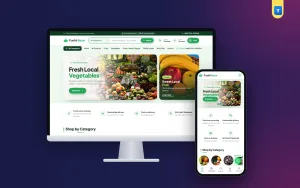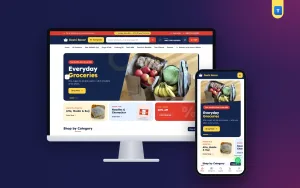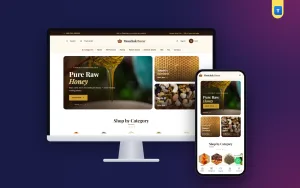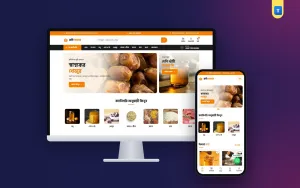
Looking for fresh grocery website design ideas that actually bring orders? Selling fruit and vegetables online is not like selling shoes. Prices change every morning, stock runs out by noon, and buyers want to see that the mango is ripe and the spinach is green. This guide collects practical ideas for a fresh grocery shop, from the homepage to the checkout, with examples you can copy today.
Each idea is simple and cheap to set up. Pick the ones that fit your shop, test them for a few weeks, and keep what works.
What makes fresh grocery website design ideas different
Fresh food has three problems that packed goods do not: it spoils, it varies, and it is bought often. A good design deals with all three.
- Spoilage means your stock and prices change daily, so editing them must be quick.
- Variation means buyers worry about quality, so photos and promises matter.
- Frequency means repeat orders are your profit, so reordering must be easy.
Idea 1: Lead with categories, not a giant banner
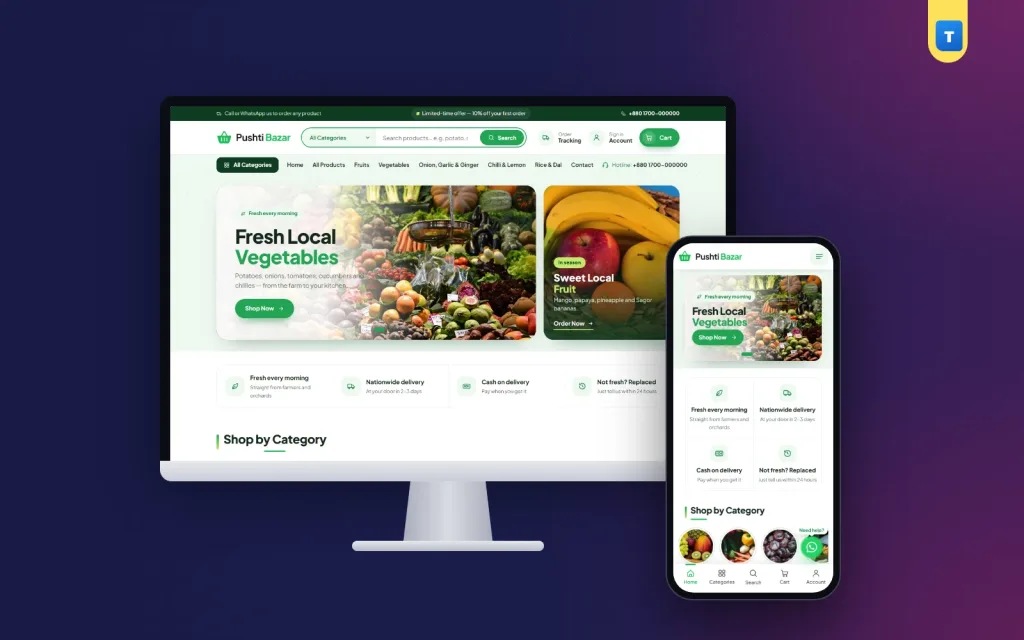
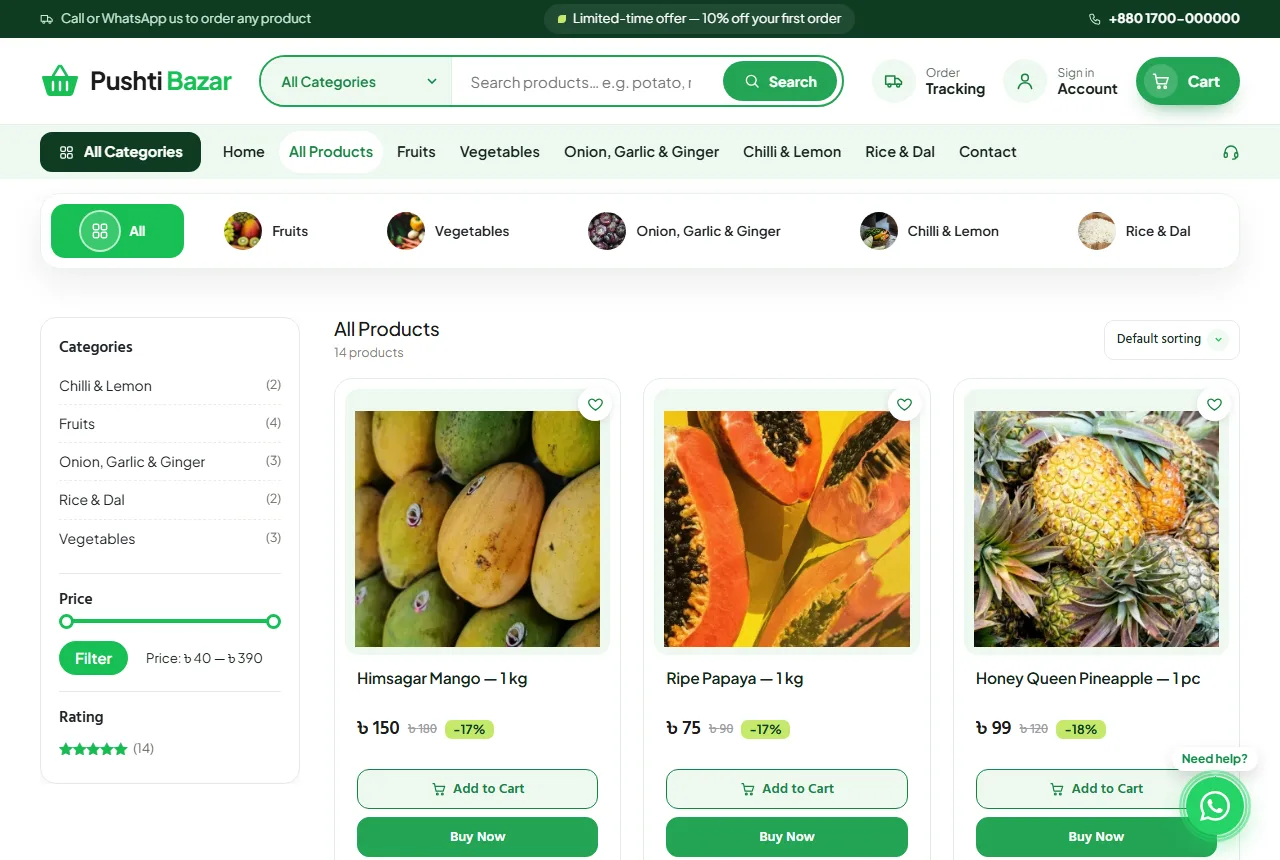
Most buyers arrive with a list: onions, potatoes, tomatoes, a kilo of rice. Put round category pictures right under the header: Fruits, Vegetables, Onion Garlic & Ginger, Chilli & Lemon, Rice & Dal. A single slider with one or two offers is enough above them. Big banner stacks look nice in a mock-up but slow the phone and push products down.
Idea 2: A search box with a category picker
A rounded search box in the header, with a small category picker beside it, helps people find "green chilli" in two taps. Make sure the search finds both English and local names if your buyers use both, such as "potato" and "alu".
Idea 3: Promises in plain words
Add a small "our promises" strip under the slider: "Picked this morning", "Replace if damaged", "Cash on delivery", "Delivery before noon". Short, concrete promises build more trust than long paragraphs. Only promise what you can keep every day.
Idea 4: A deal of the week
Every fresh shop has something in surplus: a crate of papaya, a big mango harvest. A "deal of the week" block on the homepage turns surplus into sales and gives regular buyers a reason to look at the homepage again. Change it every week, and turn it off when there is no real deal.
Idea 5: Honest, consistent product photos
Fresh grocery website design ideas often fail on photos. Use real photos of your own produce in daylight, on the same plain background, from the same angle. Show the actual size with a hand or a common object in one photo. Add a close-up for texture: the skin of a mango, the leaves of spinach. Four photos per product is a good number.
Idea 6: Weight choices on the card
Let buyers pick 500 g, 1 kg or 5 kg with a variation, each with its own price. Show the price per weight clearly. For items sold by piece, such as pineapple, say "1 piece (about 1.2 kg)".
Idea 7: Product pages with a short FAQ
On each product page, add a short FAQ tab with the questions buyers ask: "Is this mango carbide-free?", "How long will it keep in the fridge?", "Can I return a damaged item?" Answering here saves you calls and builds trust.
Idea 8: A checkout made for local delivery
A long foreign checkout kills fresh orders. Keep only what the rider needs:
- name and mobile number, with an optional second number;
- district and upazila from lists, then a short address line;
- point or home delivery, each with a clear price;
- a coupon box;
- cash on delivery, plus online payment if you have it.
Show your daily cut-off time on the checkout: "Order before 10 pm for delivery tomorrow morning."
Idea 9: Design for the phone in one hand
Most fresh orders are placed on a phone, often while cooking or commuting. A bottom tab bar (home, categories, search, cart, account), cards two per row, thumb-sized buttons and a floating WhatsApp button make the shop feel like an app. Test everything on a cheap phone over mobile data.
Idea 10: A fresh grocery website that is quick to update
Your morning routine should include updating prices and stock in a few minutes. Choose a system where you can edit prices from the product list without opening every product. Mark items out of stock as soon as they run out, so nobody orders what you cannot deliver. A fresh grocery website that is always up to date earns trust faster than one with perfect design.
Idea 11: Order tracking without login
A Track Order page where buyers enter the order number and mobile number answers "Where is my order?" without a phone call. Link it in the header and in the order confirmation.
Idea 12: Make the second order easier than the first
Invite buyers to create an account after their first order, so their address is saved. A Saved Items list helps them keep their weekly basics. Send a short WhatsApp message on the day you have fresh stock of what they usually buy.
Colours, fonts and style
Fresh food looks best on light backgrounds with green accents. A deep green footer, white cards and one warm accent colour for buttons (orange or yellow) work well. Use one clear font for headings and one for text. Rounded corners and soft shadows feel friendly; avoid dark, heavy designs for fresh produce.
Pages every fresh shop needs
- About: where your produce comes from and who you are.
- Delivery: areas, times, charges and cut-off time.
- Return & Refund: what you replace and how.
- FAQ: the ten questions you hear most.
- Contact: phone, WhatsApp and address.
- Track Order: order number and mobile number.
Common mistakes
- Stock photos that do not look like what arrives.
- Prices left unchanged when the market moves.
- Hidden delivery charges.
- Checkout forms with postcode and state fields.
- Pop-ups on phones that block the cart button.
Google's guide to helpful content is a useful reminder: write product text for buyers, not for search engines.
Speed matters more than you think
Every second a page takes to load, some buyers give up. Compress photos before upload, use a light shop theme instead of a heavy page builder, keep plugins few and use hosting close to your buyers. Check your shop on a phone over mobile data at least once a month.
Measuring what works
Track a few numbers each week: visitors, orders, average order value and how many buyers order again within two weeks. Try one change at a time, for example a new deal of the week or a shorter checkout, and see if the numbers move.
A launch checklist
- Every product has real photos, a weight choice, a price and stock.
- Category pictures sit near the top of the homepage.
- Promises are short and true.
- The checkout uses district and upazila and shows delivery prices.
- Your cut-off time is visible.
- Track Order and Delivery pages exist.
- You placed three test orders from a phone.
Turning these ideas into a shop with Pushti
The Pushti fresh grocery theme for WordPress already uses most of these fresh grocery website design ideas. You get round categories, a search with a category picker, a promises strip, a deal of the week, a 4-photo product gallery with an FAQ tab, a district and upazila checkout, order tracking by mobile number, a phone tab bar and a WhatsApp button. Every homepage block can be switched on or off. Import the demo, add your produce and prices, and you can take orders the same day.
Idea 13: Show where your produce comes from
Buyers like to know the source. A short line on each product, such as "Himsagar mango from Rajshahi" or "Vegetables from our partner farms in Jessore", adds trust. If you work with farmers directly, show a photo of one of them on the About page with their permission.
Idea 14: Seasonal homepages
Fresh produce follows the seasons. Mango and litchi in summer, winter vegetables from November, hilsa during the season. Change your slider, the deal of the week and the first category on the homepage when the season changes. Buyers will learn to check your shop when the new season starts.
Idea 15: Packing that protects
Bruised fruit and crushed tomatoes bring complaints. Use crates or sturdy boxes for soft fruit, keep leafy greens on top, and separate wet and dry items. Mention your packing on the Delivery page; it reassures buyers who worry about quality.
Idea 16: A simple subscription habit
Many families buy the same basics every week. You do not need complex subscription software. A "weekly basket" product with onions, potatoes, tomatoes, chilli and lemon, delivered every Friday, can start the habit. Remind buyers on WhatsApp the day before.
Idea 17: Photos of the actual delivery
Ask your rider to take a photo of the packed order before delivery and share it with the buyer on WhatsApp. It costs nothing, shows care and reduces disputes about missing items.
Idea 18: Reviews with photos
Ask happy buyers to post a review, ideally with a photo of what they received. Real customer photos of fresh mangoes or crisp vegetables are more convincing than any studio shot. Reply to every review, including the critical ones, with a calm and helpful answer.
Idea 19: Clear minimum order and delivery days
Fresh delivery is expensive per order, so many shops set a minimum order value. Say it clearly in the top bar and in the cart. If you deliver only on certain days in some areas, show those days on the Delivery page and at the checkout.
Putting the fresh grocery website design ideas together
You do not need all of these ideas on day one. A good order is: categories near the top, honest photos, weight choices, a short local checkout and order tracking. Add the deal of the week, promises and the weekly basket once orders are steady. Each of these fresh grocery website design ideas is small, but together they make a shop that people trust with their daily food.
Budget-friendly tools
Most of what a fresh shop needs is free or cheap. WordPress and WooCommerce cost nothing. A phone camera and window light are enough for photos. A free spreadsheet can track daily buying prices and selling prices. Spend your money on good hosting, a theme built for shops and reliable delivery; those three decide most of your success.
Working with your delivery riders
Riders are the face of your shop. Give them a simple uniform or a bag with your logo, a printed list of the day's orders with phone numbers, and clear rules for cash collection. Ask them to call the buyer ten minutes before arriving. Thank buyers on WhatsApp after delivery and ask if everything was fine.
Handling complaints about freshness
Some complaints will come, because fresh food varies. Ask for a photo, replace the item on the next delivery or refund it, and say sorry. Note which items get complaints and check your supplier or packing. Fast, fair handling turns a complaint into a loyal customer. These habits matter as much as any of the fresh grocery website design ideas above.
Keeping your shop fresh online too
A shop that looks the same for months feels abandoned. Change the slider photo with the season, write a short blog post when a new harvest arrives, and update the promises if your delivery area grows. Small, regular updates tell buyers that real people run the shop and care about it.
Even one fresh photo a week on the homepage shows buyers that the shop is alive and stocked.
Frequently asked questions
How many products should a fresh grocery shop start with?
Start with 20 to 40 items you always have. Add more once delivery runs smoothly.
Should I show prices for items out of season?
Hide them or mark them out of stock. Old prices confuse buyers.
Do I need online payment?
Not at first. Cash on delivery is enough. Add bKash, Nagad or card later.
What is the best time to update prices?
Early morning, after you buy from the market and before most orders come in.
Can I sell to restaurants too?
Yes. Add bulk sizes such as 10 kg and a separate coupon for business buyers.