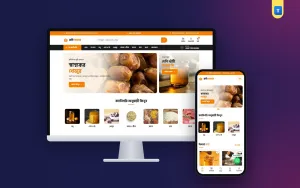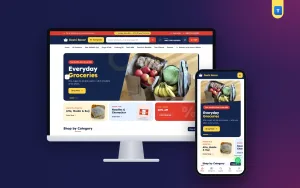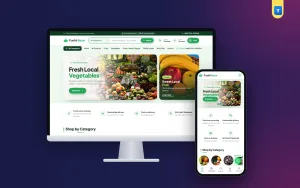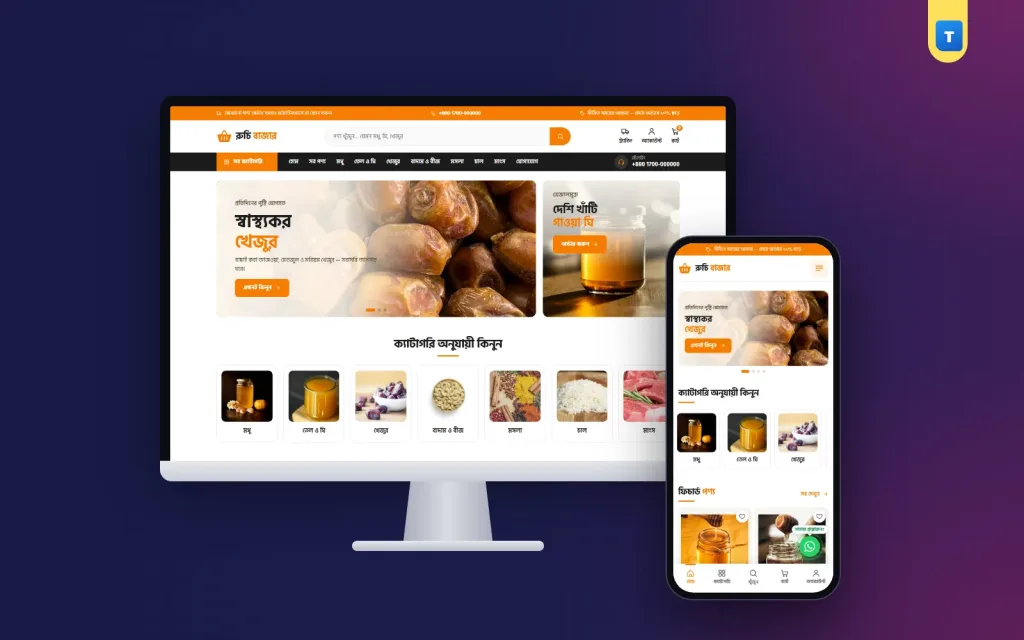
Good grocery store ecommerce website design is not about fancy effects. It is about helping a busy person find rice, oil, honey or spices quickly, trust that the food is good, and pay without fear. A grocery site is like a corner shop, and a design that works in New York may fail in Dhaka or Sylhet. This guide covers what makes a grocery shop work online, with practical steps you can use whether you sell ten products or a thousand.
We will look at the homepage, product pages, the checkout, delivery details, mobile layout, language and the small things that bring customers back every week. At the end you will find a launch checklist and answers to common questions.
Why grocery store ecommerce website design is different
Groceries are not a once-a-year purchase. People buy them every week, often in a hurry, often on a phone with a slow connection. They know the products already: they want mustard oil, not a story about mustard oil. That changes the job of the design.
- Speed beats decoration. Every extra second of loading costs orders.
- Search and categories matter more than banners. Most buyers come with a list.
- Repeat orders are the business. A good grocery site makes the second order easier than the first.
- Trust is about freshness and honesty. Buyers worry about fake honey, old dates and wrong weights.
Keep these four points in mind and most design decisions become easy.
Start with a homepage that answers three questions
A new visitor decides in a few seconds whether to stay. Your homepage should answer three questions without scrolling far.
What do you sell?
Show your main categories near the top with clear photos: honey, ghee and oil, dates, nuts, spices, rice, meat. Round or square category pictures work better than text links because people scan pictures faster.
Why should I buy from you?
Add a short strip of promises: pure products, cash on delivery, delivery in 24 to 48 hours, easy returns. Keep each promise to a few words and only promise what you deliver.
How do I order?
Make the cart, search and a "Buy Now" button visible everywhere. On a phone, a bottom tab bar with home, categories, search, cart and account is the clearest pattern.
After that, a slider with one or two offers, then featured products and best sellers, is enough. Do not stack ten banners; nobody scrolls through them.
Product cards and product pages
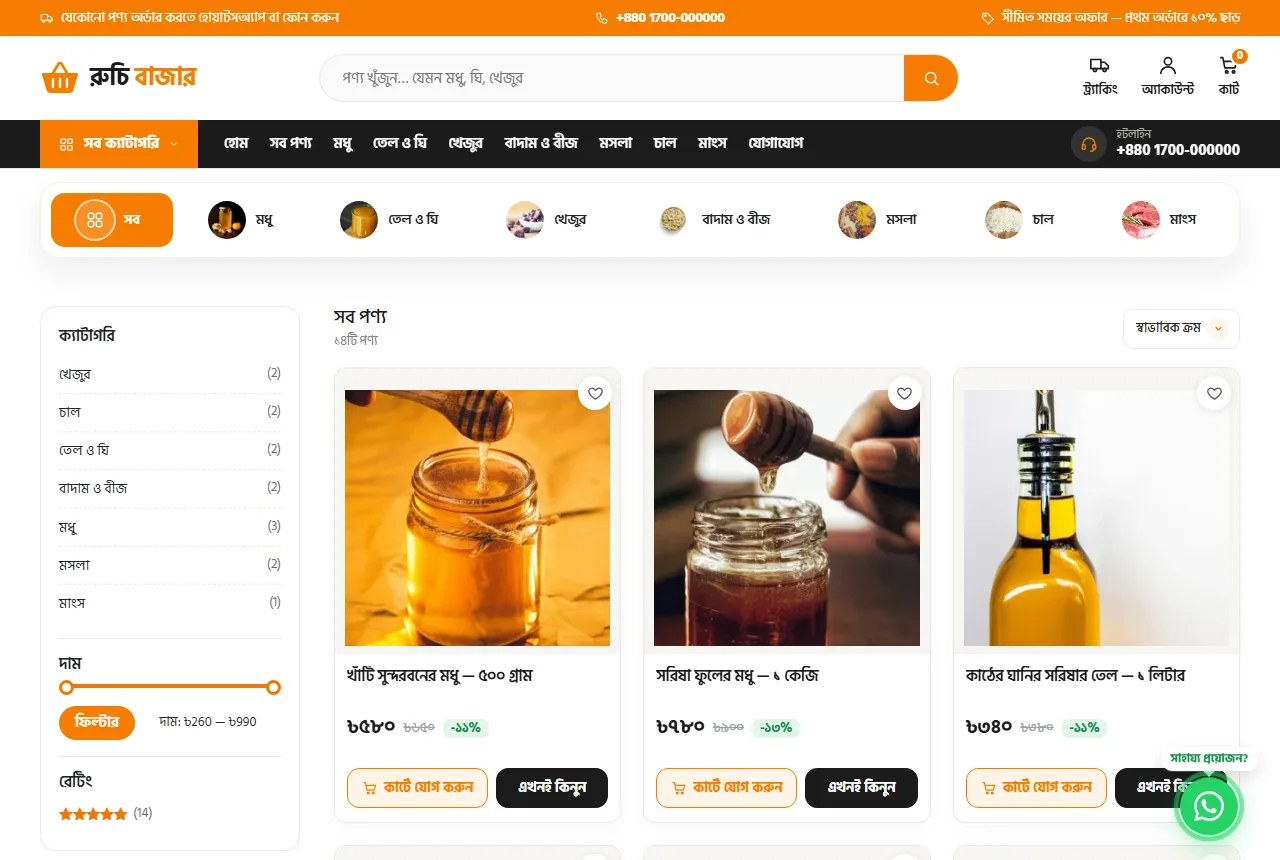
Product cards are where most buying decisions happen in a grocery store ecommerce website design. Each card should show:
- a clear square photo on a plain background;
- the name with the weight or size, such as "Mustard oil 1 L";
- the price, and the old price if it is on sale;
- an Add to Cart button and, ideally, a Buy Now button for quick single purchases.
The product page then answers the questions that would otherwise come by phone. Use three to four photos: the front of the pack, the label, the product itself (honey on a spoon, ghee in a bowl) and a size reference. Put the price, size choice and buttons high on the page. Below them, use tabs for the description, a short FAQ and reviews.
The FAQ tab is underused. Write down the five questions customers ask you in Messenger, such as "Is this honey raw?" or "How long does ghee last?", and answer them on the page.
A checkout that fits local addresses
The default checkout of most shop software asks for country, state, postcode and two address lines. Many buyers in Bangladesh do not use postcodes, and long forms make people give up. A fresh grocery online store Bangladesh buyers trust keeps the checkout short:
- name and mobile number, with an optional second number;
- district and upazila picked from lists, then a short address line;
- a choice between point delivery and home delivery, each with a clear price;
- a coupon box on the checkout page;
- cash on delivery, plus online payment if you offer it.
Decide whether buyers may order as guests. Guest checkout gives more first orders; accounts make repeat orders faster. Many shops allow guests and invite them to create an account after the first order.
Grocery store ecommerce website design for mobile buyers
Most grocery orders come from phones. Test your shop on a cheap Android phone over mobile data, not only on your laptop. Check that:
- text is large enough to read in sunlight;
- buttons are big enough for a thumb;
- product cards sit two per row without squeezing the name;
- the cart and checkout fit on the screen without sideways scrolling;
- a WhatsApp or call button is easy to reach for questions.
Avoid heavy video backgrounds, large sliders with many slides and pop-ups that cover the page. Each of them slows the phone and annoys buyers.
Language: speak the way your buyers speak
If most of your customers read Bangla, a Bangla shop feels friendlier and more trustworthy. Product names can stay bilingual where it helps, such as "সরিষার তেল (Mustard oil)". Buttons, menus and the checkout should be in the buyer's language. If you also sell to people who prefer English, a language switch keeps both groups happy.
Use simple words. "Order now" beats "Proceed to purchase". Write prices in taka with the ৳ sign, and write weights the way people say them.
Delivery information people can find
Delivery is the most common reason people message a grocery shop. Answer it on the site:
- a short line in the top bar, such as "Delivery in 24 hours inside the city";
- delivery prices shown in the cart before checkout;
- a Delivery page with areas, times and charges;
- a Track Order page where buyers enter the order number and mobile number.
Order tracking alone can cut your "where is my parcel?" calls in half.
Trust signals that work for food
Food buyers are careful, and with good reason. These signals help:
- Real photos of your own stock and packing, not only stock photos.
- Reviews on product pages, including the occasional honest four-star one.
- Clear return rules: what you replace, how and within how many days.
- A real address and phone number in the footer and on the Contact page.
- An About page with your story: where the honey comes from, who makes the ghee.
Small details count, such as a consistent logo, the same photo style across products and correct spelling.
Categories, search and filters
Keep categories few and obvious. Seven to ten top categories is plenty for most grocery shops. Name them the way buyers think: "Oil & Ghee", not "Edible fats". Add a price filter and sorting by popularity and price on category pages. Make sure search finds products by both English and Bangla names if you use both.
A "Load more" button often works better than numbered pages on phones, because buyers can keep scrolling without losing their place.
Offers, bundles and coupons
Offers bring people back, but too many make your shop look cheap. A few ideas that work in grocery:
- a first-order coupon shown in the top bar;
- bundles such as a "Ramadan pack" with dates, honey and nuts;
- a weekly deal on one product you have plenty of;
- free delivery above a sensible order total.
Turn seasonal banners off after the season. Old offers on the homepage tell buyers nobody is minding the shop.
Photography on a small budget
You do not need a studio. Use daylight from a window, a plain white or wooden background and a phone on a small stand. Shoot every product from the same angle and distance, crop to a square and keep the background the same. Add one "in use" photo per product, such as honey dripping from a spoon. Consistent photos make the whole grocery store ecommerce website design look professional.
Speed and technical basics
Choose good hosting close to your buyers, keep plugins few, and compress photos before upload. A theme built for shops, rather than a page builder with a shop added later, is usually lighter. Use modern image formats such as WebP where possible. Check your shop speed once a month on a phone.
A quick checklist before you launch
- Every product has a square photo, a name with size, a price and stock.
- Categories are named the way buyers talk.
- The checkout asks only for what delivery needs.
- Delivery prices and times are visible before checkout.
- Cash on delivery works, and any online payment is tested.
- Track Order, Delivery, Return & Refund and Contact pages exist.
- You have placed three test orders from a phone.
- Your WhatsApp number and phone number are correct.
Common mistakes to avoid
- Copying a foreign checkout that asks for a postcode.
- Hiding the delivery charge until the last step.
- Using different photo styles for every product.
- Leaving out-of-stock products at the top of the homepage.
- Forgetting to answer WhatsApp messages from the site.
Google's own advice on creating helpful content also applies to shop pages: write for buyers first, and search engines follow.
Measuring whether your design works
Look at a few numbers each month: how many visitors add something to the cart, how many of those finish the checkout, and how many customers order again within 30 days. If many people leave at the checkout, shorten it. If few return, look at delivery times, offers and how easy reordering is.
Putting it together with Ruchi
If you want these ideas without building everything yourself, the Ruchi grocery theme for WordPress already follows them. It opens in Bangla with an English switch, has a district and upazila checkout, point and home delivery prices, guest or account ordering, order tracking by mobile number, a phone tab bar and WhatsApp button, and a homepage where every block can be switched on or off. Import the demo, replace the photos and prices, and you have a grocery store ecommerce website design that is ready for real orders.
Seasons and special days
Grocery demand in Bangladesh follows the calendar. Before Ramadan, dates, chickpeas, puffed rice and oil sell in big numbers. Before Eid, people buy semai, sugar, ghee, spices and meat. In winter, date-palm molasses and honey move faster. Plan your homepage around these weeks: put the right category first, prepare bundles, and make sure stock is ready a week early. After the season, return the homepage to everyday items.
Working with suppliers and stock
Online orders only work if the stock on the site matches the stock on the shelf. Count your fast-moving items daily and update the shop. Keep a small buffer for each product, and mark items out of stock when you reach it, not when the shelf is empty. If a supplier is late, say so on the product page rather than taking orders you cannot fill.
Customer service that brings people back
Answer WhatsApp messages within an hour during the day. When something goes wrong, such as a broken jar or a late parcel, replace it quickly and politely. A grocery buyer who gets a good answer once will order for years. Keep a short list of standard replies for common questions, so every team member answers the same way.
Writing product descriptions
Keep descriptions short and factual: what it is, where it comes from, how to store it and how much is in the pack. One or two honest sentences about taste or use help more than long praise.
Frequently asked questions
How many products should I launch with?
Start with your best 20 to 50 products with good photos. A small, tidy shop sells better than a large, messy one.
Do I need online payment from day one?
No. Cash on delivery is enough to start. Add bKash, Nagad or cards once orders are steady.
Should my shop be in Bangla or English?
Use the language most of your buyers read. If you have both kinds of buyers, offer a language switch.
How do I handle different weights?
Use product variations such as 250 g, 500 g and 1 kg, each with its own price and stock.
How often should I change the homepage?
Change offers weekly or seasonally, and keep the categories and promises stable so regular buyers find things quickly.