Knowing how to create courier tracking website with wordpress is useful for two kinds of people: small courier and delivery businesses that want customers to check a parcel online, and online shops that want to give buyers a simple place to follow their order. WordPress can do both without a large budget.
This guide explains the planning, the pages you need, the data you must collect, the tools to choose and the mistakes to avoid. It is written in plain steps for owners in Bangladesh, where most parcels move by local couriers and many customers still call to ask, "Where is my order?"
What a courier tracking website does
A tracking website lets a person enter a tracking number, an order number or a phone number, and see the status of a parcel. That is the core. Everything else supports it.
A good one answers these questions in seconds:
- Has the parcel been picked up?
- Where is it now, or what was the last update?
- When will it arrive?
- Was it delivered, or did it return?
When customers can find this alone, your phone rings less and your team spends more time on real work.
Decide which type of business you are
The setup depends on who you are. Decide this first, because it changes what you build.
A courier or delivery company
You own the parcels. You need to enter parcels, update their status as they move, and let the sender or receiver look them up. The tracking page is a main product.
An online shop that uses couriers
The courier owns the tracking. You only need to show your buyers the courier name, the tracking number and a link to the courier's page. You may also want a private record of past deliveries to judge new orders.
A marketplace or agency
You manage parcels for several sellers. You need user roles, so each seller sees only their own parcels.
How to create courier tracking website with wordpress: the plan
Before you install anything, write a short plan. It saves days of rework.
- List the statuses a parcel can have, for example booked, picked up, in transit, out for delivery, delivered, returned.
- Decide the unique ID: a tracking number, order number or both.
- List what data each parcel needs: sender, receiver, phone, address, weight, price, COD amount, date.
- Decide who can update statuses: only admins, or also riders and branch staff.
- Decide what the public may see. Never show full phone numbers or addresses on a public page.
- Choose how people look up a parcel: tracking number is safest.
Keep the first version small. You can add maps, SMS and branches later.
Get hosting and WordPress ready
A tracking site is used often, usually from a phone. Slow hosting makes people think the parcel is lost.
- Choose reliable hosting with good speed and daily backups.
- Install an SSL certificate, so the address starts with https.
- Install WordPress, remove sample content and set permalinks to post name.
- Use strong admin passwords and limit the number of admin users.
- Install a caching plugin, but do not cache the tracking result page.
Back up before you make big changes. If the tracking data is lost, rebuilding it is painful.
Choose a theme for a courier site
Many owners search for "how to courier wordpress theme" when they are really asking what kind of theme suits a delivery business. The answer is a clean, fast theme with clear sections and a prominent tracking box.
Look for these features:
- A tracking form placed high on the home page.
- Service pages for same-day, next-day and nationwide delivery.
- A price or rate page that is easy to update.
- A contact and branch page with phone numbers and addresses.
- A layout that looks good on small screens.
- Fast loading with no heavy sliders.
So if you are working out "how to courier wordpress theme" choices fit together, remember that the theme is the front of the shop and the plugin is the back office. The theme controls how your site looks. The tracking data and logic come from a plugin or custom work, so check how well your theme works with the tools you plan to use.
How to create courier tracking website with wordpress: the pages you need
- Home: what you do, the tracking box and a call button.
- Track a parcel: the form and the result.
- Services: each delivery type with a short explanation.
- Rates: prices by weight and area, in taka.
- Book a pickup: a simple form for new parcels.
- Branches and coverage: where you deliver.
- Contact: phone, WhatsApp and address.
- Terms and return policy: what happens with refused parcels.
Write short, honest copy. Customers want facts about price, time and area, not long speeches.
How the tracking page can work
There are three common ways to run the tracking part. Pick the one that matches your size.
Option 1: a manual status list
Each parcel is a record in WordPress. Staff change the status by hand. The public page shows the status when the tracking number is entered. This is simple and good for a small business with a few hundred parcels a month.
Option 2: a plugin with a tracking form
Some plugins add a parcel post type, status updates and a front-end form. They save build time. Check that they are updated often and that they hide private data.
Option 3: a custom build with an API
If you have a developer, you can connect your system to a courier API or to your own app. This is the most flexible and also the most expensive. Choose it only when manual work becomes too heavy.
Add notifications and support
A tracking page answers questions when customers ask. Notifications answer them before they ask. Even a simple message at three moments helps: parcel picked up, parcel out for delivery, and parcel delivered.
You can start with email, which WordPress handles well, and add SMS or WhatsApp later when volume grows. Always include the tracking number and a link to the tracking page in the message.
Give people an easy way to reach you as well:
- A phone number that is answered during working hours.
- A WhatsApp or Messenger link on the tracking result.
- A short complaint form for lost or damaged parcels.
- A clear promise on how fast you reply, and then keep it.
Good support turns a late parcel from an angry review into a patient customer.
Keep customer data safe
Parcel data contains names, phone numbers and addresses. Treat it with care.
- Show only the status and dates on the public page.
- Do not display full phone numbers or full addresses.
- Limit admin access, and use separate accounts for staff.
- Keep WordPress, themes and plugins updated.
- Limit search attempts, so nobody can try thousands of tracking numbers.
- Export and store backups in a safe place.
Customers trust you with their address. Losing it harms the business more than a slow website.
For shops: keep a private delivery history
If you run a shop and not a courier company, you do not need a public tracking site. Your courier already tracks the parcel. What you need is memory. Which buyers took their parcels? Which ones refused?
A simple record of delivered and returned parcels per phone number helps a lot. Before you send a new cash on delivery order, look up the number. A buyer with five delivered parcels is safe. A buyer with five returns needs an advance payment or no order at all.
You can keep this in a spreadsheet, but two staff members soon end up with two files. A record kept inside the store admin, next to the orders, is easier to share and harder to lose.
A ready-made option: Courier Intelligence
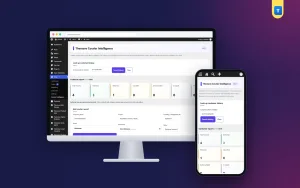
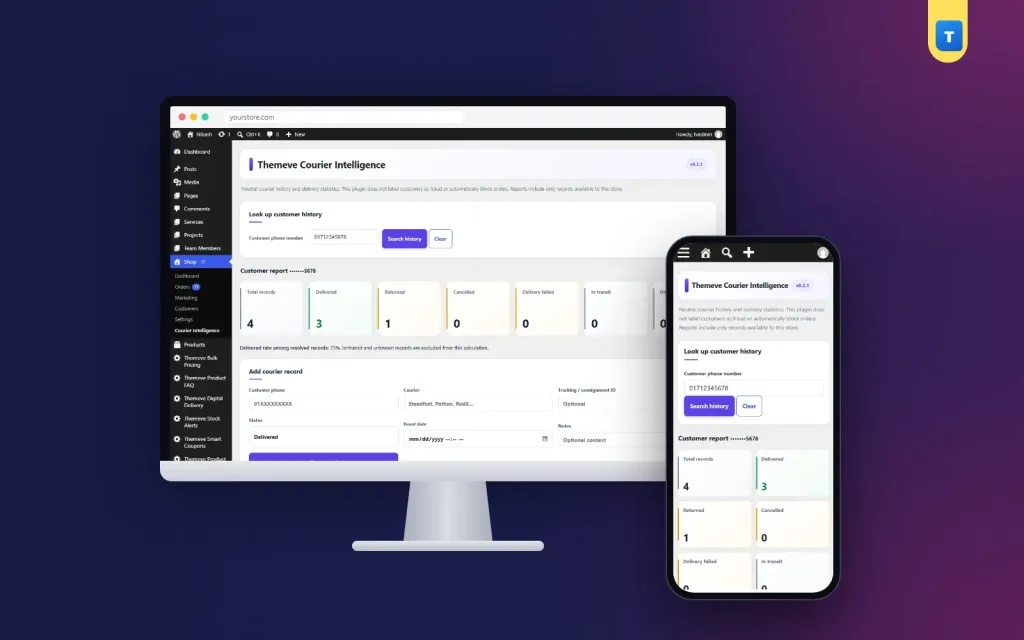
Courier Intelligence is a courier delivery history plugin for WooCommerce and Themeve Commerce. It is not a public tracking page. It is a private record for shop owners who want to check a buyer before dispatch.
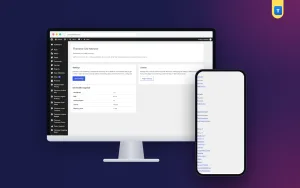
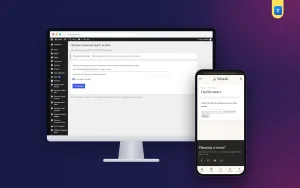
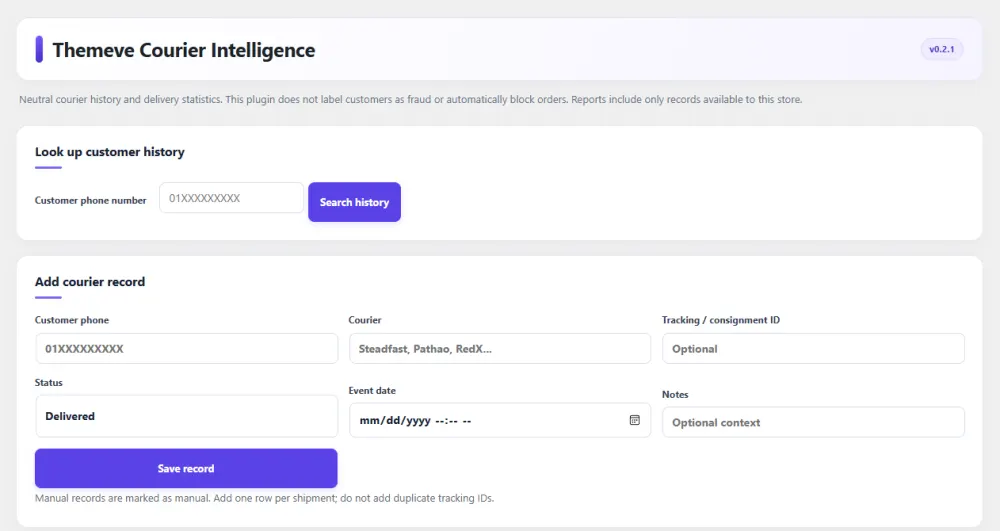
Each record holds the courier name, tracking number, status, date and a short note. There are six statuses: delivered, returned, cancelled, in transit, failed and unknown. You add records by hand or import a CSV file, and a sample file comes with the plugin. Duplicate tracking numbers are refused.
A phone lookup shows how many parcels were delivered and how many returned. A history box appears on every order screen. Phone numbers are stored as a hash plus the last four digits, and only administrators can open the plugin. Records come from you, so it works with any courier.
Get found: simple local search basics
People find courier services by searching for a service and a place, for example same-day delivery in Dhaka. Help them find you with a few steady habits.
- Give each service its own page with a clear title and short description.
- List the areas you cover by name, in text, not only in an image.
- Add your address and phone number in the footer of every page.
- Claim your Google Business Profile and keep the details the same as on your site.
- Write short helpful posts, such as how to pack a parcel or what you cannot send.
These steps take time to work, and nobody can promise a position in results. They do make the site clearer for both people and search engines.
Test your tracking site before launch
- Create five test parcels with different statuses.
- Search for each tracking number on a phone and on a computer.
- Search for a wrong number and check that the message is friendly.
- Check that private details do not appear on the public page.
- Update a status and confirm the page changes at once.
- Test the booking form and confirm you receive the request.
- Run a speed test and fix any slow page.
Ask a friend who has never seen the site to find a parcel. Watch where they hesitate. Those are the points to improve.
Common mistakes to avoid
- Building too much at first. Start with booking and tracking only.
- Showing private data. Public pages should show status, not personal details.
- Unclear statuses. Use short, plain words that customers understand.
- Not updating on time. A tracking page with old data is worse than none.
- Forgetting mobile users. Test every page on a small screen.
- No backup. Back up weekly, and before every update.
A launch checklist
- Plan statuses, IDs and data fields.
- Set up hosting, SSL and WordPress.
- Choose a fast theme with a tracking box.
- Build the pages: home, track, services, rates, contact.
- Pick a method for the tracking page.
- Protect private data.
- Test on a phone and a computer.
- Train staff to update statuses every day.
- Announce the tracking page on Facebook and on your parcel slips.
Once the site is live, review it monthly. Read customer questions, fix confusing wording and keep the data fresh. Shops that also want a private record of past deliveries can look at Courier Intelligence as a simple addition.
If you want to read more on the technical side, the official WordPress documentation is a good, reliable reference.
Frequently asked questions
How to create courier tracking website with wordpress on a small budget?
Use shared or cloud hosting, a light theme and a simple method such as a manual status list or a small plugin. Start with booking and tracking pages and add more later.
Do I need coding skills to build a tracking site?
Not for a basic one. Themes and plugins cover the pages and forms. Coding helps only when you connect to a courier system or build custom features.
Can customers track a parcel by phone number?
They can, but a tracking number is safer, because phone numbers are private. If you allow phone lookup, show only status and dates.
What is the best theme for a courier website?
Choose a fast, clean theme with a tracking box on the home page, service pages and a mobile-friendly layout. Colour and style matter less than clarity and speed.
Is Courier Intelligence a public tracking page?
No. It is a private delivery history for shop owners. It records delivered and returned parcels per phone number, so you can check a buyer before dispatch.
Does the plugin connect to courier companies?
No. Records come from you, by hand or from your courier report as a CSV file. That is why it works with any courier.
Are full phone numbers stored?
No. Each number is stored as a secure hash plus the last four digits, and the CSV export never contains full numbers.