Good property website design helps buyers and tenants find the right home, plot or office before they ever call you. Land and flats are the biggest purchases most families make, so visitors read carefully, compare a lot and look for reasons to trust you. A clear, well-organised website saves them time and brings you enquiries from people who are already serious.
This guide covers what a real estate website needs: search, listing pages, location details, documents, agents, site visits, booking money, trust signals and mobile layout. It is written for land sellers, developers, agents and rental managers, especially in Bangladesh, where buyers often compare by area, road width and paperwork.
Who visits a property website
Before designing pages, picture the people who use them. Most visitors fall into a few groups:
- Families buying their first flat. They care about location, size, price, schools nearby and whether the papers are clean.
- Investors buying land. They look at plot size, road access, area growth and documents.
- Tenants looking to rent. They want rent, advance, number of rooms, floor and move-in date.
- Businesses looking for space. Offices, shops and warehouses with size, parking and access details.
- Expatriates buying from abroad. They cannot visit easily, so they rely completely on what the website shows.
Each group has different questions, but all of them want accurate details and an easy way to take the next step. Strong property website design serves all of them without making any group dig for information.
Search that matches how buyers think
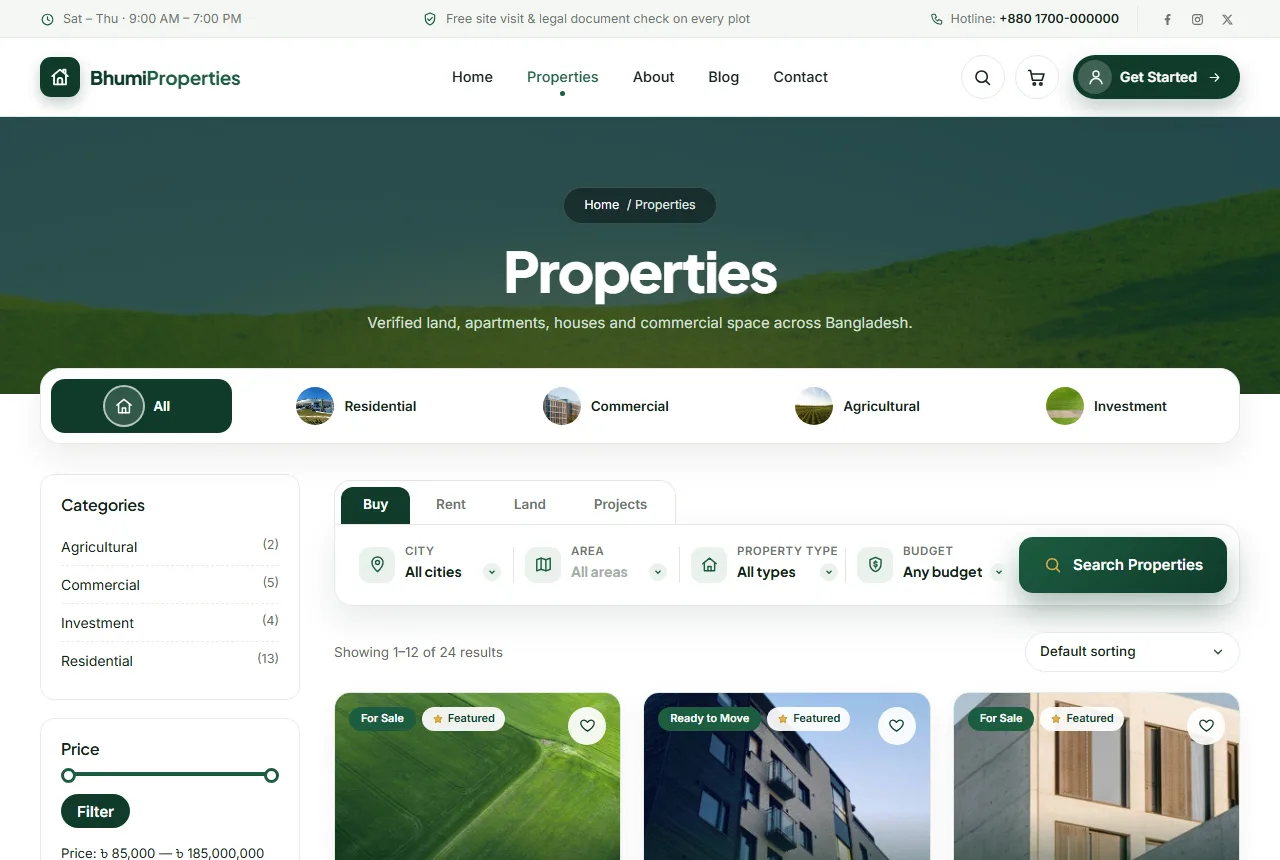
Search is the most used part of a property site. Design it around the decisions buyers make in order:
- Buy, rent, land or projects? Put these as tabs at the top of the search box.
- Which city, then which area? A two-step location choice is much easier than a long single list.
- What type? Apartment, house, plot, office, shop, warehouse.
- What budget? Ranges that match your market, not random numbers.
Show the search on the homepage and at the top of the listing page. Keep it to four or five choices; more filters can sit behind a "more options" link.
Property website design for listing pages
The listing page is where buyers decide whether to call. A complete page includes:
Photos in a sensible order
Start with the front view, then the road, then the rooms or plot, then the view or neighbourhood. Use the same order on every listing so buyers know where to look.
Key facts at the top
Price, size, type, purpose (sale or rent), bedrooms and bathrooms, floor and facing should be visible without scrolling. For land, show size in katha or decimal, road width and whether the plot is ready to build.
Full details below
Total floors, parking, furnishing, year built, amenities such as lift, generator or gas line, and nearby places such as schools, hospitals and markets.
Location and map
The full address and a map link save wasted trips for both sides. Many buyers will check the area on a map before calling.
Documents
List which documents are ready: deed, mutation, tax receipts, approved plan. Being open about paperwork is one of the strongest trust signals in real estate.
The agent
Show the name, photo and phone number of the agent responsible for the listing. Buyers prefer to call a person, not a general number.
Site visits and booking money
The next step after reading a listing is usually a visit. Make that step easy:
- A site visit button on every listing. Ask for name, phone, preferred date and time.
- Store requests in one place. Your team should see every request in the dashboard and call back the same day.
- Booking money online. For serious buyers, letting them pay a booking amount online holds the property and shows commitment. The rest is paid at registration.
- Clear booking and refund policy. Explain what happens if the deal does not go ahead.
Projects and developers
Developers with housing projects need a different kind of page. A project page should show the location, total land size, number of units, unit sizes and prices, floor plans, construction progress with dates and photos, and handover dates. Updating progress photos every month is one of the best ways to build trust with buyers who have already paid.
Trust signals for real estate
- Company details. Registered name, office address, phone and email on every page.
- Past projects. Completed and handed-over projects with photos and dates.
- Sold listings. Keep some sold properties visible and marked as sold; they show that you close deals.
- Testimonials. Short quotes from real buyers with their area.
- Clear policies. Booking, refund, privacy and terms pages written in plain language.
Designing for phones
Most property searches start on a phone, often while people are travelling or at work. On small screens:
- Keep the search simple to tap, with large buttons.
- Show one listing card per row with a large photo and key facts.
- Let photos be swiped in a gallery.
- Keep call, WhatsApp and site visit buttons always within reach.
- Make sure maps and long detail lists do not slow the page.
Using a property website design template
Building a real estate site from scratch takes months: search, listings, filters, agents, site visits and payments all need to work together. A property website design template gives you a working structure to start from. You add your locations, types and listings, and the layout is already done.
When comparing options, check whether the template stores real property details or only shows a pretty card. Search only works well when each listing has proper data such as city, area, type and budget. Also check that site visit requests and enquiries are saved in the dashboard, not only sent by email. A good property website design template should also look clean on phones and load fast with many photos.
Writing listing descriptions
Photos attract attention; the description answers questions. Keep descriptions short and factual:
- Start with the most important fact: "South-facing 1,450 sq ft flat on the 6th floor, ready to move."
- Mention the neighbourhood: schools, markets, transport and main roads.
- Explain what is included: parking, generator, lift, gas line.
- Be honest about any limits, such as a narrow access road.
- End with the next step: "Book a site visit for this week."
Avoid vague praise such as "dream home" or "best investment". Buyers trust facts.
Pages every property site needs
Beyond listings, a complete real estate website has a few supporting pages that answer common questions and build confidence:
- About: who you are, how long you have been in business, the areas you cover and the team behind the company.
- Agents: each agent with a photo, phone number, areas of expertise and their current listings.
- Buying guide: the steps from first visit to registration, the documents to check and the typical costs.
- Selling with us: how owners can list their property through you, and what you charge.
- FAQ: answers to common questions about booking money, registration, rent advance and maintenance.
- Booking and refund policy: plain-language rules so buyers know where they stand.
- Contact: office address with a map, phone, email and opening hours.
Long policy pages are easier to read with a contents list at the top and numbered sections, so readers can jump straight to the part they need.
Helping buyers from abroad
Many families buy property while living or working overseas. They depend completely on what your website shows. To serve them well:
- Add more photos and, where possible, a short video walk-through.
- Show distances to key places in minutes as well as kilometres.
- Explain how a representative can visit on their behalf.
- Explain how payments can be made from abroad and in what stages.
- Offer WhatsApp contact, since phone calls across time zones are hard.
Thoughtful property website design for remote buyers often wins high-value clients who cannot visit a dozen agents in person.
Keeping listings fresh
Out-of-date listings are the most common complaint about property websites. Set a simple routine: every week, mark sold or rented properties, update prices that changed and add new listings. Every month, refresh the homepage featured properties and check that agent phone numbers are still correct. A site that is visibly up to date tells buyers that your company is active and reliable, which is exactly the impression a property website design template cannot give on its own; it comes from how you run the site.
Speed and search engines
Property sites carry many large photos, so speed needs attention. Resize photos to sensible widths, compress them and avoid heavy page builders. Give each listing a clear title that includes the type and area, such as "3-Bed Flat for Rent in Dhanmondi", so people find it on Google. Google's SEO starter guide explains why clear titles and descriptions matter.
Photography tips for property
Property photos do not need a professional, but they do need care. Shoot on a bright day with all lights on and curtains open. Stand in a corner of each room and hold the phone at chest height to show the full space. Clean and tidy every room first; clutter makes rooms look small. For land, take photos from the road, from each corner of the plot and of the surrounding area, so buyers understand access and neighbours. Keep the phone level so walls look straight, and avoid heavy filters that change colours. Real, bright, straight photos earn more calls than dramatic edited ones.
Common mistakes
- Missing prices. "Call for price" filters out many serious buyers.
- Old listings still marked available. Nothing destroys trust faster than calling about a sold plot.
- Blurry or dark photos. Take photos on a sunny day.
- No location details. Buyers will not call about a property they cannot place on a map.
- Hidden contact details. Show a phone number on every listing.
Measuring results
Track how many site visit requests and calls each listing brings. Listings with many views but few enquiries usually lack a key fact, such as price, size or documents. Listings with no views may have weak photos or a vague title. Review the numbers every month, improve the weakest listings first, and remove properties that are no longer available.
Your first month online
Start with your best twenty listings and make each one complete: full details, at least eight photos, documents and an agent. Set up your city and area lists carefully, because search depends on them. Share each new listing with a direct link on social media. Answer every site visit request on the same day. After a month, add more listings and update the popular areas on your homepage based on what people search for.
Frequently asked questions
How many photos should each listing have?
At least eight for a flat or house, including the front, the road, every room and the view. For land, show the plot, the road and the surroundings.
Should I show the exact address?
For most listings, yes. If an owner prefers privacy, show the area and road, and share the exact address after a site visit request.
Can I list rentals and sales on the same site?
Yes. Use separate tabs or filters for buy and rent so each visitor sees only what they want.
How often should listings be updated?
Check every listing at least once a week. Mark sold or rented properties straight away and update prices as soon as owners change them.
Is online booking money a good idea?
For serious buyers, yes. It holds the property and shows commitment, as long as your booking and refund policy is clear.
Getting started with Bhumi
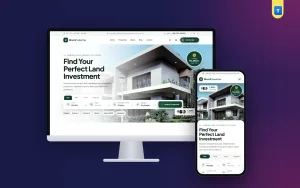
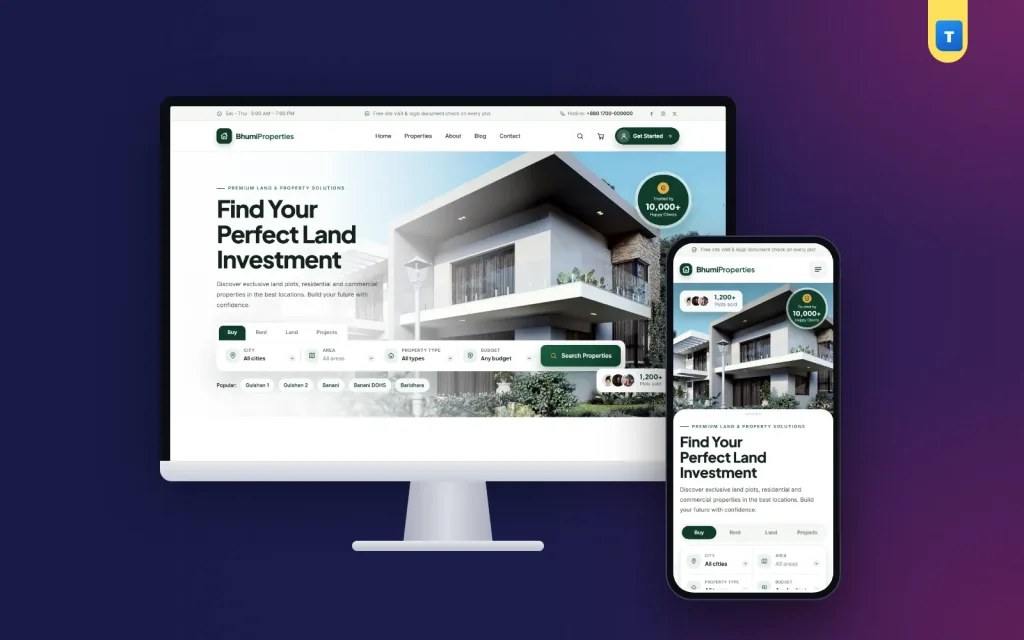
If you want a ready layout built on these ideas, Bhumi is our property WordPress theme. It has Buy, Rent, Land and Projects search by city, area, type and budget, a full property details tab with around 25 fields, agents, site visit requests stored in your dashboard and booking money through WooCommerce. The demo comes with 24 properties, 4 categories and 4 agents to edit.
Whichever route you take, the rules of good property website design stay the same: complete details, honest documents, real people and an easy next step. Do that well, and your website will bring you buyers who are ready to talk business.