Supermarket website design is the work of turning a shop with thousands of items into a site where a shopper finds what they need in a minute. The shelves, aisles and trolleys of a real store do this job in person. Online, your layout, menus and search have to do it instead.
This guide explains how to plan and build a supermarket site that works for buyers in Bangladesh. It covers structure, product pages, fresh food, payments, delivery and launch. You can use it whether you run one store or several branches, and a checklist closes the guide.
What a supermarket website has to do
A supermarket sells almost everything a household needs: produce, meat, fish, dairy, rice, oil, snacks, cleaning goods and baby care. A shopper rarely buys one thing. They buy a list.
So the site has four main jobs:
- Make a very large catalogue easy to browse.
- Let people add many items quickly.
- Show honest prices, stock and delivery times.
- Take payment in ways Bangladeshi buyers trust.
Keep these four jobs in mind at every step. When you feel unsure about a design choice, ask which job it helps.
Know your shopper before you design
Every good supermarket website design begins with people, not pixels. A supermarket serves many kinds of buyers. A working couple wants a weekly basket delivered after office hours. An older family wants to call and be sure the fish is fresh. A student wants a few snacks and a drink.
Pick your main group and write down three facts about them:
- How often they shop
- What time they want delivery
- How they pay today
If most of your buyers are busy families in one part of Dhaka, plan for evening delivery slots and a fast repeat-order feature. If you serve a small town, phone support and cash on delivery may matter more.
Organise the catalogue into departments
The biggest challenge in supermarket website design is structure. A flat list of 3,000 products is useless. Group them the way people think in a shop.
A clear structure often looks like this:
- Fresh: vegetables, fruit, meat, fish, eggs
- Pantry: rice, dal, oil, flour, sugar, spices
- Dairy and bakery
- Snacks and drinks
- Baby care and personal care
- Cleaning and household
- Frozen food
Limit each department to a few aisles or sub-categories. Name them in plain words, in English, Bangla or both, the way your customers say them. "Chal" and "Rice" may both be needed in search.
Use a departments menu that stays close
On wide screens, a side menu that stays in view while the shopper scrolls helps a lot. On phones, a single "All departments" button that opens a clean list works better than a long row of tabs.
Supermarket website design for the homepage
The homepage should feel like standing at the door of a tidy store. The shopper should see what you sell, what is on offer and how to start within a few seconds.
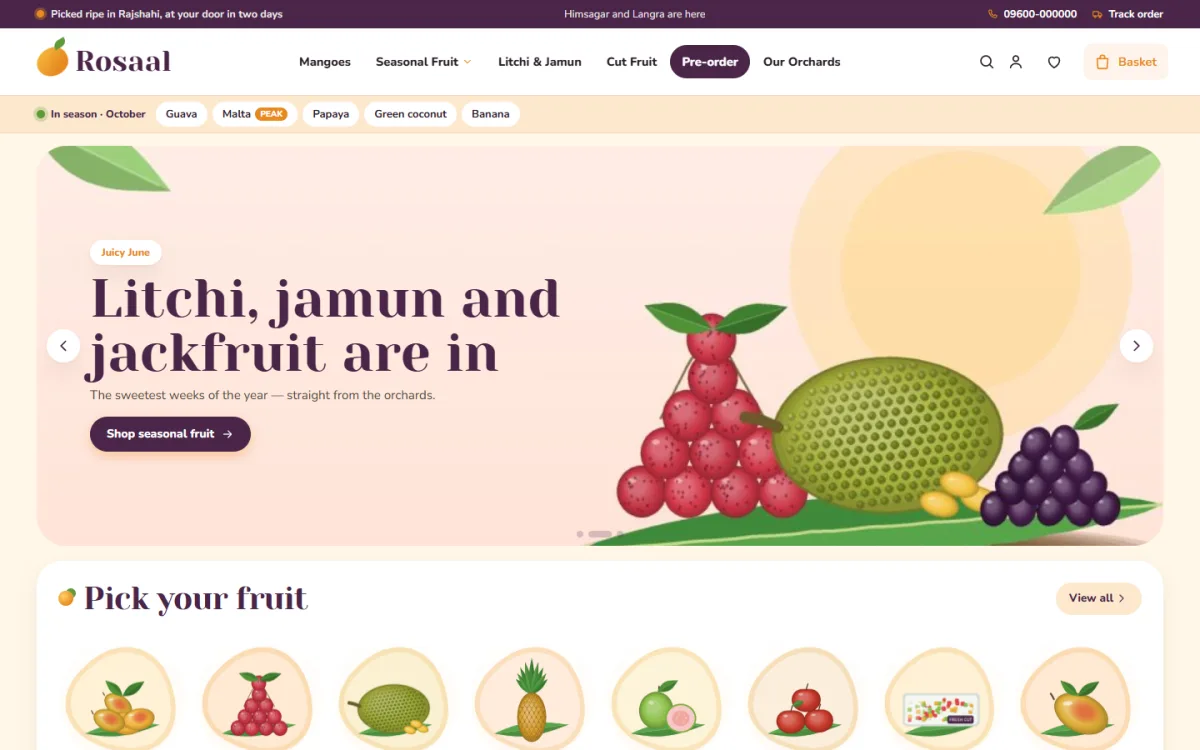
A strong homepage layout, from top to bottom:
- Header with logo, search, account, cart and a phone number
- A delivery area selector, so the shopper knows early if you reach them
- One main banner with a single offer
- Department tiles with real photos
- Fresh and seasonal picks
- Weekly offers with an end date
- Best sellers
- A short note on delivery and returns
- Footer with branches, hours and payment icons
Do not put every offer on the homepage. A weekly flyer works better than a pile of banners: one page, valid from Saturday to Friday, with the real deals and an end date.
Do not copy the loud look of a printed leaflet. Good supermarket website design keeps white space around the offers, so that each price can be read at once. In a real shop you do not stack everything at the door, and the same rule holds online.
Too many banners make a page noisy, and shoppers stop reading. Choose three or four things that matter this week.
Design product cards that sell
A supermarket shopper scans quickly. Each product card should answer what, how much and how to add.
- A clean photo on a plain background
- The name with the size or weight
- The price, and the price per kilo or litre when it helps
- A sale price shown next to the old price
- An add button that is easy to hit with a thumb
Let the add button turn into a plus and minus control after the first tap. This lets the shopper change the amount without leaving the list. It matters when someone adds thirty items.
On the product page, show the pack size, brand, origin, shelf life and storage tips. For fresh items, say how the item is weighed and what happens when the final weight differs a little from the order.
Handle fresh and seasonal food with care
Fresh items are the hardest part of a supermarket site. Prices change, stock changes, and quality is the reason people return.
- Show a harvest or packing date where you can.
- Mark seasonal items clearly, such as mangoes, litchi or winter vegetables.
- Allow pre-orders for items that sell out fast.
- Explain your weighing rule in one short sentence.
- Offer a replacement or refund if an item arrives in bad shape.
A simple "in season" strip near the top of the page tells shoppers what is at its best now. It also gives you a way to move stock before it spoils.
Make search and filters fast
With a large catalogue, search carries more weight than the menu. Most buyers will type.
- Place the search box in the header on every page.
- Suggest results as the shopper types.
- Support common spellings and both languages.
- Filter by department, brand, price and pack size.
- Show out-of-stock items last, or hide them.
Test the search with fifteen items from a real shopping list. If any common item is hard to find, change its title and tags.
Supermarket website design for checkout and payments
A supermarket order is large, so a confusing checkout costs you a lot of money.
Keep it simple:
- Show the cart with quantities that can be edited.
- Ask for name, phone, address and delivery area.
- Let the shopper choose a delivery time slot.
- Show the delivery fee and the total before payment.
- Offer bKash, Nagad, card and cash on delivery.
Allow guest checkout. Many people will not create an account on a first visit. After the order, invite them to save their details for next time.
Set clear delivery rules
Delivery is the heart of an online supermarket. Think it through before you finish the design, because the design must show it.
- List the areas you serve and the fee for each.
- Set a minimum order and a free-delivery level.
- Offer fixed time slots, for example morning, afternoon and evening.
- Say how you handle cold items and fragile goods.
- Decide whether your own riders or a courier service will deliver.
Online grocery store website design should show delivery early. Put the delivery area selector near the top of the page. When a shopper picks an area, show the delivery time right away. This single feature removes many doubts.
Build for the phone first
Most online grocery orders in Bangladesh come from phones. Plan the mobile screen before the desktop one.
- Fold the header into a menu button, logo and cart.
- Use two product cards per row.
- Keep the cart visible or one tap away.
- Make buttons large enough for a thumb.
- Avoid pop-ups that cover the page.
Test your layout on a cheap phone with a weak signal. If it feels slow or crowded there, it will lose orders in real life.
Keep the site light and quick
A large catalogue can make a site heavy. Speed has to be planned from the start.
- Resize every product photo before you upload it.
- Load images only when the shopper scrolls to them.
- Avoid heavy page builders and many plugins.
- Use a "load more" link rather than a very long page.
- Pick hosting with enough memory for your catalogue.
Check your homepage with a free speed test every month. Photos are almost always the first thing to fix.
Plan the order flow for repeat shoppers
Most supermarket customers buy the same twenty items again and again. Use that habit.
- Add a "Buy again" list on the account page.
- Offer a daily checklist of basics, such as eggs, bread, milk and onions, that adds the rest in one tap.
- Let shoppers save a basket and reuse it.
- Send one short reminder before a regular order is due.
- Show past delivery slots so the shopper can pick the same one.
These features cost little to add, and they raise the number of orders per customer. They also lower your support calls, because the shopper does not need to ask what they bought last time.
Show your stores and build trust
If you have physical branches, show them. A real address, a map and opening hours make a new online shopper feel safer.
- Add an "Our stores" page with each branch, phone number and hours.
- Show real photos of your store and staff.
- Write a short return and refund policy.
- Show reviews from real customers.
- Add your trade licence number if you have one.
Supermarket website design that looks honest earns repeat orders, and repeat orders are where profit comes from.
A ready-made option
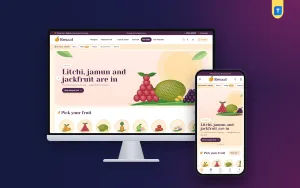
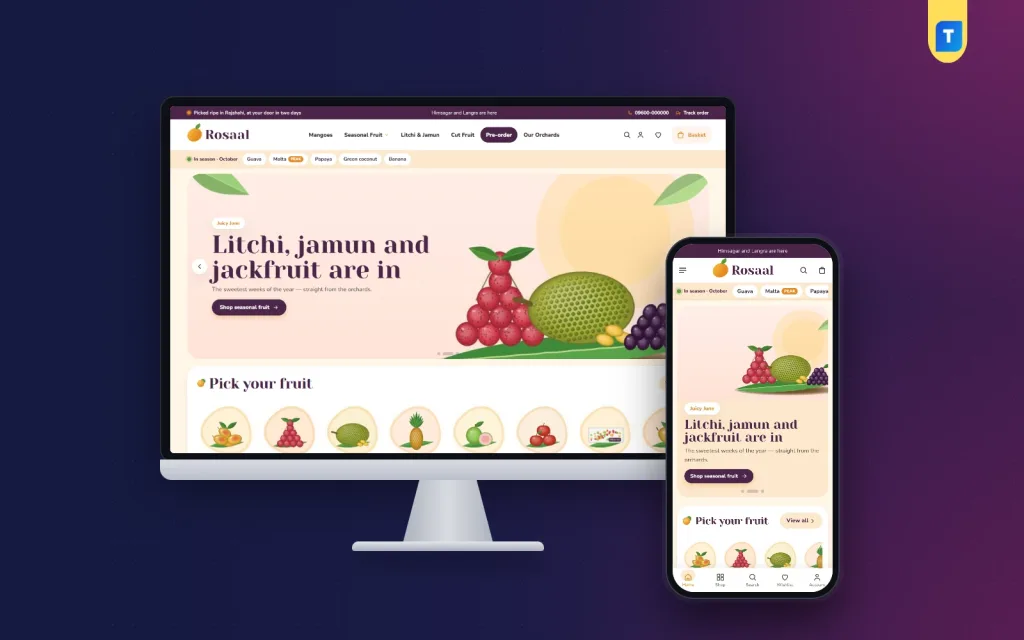
You can hire a developer to build everything from nothing, or you can start from a theme. Rosaal is a grocery store website template for WordPress, made for sellers whose stock follows the seasons, such as fruit shops, orchard sellers and city stores with a strong fresh section.
Facts from the theme:
- 25 homepage blocks you can switch on and re-order
- An "In season" ribbon fed by a 12-month fruit calendar
- Six mango cards with sweetness and fibre
- Harvest pre-orders with a ship date and a booked bar
- Gift crates and ready fruit lists
- bKash, Nagad, SSLCommerz and cash on delivery
- Steadfast and Pathao courier support
- A one-click demo with 38 fruit products
If your range is mostly fresh fruit, you may find Rosaal a good fit. If you run a very large mixed supermarket, compare it with other options first and check that its layout suits your catalogue.
Common mistakes
These are the problems we see most often on new grocery and supermarket sites:
- Putting thousands of products online with weak photos
- Using department names that customers do not use
- Hiding delivery fees until the last page
- Leaving out-of-stock items on sale
- Forcing account creation before checkout
- Filling the homepage with banners
- Skipping a test order before launch
Weak supermarket website design makes advertising expensive. Fix the basics first, then spend on promotion.
Launch checklist
Go through this list before you announce the site. A launch is a good time to check your supermarket website design once more with fresh eyes.
- Place test orders with cash on delivery, bKash and card.
- Check that confirmation emails and messages arrive.
- Check that stock reduces after each order.
- Read every page on a phone.
- Check delivery areas, fees and time slots against your plan.
- Test the search with a real shopping list.
- Add your phone, WhatsApp and store addresses.
- Set up automatic backups.
- Add analytics so you can see what visitors do.
- Announce the site on your Facebook page.
In the first month, review orders weekly. Note which departments sell, which products people search for and cannot find, and where shoppers leave the checkout.
If you want to read more on the technical side, the official WordPress documentation is a good, reliable reference.
Frequently asked questions
What is the first step in supermarket website design?
Start with your catalogue and your shopper. List your departments and aisles, decide who your main buyer is, and plan delivery areas. The visual design comes after that.
How many departments should a supermarket site have?
Most online supermarkets work well with eight to twelve departments, each with a few aisles. More than that makes the menu hard to scan.
What is the best way to plan online grocery store website design for mobile?
Design the phone screen first. Use a short header, two cards per row, large buttons and a cart that is always close. Then adapt the layout for larger screens.
Which payment methods should I offer?
Offer cash on delivery, bKash and Nagad at least. Add card payment through a gateway if you can. Many first-time buyers prefer cash on delivery.
Can I build a supermarket site on WordPress?
Yes. WordPress with a good shop theme can run a supermarket with a few thousand products, if you choose fast hosting and keep the page light.
How do I keep supermarket website design simple for older shoppers?
Use large text, plain words, a visible phone number and a short checkout. Offer cash on delivery and phone ordering as a backup.