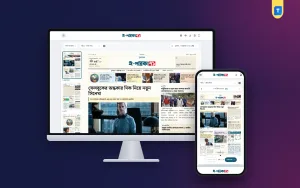
What is e paper, and why do so many readers and publishers in Bangladesh talk about it? An e-paper is the digital copy of a printed newspaper, kept in the same page-by-page form that readers know from print.
This guide explains how an e-paper works, how it differs from a news website, who reads it and why. It also shows how to download an e-paper, how to start one for your own newspaper, and what to check before you choose a tool. Use the headings to jump to the part you need.
What is e paper in simple words
An e-paper, or epaper, is an electronic edition of a newspaper. It looks like the printed paper. It has a front page, inner pages, sections, photos and ads, all arranged in the same order as the print copy.
A reader opens it on a phone, tablet or computer. Then the reader turns pages, zooms in on a story and reads the day's paper in one sitting. Each edition has a date. When tomorrow comes, there is a new edition, and the old one goes into an archive.
The main features of a good e-paper are:
- A dated edition, fixed for the day.
- A front page with the top stories.
- Section pages, such as national, district, sports and opinion.
- Zoom, so small text is easy to read.
- Page thumbnails and a date picker.
- Options to share, print or save a story.
E-paper and news website: what is the difference
People often mix the two, so here is the plain difference. A news website changes all day. New stories push old ones down, and the homepage looks different every hour. An e-paper does not change after it is published. It is a snapshot of the day.
- Layout. A website uses a scrolling feed. An e-paper uses fixed pages.
- Timing. A website updates through the day. An e-paper is one edition per day, week or month.
- Reading style. A website suits quick checking. An e-paper suits a calm read.
- Archive. An e-paper keeps every past edition by date.
- Advertising. Local advertisers understand a newspaper page better than a web banner.
Many publishers run both. The website brings breaking news, and the e-paper keeps the habit of the printed paper alive.
Why readers still choose an e-paper
You may think a website is enough. Yet e-papers keep a loyal audience. The reasons are practical.

- Older readers like the familiar order of a printed paper.
- Readers abroad can follow home news without a delivery.
- It is easy to find what was in the paper on a given date.
- There are fewer distractions than on a busy homepage.
- Readers can clip one story and share it on Facebook or a messaging app.
- Many people simply trust a newspaper page more than a feed of links.
For a publisher, this means repeat visits at a fixed time every day, which helps build a reading habit.
How to download epaper editions
Many readers search for how to download epaper copies to read offline or keep for reference. The steps are usually simple.
- Open the newspaper's e-paper page.
- Pick the date you want from the date picker.
- Choose the page or open the full edition.
- Look for the download, PDF or print button.
- Save the file to your phone or computer.
- Open it later, even without internet.
Some e-papers let you download a whole edition, and some let you download one page or one story clip. If you see no download button, the publisher may have turned it off. In that case, use the print option and choose "save as PDF".
A few tips:
- Use Wi-Fi for large editions, as full editions can be big.
- Name the file with the date, so you can find it later.
- Do not share a full paid edition if the publisher charges for it.
What is e paper good for in business
An e-paper is not only for reading. It helps a newspaper make money and keep its brand strong.
- Ads. Advertisers can book a page position, just like in print.
- Subscriptions. Some publishers keep the archive or the full edition for paying readers.
- Proof of publishing. A dated edition shows that you publish every day.
- Reach. People abroad and in other districts can read your paper at no printing cost.
- Brand. A branded masthead builds trust.
Small district papers gain a lot here. They may print few copies, but the e-paper lets them reach readers far away.
E-paper, PDF and image: what is the difference
People often call any digital newspaper file an e-paper. In practice there are three forms, and they work differently.
- Plain PDF. One file of the whole paper. It is easy to make but slow to open on a phone, and readers cannot search or clip a single story.
- Page images. Each page is a picture. It loads page by page, but text cannot be copied, and small text is hard to read.
- Story-based e-paper. Each story is real text placed on a page. It loads fast, reads clearly on a phone and lets readers clip one story.
This is useful to know when you ask what is e paper software really doing. A story-based reader treats each article as its own piece. Readers can clip, share and print it, and search engines can read the text. That is a big gain over a flat image.
A short look at who reads e-papers in Bangladesh
E-paper readers are not one group. Knowing them helps you plan your edition.
- Morning readers at home. They want the full paper in the same order as print.
- Office workers. They read during a break and want quick page jumps.
- Students. They follow education news, job notices and exam results.
- Readers abroad. They want home and district news, often late in their evening.
- Researchers and writers. They search the archive for a past date.
- Advertisers. They check that their notice appeared on the right page.
Most of these readers use a phone with mobile data. Keep pages light and the text large enough to read after a zoom.
Different ways to make an e-paper
There are three common ways. Each has a cost and a work load.
1. Upload PDF pages by hand
Your designer finishes the print layout, exports PDF pages and uploads them each day. It works if you already have a print team. The daily work is manual.
2. Hire a custom service
A company builds and hosts a reader for you. This can be costly, and you depend on the company.
3. Build the edition from your website stories
A tool collects the stories you already publish online and arranges them into pages. This suits online portals that have no print copy, and it needs little daily effort.
Pick the method that matches your team. If you have no print layout, the third way saves the most time.
Now you know what is e paper in practice, so the next question is how to choose or build one.
What to look for in e-paper software
Before you choose, check each item on this list.
- Does it build editions on a daily, weekly or monthly schedule?
- Does it show a front page and section pages?
- Can editors adjust the pages by hand?
- Does it support Bangla fonts properly?
- Can readers zoom, clip, share, download and print?
- Is the reader responsive on phones?
- Does it keep an archive with a date picker?
- Does it work with the theme you already use?
- Do you need paid API keys for daily information?
Bangla text quality matters most. A reader who sees broken letters will leave at once, so test with real headlines before you commit.
A ready-made option for WordPress
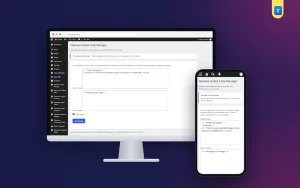
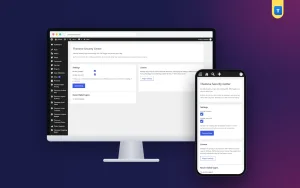
If your site runs on WordPress, one option is the Automatic WP Bangla E-Paper Plugin. It builds a newspaper edition from your published stories on a daily, weekly or monthly schedule.
According to the listing, each edition has a branded masthead, a front page, section pages and continued-on links. Readers can zoom, clip, share, download and print. It includes five Bangla fonts, an edition builder for manual changes and a way to create editions from PDF files. The reader runs full screen, so it works with news and blog themes you already have. See the details on the e-paper plugin page.
How to start an e-paper step by step
Here is a plain plan for a small newspaper or news portal.
- Decide how often you will publish: daily, weekly or monthly.
- List your sections, such as national, district, sports and opinion.
- Prepare your logo, name and masthead details.
- Choose your method: PDF upload or stories from your website.
- Install and set up the tool.
- Build a test edition and read it on a phone.
- Fix any font or layout problem you find.
- Publish your first edition and share the link.
- Keep the same publishing time every day.
Consistency matters. Readers come back when they know the edition will be ready at the same hour.
Tips to grow your e-paper readership
- Share the front page image on Facebook each morning with a link.
- Encourage readers to clip and share stories they like.
- Add the e-paper link to your site menu and footer.
- Tell readers abroad that the paper is available online.
- Keep the archive open so new readers can browse past dates.
- Sell page space to local shops who want daily visibility.
Reading tips for e-paper users
If you are a reader, these habits make e-papers more pleasant.
- Open the front page first, then go to the section you like.
- Use the thumbnails to jump straight to sports or opinion pages.
- Zoom in rather than squinting at small print.
- Turn your phone sideways for wide pages.
- Clip a story to share instead of sharing the whole edition.
- Use the date picker to read an old edition.
For publishers, the same list works as a design check. If a step feels slow on your own phone, your readers will feel it too.
Mistakes to avoid
- Skipping mobile tests. Most readers will open it on a phone.
- Irregular timing. A late edition loses the daily habit.
- Weak Bangla fonts. Poor text hurts trust.
- Heavy files. Huge pages load slowly on weak mobile data.
- No archive. Readers expect to find old dates.
- No share option. Clips are how e-papers spread.
Before you launch, run one more check with a friend who has never seen your e-paper. Ask them to find yesterday's sports page, clip a story and download one page. Watch where they hesitate. Every hesitation is a place to improve your buttons, labels or page order. Small fixes at this stage cost little, and they spare you many complaints later.
Finally, plan for growth. Start with a daily front page and three or four sections. Add more sections only when your team can fill them well. A neat small edition beats a messy large one.
If you want to read more on the technical side, the official WordPress documentation is a good, reliable reference.
Frequently asked questions
What is e paper?
It is the digital edition of a printed newspaper, shown page by page with the same layout. Readers can zoom, share and often download it.
What is e paper used for?
Readers use it to read the day's newspaper on a phone or computer. Publishers use it to reach readers abroad, sell ad space and keep a dated archive.
How to download epaper pages?
Open the e-paper page, choose the date, then use the download, PDF or print button. If no button is shown, print the page and save it as PDF.
Is an e-paper free to read?
It depends on the publisher. Many are free, and some keep full editions or archives for paying readers.
Can an online-only news site have an e-paper?
Yes. A tool can build an edition from the stories already on your site, so you do not need a print copy.
How often should I publish an edition?
Daily papers publish daily. Weekly and monthly papers follow their own schedule. Pick one rhythm and keep to it.
Does an e-paper work on a phone?
A good one does. Check that the reader is responsive, with zoom and page thumbnails that work on a small screen.