Real abandoned cart examples show you why shoppers leave and what you can do about it. A cart is abandoned when a visitor adds products, starts the checkout and then goes away without paying.
Most online shops lose more sales this way than they realise. This guide walks through ten clear cases, explains what sits behind each one, and gives you practical steps to win some of those buyers back. The examples fit a small shop in Bangladesh as well as any other store.
What an abandoned cart actually is
A visitor becomes a lead the moment they add something to the cart. They become a buyer only when the payment or the cash on delivery order is confirmed. Everything in between is a gap, and some people fall into it.
There are three common stages where people stop:
- Before checkout: they add a product, look at the cart and close the tab.
- During checkout: they type their details, then stop at the delivery charge or the payment step.
- After the order button: the payment fails or the page does not load, so the order never completes.
The second stage is the most useful for a small shop. The shopper has already typed an email address. That one detail is often enough to start a conversation.
Ten abandoned cart examples from everyday shops
These cases repeat in almost every store. Read them with your own shop in mind and tick the ones that sound familiar.
- The surprise delivery charge. A customer adds a 900 taka shirt. At checkout the delivery fee appears and the total feels too high. They leave.
- The price comparer. A shopper opens five shops in five tabs. Your cart sits in one tab and gets closed by accident.
- The phone call. A buyer fills in half of the form, gets a call, and forgets about it.
- The size doubt. A person adds a dress but is not sure about the size. There is no quick way to ask, so they leave.
- The payment worry. A buyer wants to pay by bKash but cannot see that option clearly. They do not trust the page and stop.
- The forced account. The shop asks them to register before buying. They do not want another password.
- The slow page. The checkout takes too long on a weak mobile connection. The shopper gives up.
- The browsing basket. Someone uses the cart as a wish list. They never planned to buy today.
- The failed payment. The card or mobile wallet fails once. The shopper does not try again.
- The coupon hunt. A buyer sees a coupon box, leaves to search for a code, and never returns.
These abandoned cart examples are not rare. Each case has a different cause, so there is no single fix. Still, the first step is the same for all of them: you need to know that the cart was left behind, and you need a way to reach the person.
Why the delivery charge is the biggest reason
Among all the cases above, the unexpected delivery fee is the one shop owners mention most. The product price looked fine on the product page. Then the total jumped at the last step.
Here is how to reduce that shock:
- Show the delivery charge on the product page or in the cart, not only at the end.
- Write a short line such as "Dhaka 60 taka, outside Dhaka 120 taka" near the price.
- Offer free delivery above a clear amount and show how close the buyer is to it.
- Keep the cash on delivery option visible, since many buyers still prefer it.
A buyer who knows the full cost early rarely feels cheated later. A buyer who feels cheated rarely comes back.
How to check abandoned cart WooCommerce stores collect
Before you fix anything, find out how big the problem is. If you want to know how to check abandoned cart WooCommerce data in your own shop, start with the simple numbers you already have.
- Open your analytics and count how many visitors reached the cart page.
- Count how many reached the checkout page.
- Count how many completed an order.
- Compare the three numbers. A big drop between checkout and order is your abandoned cart rate.
For example, if 100 people reach checkout and 30 order, 70 left. That is a 70 percent abandonment rate. Many shops see a figure in that range, so do not panic if yours looks high.
Numbers alone do not tell you who left. For that you need a list of the people who typed their email and did not finish. Without it, you can count the loss but you cannot act on it.
Abandoned cart examples from Bangladesh
Local habits shape why people leave. Some of the cases below are very common in our market.
- Facebook to website jumps. A shopper sees a post, taps the link, and lands on a product page. They want to chat first. The page has no quick answer, so they return to Facebook and message another seller.
- Cash on delivery doubts. A buyer fears the parcel will not match the photo. Without a clear return note, they hesitate and leave.
- Mobile wallet confusion. The buyer is ready to pay by bKash or Nagad but does not see the number or the steps. They stop to ask a friend and forget.
- Evening network drops. Mobile data slows down in the evening. A checkout page that loads slowly loses people.
- Eid rush. Shoppers fill carts with many items, then drop half after seeing the total.
Such abandoned cart examples teach one lesson: buyers rarely leave because they dislike the product. None of these is a reason to give up. Each one hints at a small change that can make buying easier.
What to do once you have the email
An email from a left cart is a warm lead. The person already knows your shop and already chose a product. Treat them kindly, not like a number.
A short follow-up works best. Here is a simple structure:
- Say hello and name the product they were looking at.
- Ask if they had trouble, and offer to help with size, payment or delivery.
- Give one clear next step, such as a reply or a link back to the product.
- Keep it under 100 words.
Here is a sample message you can adapt:
- "Hello, you were looking at the blue cotton panjabi on our shop yesterday. If you had any question about the size or delivery, reply to this email and we will help. Thank you."
Send it within a day. After two or three days, the shopper has often moved on.
Learning from your own abandoned cart examples
General lists are a good start, but your shop has its own story. Keep a small notebook or sheet and record every case you can explain. Over a few weeks, patterns appear.
For each left cart, write down four things:
- The product and its price.
- The time of day the shopper left.
- The step where they stopped, such as shipping or payment.
- The reason, if the shopper replied to you.
Say you notice that most carts above 3,000 taka are left at the payment step. That points to a payment trust problem, and the fix could be a clear bKash number, a cash on delivery option, or a short note about your return rule. If most left carts come from phone users in the evening, test your checkout speed on a slow connection.
This habit costs nothing. It turns a vague loss into a short list of things to repair, and every repair helps all future buyers, not only the ones who left.
When a coupon makes sense
A small coupon can tip the balance for a price-sensitive buyer. It does not suit every case, though. If the shopper left because of a size doubt, a coupon will not help. A clear answer will.
Use coupons with some care:
- Give a coupon only to people who stayed away for more than a day.
- Keep the value small, such as 5 percent or 50 taka.
- Set an end date so it does not become a permanent discount.
- Use one coupon per person.
Over time you will learn which cases respond to a coupon and which respond to a plain reply. A buyer who left because of a late delivery estimate, for instance, wants a date, not a discount.
Think of abandoned cart examples as clues. Each one tells you what to say in the follow-up.
It also helps to match the message to the case. Short, specific replies usually work better than generic ones:
- For a delivery charge case, explain the fee or mention free delivery above a set amount.
- For a size doubt, send a size chart link and offer a free exchange.
- For a payment worry, list the payment steps and confirm that cash on delivery is available.
- For a failed payment, apologise and share a direct link to try again.
Fixes you can make on the checkout page
Following up is only half the job. The other half is to stop losing people in the first place. Go through your own checkout as a buyer would, on a phone, and check each point below.
- Allow guest checkout so no account is needed.
- Ask only for what you need: name, phone, address and email.
- Show payment options clearly, including cash on delivery and mobile wallets.
- Add a line about your return or exchange rule.
- Make the order button big and easy to tap.
- Test the page on a slow connection.
- Place your phone number or chat link near the form for quick questions.
A test order every month catches many silent problems before customers do.
A checklist to review every week
Good habits matter more than a perfect system. Pick a quiet time each week and run through this short list.
- Open the list of left carts and sort by newest.
- Contact new leads within a day.
- Note the reason if the buyer replies.
- Fix any repeated problem on the site.
- Check that your checkout works on a phone.
- Review the delivery charge text.
- Write down how many carts you recovered this week.
Keep the notes in a simple sheet, and add new abandoned cart examples as you meet them.
Do not worry if the sheet looks rough at first. After a month you will see patterns that no guide can show you.
Mistakes to avoid when following up
Some habits do more harm than good. Avoid these:
- Sending too many messages. One or two is enough. More feels like pressure.
- Using the same text for everyone. Mention the product the person chose.
- Offering a big discount at once. Buyers learn to leave carts on purpose to get a code.
- Ignoring the reason. If many people leave at one step, fix that step.
- Contacting people without a basis. Only write to those who gave you their email at your checkout.
Your own data beats any general rule. Compare it with the abandoned cart examples in this guide to spot what is different in your shop.
A ready-made option for WooCommerce shops
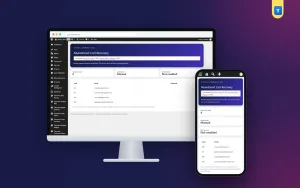
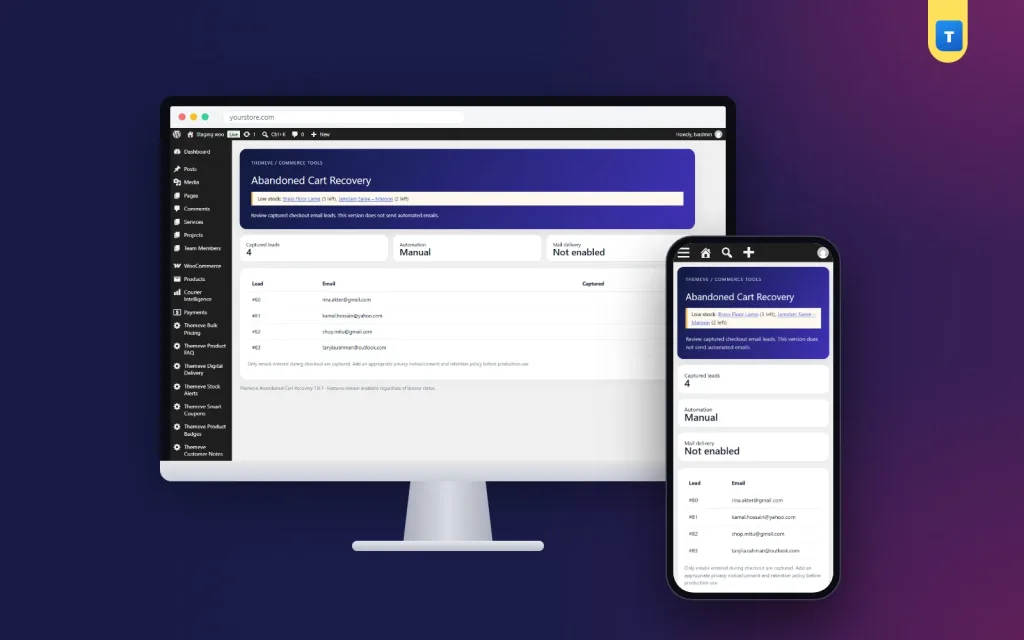
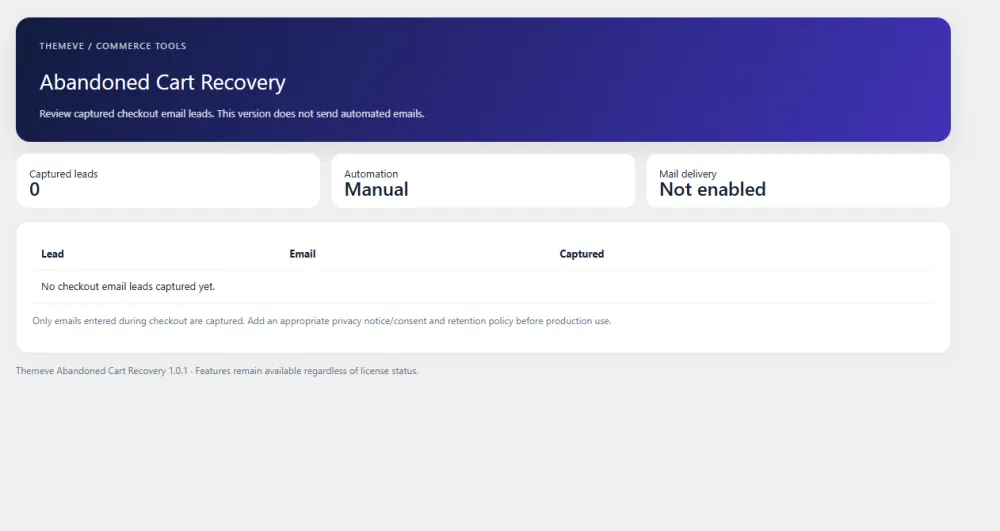
If you run WooCommerce, you can capture these leads without building anything. Abandoned Cart Recovery saves the email a shopper types at checkout, even if they leave. The email goes into a lead list in your admin, with the date it was saved and the newest at the top.
Each email is stored once, so repeat visitors are merged and you never write to one person three times by mistake. The data stays on your own website, and you decide how and when to follow up, by email, coupon or phone. On Themeve Commerce stores, the carts of logged-in customers are recorded as well.
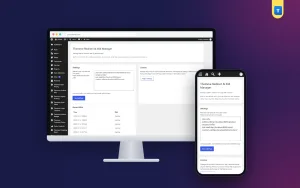
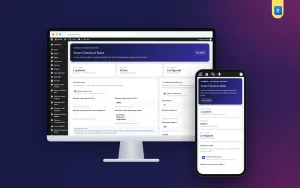
It works on the WooCommerce classic checkout. It does not send reminder emails by itself, so the follow-up message is yours to write. You can read the full details on the Abandoned Cart Recovery page.
If you want to read more on the technical side, the official WordPress documentation is a good, reliable reference.
Frequently asked questions
What are some simple abandoned cart examples?
A shopper leaves after seeing the delivery fee, gets a phone call mid-checkout, doubts the size, or cannot find their payment method. Each is a normal case of a cart left behind.
How do I know which abandoned cart examples apply to my shop?
Look at where people stop. If most leave at the shipping step, the delivery cost is the cause. If they leave at payment, check your payment options. Short surveys and direct replies add more detail.
How to check abandoned cart WooCommerce data without extra tools?
Compare cart page visits, checkout visits and completed orders in your analytics. The gap between checkout and completed orders shows how many carts were left behind.
How soon should I contact a shopper who left?
Within a day works best. The shopper still remembers your shop and the product they chose.
Is it fine to email people who left their cart?
Yes, if they typed their email on your checkout and you write a short, useful message. Keep it polite, send one or two messages only, and offer help rather than pressure.
Should I always give a coupon?
No. A coupon helps price-sensitive buyers, but not those with a size or delivery question. Try a plain helpful reply first.
Does guest checkout reduce left carts?
Often it does. Many buyers dislike creating a new account, and removing that step makes buying faster, especially on a phone.