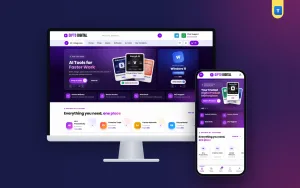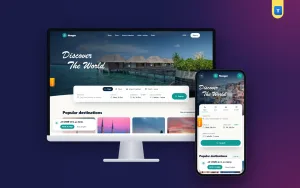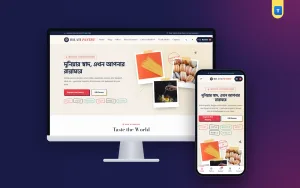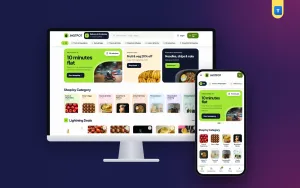
Good digital products website design has to answer one worry before anything else: "If I pay, will I really get it, and when?" There is no parcel to hold, no rider to call and no box to open. This guide covers plans, product pages, trust signals, payment, delivery times and the small habits that help a shop selling subscriptions, licences and courses in Bangladesh get steady orders.
Every idea here is simple and cheap. Pick the ones that fit your shop, try them for a few weeks, and keep what works.
Why digital products website design is different
A clothes shop sells something you can touch. A subscription shop sells a promise: access, for a set time, on a working account. The buyer cannot check the item on delivery, so the website has to do the checking for them.
- No parcel means the delivery time, not the courier, is the main question.
- Plans mean one product can have four or five prices.
- Accounts mean buyers want to know whose email the access sits on.
- After-sale help matters more, because setup can fail.
The answer is clarity. When every product says the plan, the price, the access time and the support hours in the same place, buyers stop asking the same five questions on chat.
Start with your product groups
Good digital products website design starts with the catalogue, not the banner. Write down everything you sell. Then group it into 6 to 10 main categories that buyers understand, such as Productivity Tools, Creative Apps, Online Courses, Career Subscriptions, Operating System Licences, Office Suites, and Security & VPN.
Show these as cards near the top of the homepage. A good card has a simple icon or tile, the category name, how many products sit inside and the lowest price, such as "From ৳299". That one price line tells a new visitor whether your shop fits their budget before they click.
Avoid naming categories after brands. Brands change, and you may not have the right to use their names or logos. Describe what the tool does instead.
One product, many plans
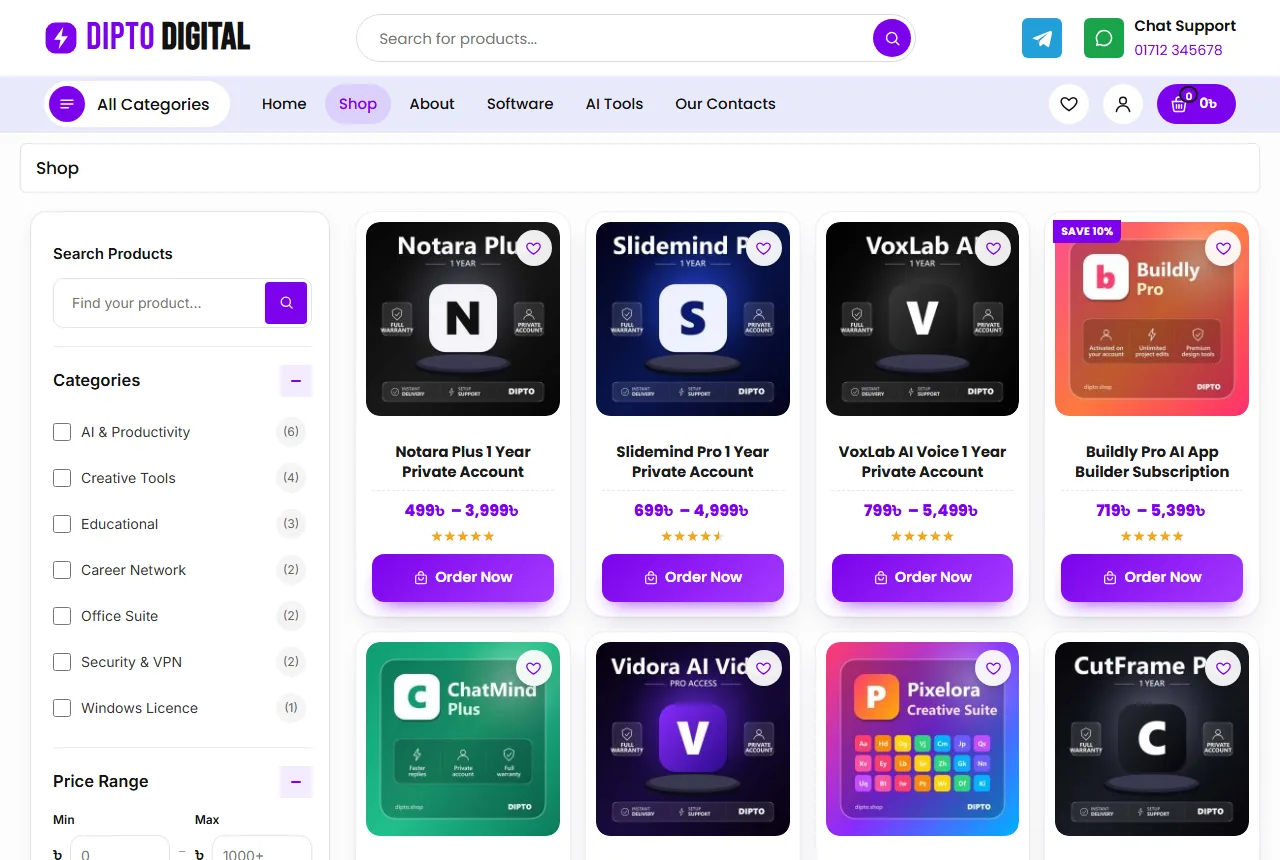
Do not create a separate product for every plan length. Make one product with a Plan option, such as 1 Month, 6 Months, 1 Year or Lifetime, and give each plan its own price. The shop page then shows a price range, and the product page shows the plans as buttons.
This keeps the catalogue short, the reviews in one place and the buyer's choice simple. Clean digital products website design depends on this structure more than on any colour or font.
A homepage order that builds trust
A buyer scrolls a digital shop looking for two things: the tool they want and a reason to trust you. Each block should help with one of those. Here is an order many shops use:
- Hero slider with one main message and one or two real offers.
- Category cards with the lowest price in each group.
- Trending products that people buy most this month.
- Trust strip with access time, genuine products, payment methods and support hours.
- One category row, such as creative apps.
- Offer band with a coupon code buyers can copy.
- Recent products so regular buyers see what is new.
- How it works in three steps.
- Reviews, an FAQ and a few blog guides.
Each grid should have a clear "More Products" link that opens the full list. On phones, show two cards per row and only the main slider.
Explain delivery in three steps
The most useful block on a digital shop is the simplest: how it works. Three steps are enough:
- Choose your product and plan.
- Pay with bKash, Nagad, Rocket or a card and get an order number.
- Get access by email or WhatsApp, on your own account where possible.
Under the steps, add a help line with a WhatsApp button: "Not sure which plan to choose? Ask us." Many buyers in Bangladesh still like to ask one question before paying. A button turns that habit into an order instead of a lost visitor.
Repeat the same promise everywhere: in the trust strip, on the product page and in the FAQ. If the steps say "within 30 minutes" and the FAQ says "within 2 hours", buyers notice and trust drops. Matching promises are a quiet part of digital products website design.
Product cards that answer the first question
In a plan-based shop the card has one job: show what the tool is and the starting price. Keep it identical across the site: picture, a two-line name, the price range, stars and a "Save %" tag when a plan is on sale.
Use clean square pictures on a plain background. A mix of screenshots, logos and photos makes the grid look messy. One style for every card makes even a small shop look cared for.
In digital products website design the card should offer two clear buttons: one to open the product and choose a plan, one small cart button. Buyers who already know the plan can move fast, and new buyers can read first.
Names that say what the buyer gets
Write every product name in one pattern: tool, edition, plan type and account type. For example "Notes Plus, 1 Year, Private Account". Buyers comparing two tools will thank you, and your search box will find products more easily.
Product pages for plans and licences
A buyer on a product page wants six answers: what it does, which plans exist, how much each one costs, whose account it uses, how fast it arrives and what happens if it stops working. Put all six near the top.
- A clear picture and a short text in plain words.
- The price range with an "In Stock" note.
- Plan buttons with the price changing as the buyer picks one.
- Add to Cart and Buy Now buttons, both large.
- The payment logos you accept.
- Three short promises: genuine product, digital delivery, support.
Under that, use tabs for the full description, the plan details and reviews. Show related products at the bottom so a buyer of a design app also sees the cloud storage plan.
Digital products website design for phones
Most orders in Bangladesh come from a phone, often on mobile data. Design the phone view first, then the desktop.
- A menu button, a centred logo and the account button in the top bar.
- A bottom tab bar with Home, Shop, Cart, Chat and Account.
- Product cards two per row.
- Plan buttons big enough for a thumb.
- One hero slider, not three banners stacked up.
Test the shop on a cheap Android phone over 4G. If the homepage feels slow there, it is slow for most of your buyers. Light digital products website design loads fewer heavy pieces and gets the buyer to the plan buttons faster.
Keep the shop light
Compress pictures before upload; product pictures are fine at 800 to 1200 pixels wide. Use a shop theme with small files instead of a heavy page builder. Keep plugins few, and remove the ones you do not use. Check your shop speed once a month, especially after adding a new plugin.
Payment and checkout for digital orders
A digital order needs no address for a courier. Ask only what the delivery needs: name, mobile number and email. If you sell only virtual items, WooCommerce skips the shipping step and adds no delivery charge.
Many small shops start with a manual method: the buyer places the order, the shop sends the bKash or Nagad number on WhatsApp, and the access goes out once the money arrives. Write this in plain steps at checkout, so nobody waits without knowing why. Honest digital products website design never hides the payment step.
As orders grow, add an automatic bKash, Nagad or card payment plugin. Show the logos of what you accept on the product page and in the footer.
Coupons that do not hurt margins
A first-order coupon, such as ৳100 off orders over ৳1,000, works well. Limit it to once per customer. Show the code in an offer band where buyers can tap to copy it.
Accounts, guest orders and repeat buyers
Digital shops earn their profit on renewals. Someone who bought a one-month plan in March may come back for a full year in April. A saved account makes that second order easy.
You can let buyers order as guests and offer an account at checkout, or ask everyone to sign in first. Guest orders are faster. Required accounts cut fake orders and keep the order history in one place. Pick one and say it clearly.
Make sign-up quick. A popup that accepts a Bangladeshi mobile number (01XXXXXXXXX) or an email with a password is enough. A wishlist and a Track Order page give buyers a reason to sign in again, and a renewal note on each product brings them back.
Trust signals that are honest
Digital shops live on trust, so every signal has to be real. Show reviews from real orders, with the buyer's first name and the product they bought. If you show a rating summary, use your real numbers, even if they are small at first.
- Real support hours, such as 9 AM to 11 PM.
- A real phone number and WhatsApp number.
- A real office address, even a small one.
- Clear refund rules for failed activations.
- Honest notes on shared versus private accounts.
Google's guide to helpful content is a good reminder here. Write product text for buyers, in your own words, and answer the questions they really ask.
Common mistakes in digital products website design
- One product per plan, so the shop has five copies of every tool.
- No access time on the product page.
- Brand logos you have no right to use.
- Fake rating numbers that never change.
- No refund rule for activations that fail.
- Pop-ups on phones that hide the cart button.
- Product text copied from the tool's own website, word for word.
A ready digital product store website design template can save weeks, but only if it fits how plans and virtual orders really work. Check the product page and checkout before you check the colours.
Content and help pages
A shop that sells access needs clear help pages. Buyers check these before their first order:
- About: who runs the shop and where you are.
- How to Buy: the three steps, payment and access time.
- Return Policy: what happens if activation fails.
- FAQs: the questions you hear most.
- Contact: phone, WhatsApp, address and a form.
- Track Order: order number and email.
- Privacy and Terms.
Seasonal changes
Digital shopping in Bangladesh follows the calendar too. Course plans sell before the new term, design tools sell before Eid campaigns, and VPN and security plans sell when people travel. Change the hero slider, the offer band and the category row for each season. Fresh digital products website design tells regular buyers the shop is alive.
A small blog helps as well. Short guides, such as how to pick a plan or how to keep accounts safe, bring visitors from search and answer questions before they reach you.
A launch checklist
- Every product has a picture, a clear name, plans with prices and a short text.
- Access time and support hours appear on the homepage and product pages.
- The three steps are on the homepage.
- Payment steps are written at checkout.
- The refund rule is on the Return Policy page.
- Help pages are written and linked in the footer.
- You placed three test orders from a phone.
Track a few numbers every week after launch: visitors, orders, average order value and renewals. Change one thing at a time, and watch whether the numbers move.
Turning these ideas into a shop with Dipto
These ideas are easier to follow with a digital product store website design template that already has them built in. The Dipto theme for subscription and licence shops runs on WordPress and WooCommerce.
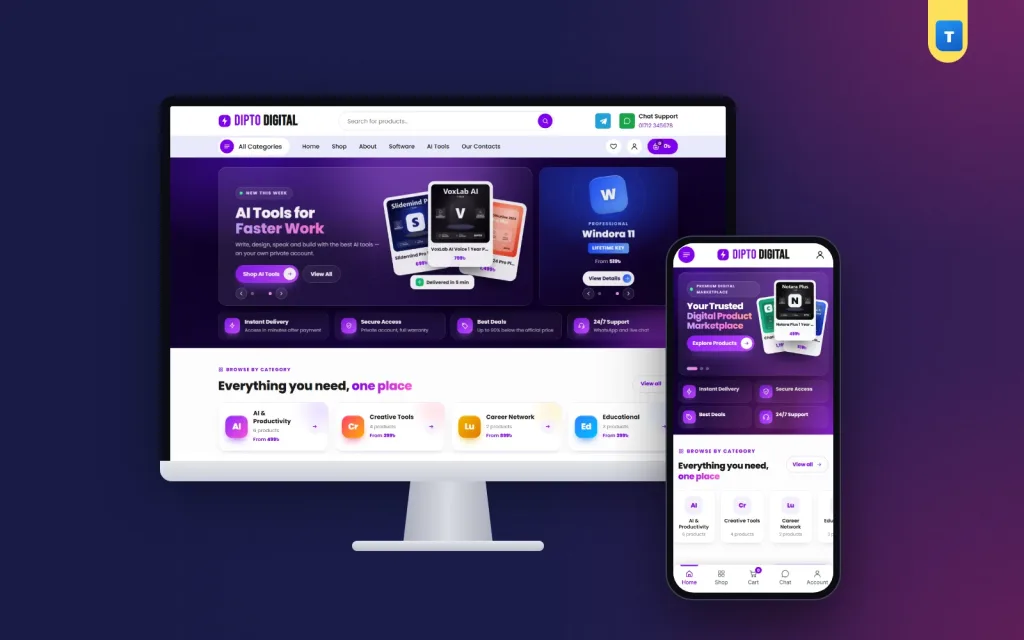
It has wide and square hero sliders, category cards with the lowest price, trending, category and recent product grids, a trust strip, an offer band with a copyable coupon, a three-step "how it works" band, reviews, an FAQ and a blog block.
Its demo products are virtual, with plan buttons such as 1 Month, 1 Year and Lifetime, so no delivery charge is added. Buyers get mobile number or email sign-in, a wishlist and a Track Order page, and every homepage block can be switched on or off. Import the demo, add your products, and you can take orders the same week.
Frequently asked questions
What should a digital products website design show first?
The main offer, category cards with prices, and a clear line on how fast access arrives.
Is digital products website design different on phones?
Yes. Phones need a bottom tab bar, two cards per row and plan buttons big enough for a thumb.
Do I need online payment from day one?
No. A manual bKash or Nagad step works at first. Add an automatic payment plugin later.
Should every plan be a separate product?
No. Use one product with a Plan option and a price for each plan.
How many products should I start with?
Start with 15 to 30 tools you can always deliver, then grow.