Good ecommerce search system design decides whether a visitor finds the product they want or leaves in ten seconds. People who use the search box are not browsing. They already know what they want, and they are often the visitors closest to buying.
This guide explains how to plan search for an online shop, from the search box itself to the results page. It is written for small shop owners and developers who build for them. You will get a clear structure, checklists and practical examples, including cases from Bangladesh where phones, Bangla and English spellings, and mixed catalogues make search harder than it looks.
Why search matters more than most owners think
On most shops, a small share of visitors use search, but that group buys more often than the average visitor. They typed a word, which means they have a clear need. If the result is wrong or empty, you lose a sale that was nearly done.
Search also teaches you something. The words people type show what they expect to find, including products you do not yet sell. Reading those words once a month is free market research.
The parts of ecommerce search system design
Every search feature, big or small, has the same five parts. Plan each one, and the whole system improves.
- The input. The search box and the text inside it.
- The index. The data the search looks through: product titles, descriptions, categories and tags.
- The matching. How the system compares the typed words with that data.
- The ranking. Which results appear first.
- The results page. How matches are shown, and what happens when there are none.
Large shops build custom engines for parts two to four. A small shop usually relies on the built-in search of its platform, and gets most of the benefit by improving parts one and five and by cleaning the data in part two.
Ecommerce search system design starts with the search box
The best engine is useless if people cannot find the box. Follow these rules:
- Put the box at the top of every page, where visitors expect it.
- Make it wide enough to read a full product name.
- Do not hide it behind a tiny icon on phones if search matters for your catalogue.
- Use a clear button label or a magnifying glass that people recognise.
- Keep the box in the same place on every page.
In Bangladesh, most shoppers use a phone. Test the box with your thumb on a small screen. If it is hard to tap or the keyboard covers the results, fix that first.
Write a helpful placeholder
The placeholder is the grey text inside an empty box. It is a small space with a big effect. "Search" says nothing. Compare it with these:
- Search sarees, panjabis and kurtis
- Search by product name or brand
- Search for laptops, phones and accessories
A good placeholder tells visitors what kind of words will work. It reduces empty results because people type something the shop can match.
Prepare the data your search will read
Search can only match what exists in your content. Most poor results come from poor data, not from a poor engine.
Product titles
Use the words customers use. If people say "panjabi", do not write only "kurta". Put the type of product in the title, then colour or material. Keep a consistent pattern across all products.
Descriptions
Write real descriptions with the words a buyer might type: fabric, size, use, occasion. A one-line description gives the search almost nothing to match.
Categories and tags
Use categories for the main groups and tags for extra descriptions. Keep names short and consistent. Avoid ten near-duplicate tags that confuse both customers and search.
Spelling and language
Customers may type in Bangla, English or Banglish. They may also misspell brand names. You cannot cover everything, but you can include the common alternatives in the description or tags. Check your search history if you have it, and add the words people actually use.
Common ecommerce search system design mistakes
- A search box that only appears on the homepage.
- An empty results page that says "nothing found" and nothing else.
- Product titles that are code numbers instead of names.
- Searching the whole site, including blog posts and policy pages, when the visitor wants products.
- Ignoring the mobile layout.
- No way to narrow the search to a type of content.
- Slow results because of heavy plugins or poor hosting.
Each one is simple to fix, and fixing even two or three usually makes search feel much better.
Design the results page, not only the search
A visitor judges your search on the results page. A good page has the following:
- The word they searched for repeated at the top, such as "Results for panjabi".
- Clear product images, names and prices.
- The most relevant products first.
- A short message and helpful links when no products match.
- A search box on the results page, so visitors can try again without going back.
Using your own theme for the results page keeps the style consistent. A shopper should feel they are still in your shop, not on a different site.
Plan for "no results"
No results will happen, and what you show next matters. Instead of a blank page, offer these:
- Suggestions to check the spelling.
- Links to your main categories.
- A short list of popular or new products.
- A way to contact you on WhatsApp, Messenger or phone, which many Bangladeshi buyers prefer.
Filters, sorting and search together
Search finds products by words. Filters narrow them by price, size or colour, and sorting changes the order. Shops with many products usually need all three. Small shops with under a hundred products can often skip filters and spend their effort on clear categories.
Be honest about what your tools do. A simple search form does not add price or attribute filters. If you need those, plan for a shop plugin or theme that provides them, and keep your search box as the quick way in.
An example: a small fashion shop
Imagine a shop with 80 products: sarees, panjabis, kurtis and a few accessories. A customer types "cotton panjabi blue". The shop has a product called "Blue Panjabi", whose description says "made from soft cotton". Because the title and the description together hold all three words, the product appears. If the description were empty, the search would find the title only and might miss the cotton detail.
Now imagine another customer types "punjabi", with a different spelling. If your product uses "panjabi" only, the search may return nothing. A simple fix is to mention the second spelling once in the description or tag. This kind of small, practical change is a real part of search planning, and it costs nothing.
Think about speed
Search that takes five seconds feels broken. Speed depends on your hosting, your theme and the number of plugins. Keep the number of active plugins low, use a good image size on the results page and test on a normal mobile connection, not only on fast office internet.
Think about privacy and safety
Never show private or draft content in public results. Do not display customer data or order details through search. A good rule is simple: if you would not put it on a public page, it should not appear in search.
Search and SEO are related but different
Site search helps visitors already on your shop. Search engine optimisation helps new visitors find you from outside. They support each other, because the same clear titles and descriptions help both.
Owners often ask about the best wordpress plugin for search engine optimization, and the honest answer is that no plugin replaces good content. A good SEO tool helps you write page titles and descriptions, but you still need useful pages. Treat site search as the second step, after visitors arrive.
Measure and improve search every month
A short routine keeps search healthy:
- Type ten of your best-selling product names. Do they appear first?
- Type five common misspellings. Does the shop still help?
- Check a few words from your customers' messages, such as "red saree" or "baby shoes".
- Test on a phone and a computer.
- Note anything that fails and fix the product title, description or tag.
This takes about twenty minutes. Write down changes and the date, so you can see whether results improve.
Using your search data
If your platform shows what visitors searched for, read the list every month. It tells you three useful things:
- Words that return nothing. Add a product, a tag or a better description.
- Words that return too many results. Make titles more specific.
- Words you did not expect. They may point to a new product you could stock.
If you have no search history, ask your customers. A short message such as "What were you trying to find?" often brings honest and useful answers. Keep the replies in a note and review them when you update the catalogue.
Those small notes become a plan that improves your shop step by step, and every fix helps the next visitor too. Seen this way, ecommerce search system design is not a one-time job but a habit of small repairs. A shop that fixes five searches a month will feel very different after half a year.
If you also want better titles for outside visitors, the best wordpress plugin for search engine optimization is the one you will actually use to write a clear title and description for each page.
A simple way to put search where it helps
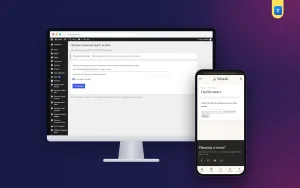
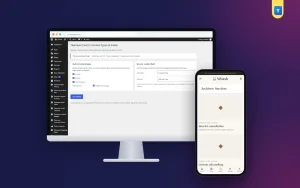
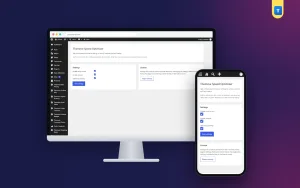
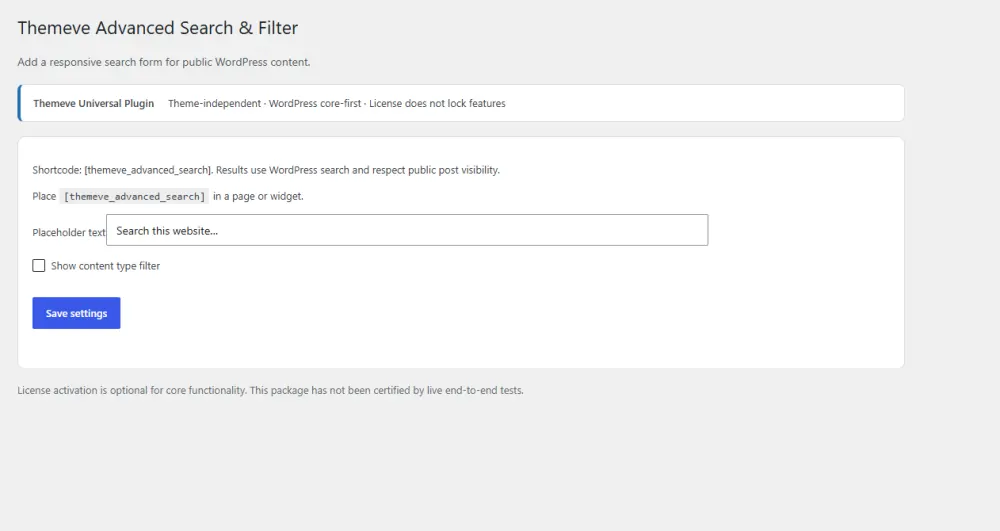
Many themes tuck search into a small icon or a sidebar that disappears on phones. If that matches your theme, Advanced Search is one option for WordPress. It places a clean, responsive search form anywhere with the shortcode [themeve_advanced_search]. You can write your own placeholder text and, if your site has several types of content, let visitors choose which type to search.
It uses the normal WordPress search, so results appear in your theme's own style, and it works with any theme without an outside search service. It shows public content only. It does not replace the WordPress search engine, and it does not add price or attribute filters. If that fits your needs, see the Advanced Search page for details.
Where to place the search form
- At the top of the homepage, above the first banner.
- On category pages, so visitors can search inside a busy section.
- On the help or FAQ page.
- At the end of long blog posts, for readers who want related items.
- On the "no results" page.
Test each placement on a phone. A form that looks good on a computer can feel cramped on a small screen.
Who should handle search in a small team
Give one person the job. It does not need to be a developer. The person who writes product titles and answers customer messages is often best, because they hear the real words customers use. Ask them to spend fifteen minutes each week on three tasks:
- Run five test searches on a phone.
- Fix one product title or description that failed.
- Write down the date and what changed.
Over time this builds a shop where customers find items quickly, and where you spend less time answering the question "do you have this?" by message.
A checklist before you launch
- Search box visible on every page, phone and computer.
- Helpful placeholder text written.
- Product titles use customer words.
- Descriptions have real details.
- Categories and tags are clean and short.
- Results page matches your theme and shows image, name and price.
- A useful "no results" message is in place.
- Speed tested on a mobile connection.
- Ten test searches pass.
If you want to read more on the technical side, the official WordPress documentation is a good, reliable reference.
Frequently asked questions
What is ecommerce search system design?
It is the planning of how shoppers search a store: the search box, the data it reads, the matching, the order of results and the results page. Good ecommerce search system design helps visitors reach the right product fast.
Do small shops need a special search engine?
Usually not. Most small shops do well with the built-in search if titles, descriptions and categories are written clearly and the search box is easy to find.
How do I improve search results without coding?
Rename products using words customers use, add real descriptions, tidy categories and tags, and test common searches every month.
Where should the search box go on mobile?
At the top of the page, large enough to tap. Avoid hiding it in a menu if many of your customers search for items by name.
What should a results page show?
The searched word, product images, names, prices and the best matches first. If there are no matches, show spelling hints, categories and a way to contact you.
Is search the same as filtering?
No. Search uses typed words. Filters narrow products by price, size or colour. Large catalogues often need both.
Does good ecommerce search system design help SEO?
Indirectly. The same clear titles and descriptions help both site search and search engines, but site search mainly improves the visit of people who have already arrived.