What is an activity log, and why do so many website owners wish they had one sooner? In simple words, it is a written record of what happened on a system, who did it and when. On a website, it answers questions such as who deleted a page, who logged in at midnight and which plugin was switched off yesterday.
This guide explains the idea from the beginning. You will see how it works, what it records, a few real examples, and how a small business in Bangladesh can start using one. No technical background is needed.
What is an activity log in plain words
An activity log is a list of events with a date and time. Each entry normally tells you three things: who acted, what they did and when it happened. Think of the register book at a shop where every visitor writes a name and a time. An activity log is the same idea, kept automatically by software.
You will also hear other names for the same thing:
- Audit trail. A log kept so someone can check later what happened.
- Event log. A list of system events, often more technical.
- User activity log. A log that focuses on what people do.
- Change log. A record of changes, usually to content or settings.
The names differ slightly, but the purpose is the same. You want facts about the past, so you do not depend on memory.
An activity log example you can picture
Here is a simple activity log example from a small online clothes shop. Three people work on the site: the owner, a content editor and a part-time helper.
- 09:02 Rahim (owner) logged in.
- 09:15 Sumi (editor) logged in.
- 09:40 Sumi saved the product "Cotton Panjabi".
- 11:05 Unknown user failed to log in three times.
- 11:30 The helper deleted the page "Eid Offer".
- 11:32 The helper activated a new plugin.
Now imagine the Eid Offer page is gone and nobody remembers why. With the list above, you know who deleted it and at what time. You can also see a suspicious set of failed logins at 11:05. Without a log, you would only have guesses and arguments.
What an activity log records
The exact events depend on the system. For a website, the most useful ones are these:
- Logins. Who signed in, and when.
- Failed logins. Wrong passwords, which may show a guessing attempt.
- Content changes. Pages, posts or products that were saved, published or deleted.
- Plugin and theme changes. Activation, deactivation, installation and removal.
- User changes. New accounts, changed roles, removed users.
- Settings changes. Changes to important site options.
Not every tool records every item. Before you choose a tool, check which events it covers and decide which ones you need. A small site often needs only the first four.
Why every growing website needs one
A site with one person needs a log less. As soon as a second or third person gets access, the questions begin. Here is what a log gives you:
- Accountability. People are more careful when they know changes are recorded.
- Faster fixes. If the site breaks after a change, you can find that change in minutes.
- Security clues. Odd logins, repeated failures and unknown activity show up clearly.
- Fair handling of disputes. Facts replace blame.
- Handover records. When a developer or staff member leaves, you can review what they changed.
For a business, these benefits are practical. One deleted product page can cost real sales, and a clear record helps you recover quickly.
How an activity log works behind the scenes
The software watches for certain actions. When one happens, it writes a short line into a database table or a file. The line holds the user name, the action, the object it touched and the time. When you open the log screen, the software reads those lines and shows them in order.
Two settings matter a great deal:
- What to record. Recording everything creates noise. Choose events that answer real questions.
- How long to keep it. Logs grow. A good tool lets you set a limit and removes the oldest entries as new ones arrive.
If a log is never limited, it can slow your site and fill your hosting space. Always set a sensible number.
What is an activity log used for in security
Security is where logs often prove their worth. Attackers rarely announce themselves, but they leave traces. Look for these patterns:
- Many failed logins in a short time, especially on the admin account.
- A login from a user who never works at that hour.
- A new admin account that nobody created.
- A plugin installed or activated without anyone asking for it.
- Content deleted in bulk.
A log does not stop an attack. It tells you that one is happening or has happened, so you can change passwords, remove accounts and restore a backup. Think of it as a security camera, not a lock.
What is an activity log in the legal and business sense
In larger organisations, logs support audits and compliance. A bank, a hospital or a government office must prove who accessed which record. Small businesses have lighter needs, but the same logic applies. If a customer says an order was changed, you can check. If a staff member says they never touched a file, you can check that too.
Keep in mind that a log can contain personal information such as user names and sometimes IP addresses. Store it safely, limit who can read it and delete old entries you no longer need.
More examples from real small-business situations
A second activity log example helps show how varied the uses are.
A Facebook seller with a new website
Nasrin sells handmade bags and moved from a Facebook page to a website. She gave her cousin access to upload photos. One morning, three products showed the wrong prices. The log showed that her cousin edited those products at 8 p.m. the night before. It was a simple mistake, and the prices were fixed in ten minutes.
A coaching centre with several teachers
A coaching centre site has five teachers uploading notes. A notice page disappeared. The log showed which teacher deleted it, and it was restored from the trash. The conversation was friendly because the facts were clear.
A small agency managing client sites
A freelancer looks after ten client sites. After a plugin update, one site broke. The log showed the client's own staff had installed a plugin an hour earlier. The freelancer knew where to look at once.
How to choose an activity log tool
Whatever you pick, compare these points:
- Does it record the events you need, such as logins, content changes and plugin changes?
- Can you choose which events to record?
- Can you set how many entries to keep?
- Can you export the log, for example to a CSV file you can open in a spreadsheet?
- Can you clear the log easily?
- Is the screen readable by a non-technical person?
- Does it work on your platform, such as WordPress?
Avoid tools that record far more than you need. A log you never read is not useful.
A ready-made option for WordPress
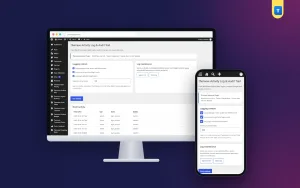
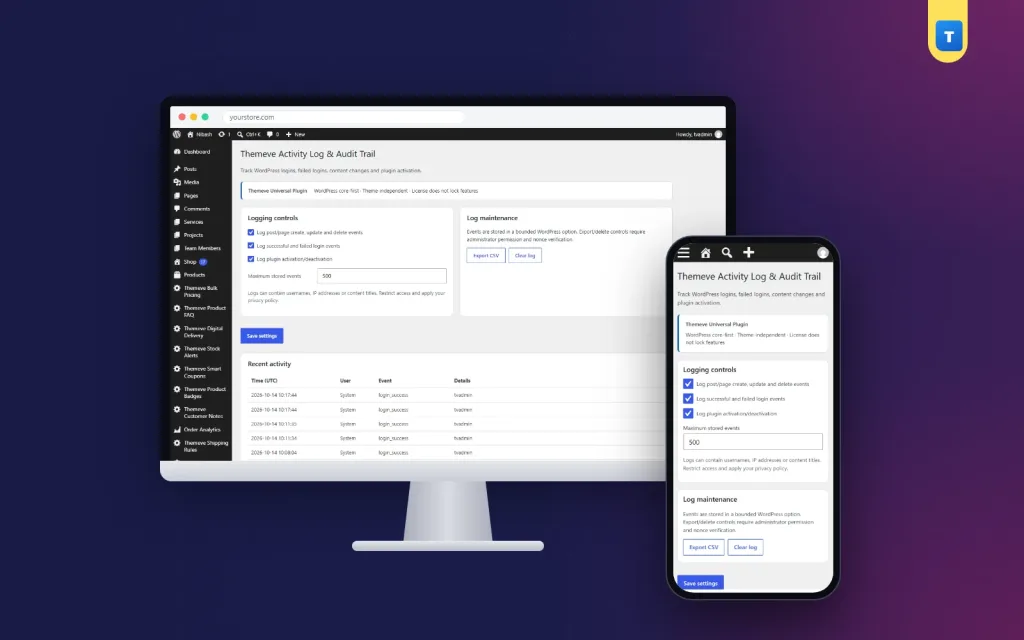
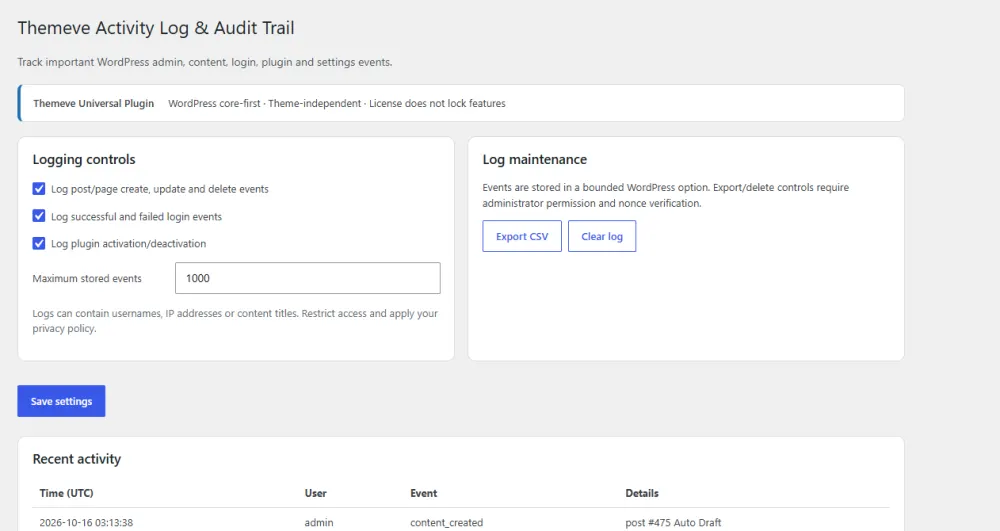
If your site runs on WordPress, Activity Log is a plugin built for this job. It records logins, failed logins, content saves and deletes, and plugin activation and deactivation, each with the user and the time. You choose which events to record and how many entries to keep, you can export the log as a CSV file, and you can clear it in one click.
It has limits that are worth knowing. It does not record changes made on settings screens, and it is a record, not a lock. It shows what happened but does not stop anyone. For that, give each person only the access they need. You can find the details on the Activity Log product page.
How to set up and use a log in five steps
- Install the tool on a site you manage and open its settings.
- Choose events: logins, failed logins, content changes and plugin changes are a good start.
- Set the number of entries to keep. A few hundred is fine for a small site.
- Ask each person to use their own account, never a shared one. A shared login makes the log less useful because the user name no longer shows who acted.
- Open the log once a week for two minutes and scan for anything unusual.
Good habits that make a log more useful
- One account per person, with a strong password.
- Remove accounts as soon as someone leaves.
- Give editors the editor role, not the admin role.
- Export the log at the end of each month if you need a record.
- Tell your team that changes are recorded. It is not about distrust; it keeps everyone careful.
- Keep backups as well. A log shows what happened, a backup lets you undo it.
How to read the log without wasting time
Many people open a log once, see hundreds of lines and never return. Read it in a smarter way:
- Look at the newest entries first.
- Scan the user column. Do you know every name?
- Look for clusters, such as ten failed logins within one minute.
- Check for deletions and plugin changes, because these cause the biggest surprises.
- If something looks odd, note the time and compare it with other events around it.
Two minutes a week is enough. The point is to notice the unusual, not to study every line.
A short checklist for owners with staff
- List everyone who has a login to your website today.
- Remove anyone who no longer needs access.
- Give each remaining person the lowest role that lets them do their job.
- Switch on logging for logins, content changes and plugin changes.
- Decide who reads the log, and how often.
- Write down what you will do if you find something strange, for example change passwords and restore a backup.
Having this plan before a problem makes the response calm and quick. Without it, people lose hours deciding what to do while the problem grows.
When a question comes up
The real value appears when a problem arrives. Suppose a customer says the price on your site changed after they placed an order. Open the log, find the product, and read the time of the last edit. If you are asked what is an activity log worth to a business, this is the answer: it turns a long argument into a short check.
What a log cannot tell you
Be honest about its limits so you do not trust it too much:
- It cannot tell you why someone did something, only that they did it.
- It cannot show events from before it was installed.
- It may not record every type of change, so read the tool's description.
- It cannot restore anything. For that you need a backup.
Used with sensible access rules and regular backups, it becomes one part of a simple, reliable routine.
Common mistakes to avoid
- Recording every possible event and then never reading the log.
- Sharing one admin login among several people.
- Never setting a limit on entries.
- Treating the log as protection. It only records.
- Forgetting to protect the log itself, since it may hold personal details.
- Waiting for a problem before turning it on. A log cannot show what happened before it was installed.
If you want to read more on the technical side, the official WordPress documentation is a good, reliable reference.
Frequently asked questions
What is an activity log in simple words?
It is an automatic list of actions on a system, showing who did what and when. On a website it records things like logins, edits and deleted pages.
What is an activity log used for?
Mostly three things: finding the cause of a problem, spotting suspicious behaviour and keeping staff accountable. It also helps when you hand a site over to someone new.
Is an activity log the same as an audit trail?
They are very close. An audit trail is a log kept mainly so that someone can review it later, often for checks or compliance. In small websites the two words are used for the same thing.
Can you give a short activity log example?
Yes: "11:30 The helper deleted the page Eid Offer." It names the person, the action, the object and the time. That is all a good entry needs.
Will a log slow down my website?
A well-made one has very little effect, especially if you limit the number of entries and record only useful events.
Does a log stop hackers?
No. It records activity, so you can notice and respond. To block attacks you need strong passwords, limited login attempts and regular updates.
How long should I keep log entries?
For a small site, a few hundred recent entries or a few weeks of history is usually enough. Export older data if you need to keep it.